
Kica Jet Fan Ultra, Jetfan 1.0
KiCA Jet Fan Ultra and Jetfan 1.0 Electric Air Duster User Manual
Model: Jet Fan Ultra, Jetfan 1.0
Увод
This manual provides detailed instructions for the safe and effective use of your KiCA Jet Fan Ultra and Jetfan 1.0 Electric Air Dusters. Please read this manual thoroughly before operating the devices and retain it for future reference.

Image: The KiCA Jet Fan Ultra (left) and Jetfan 1.0 (right) electric air duster units. The Jet Fan Ultra is a rectangular, gun-shaped device with a nozzle, while the Jetfan 1.0 is a smaller, T-shaped device.
Безбедносне информације
- Do not point the air duster at eyes, face, or body.
- Чувати ван домашаја деце.
- Do not operate in wet conditions or near flammable liquids or gases.
- Уверите се да је порт за пуњење сув пре повезивања пуњача.
- Немојте растављати или модификовати уређај.
- Користите само приложени кабл за пуњење и адаптер.
Садржај пакета
Проверите да ли су све ставке присутне у вашем пакету:
- KiCA Jet Fan Ultra
- KiCA Jetfan 1.0
- Кабл за пуњење (USB-C)
- Nozzle Attachments (if applicable)
- Кориснички приручник (овај документ)
Сетуп
Почетно пуњење
Before first use, fully charge both devices. Connect the provided USB-C charging cable to the charging port on each device and to a suitable USB power adapter. The indicator lights will show charging status.
Attaching Nozzles (Jet Fan Ultra)
Align the desired nozzle attachment with the air outlet of the Jet Fan Ultra and push firmly until it clicks into place. Ensure it is securely attached before operation.
Упутство за употребу
KiCA Jet Fan Ultra
- Укључивање/искључивање: Притисните и држите дугме за напајање да бисте укључили или искључили уређај.
- Подешавање брзине ваздуха: Use the speed adjustment buttons (often marked '+' and '-') to cycle through different air speed levels. The indicator lights will show the current speed setting.
- ЛЕД светло: The Jet Fan Ultra features double-sided LEDs. Press the light button to activate or deactivate the integrated LED lights for improved visibility in dark areas.

Image: The KiCA Jet Fan Ultra demonstrating its double-sided LED lights, illuminating a dark area within a car engine bay for precise cleaning.
KiCA Jetfan 1.0
- Укључивање/искључивање: Притисните и држите дугме за напајање да бисте укључили или искључили уређај.
- Ручни режим: Press the trigger button to activate the airflow. Release the button to stop.
- Аутоматски режим: After powering on, press the trigger button and then single-tap the power button to switch between manual and auto mode. In auto mode, the fan will run continuously until switched off or back to manual mode.
- Adjusting Air Speed (Jetfan 1.0): The Jetfan 1.0 typically has multiple gears. Single-tap the power button (after initial power-on) to cycle through the gears (speed settings). Blue indicator lights will show the current gear.
- Прва брзина: 1 blue indicator, approx. 18,000rpm, 2.5m/s
- Друга брзина: 2 blue indicators, approx. 36,000rpm, 6.5m/s
- Трећа брзина: 3 blue indicators, approx. 60,000rpm, 9.0m/s
- Четврта брзина: 4 blue indicators, approx. 86,000rpm, 11.5m/s

Image: The KiCA Jetfan 1.0 illustrating its four gear settings, with corresponding RPM and wind speed values indicated by blue lights.

Image: The KiCA Jetfan 1.0 demonstrating its manual mode (trigger press for airflow) and auto mode (continuous airflow after a specific button sequence).
Одржавање
- Чишћење: Use a soft, dry cloth to wipe the exterior of the devices. Do not use harsh chemicals or abrasive materials.
- Филтер за улаз ваздуха: Periodically check the air inlet for dust or debris accumulation. Gently clean the filter area with a soft brush or another air duster to ensure optimal performance.
- Складиштење: Чувајте уређаје на хладном и сувом месту, даље од директне сунчеве светлости и екстремних температура.
- Одржавање батерије: For prolonged storage, charge the devices to approximately 50% every three months to maintain battery health.
Решавање проблема
| Проблем | Могући узрок | Решење |
|---|---|---|
| Уређај се не укључује. | Ниска батерија. | У потпуности напуните уређај. |
| Слаб проток ваздуха. | Low battery; obstructed air inlet. | Charge the device; clean the air inlet filter. |
| Уређај се неочекивано зауставља. | Прегревање; слаба батерија. | Allow the device to cool down; charge the device. |
| LED lights not working (Jet Fan Ultra). | Light function not activated. | Press the dedicated light button to activate. |
Спецификације
KiCA Jet Fan Ultra
- Брзина ветра: Up to 109 MPH (approx. 48.7 m/s)
- Снага: 171W Industrial Power
- Max Thrust: 185г
- Карактеристике: Double-sided LEDs

Image: The KiCA Jet Fan Ultra showcasing its high-performance motor with specifications including 171W industrial power, 109mph hurricane speed, and 185g max thrust.
KiCA Jetfan 1.0
- Тежина: 220г
- Максимална брзина ветра: 11.5 m/s (Fourth Gear)
- Мотор: 9.99Wh Motor
- Режими: Мануал, Ауто
- Димензије: Approximately 124mm (length) x 73mm (width) x 35mm (height of nozzle section)
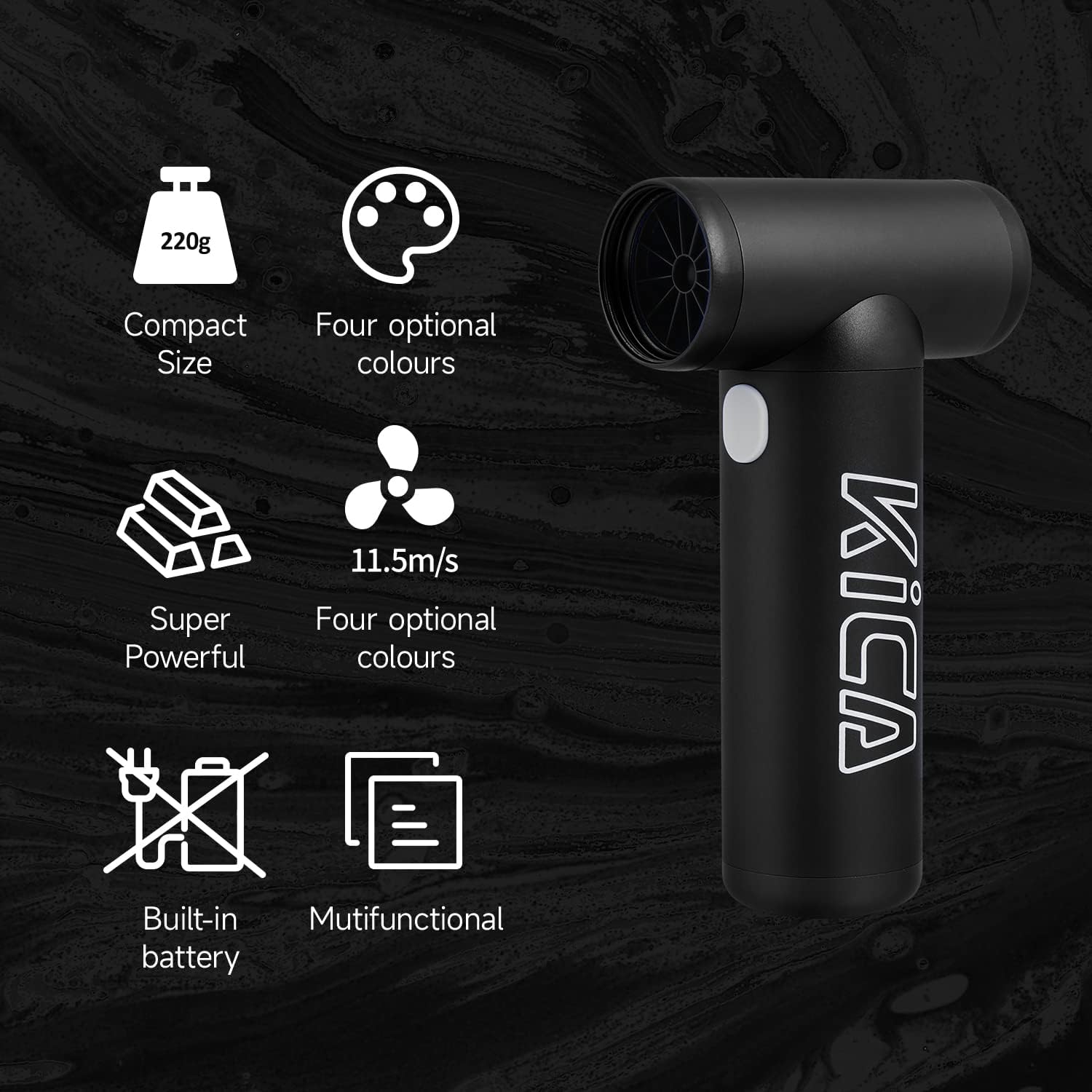
Image: The KiCA Jetfan 1.0 illustrating its compact size (220g), super powerful airflow (11.5m/s), built-in battery, and multifunctional capabilities.
Image: The KiCA Jetfan 1.0 with dimensions indicated: 124mm length, 73mm width, and 35mm height of the nozzle section.
Гаранција и подршка
For warranty information and technical support, please refer to the official KiCA webсајт или директно контактирајте њихову корисничку службу. Контакт подаци се обично налазе на паковању производа или на произвођачевој webсајту.
Произвођач: Kica
Датум прве доступности: 24. априла 2025. године
Ask a question about this manual
Ask about setup, troubleshooting, compatibility, parts, safety, or missing instructions. Manuals+ will review the question and use this page’s manual context to help answer it.