
Увод
Thank you for choosing the Ledwood ACCESS130 Portable HiFi Speaker. This manual provides essential information for the safe and efficient operation of your device. The ACCESS130 is a versatile portable speaker featuring dynamic RGB LED effects, Bluetooth 5.3 connectivity, USB input, and a karaoke function with an included wireless microphone. It is designed to deliver a powerful audio experience for various occasions.
Безбедносне информације
- Пажљиво прочитајте сва упутства пре употребе производа.
- Не излажите звучник води или прекомерној влази. Овај производ није водоотпоран.
- Држите звучник даље од извора топлоте, директне сунчеве светлости и запаљивих материјала.
- Не покушавајте да растављате, поправљате или модификујете уређај. Сва сервисирања препустите квалификованом особљу.
- Користите само приложени USB-C кабл за пуњење.
- Избегавајте слушање на високим нивоима јачине звука током дужег периода да бисте спречили оштећење слуха.
- Чувати ван домашаја деце.
Садржај пакета
Молимо вас да проверите пакет за следеће ставке:
- Ledwood ACCESS130 Portable HiFi Speaker
- УСБ-Ц кабл за пуњење
- Бежични микрофон
- Трака за ношење
Производ је завршенview
Familiarize yourself with the components and controls of your Ledwood ACCESS130 speaker.
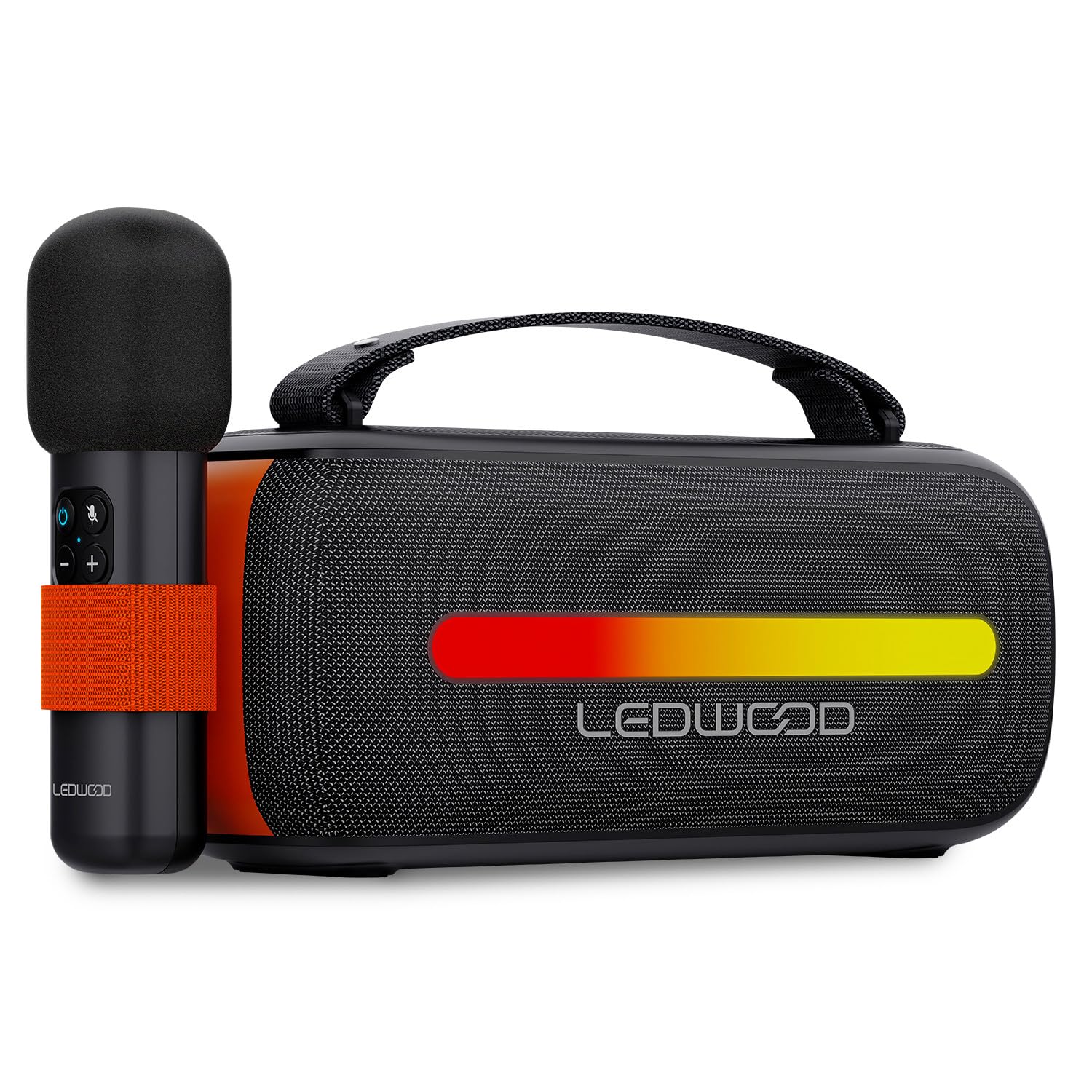
Image: The Ledwood ACCESS130 portable speaker shown with its wireless microphone attached to the side. The speaker features a black mesh grille and an illuminated LED strip on the front.
Контроле и портови

Слика: Одозго надоле view of the Ledwood ACCESS130 speaker, highlighting the control panel with buttons for power, volume, mode, and LED effects. Icons for LED colors, microphone, karaoke function, USB-C, and wireless connection are also visible.
- Дугме за напајање: Притисните и држите да бисте укључили/искључили звучник.
- Дугме за режим (М): Press to switch between Bluetooth, USB, and other input modes.
- Јачина звука (+): Повећајте јачину звука.
- Утишавање (-): Смањите јачину звука.
- Дугме за репродукцију/паузу: Репродукција или паузирање репродукције звука.
- LED Effect Button: Cycle through different LED lighting modes or turn them off.
- УСБ-Ц порт: За пуњење звучника.
- УСБ-А порт: For USB audio playback.
Сетуп
1. Пуњење звучника
- Повежите приложени USB-C кабл за пуњење са USB-C портом звучника.
- Повежите други крај кабла са компатибилним USB адаптером за напајање (није укључен) или USB портом рачунара.
- The LED indicator will show charging status. A full charge takes approximately [Charging Time - not specified in input, omit if not available].
2. Укључивање/искључивање
- To power on, press and hold the Power button until the speaker activates.
- Да бисте искључили звучник, поново притисните и држите дугме за напајање док се он не искључи.
3. Блуетоотх упаривање
- Ensure the speaker is powered on and in Bluetooth mode (indicated by a flashing Bluetooth LED). If not, press the 'M' (Mode) button to switch to Bluetooth mode.
- На паметном телефону, таблету или рачунару омогућите Блутут и потражите доступне уређаје.
- Select "Ledwood ACCESS130" from the list of devices.
- Once paired, the Bluetooth LED will stop flashing and remain solid, indicating a successful connection.
4. Connecting the Wireless Microphone
- Ensure the wireless microphone is charged and powered on.
- The microphone should automatically connect to the speaker when both are powered on and within range.
- Test the microphone by speaking into it to confirm audio output from the speaker.
Оперативни
1. Репродукција преко Bluetooth-а
- After successful Bluetooth pairing, open your music application on your connected device.
- Start playing audio. The sound will be transmitted wirelessly to the ACCESS130 speaker.
- Use the volume buttons on the speaker or your connected device to adjust the audio level.
- Press the Play/Pause button on the speaker to control playback.
2. УСБ репродукција
- Убаците УСБ флеш диск који садржи аудио files (e.g., MP3) into the speaker's USB-A port.
- Press the 'M' (Mode) button to switch to USB mode.
- The speaker will automatically begin playing audio from the USB drive.
- Use the speaker's controls to adjust volume and navigate tracks.
3. Функција караоке
- Ensure the wireless microphone is connected to the speaker as described in the Setup section.
- Play your desired instrumental track via Bluetooth or USB.
- Speak or sing into the microphone. Your voice will be amplified through the speaker, mixing with the music.
4. ЛЕД светлосни ефекти
- Press the LED Effect button to cycle through various dynamic RGB lighting modes.
- Continue pressing the button to select your preferred lighting effect or to turn the LEDs off.
Одржавање
- Чишћење: Користите меку, суву крпу за чишћење површине звучника. Не користите абразивна средства за чишћење или раствараче.
- Складиштење: Чувајте звучник на хладном и сувом месту, даље од директне сунчеве светлости и екстремних температура када се не користи дуже време.
- Одржавање батерије: To prolong battery life, fully charge the speaker before first use and recharge it at least once every three months if not used regularly. Avoid completely draining the battery.
Решавање проблема
| Проблем | Могући узрок | Решење |
|---|---|---|
| Звучник се не укључује. | Ниска батерија. | Напуните звучник помоћу приложеног УСБ-Ц кабла. |
| Нема Блуетоотх везе. | Speaker not in pairing mode; device out of range; previously connected device. | Ensure speaker is in Bluetooth pairing mode. Move device closer. Disconnect from other devices. |
| Нема звука из микрофона. | Microphone not powered on; microphone not paired. | Ensure microphone is charged and powered on. Check if it automatically connects. |
| Репродукција са УСБ-а не ради. | Нетачан режим; није подржано file format; corrupted USB drive. | Press 'M' button to select USB mode. Ensure files are MP3. Try a different USB drive. |
| ЛЕД светла не раде. | LED effects turned off. | Press the LED Effect button to cycle through modes. |
Спецификације
| Назив модела: | ПРИСТУП130 |
| Бренд: | Ledwood |
| Тип звучника: | Преносиви звучник |
| Максимална излазна снага звучника: | 130 вати (12 W RMS) |
| Режим аудио излаза: | Стерео |
| Технологија бежичне комуникације: | Блуетоотх 5.3 |
| Блуетоотх максимална снага: | -6 до 4дБм |
| Однос сигнала и шума: | ≥80дБ |
| Извор напајања: | Баттери Поверед |
| батерија: | 3.7V - 3600mAh |
| Total Playtime (50% volume): | 6 сата 30 минута |
| Метод контроле: | Application, Touch |
| Везе: | Bluetooth 5.3, USB-A |
| Dimensions (H x D x L): | 12.04 цм к 9.9 цм к 26.1 цм |
| Тежина: | 1 Кг |
| водоотпоран: | бр |
| Укључене компоненте: | USB-C charging cable, Wireless microphone, Carrying strap |
Гаранција и подршка
For warranty information or technical support, please refer to the documentation provided at the time of purchase or contact your retailer. You may also visit the official Ledwood webсајт за даљу помоћ.