
Увод
This manual provides instructions for the Karlsson KA6039GY LED Retro Flat Alarm Clock. Please read this manual carefully before use and retain it for future reference. This alarm clock combines a slim design with warm wooden details and an LED display, suitable for various environments.
Производ је завршенview
The Karlsson KA6039GY LED Retro Flat Alarm Clock is constructed from durable MDF material and features an integrated wireless charging pad.
Фронт View
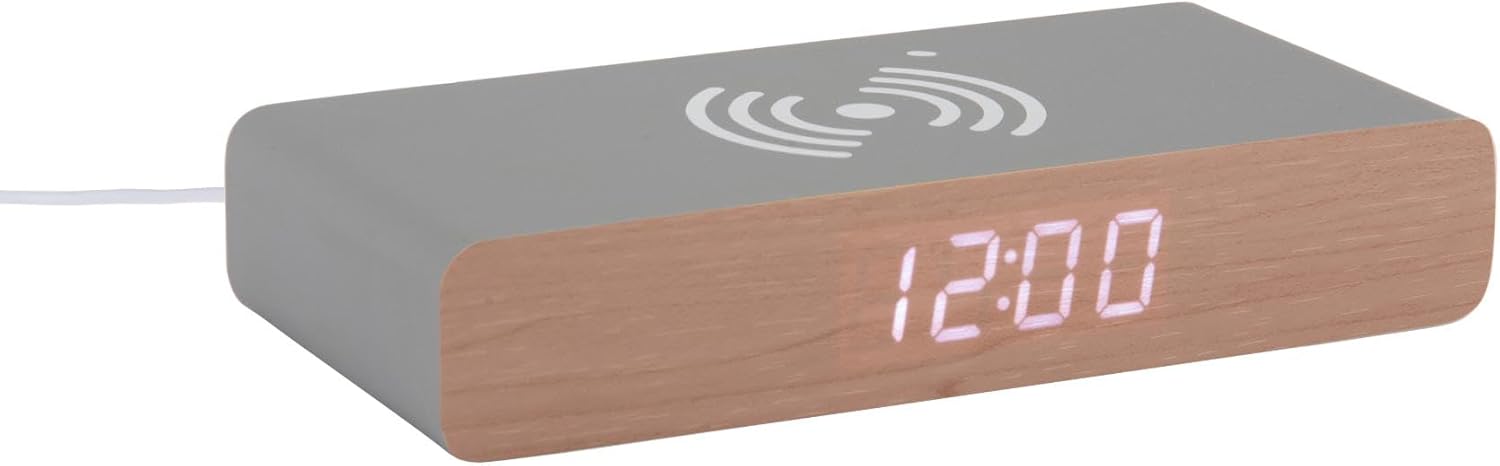
This image displays the front of the Karlsson KA6039GY alarm clock, highlighting its LED time display and the integrated wireless charging pad symbol on the top surface.
Англед View

This image provides an angled perspective of the alarm clock, showcasing the LED display, the wireless charging icon, and the "KARLSSON" brand name printed on the side.
Позади View и контроле

This image shows the back panel of the alarm clock, detailing the control buttons for settings and the power input port.
Сетуп
Повер Цоннецтион
- Connect the provided power cable to the power input port on the rear of the alarm clock.
- Укључите други крај кабла за напајање у одговарајућу утичницу.
- ЛЕД дисплеј ће се упалити, што указује да је уређај укључен.
Упутство за употребу
Подешавање времена
- Locate the time setting button on the rear panel.
- Press and hold the time setting button until the hour digits begin to flash.
- Use the adjustment buttons (e.g., Up/Down or +/-) to set the correct hour.
- Press the time setting button again to switch to minute adjustment.
- Use the adjustment buttons to set the correct minutes.
- Press the time setting button one more time to confirm and exit time setting mode.
Постављање аларма
- Locate the alarm setting button on the rear panel.
- Press and hold the alarm setting button until the alarm hour digits begin to flash.
- Use the adjustment buttons to set the desired alarm hour.
- Press the alarm setting button again to switch to alarm minute adjustment.
- Use the adjustment buttons to set the desired alarm minutes.
- Press the alarm setting button one more time to confirm and exit alarm setting mode.
- To activate or deactivate the alarm, press the alarm setting button briefly. An indicator (e.g., a small icon) on the display will show if the alarm is active.
Коришћење функције бежичног пуњења
The top surface of the alarm clock features an integrated wireless charging pad.
- Ensure the alarm clock is powered on.
- Place your Qi-compatible device (e.g., smartphone) directly onto the wireless charging symbol on the top surface.
- The device should indicate that it is charging. If not, adjust its position on the pad.
Одржавање
Нега и чишћење
To ensure the longevity and proper function of your alarm clock, follow these maintenance guidelines:
- Искључите напајање пре чишћења.
- Обришите површину меком, сувом или благо длакомamp крпа. Не користите абразивна средства за чишћење, раствараче или хемијске спрејеве.
- Избегавајте излагање уређаја прекомерној влази или директној сунчевој светлости.
- Не покушавајте да раставите јединицу.
Решавање проблема
Уобичајени проблеми и решења
| Проблем | Могући узрок | Решење |
|---|---|---|
| Дисплеј је искључен | Нема прикључка за напајање | Ensure the power cable is securely connected to the clock and the power outlet. |
| Time/Alarm cannot be set | Дугмад нису правилно притиснута | Refer to the "Setting the Time" or "Setting the Alarm" sections and ensure buttons are pressed and held as instructed. |
| Бежично пуњење не ради | Device not Qi-compatible or misaligned | Ensure your device supports Qi wireless charging. Reposition the device on the charging pad. Check if the clock is powered on. |
| Аларм се не оглашава | Аларм није активиран | Ensure the alarm is activated (check for alarm indicator on display). |
Спецификације
Спецификације производа
- Модел: КА6039ГИ
- Бренд: Карлсон
- Материјал: МДФ
- Боја: Миш сива
- Димензије (Ш к В): 7.6 цм к 3 цм
- Тежина: 486 г
- Извор напајања: Мрежно напајање
- Карактеристике: LED display, Wireless charging pad
Гаранција и подршка
Информације о гаранцији
This product comes with a standard manufacturer's warranty. For specific warranty terms and conditions, please refer to the documentation included with your purchase or contact Karlsson customer support.
Корисничка подршка
For technical assistance, troubleshooting, or warranty claims, please contact your retailer or visit the official Karlsson webсајт: