
Увод
The Vaxee x Ninjutso Sora 4K is a high-performance wireless gaming mouse designed for competitive play. It combines the ergonomic shape of Ninjutso's original Sora with VAXEE's advanced 4K wireless technology. Featuring a PixArt PAW3950 sensor, this lightweight mouse (approximately 59-60g) delivers ultra-low latency and precise tracking for demanding esports environments.
Садржај пакета
- Vaxee x Ninjutso Sora 4K Wireless Gaming Mouse
- Wireless Receiver (USB Dongle)
- УСБ-Ц кабл за пуњење
Сетуп
1. Пуњење миша
Before initial use, ensure the mouse is fully charged. Connect the provided USB-C cable to the mouse's charging port and the other end to a USB power source (e.g., computer USB port, USB wall adapter). The mouse will indicate charging status, typically with an LED indicator.
Charging Speed: 0-100% in approximately 1 hour 50 minutes.
2. Повезивање бежичног пријемника
Insert the wireless USB receiver into an available USB port on your computer. The mouse is designed for plug-and-play functionality, requiring no additional drivers for basic operation.
3. Укључивање миша
Пронађите прекидач за напајање на дну миша и померите га у положај „УКЉУЧЕНО“. Миш би требало аутоматски да се повеже са пријемником.
Слика: Доња страна view of the Vaxee x Ninjutso Sora 4K wireless gaming mouse, showing the optical sensor, DPI switch, and power/mode switch.
Упутство за употребу
ДПИ Адјустмент
The mouse features 4 adjustable DPI stages: 400, 800, 1600, and 3200. You can cycle through these settings using the dedicated DPI button, typically located on the bottom of the mouse. An indicator light will show the current DPI setting.
LOD (Lift-Off Distance) Adjustment
The mouse supports two types of LOD settings, which can be adjusted based on your mouse pad surface:
- Low LOD: Approximately 0.5-1.0mm (initial value)
- High LOD: Approximately 1.0-1.5mm
Refer to the specific instructions provided with your mouse or on the manufacturer's website for details on how to switch between LOD settings.
Competitive Mode vs. Normal Mode
The Vaxee x Ninjutso Sora 4K offers two operational modes:
- VAXEE Competitive Mode: This mode optimizes the sensor scan frequency and wireless transmission for ultra-low latency and high-speed real-time tracking. It is recommended for gamers.
- нормалан режим: This mode prioritizes extended battery life. Note that Normal Mode does not support 2K or 4K polling rates.
Switching between modes can be done via a dedicated switch or button on the mouse. For gamers, the default Competitive Mode is recommended.
Процене трајања батерије:
- Competitive Mode:
- 4K Polling Rate: Approximately 30 hours
- 2K Polling Rate: Approximately 34 hours
- 1K Polling Rate: Approximately 38 hours
- нормалан режим:
- 1K Polling Rate: Approximately 110 hours
To ensure longer battery life, switching to Normal Mode is recommended when not engaged in competitive gaming.
Функције дугмета
The mouse features 5 buttons: Left Click, Right Click, Scroll Wheel Click, and two Side Buttons. All settings, including button assignments, can be configured directly on the mouse without the need for additional drivers, thanks to its plug-and-play design.

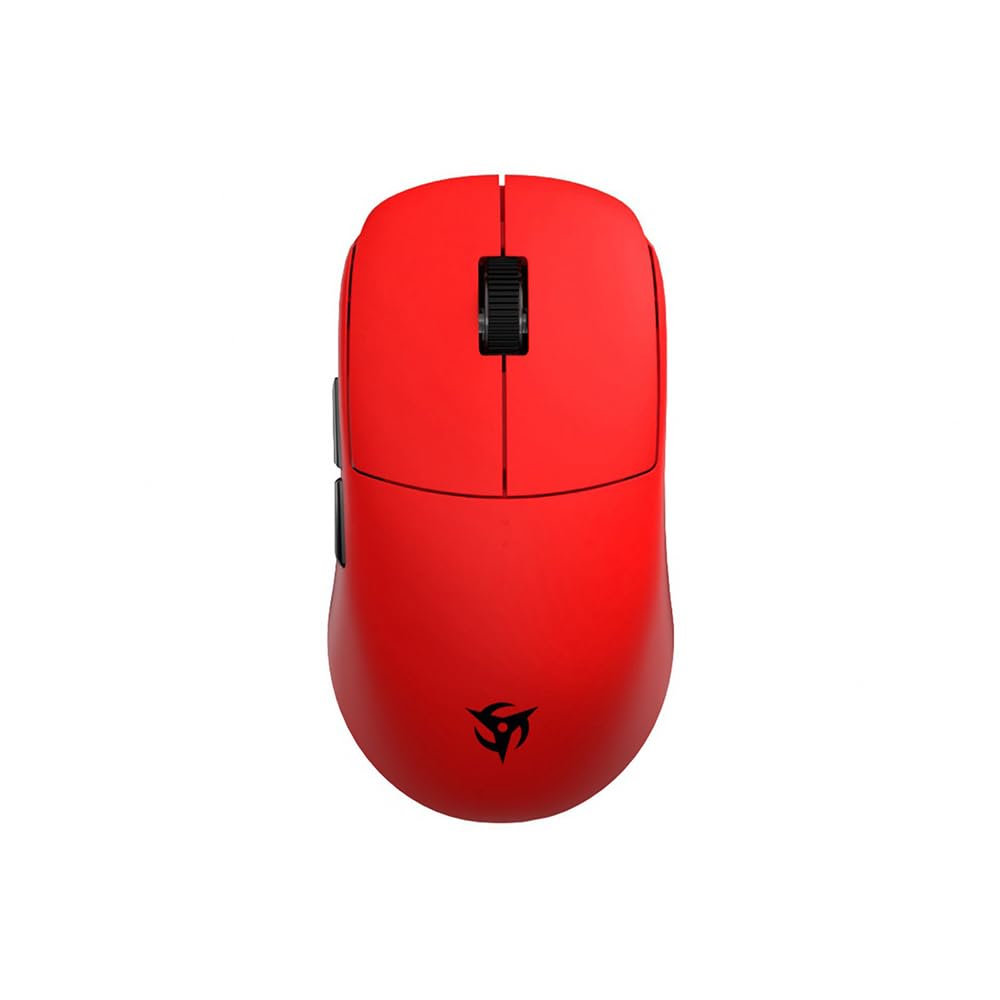
Image: Front/Top view of the red Vaxee x Ninjutso Sora 4K wireless gaming mouse, showing the left and right click buttons, scroll wheel, and side buttons.
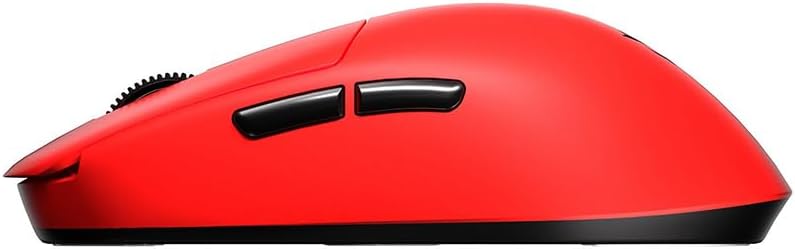
Слика: Са стране view of the red Vaxee x Ninjutso Sora 4K wireless gaming mouse, highlighting its ergonomic shape and side buttons.
Одржавање
Чишћење
Да бисте одржали оптималне перформансе, редовно чистите миш. Користите меку, суву крпу за брисање површине. За тврдокорну прљавштину, благо дamp cloth can be used, but ensure no moisture enters the mouse's internal components. Avoid harsh chemicals or abrasive materials.
Баттери Царе
To prolong the lifespan of the internal rechargeable battery:
- Избегавајте често потпуно пражњење батерије.
- Не излажите миш екстремним температурама.
- Ако миш складиштите дуже време, напуните га на око 50% пре складиштења.
Решавање проблема
Миш не реагује
- Уверите се да је миш укључен.
- Check if the wireless receiver is securely plugged into a working USB port.
- Verify the mouse battery has sufficient charge. Connect the charging cable to see if it powers on.
- Покушајте да прикључите пријемник на други УСБ порт.
- Поново покрените рачунар.
DPI/LOD Settings Not Changing
- Ensure you are pressing the correct button for DPI/LOD adjustment.
- Refer to the official Vaxee or Ninjutso support page for detailed instructions on advanced settings.
Батерија се не пуни
- Уверите се да је USB-C кабл правилно повезан и са мишем и са извором напајања.
- Покушајте са другим УСБ портом или адаптером за напајање.
- Проверите да ли кабл за пуњење има оштећења.
Спецификације
| Бранд | Ninjutso |
| Модел | Sora 4K |
| Боја | Црвени |
| Тежина | Прибл. 59-60г |
| Сензор | Оптички сензор PixArt PAW3950 |
| ДПИ подешавања | 400 / 800 / 1600 / 3200 (подесиво) |
| Број дугмади | 5 |
| Повезивање | Wireless (USB Receiver), Wired (USB-C for charging/data) |
| ЛОД (раздаљина узлетања) | Low (0.5-1.0mm), High (1.0-1.5mm) |
| Време пуњења | Approx. 1 hour 50 minutes (0-100%) |
| Земља порекла | Кина |
Информације о гаранцији
Овај производ долази са а 1 година гаранције from the date of purchase. Please retain your proof of purchase for warranty claims. The warranty covers manufacturing defects but does not cover damage caused by misuse, accidents, unauthorized modifications, or normal wear and tear.
Подршка
For further assistance, technical support, or warranty inquiries, please visit the official Ninjutso or Vaxee website. You may also contact your local authorized dealer or distributor for support.