
1. Увод
This manual provides instructions for the setup, operation, maintenance, and troubleshooting of your CRUA 27-inch 240Hz QHD IPS Gaming Monitor. This monitor features a 2560x1440 QHD resolution, a 240Hz refresh rate, an IPS panel for wide viewing angles, AMD FreeSync support, a blue light filter for eye protection, and built-in speakers. Please read this manual thoroughly before using the product.
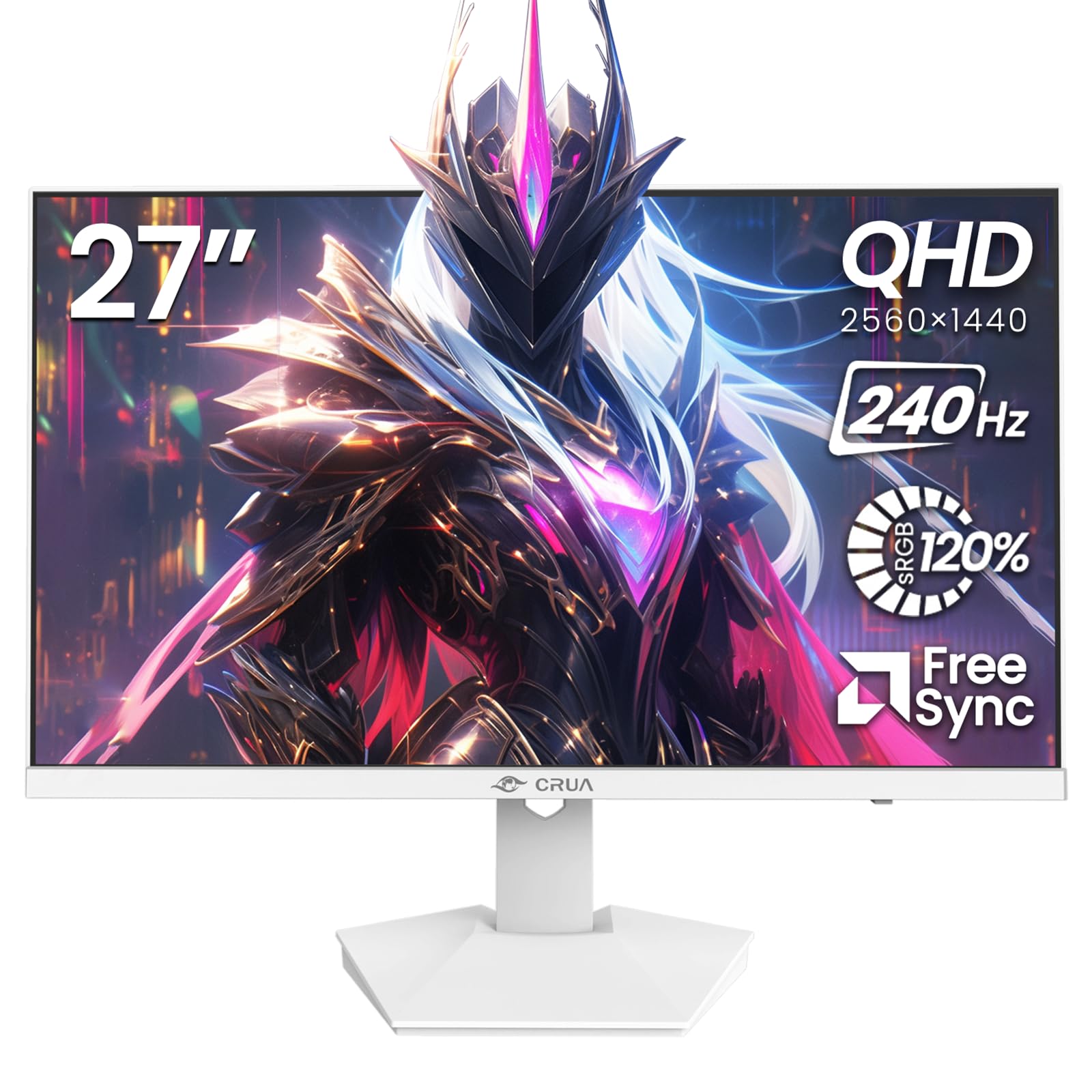
Слика: Фронт view of the CRUA 27-inch 240Hz QHD IPS Gaming Monitor.
2. Садржај пакета
Проверите да ли су све ставке присутне у пакету:
- CRUA 27-inch 240Hz QHD IPS Gaming Monitor
- Постоље за монитор (база и врат)
- Адаптер за напајање и кабл
- ХДМИ кабл
- DisplayPort (DP) кабл
- Кориснички приручник (овај документ)
3. Подешавање
3.1 Склапање постоља
- Пажљиво извадите монитор из паковања, постављајући га екраном надоле на меку, чисту површину како бисте спречили огреботине.
- Причврстите врат постоља на панел монитора. Уверите се да је сигурно закачио на своје место.
- Attach the stand base to the stand neck. Tighten any screws if provided.
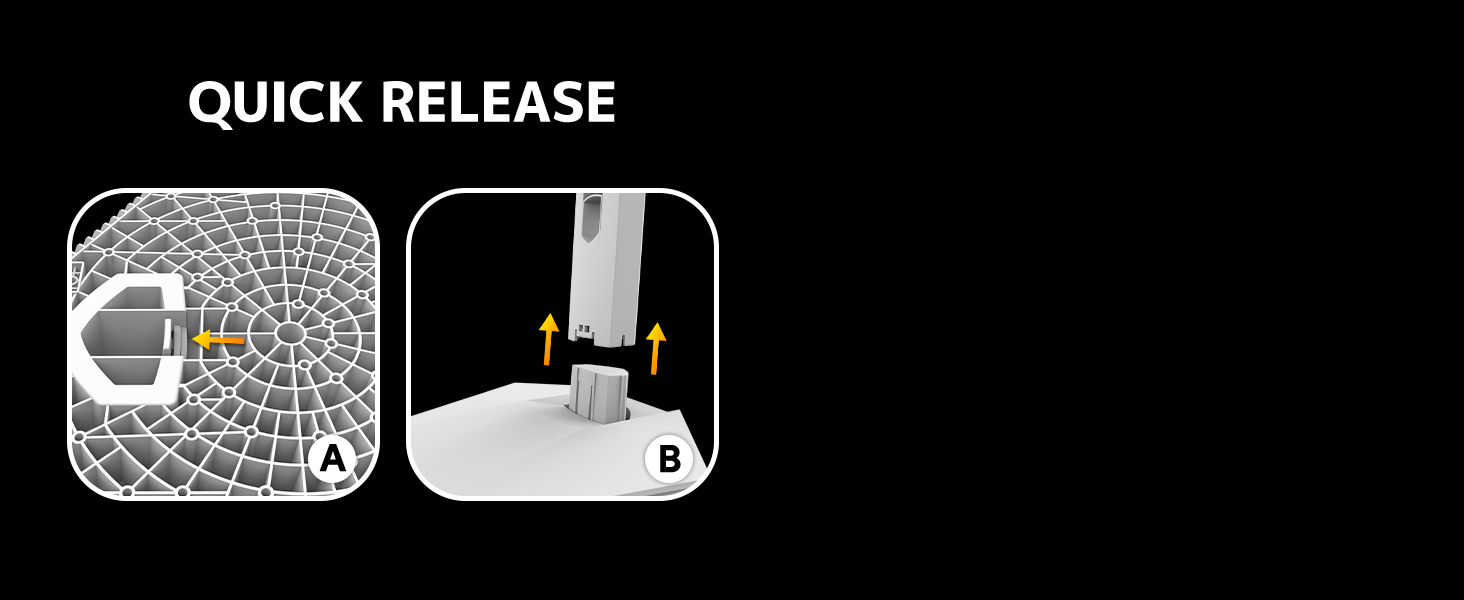
Image: Diagram illustrating the quick release stand assembly.
3.2 Монтажа на зид (опционо)
The monitor supports VESA wall mounting (75mm x 75mm). To wall mount:
- Remove the stand from the monitor if it is already attached.
- Attach a VESA-compatible wall mount bracket (not included) to the monitor using appropriate screws.
- Follow the instructions provided with your wall mount for secure installation.

Слика: Позади view of the monitor showing VESA mount points (75x75mm) and built-in speakers.
3.3 Повезивање са рачунаром
Повежите монитор са рачунаром користећи једну од следећих метода:
- DisplayPort (DP 1.4): For optimal performance, especially at 240Hz QHD resolution, use the included DisplayPort cable.
- HDMI (HDMI 2.0): Use an HDMI cable for QHD resolution at up to 144Hz.
Прикључите адаптер за напајање на улаз за напајање монитора, а затим га укључите у утичницу.

Слика: Позади view of the monitor displaying the input ports, including HDMI and DisplayPort.
4. Упутство за употребу
4.1 Укључивање/искључивање
Press the power button located on the back of the monitor to turn it on or off. The power button may resemble a joystick for OSD navigation.
4.2 Приказ на екрану (ОСД) мени
The OSD menu allows you to adjust various monitor settings. Use the joystick-like button on the back of the monitor to navigate the menu:
- Притисните дугме: Отвара ОСД мени.
- Померање горе/доле: Креће се кроз опције менија.
- Помери лево/десно: Adjusts selected settings or enters sub-menus.
- Притисните поново: Потврђује избор или излази из подменија.
4.3 Подешавања екрана
Within the OSD menu, you can adjust:
- Осветљеност/контраст: Подесите укупну осветљеност и контраст.
- Подешавања боја: Fine-tune color temperature, hue, and saturation. The monitor offers 120% sRGB color coverage for accurate and vibrant visuals.
- Извор уноса: Manually select between HDMI and DisplayPort inputs.

Image: Details on true color accuracy, including 120% sRGB, 8-bit color depth, and 16.7 million colors.
4.4 Функције за игре
- Брзина освежавања: The monitor supports up to 240Hz refresh rate for smooth motion. Ensure your graphics card and cable support this rate.
- АМД ФрееСинц: Enable FreeSync in the OSD menu and on your AMD graphics card settings to eliminate screen tearing and stuttering.

Слика: Визуелно поређење које приказује глаткоћу брзине освежавања од 240Hz у односу на 60Hz.

Image: Illustrates the effect of Adaptive Sync (FreeSync) on reducing screen tearing and stuttering.
4.5 Eye Protection
The monitor includes a built-in blue light filter to reduce eye strain during extended use. This feature can be enabled or adjusted through the OSD menu.
5. Одржавање
Да бисте одржали перформансе и изглед монитора:
- Чишћење екрана: Нежно обришите екран меком крпом која не оставља влакна. За тврдокорне мрље користите средство за чишћење посебно за мониторе нането на крпу, а не директно на екран.
- Чишћење Цasing: Користите меку, суву крпу да обришете монитор casinг. Избегавајте абразивна средства за чишћење или раствараче.
- Искључивање: Увек искључите монитор и искључите га из утичнице пре чишћења.
КСНУМКС. Решавање проблема
| Проблем | Могући узрок | Решење |
|---|---|---|
| Нема слике на екрану | Монитор је искључен или не прима сигнал. | Ensure power cable is connected and monitor is on. Check video cable connection (HDMI/DP) to both monitor and computer. Select correct input source via OSD. |
| Треперење или цепање слике | FreeSync not enabled or incompatible settings. | Enable FreeSync in the monitor OSD and your graphics card control panel. Ensure your graphics card drivers are up to date. |
| Poor picture quality (blurry, incorrect colors) | Incorrect resolution, color settings, or faulty cable. | Set display resolution to 2560x1440. Adjust brightness, contrast, and color settings in the OSD. Try a different video cable. |
| Нема звука из уграђених звучника | Volume too low, incorrect audio output selected. | Increase monitor volume via OSD. Ensure the monitor is selected as the audio output device in your computer's sound settings. |
| Мртви пиксели | Дефект у производњи. | Refer to warranty information for pixel policy. Contact customer support if within warranty. |
7. Спецификације
| Феатуре | Спецификација |
|---|---|
| Број модела | CR270I |
| Величина екрана | 27 инча |
| Панел Типе | ИПС |
| Резолуција | 2560 к 1440 (КХД) |
| Рефресх Рате | 240Хз |
| Аспецт Ратио | 16:9 |
| Гамут боја | 120% сРГБ |
| Осветљеност | 300 цд/м² |
| Однос контраста | 1000:1 |
| Viewинг Англе | 178° (хоризонтално/вертикално) |
| Видео улази | HDMI 2.0, DisplayPort 1.4 |
| Аудио | Уграђени звучници |
| ВЕСА Моунт | 75 мм к 75 мм |
| Димензије производа | 1.78 к 24 к 14 инча |
| Тежина артикла | 12.62 фунти |
8. Гаранција и подршка
CRUA provides high-quality computer monitors and premium services. If you have any questions or require assistance, please contact CRUA customer support. Refer to your purchase documentation for specific warranty terms and contact information.