
1. Увод
This manual provides essential information for the safe and efficient use of your Samsung Full HD Smart TV 27" UE27F6000FU. Please read these instructions carefully before using the product and retain them for future reference. This television features a Hyper Real Processor, HDR and Pur Color technology for enhanced visuals, a Smart Experience with Tizen OS, OTS Lite and Adaptive Sound for immersive audio, and a SlimLook Design.
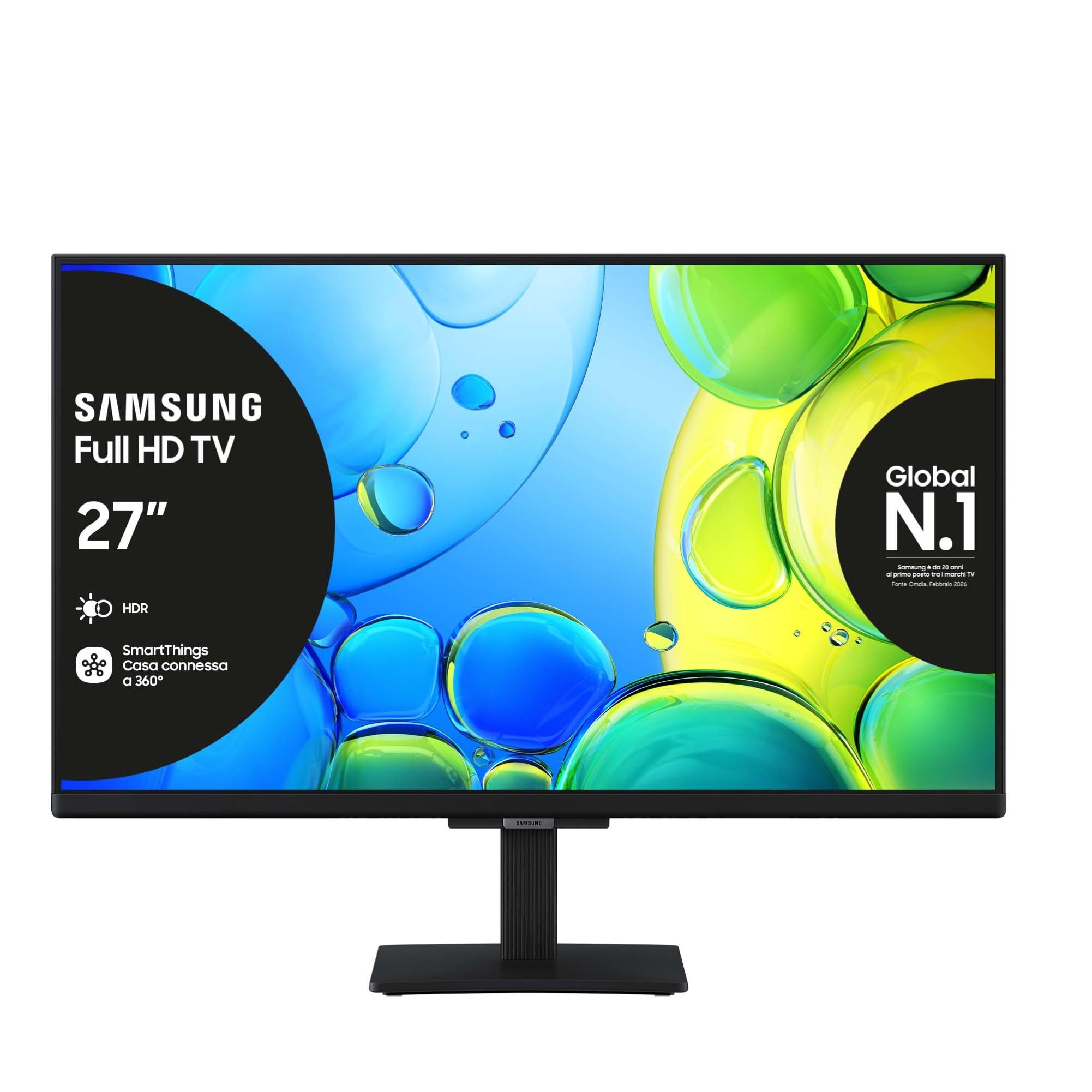
Слика 1.1: Предња страна view of the Samsung Full HD Smart TV 27" UE27F6000FU.
2. Безбедносне информације
Увек се придржавајте основних мера предострожности када користите овај телевизор како бисте смањили ризик од пожара, струјног удара и повреда. Не излажите телевизор киши или влази. Не отварајте поклопац телевизора.asing; refer all servicing to qualified personnel. Ensure proper ventilation and avoid placing the TV near heat sources. Use only the power cord supplied with the unit.
3. Садржај пакета
Проверите да ли су све ставке присутне у кутији:
- Samsung Full HD Smart TV (UE27F6000FU)
- Ремоте Цонтрол
- Повер Цабле
- Упутство за употребу (овај документ)
4. Подешавање
4.1 Причвршћивање постоља или монтажа на зид
Carefully place the TV face down on a soft, flat surface. Attach the stand according to the diagrams in the separate quick setup guide, ensuring all screws are tightened securely. For wall mounting, use a VESA-compatible wall mount (200 x 200 mm) and follow the wall mount manufacturer's instructions. Ensure the TV is securely fastened to prevent accidental falls.

Image 4.1: The SlimLook Design of the TV, suitable for stand or wall mounting.
4.2 Повезивање напајања и екстерних уређаја
Connect the power cable to the TV's power input and then to a wall outlet. For external devices such as Blu-ray players, game consoles, or soundbars, use the HDMI ports. USB devices can be connected to the USB port for media playback or software updates.
4.3 Почетно подешавање и мрежна веза
Upon first power-on, the TV will guide you through the initial setup process. This includes language selection, channel scanning, and network configuration. You can connect to the internet via Wi-Fi or an Ethernet cable for access to smart features and online content.
5. Упутство за употребу
5.1 Даљински управљач прекоview
The included remote control allows you to navigate the TV's menus, change channels, adjust volume, and access smart features. Familiarize yourself with the buttons for power, volume, channel, input selection, and the Smart Hub button.
5.2 Основне функције телевизора
- Укључивање/искључивање: Притисните дугме за напајање на даљинском управљачу.
- Контрола јачине звука: Користите дугмад за појачавање/стишавање јачине звука.
- Избор канала: Користите дугмад за пребацивање канала горе/доле или нумеричку тастатуру.
- Извор уноса: Press the Source button to select between HDMI, TV, and other connected devices.
5.3 Подешавања слике и звука
Access the TV's settings menu to customize picture modes (e.g., Standard, Dynamic, Movie), brightness, contrast, and color settings. For audio, adjust sound modes, balance, and utilize features like OTS Lite and Adaptive Sound for an optimized listening experience.

Image 5.1: Pur Color technology provides a wide spectrum of colors for optimal picture quality.

Image 5.2: HDR technology enhances contrast and detail in both bright and dark scenes.

Image 5.3: OTS Lite provides object tracking sound for a more dynamic audio experience.

Image 5.4: Adaptive Sound Pro automatically optimizes audio based on content and environment.

Image 5.5: Q-Symphony allows the TV speakers and a compatible soundbar to operate simultaneously for richer sound.
6. Паметне карактеристике
6.1 Samsung Tizen OS and Smart Hub
Your TV runs on Samsung's Tizen operating system, providing a user-friendly interface. The Smart Hub is your gateway to a world of content, including streaming apps like Netflix, Disney Plus, Prime Video, and YouTube, as well as live TV channels.

Image 6.1: The Smart Hub provides easy access to a wide range of entertainment content.
6.2 Гејминг центар
The Gaming Hub consolidates your gaming experience, allowing you to access cloud gaming services and connected consoles directly from your TV. Enjoy a seamless gaming experience with optimized picture and sound settings.

Image 6.2: The Gaming Hub offers a centralized platform for all your gaming needs.
6.3 Интеграција са SmartThings-ом
Connect and control compatible smart home devices using the SmartThings app on your TV. Manage lighting, thermostats, and other smart appliances for a connected home experience.

Image 6.3: SmartThings allows integrated control of your smart home devices.
6.4 Гласовни асистент
The TV supports multiple voice assistants, including Amazon Alexa and Google Assistant, allowing you to control your TV and search for content using voice commands.

Image 6.4: The TV is secured by Knox, providing robust security for your smart features and personal data.
7. Одржавање
7.1 Чишћење телевизора
Да бисте очистили екран, нежно га обришите меком крпом која не оставља влакна. За тврдокорне мрље, благо обришитеampen the cloth with water or a specialized screen cleaner. Avoid using harsh chemicals or abrasive materials. Clean the TV frame and stand with a dry, soft cloth.
7.2 Ажурирања софтвера
Ensure your TV's software is up to date for optimal performance and security. You can check for and install updates through the TV's settings menu, typically found under 'Support' or 'Software Update'.
КСНУМКС. Решавање проблема
Ако наиђете на проблеме са телевизором, погледајте следеће уобичајене кораке за решавање проблема:
| Проблем | Решење |
|---|---|
| Но Повер | Проверите да ли је кабл за напајање безбедно повезан и са телевизором и са зидном утичницом. Уверите се да је утичница функционална. |
| Нема слике / Искривљена слика | Verify the correct input source is selected. Check cable connections to external devices. Try a different HDMI cable. Adjust picture settings. |
| Нема звука | Проверите ниво јачине звука и статус искључивања звука. Уверите се да су екстерни аудио уређаји (саундбар, ресивер) правилно повезани и укључени. |
| Даљински управљач не ради | Замените батерије. Уверите се да нема препрека између даљинског управљача и телевизора. |
| Проблеми са мрежном везом | Restart your router and modem. Re-enter Wi-Fi password. Try connecting via Ethernet cable if Wi-Fi fails. |
If the problem persists, please refer to the Samsung support webсајту или контактирајте корисничку подршку.
9. Спецификације
Key technical specifications for the Samsung Full HD Smart TV 27" UE27F6000FU:
- Назив модела: UE27F6000FU
- Величина екрана: 27 инча
- Технологија екрана: ЛЕД
- Резолуција: Фулл ХД (ФХД)
- Брзина освежавања: 50 Hz (100 Hz Motion Enhancement)
- процесор: Hyper Real Processor
- Побољшање слике: HDR, Pur Color, Contrast Enhancer
- Режим аудио излаза: Сурроунд
- Integrated Surround Sound Format: ОТС Лите
- Speaker Description: Built-in speaker with 3D surround technology and adaptive sound
- Оперативни систем: Тизен
- Повезивање: Bluetooth, Ethernet, HDMI (3 ports), USB (1 port), Wi-Fi
- Паметне карактеристике: Smart Hub, Gaming Hub, SmartThings, Multiple Voice Assistants (Amazon Alexa, Google Assistant)
- ВЕСА стандард за монтажу: 200 к 200 мм
- Димензије производа (са постољем): 61.3 цм (Д) x 20.1 цм (Ш) x 46.9 цм (В)
- Тежина артикла: 3.5 килограма
- Боја: Црно
- Модел година: 2025
10. Гаранција и подршка
10.1 Информације о гаранцији
This Samsung Smart TV comes with a 2-year manufacturer warranty. Please retain your proof of purchase for warranty claims. The warranty covers manufacturing defects under normal use conditions.
10.2 Корисничка подршка
For further assistance, technical support, or warranty service, please visit the official Samsung support website or contact their customer service department. You can find contact details and FAQs on their webсајту.