
Увод
Thank you for choosing the Monster Clarity 101 AirLinks Wireless Earbuds. This manual provides essential information on how to set up, operate, and maintain your earbuds to ensure optimal performance and longevity. Please read this manual thoroughly before use.
Шта је у кутији
- Monster Clarity 101 AirLinks Wireless Earbuds (Left and Right)
- Футрола за пуњење
- УСБ-Ц кабл за пуњење
- Више величина врхова за уши (S, M, L)
- Упутство за употребу

The package includes the wireless earbuds, a portable charging case, a USB-C cable for charging, various eartip sizes for a comfortable fit, and this user manual.
Производ је завршенview
The Monster Clarity 101 AirLinks are true wireless in-ear headphones designed for an active lifestyle. They feature powerful 6mm dynamic drivers for clear sound and deep bass, touch controls for easy management, and an IPX5 waterproof rating.

Each earbud is lightweight and ergonomically designed to provide a secure and comfortable fit, even during sports and exercise. The included charging case is compact and features a magnetic closure to keep your earbuds safe and charged.
Сетуп
1. Пуњење слушалица и футроле
Before first use, fully charge the earbuds and the charging case. Place the earbuds into the charging case. Connect the USB-C charging cable to the charging port on the case and the other end to a USB power source. The charging indicators on the case will show the charging status.

A quick 5-minute charge can provide up to 1.5 hours of playback. A full charge of the earbuds provides approximately 5 hours of play time, and the charging case extends this to a total of 25 hours.
2. Упаривање са вашим уређајем
- Уверите се да су слушалице напуњене.
- Отворите кућиште за пуњење. Слушалице ће се аутоматски укључити и ући у режим упаривања.
- На свом уређају (паметном телефону, таблету итд.) омогућите Блутут.
- Тражи Bluetooth devices and select "Clarity 101" from the list.
- Када се повежете, чућете звук потврде и слушалице ће бити спремне за употребу.

The earbuds feature one-step pairing for quick and convenient connection to your Bluetooth-enabled devices.
Упутство за употребу
1. Ношење слушалица
Select the eartips that provide the most comfortable and secure fit for your ears. Gently insert the earbuds into your ear canal and rotate them slightly to ensure a snug fit. This helps optimize sound quality and noise isolation.

2. Додирните Контроле
The earbuds are equipped with multi-function touch controls on the outer surface. These controls allow you to manage music playback, calls, and voice assistant activation.
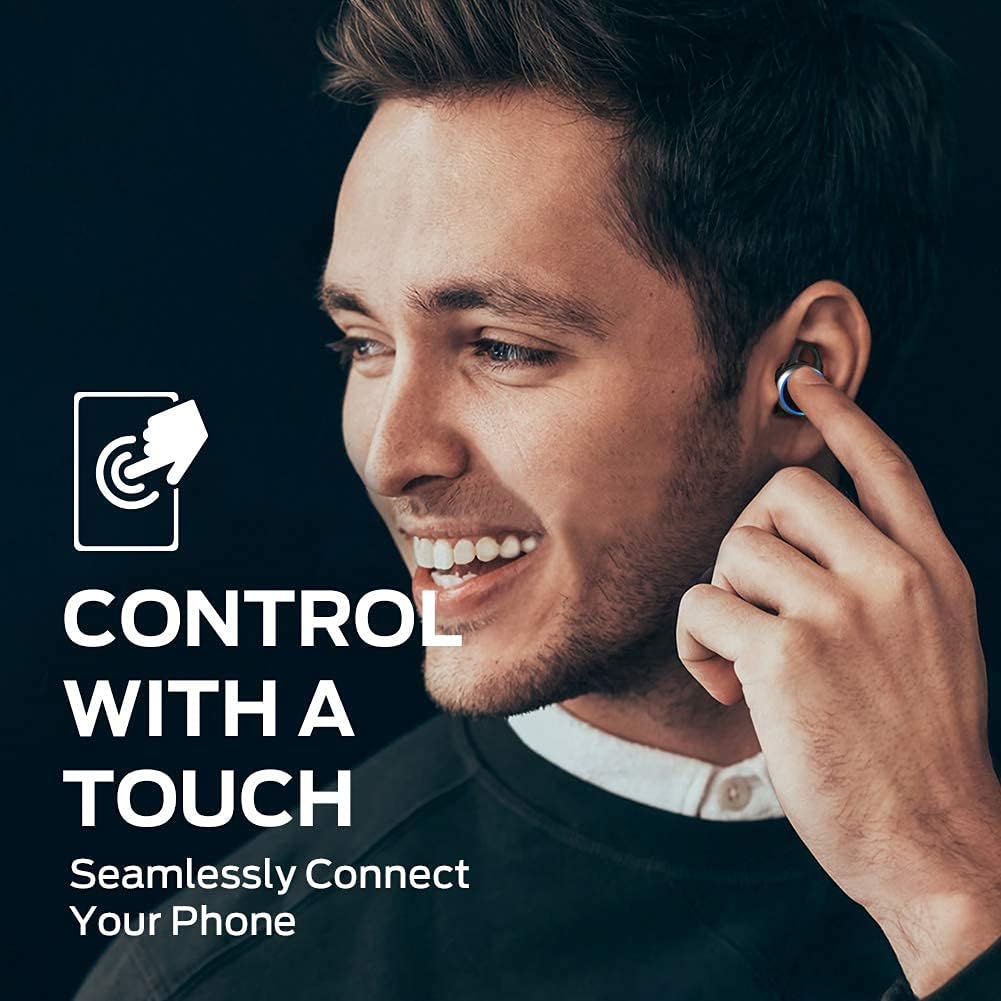
| Акција | Функција |
|---|---|
| Један додир (лево/десно) | Пуштање/паузирање музике, одговарање/прекидање позива |
| Двоструки додир (десно) | Нект Трацк |
| Двоструки додир (лево) | Превиоус Трацк |
| Троструки додир (лево/десно) | Активирајте гласовни помоћник |
| Притисните и држите (лево/десно) | Одбаци позив |
3. Упућивање и примање позива
The earbuds support hands-free stereo calls. You can use either earbud independently or both together for calls. The built-in microphone provides clear voice quality, even in moderately noisy environments.
- Одговори/заврши позив: Једном додирните било коју слушалицу.
- Одбиј позив: Притисните и држите било коју слушалицу.
- Активирање гласовног помоћника: Трипут додирните било коју слушалицу.
Одржавање
1. Чишћење
Regularly clean your earbuds and charging case to maintain optimal performance and hygiene. Use a soft, dry, lint-free cloth to wipe the surfaces. For the eartips, remove them from the earbuds and clean with a mild soap solution if necessary, then rinse and dry thoroughly before reattaching. Do not use harsh chemicals or abrasive materials.
2. Складиштење
When not in use, always store the earbuds in their charging case. This protects them from dust, damage, and keeps them charged. Store the charging case in a cool, dry place away from direct sunlight and extreme temperatures.
Решавање проблема
| Иссуе | Могуће решење |
|---|---|
| Слушалице се не упарују | Ensure earbuds are charged. Turn off and on Bluetooth on your device. Forget "Clarity 101" from your device's Bluetooth list and re-pair. |
| Нема звука из једне слушалице | Place both earbuds back in the charging case, close the lid, then open again to reset. Check device's audio output settings. |
| Мала јачина звука | Increase volume on both your device and the earbuds (if applicable via touch controls). Clean eartips and earbud mesh. |
| Лош квалитет позива | Ensure microphone is not obstructed. Move closer to your connected device. Check network signal on your phone. |
| Кућиште за пуњење се не пуни | Ensure USB-C cable is properly connected and power source is active. Try a different cable or power adapter. |
Спецификације
| Феатуре | Детаљ |
|---|---|
| Бранд | Монстер |
| Број модела | 101 |
| Постављање уха | Ин Еар |
| Технологија повезивања | Бежично (Bluetooth 5.0) |
| Блуетоотх домет | До 10 метара (33 стопе) |
| Тип контроле | Контрола додиром |
| Величина аудио драјвера | 6 мм динамички управљачки програм |
| Фреквенцијски опсег | 20 Хз до 20,000 Хз |
| Импеданса | 140 Охмс |
| Трајање батерије (слушалице) | До 5 сати |
| Укупно трајање батерије (са кућиштем) | До 25 сати |
| Време пуњења батерије | Approximately 1.5 hours (for case) |
| Ниво отпорности на воду | ИПКС5 (водоотпоран) |
| Контрола буке | Активно поништавање буке (за позиве) |
| Материјал | Metal (Enclosure & Carrying Case) |
| Тежина артикла | 0.14 килограма |
Гаранција и подршка
The Monster Clarity 101 AirLinks Wireless Earbuds come with a 1-year limited warranty from the date of purchase. This warranty covers manufacturing defects under normal use. It does not cover damage caused by misuse, accidents, unauthorized modifications, or normal wear and tear.
For warranty claims, technical support, or further assistance, please refer to the contact information provided on the official Monster website or your purchase documentation. Please have your proof of purchase and product model number (101) ready when contacting support.


