
Увод
Thank you for choosing the FULODE DT-4 Professional 4-Channel Audio Mixer. This device is designed to provide high-quality audio mixing, recording, and live streaming capabilities with a range of features including 99 DSP effects, a 5-band equalizer, 4 XLR/TRS combo inputs, 48V phantom power, vocal removal, USB playback, and Bluetooth connectivity. This manual will guide you through the setup, operation, and maintenance of your mixer to ensure optimal performance.
Безбедносне информације
Please read and understand all safety instructions before operating the device. Keep this manual for future reference.
- Напајање: Користите само наведени адаптер за напајање. Уверите се да је јачина звукаtagе одговара захтевима вашег региона.
- Вода и влага: Не излажите миксер води, киши или прекомерној влази. Избегавајте стављање предмета напуњених течношћу на уређај.
- вентилација: Ensure adequate ventilation around the mixer. Do not block ventilation openings.
- Извори топлоте: Држите уређај даље од извора топлоте као што су радијатори, грејни уређаји, шпорети или други уређаји који производе топлоту.
- Чишћење: Disconnect power before cleaning. Use a dry, soft cloth. Do not use liquid cleaners or aerosol cleaners.
- Сервисирање: Не покушавајте сами да сервисирате овај производ. Све сервисирање препустите квалификованом сервисном особљу.
- Фантомска снага: When using 48V phantom power, ensure condenser microphones are connected correctly before activating to prevent damage.
Садржај пакета
Проверите да ли су све ставке присутне у пакету:
- FULODE DT-4 Audio Mixer
- Повер Адаптер
- УСБ кабл
- Упутство за употребу
Производ је завршенviewКонтроле и конектори
The FULODE DT-4 mixer features an intuitive layout for easy control over your audio. Familiarize yourself with the various components:

Слика: Одозго надоле view of the FULODE DT-4 mixer with numbered labels indicating various controls and input/output ports.
Контроле предњег панела
- MIC INPUT/Audio input (1-4): XLR/TRS combo jacks for connecting microphones or line-level instruments.
- GAIN (2): Подешава осетљивост улаза за сваки канал.
- Treble equalization (HF) (3): Adjusts high frequencies for each channel.
- Bass balance (LF) (4): Adjusts low frequencies for each channel.
- Effect regulation (FX) (5): Controls the amount of effect sent from each channel.
- Left-right balance (PAN) (6): Adjusts the stereo panning for each channel.
- Channel volume (7): Fader to control the output level of each individual channel.
- 99 Effects selection knobs (8): Rotary encoder to select one of the 99 built-in DSP effects.
- USB display/Bluetooth display/Effects module display/Signal light display (9): Digital screen showing current mode, effect number, and audio levels.
- 99 Effects adjustment knobs (10): Adjusts parameters of the selected DSP effect.
- Mp3 adjustment knobs (11): Controls MP3 playback functions.
- Mp3 REP (12): Repeat function for MP3 playback.
- Mp3 VC (13): Vocal Cancellation button for MP3 playback.
- Mp3 MODE (14): Switches between USB, Bluetooth, and other MP3 modes.
- Earphone volume adjustment knob (PHONES) (15): Контролише јачину звука на излазу за слушалице.
- Пет сtages of balanced regulation (Graphic Equalizer) (16): 5-band graphic equalizer for main output.
- Effect volume (17): Controls the overall volume of the DSP effects.
- Mp3 total volume (18): Controls the overall volume of the MP3 player.
- Master output volume (19): Controls the main output volume.
- TYPE-C/USB conversion (20): USB port for computer connection and power.
- 48V power switch (21): Activates phantom power for condenser microphones.
- Monitor output (22): Output for monitoring.
- Main output (23): Left and Right XLR outputs for connecting to main speakers or recording devices.
Прикључци задњег панела

Слика: Позади view of the FULODE DT-4 mixer, highlighting the DC 12V power input, Type-C power port, and power switch.
- DC 12V power port (24): Овде прикључите приложени 12V DC адаптер за напајање.
- TYPE-C power port (25): Alternative power input via USB Type-C, also supports computer connection.
- Прекидач за напајање (26): Укључује или искључује миксер.
Сетуп
1. Прикључак за напајање
Connect the provided power adapter to the DC 12V power port (24) on the rear panel of the mixer, then plug it into a suitable power outlet. Alternatively, you can power the mixer via the TYPE-C power port (25) using a compatible USB-C power source or by connecting it to a computer.

Image: Illustration showing the FULODE DT-4 mixer being powered via a USB cable connected to a computer or a phone charger.
2. Microphone and Instrument Connection
Connect your microphones or instruments to the MIC/LINE input jacks (1-4). These are combo jacks that accept both XLR and 1/4-inch TRS/TS connectors.
- For Condenser Microphones: If using a condenser microphone, ensure it is connected, then activate the +48V power switch (21). Индикаторска лампица ће се упалити.
- For Dynamic Microphones/Instruments: Connect directly to the MIC/LINE inputs. No phantom power is needed.
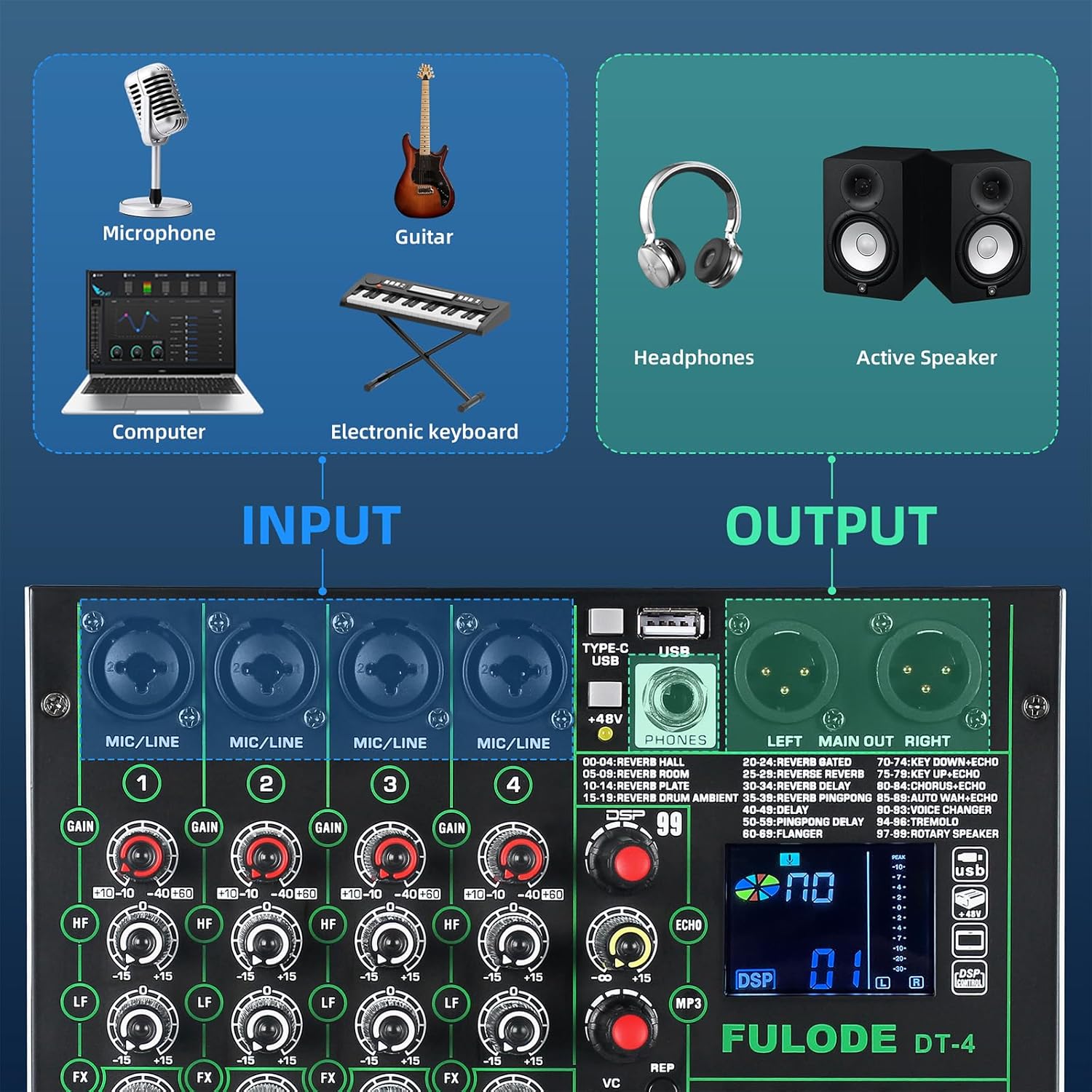
Image: Diagram illustrating various input sources (microphone, guitar, computer, electronic keyboard) connecting to the mixer, and output devices (headphones, active speakers) connected to the mixer.
3. Излазне везе
- Главни излаз: Connect your main speakers or recording interface to the LEFT MAIN OUT RIGHT XLR outputs (23).
- Слушалице: Plug your headphones into the PHONES jack. Adjust the headphone volume using the PHONES knob (15).
4. Computer/Mobile Device Connection
- УСБ веза: Connect the mixer to your computer using a USB cable via the TYPE-C/USB port (20). The mixer will be recognized as an audio interface without requiring additional drivers.
- Блуетоотх веза: Press the MODE button (14) until 'BT' appears on the display. On your mobile device, search for 'BT_5.0' and pair.

Image: Illustration showing the FULODE DT-4 mixer connected to a laptop, tablet, and phone for audio playback via USB and Bluetooth.
Видео: Оверview of the FULODE DT-4 mixer's features, including input/output connections, DSP effects, vocal removal, USB playback, and Bluetooth connectivity. This video demonstrates the mixer's versatility for various audio applications.
Упутство за употребу
1. Adjusting Input Levels (Gain)
Користите GAIN knob (2) for each channel to set the input level. Adjust it so that the PEAK indicator light for that channel flashes only occasionally during the loudest parts of your audio. Avoid constant illumination of the PEAK light, as this indicates clipping and distortion.
2. Equalization (EQ)
Each channel has HF (3) и LF (4) knobs for basic high and low frequency adjustments. The main output features a 5-band Graphic Equalizer (16) to fine-tune the overall sound. Adjust the sliders to boost or cut specific frequency ranges (70Hz, 200Hz, 1KHz, 5KHz, 12KHz) for the main mix.

Слика: Крупни план view of the 5-band graphic equalizer section on the FULODE DT-4 mixer, showing the sliders for frequency adjustment.
3. DSP ефекти
The mixer includes 99 built-in DSP effects. Use the 99 Effects selection knob (8) to scroll through the available effects (e.g., Reverb, Delay, Chorus). The selected effect number will appear on the display (9). Adjust the effect parameters using the 99 Effects adjustment knobs (10) and the overall effect send level for each channel with the FX knob (5). The master effect volume is controlled by the Effect volume knob (17).

Image: Display showing the '99 DSP' effects feature of the FULODE DT-4 mixer, with a list of various reverb, delay, and other effects.
4. Vocal Removal
To remove vocals from a track playing via USB or Bluetooth, press the Mp3 VC button (13). This feature attempts to isolate and reduce the vocal track, leaving an instrumental version. The effectiveness may vary depending on the original audio source.

Image: A person operating the FULODE DT-4 mixer, with a highlighted 'VC' button indicating the one-tap vocal elimination feature.
5. УСБ репродукција
Уметните УСБ флеш диск који садржи МП3 аудио files into the USB port (20). The mixer will automatically detect and begin playing the fileс. Користити Mp3 adjustment knobs (11) и Mp3 REP (12) to control playback (play/pause, skip tracks, repeat). Adjust the overall USB playback volume with the Mp3 total volume knob (18).
6. Блуетоотх повезивање
After pairing your device (as described in Setup), ensure the mixer is in Bluetooth mode (display shows 'BT'). You can now stream audio wirelessly from your smartphone, tablet, or computer to the mixer. Control playback and volume from your connected device or using the mixer's MP3 controls.
7. Пренос уживо
Connect your mobile phone or computer to the mixer via USB (TYPE-C/USB port 20). The mixer acts as an audio interface, sending the mixed audio directly to your streaming software or application. This plug-and-play functionality simplifies your live broadcast setup.
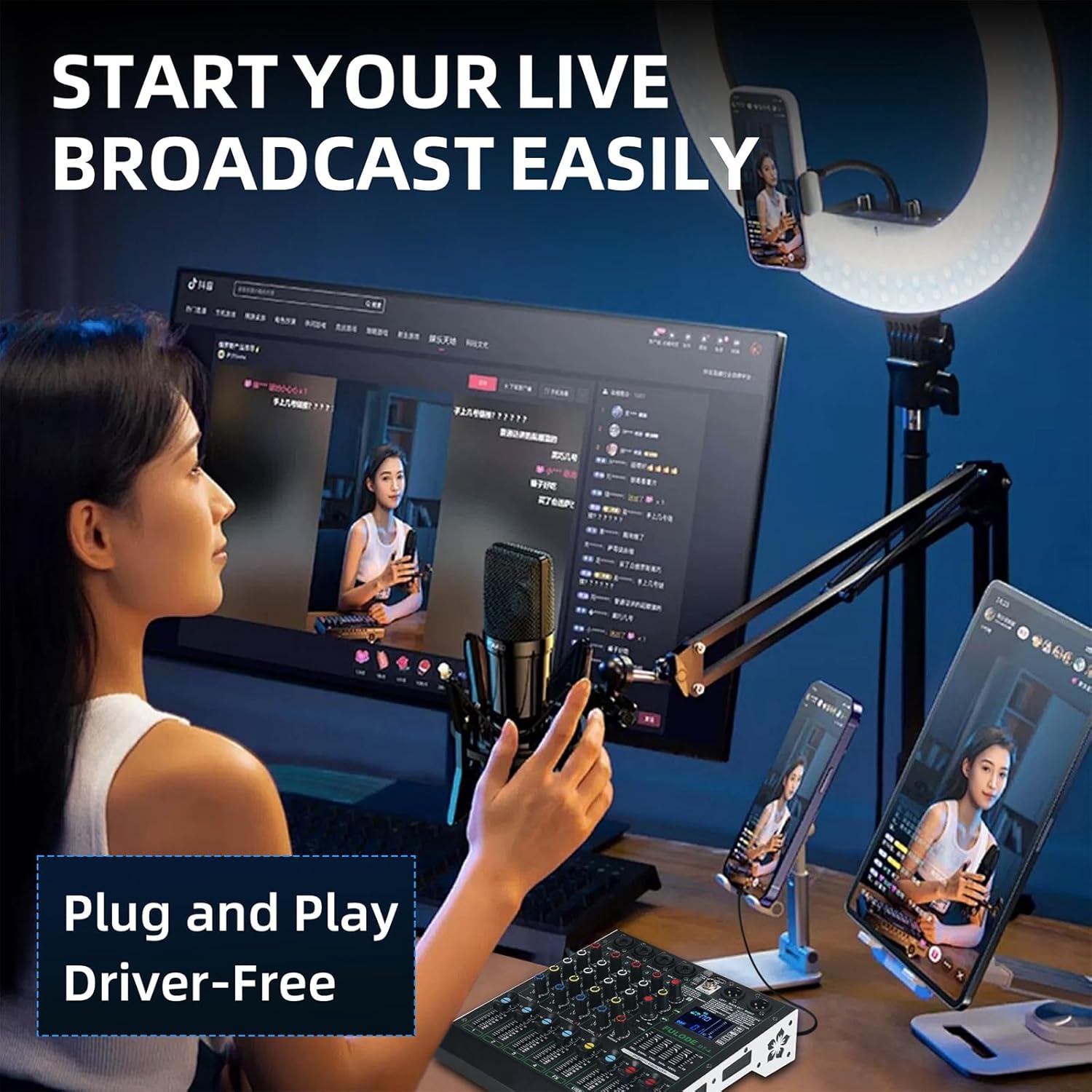
Image: A person setting up a live broadcast with the FULODE DT-4 mixer connected to a computer and smartphone, demonstrating its plug-and-play capability.
Одржавање
Proper care ensures the longevity of your FULODE DT-4 mixer.
- Чишћење: Regularly wipe the surface with a soft, dry cloth. For stubborn dirt, use a slightly damp cloth and immediately dry the surface. Avoid abrasive cleaners or solvents.
- Складиштење: Када се не користи, чувајте миксер на хладном и сувом месту, даље од директне сунчеве светлости и екстремних температура.
- Заштита од прашине: Cover the mixer with a dust cover when not in use to prevent dust accumulation in faders and knobs.
- Управљање кабловима: Avoid bending cables sharply or placing heavy objects on them to prevent damage to connectors and internal wiring.
Решавање проблема
Ако наиђете на проблеме, погледајте следећу табелу за уобичајене проблеме и решења:
| Проблем | Могући узрок | Решење |
|---|---|---|
| Нема струје | Power adapter not connected; Power switch off; Faulty power outlet. | Check power connections; Ensure power switch is ON; Try a different power outlet. |
| Нема излаза звука | Volume knobs turned down; Cables incorrectly connected; Mute engaged; Speakers off. | Check all volume controls (channel, master, headphone); Verify cable connections; Ensure speakers are powered on. |
| Микрофон не ради | Incorrect input selected; Gain too low; Phantom power off (for condenser mics); Faulty microphone/cable. | Check input selection; Increase GAIN; Activate +48V phantom power if using a condenser mic; Test with a different microphone/cable. |
| Изобличен звук | Input gain too high (clipping); Output volume too high; Faulty cable. | Reduce GAIN until PEAK light only flashes occasionally; Lower master volume; Replace cables. |
| Блуетоотх се не повезује | Mixer not in Bluetooth mode; Device not discoverable; Interference. | Ensure mixer is in 'BT' mode; Make sure your device's Bluetooth is on and discoverable; Move closer to the mixer. |
| УСБ репродукција не ради | USB drive not formatted correctly; Unsupported file format; USB drive faulty. | Ensure USB drive is FAT32 formatted; Use MP3 fileс; Пробајте други УСБ диск. |
Спецификације
Key technical details for the FULODE DT-4 Audio Mixer:
- Модел: ДТ-КСНУМКС
- Број канала: 4
- ДСП ефекти: 99 Пресетс
- Изједначење: 5-Band Graphic EQ (Main Out), 2-Band EQ (HF/LF) per channel
- Фантомска снага: +48В (променљиво)
- Повезивање: XLR/TRS Combo Inputs, USB (Type-C for data/power), Bluetooth, Main XLR Outputs, Headphone Output
- Извор напајања: DC 12V (adapter included), USB Type-C
- Волtage: 110 волти (АЦ)
- Тежина артикла: 3.97 фунти (1.8 кг)
- Димензије производа: 240 mm x 220 mm x 55 mm

Image: Diagram illustrating the physical dimensions of the FULODE DT-4 mixer, showing its length, width, and height in both millimeters and inches, along with its weight.
Гаранција и подршка
Информације о гаранцији
Your FULODE DT-4 Audio Mixer is covered by a manufacturer's warranty against defects in materials and workmanship. Please refer to the warranty card included in your package or contact FULODE customer support for specific terms and conditions. Keep your purchase receipt as proof of purchase.
Корисничка подршка
For technical assistance, troubleshooting, or warranty claims, please contact FULODE customer support through the retailer where you purchased the product or visit the official FULODE webсајт за контакт информације.