
Увод
This manual provides detailed instructions for the installation, operation, and maintenance of your LEONLITE 28W LED Security Light with GFCI Outlets, Model A-17297. Please read this manual thoroughly before installation and use to ensure proper function and safety. Keep this manual for future reference.
Безбедносне информације
- УПОЗОРЕЊЕ: Опасност од струјног удара. Искључите напајање на осигурачу или прекидачу пре инсталирања или сервисирања.
- Овај производ мора бити инсталиран у складу са важећим кодексом за инсталацију од стране особе упознате са конструкцијом и радом производа и опасностима које су укључене.
- Use only 120V AC, 60Hz power supply.
- Do not attempt to disassemble or modify the fixture. There are no user-serviceable parts inside.
- This fixture is rated for Вет Лоцатион use, suitable for outdoor environments exposed to weather.
- The integrated GFCI outlets provide ground fault protection. Test GFCI outlets monthly as per manufacturer instructions.
- Уверите се да су сви прикључци сигурни и правилно изоловани.
- Производ је ЕТЛ Листед, осигуравајући да испуњава признате безбедносне стандарде.
Спецификације
| Ватtage | 28В |
| Волtage | АЦ 120В |
| Луминоус Флук | 2500лм |
| Температура боје (ЦЦТ) | 5000К Даилигхт |
| Беам Англе | 105° |
| Индекс приказивања боја (ЦРИ) | 80+ |
| Удаљеност детекције покрета | 13-45ft (adjustable) |
| Угао детекције покрета | 150° |
| Подешавање времена | 30С/60С/120С |
| Водоотпорна оцена | Вет Лоцатион |
| Материјал | Поликарбонат |
| Димензије (Д к Ш к В) | 11.5 к 4.59 к 6.85 инча (29.2 к 11.7 к 17.4 цм) |
Подешавање и инсталација
Важно: Before beginning installation, ensure the power supply to the installation area is turned OFF at the circuit breaker or fuse box. It is recommended that a qualified electrician performs the installation.
Дијаграм ожичења
Follow the wiring diagram below for correct electrical connections. Ensure proper grounding.

Figure 1: Wiring diagram for the security light. Connect Hot (black), Neutral (white), and Ground (green) wires. The GFCI outlets are always powered when the main switch is ON.
Монтажа уређаја
Mount the fixture securely to a wall or eave using appropriate hardware (not included). Ensure the mounting surface is capable of supporting the fixture's weight and that the fixture is level for optimal performance.

Figure 2: The security light installed on an outdoor wall.

Слика 3: Прample of using the integrated GFCI outlets for outdoor tools.

Figure 4: The dual GFCI outlets provide convenient power for various outdoor appliances.
Упутство за употребу
Режими осветљења
- Режим сензора покрета: The light remains off during daylight hours. At night, it activates only when motion is detected within its sensing range and duration setting.
- Режим од сумрака до зоре: The light automatically turns on at dusk and remains illuminated throughout the night. It turns off automatically at dawn, regardless of motion detection.
Подешавање подешавања
The security light features adjustable light heads and a motion sensor to customize coverage and detection. The detection distance can be set from 13ft to 45ft, and the illumination duration can be set to 30, 60, or 120 seconds after motion ceases.
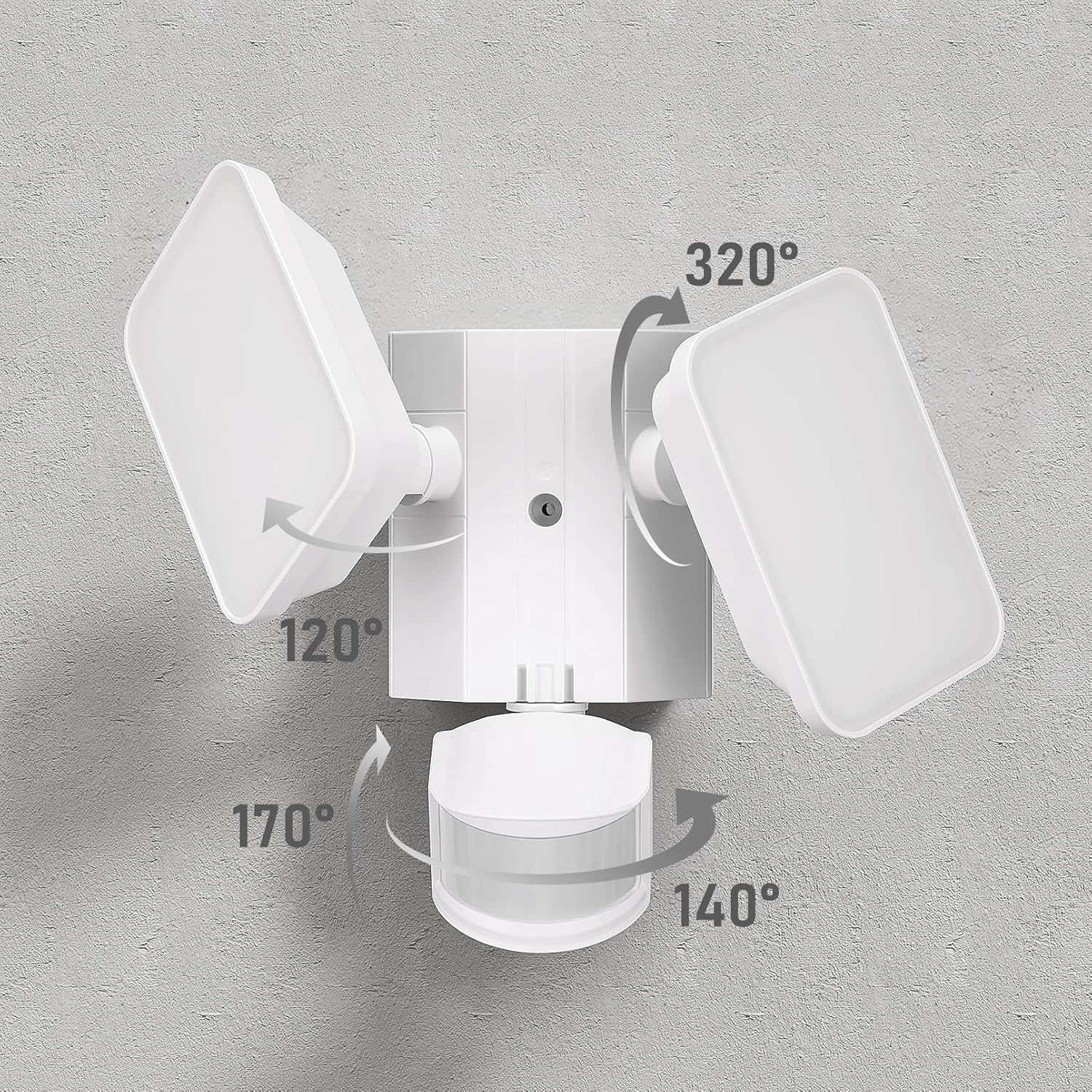
Figure 5: Motion detection range and angle.

Figure 6: Adjustable light heads and motion sensor for customized coverage.
GFCI Outlets Operation
The two integrated GFCI (Ground Fault Circuit Interrupter) outlets are always powered as long as the main power switch to the fixture is ON, regardless of the lighting mode or whether the light is illuminated. This allows for continuous power supply to connected devices.
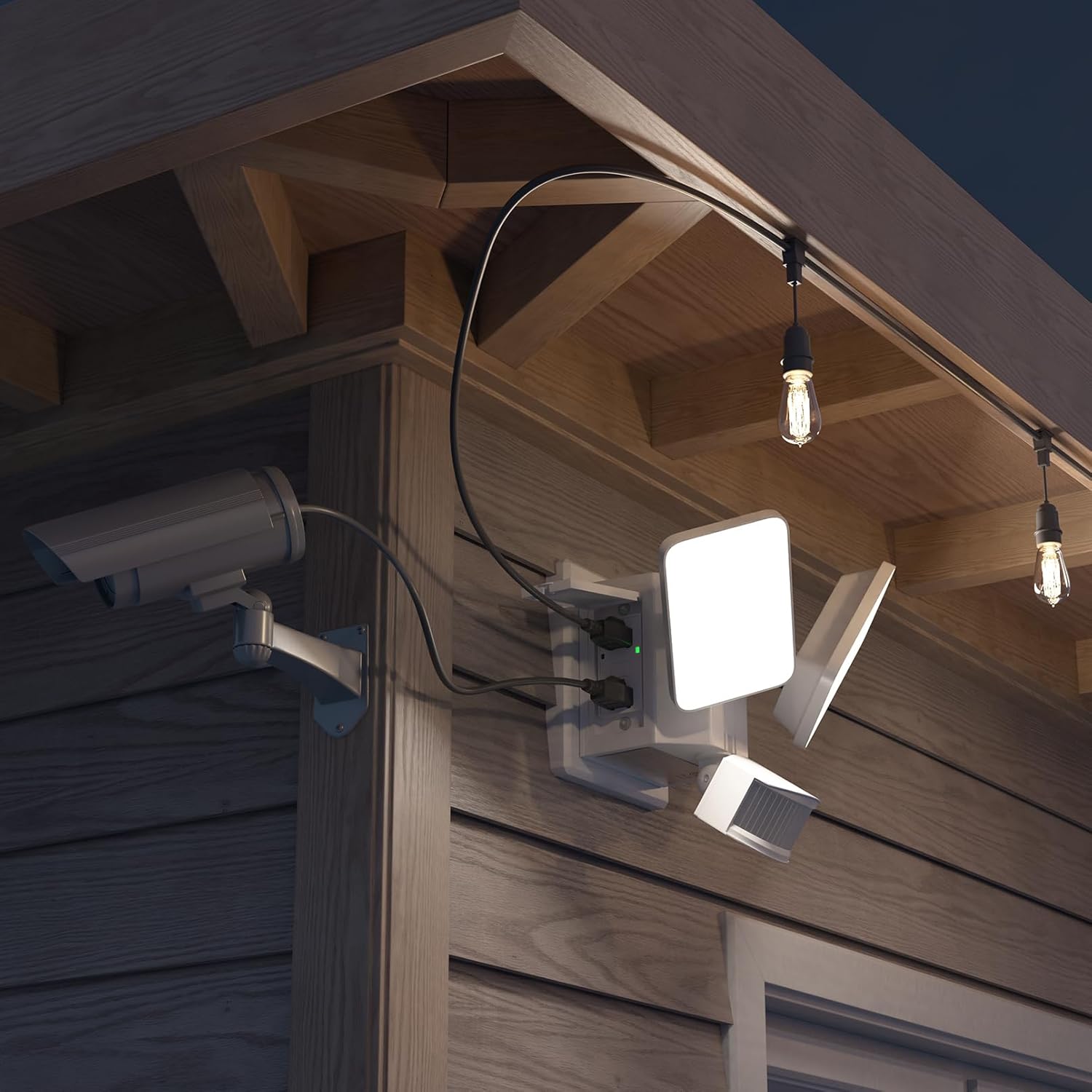
Figure 7: Detail of the GFCI outlet with TEST and RESET buttons.
Testing GFCI Outlets: To confirm proper operation, press the 'TEST' button on the GFCI socket. The 'RESET' button should spring up, and any connected electrical appliances will stop working. Press the 'RESET' button again to restore power. This test should be performed monthly.
Одржавање
- Чишћење: Ensure power is off before cleaning. Wipe the fixture with a soft, damp крпа. Не користите абразивна средства за чишћење или раствараче, јер могу оштетити завршну обраду или електричне компоненте.
- инспекција: Periodically inspect the fixture for any signs of damage, loose wiring, or wear. If any damage is observed, discontinue use and consult a qualified electrician.
- ГФЦИ тест: Perform the GFCI test monthly as described in the "Operating Instructions" section to ensure continued ground fault protection.
Решавање проблема
| Проблем | Могући узрок | Решење |
|---|---|---|
| Светлост се не пали. | No power supply; incorrect wiring; sensor blocked; light mode setting. | Check circuit breaker. Verify wiring connections. Ensure sensor is clear. Confirm correct lighting mode (Motion Sensor or Dusk to Dawn). In "TEST" mode, cover the sensor to check if it works. |
| Светло остаје укључено непрекидно. | Dusk to Dawn mode selected; continuous motion detected; sensor malfunction. | Check if Dusk to Dawn mode is active. Ensure no constant motion in detection area. If problem persists, contact support. |
| Светло се пали током дана. | Photocell blocked or malfunctioning; "TEST" mode active. | Ensure photocell is not obstructed. Check if the unit is in "TEST" mode. |
| GFCI outlets not working. | GFCI tripped; no power to fixture. | Press the 'RESET' button on the GFCI outlet. Check main power supply to the fixture. |
Гаранција и подршка
This LEONLITE 28W LED Security Light (Model A-17297) is backed by a 3 година гаранције from the date of purchase, covering defects in materials and workmanship. For warranty claims or technical support, please contact LEONLITE customer service. Ensure you have your purchase receipt and model number available.
For further assistance or inquiries, please refer to the contact information provided with your product packaging or visit the official LEONLITE webсајту.