
1. Увод
Thank you for choosing the Baseus Qi2 Certified 15W Wireless Magnetic Power Bank. This device is designed to provide convenient and efficient charging for your compatible mobile devices, featuring both wireless and wired charging capabilities. Please read this manual thoroughly before use to ensure proper operation and to maximize the product's lifespan.

Image 1.1: The Baseus Qi2 Certified 15W Wireless Magnetic Power Bank.
2. Производ је готовview
2.1 Садржај пакета
- Baseus Qi2 Certified 15W Wireless Magnetic Power Bank (10000mAh)
- Кабл за пуњење од УСБ-Ц до УСБ-Ц
- Упутство за употребу
2.2 Кључне карактеристике
- Qi2 Certified Wireless Charging: Provides up to 15W wireless charging for compatible devices.
- High-Speed Wired Charging: Features a USB-C port with up to 22.5W Power Delivery (PD) output.
- Магнетни додатак: Strong magnetic connection compatible with MagSafe-enabled devices (iPhone 12-17 series).
- Капацитет 10000мАх: Offers substantial power for multiple charges.
- Напредне безбедносне функције: Equipped with AI temperature monitoring and graphene for enhanced heat dissipation, preventing overheating.
- Компактан и преносив дизајн: Слим проfile for easy carrying.
- Пролазно пуњење: Allows simultaneous charging of the power bank and a connected device.
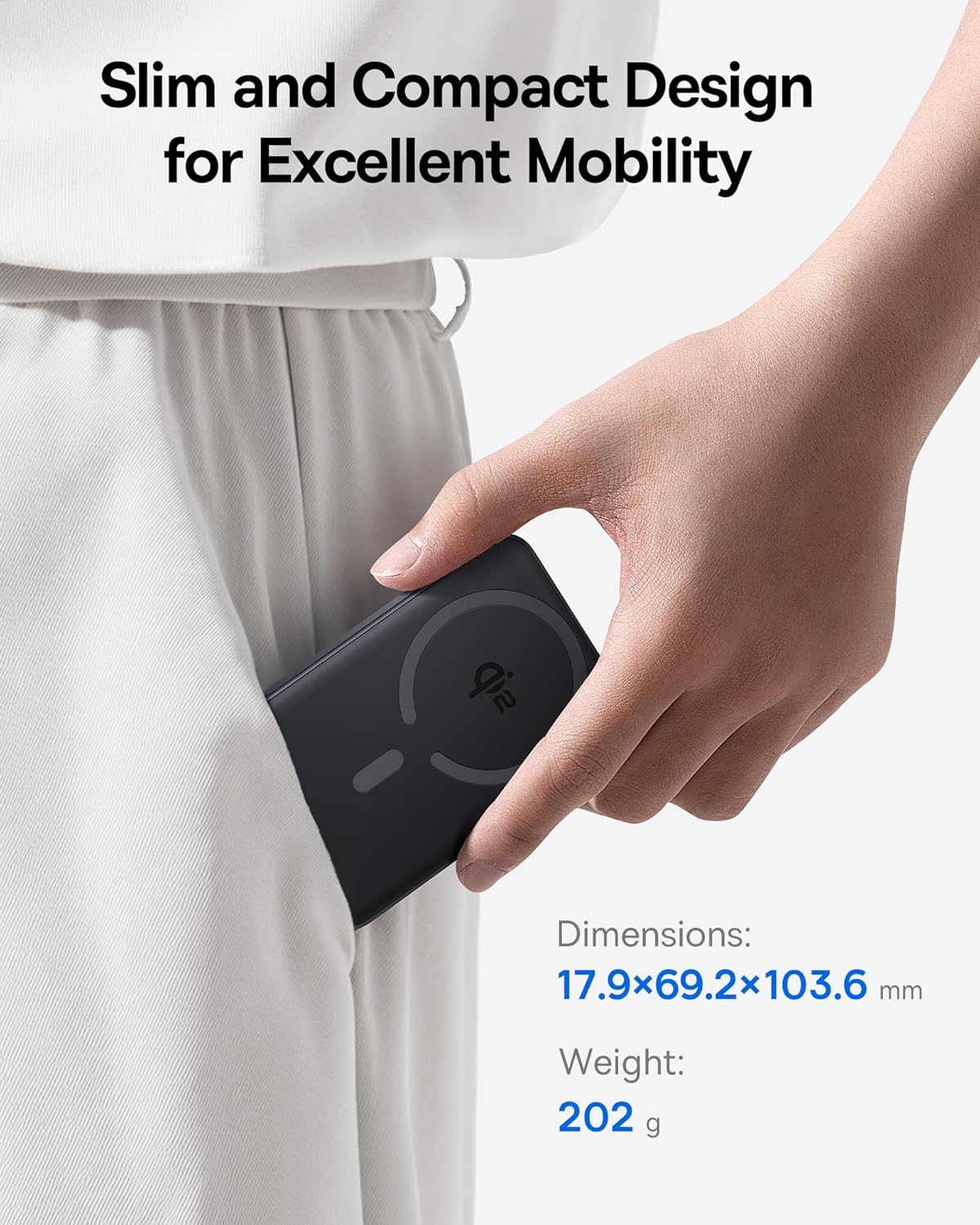
Image 2.1: The power bank's compact design allows for easy portability.
3. Подешавање
3.1 Почетна наплата
- Before first use, fully charge the power bank.
- Connect the provided USB-C cable to the power bank's USB-C port.
- Повежите други крај USB-C кабла са компатибилним USB адаптером за напајање (није укључен).
- The LED indicators on the power bank will illuminate to show the charging status. All LEDs will be solid when fully charged.
4. Упутство за употребу
4.1 Пуњење преносног пуњача
To recharge the power bank, use the included USB-C cable and connect it to a power source. The power bank supports fast input charging.
4.2 Wireless Charging Your Device
- Ensure your device is compatible with MagSafe or Qi2 wireless charging (e.g., iPhone 12-17 series).
- Align the back of your compatible device with the magnetic charging area of the power bank. The magnets will snap into place, securing the connection.
- Wireless charging will begin automatically. The power bank does not require a power button for wireless charging.

Image 4.1: Wireless charging in progress, demonstrating the magnetic connection.

Image 4.2: Magnetic attachment for effortless charging.
4.3 Wired Charging Your Device
- Connect one end of the USB-C cable to the power bank's USB-C port.
- Повежите други крај USB-C кабла са портом за пуњење вашег уређаја.
- Повер Банк ће аутоматски открити повезани уређај и почети да се пуни.
4.4 Пролазно пуњење
The power bank supports pass-through charging, allowing you to charge both the power bank and a connected device simultaneously. Connect the power bank to a wall adapter, and then connect your device to the power bank via either wireless or wired connection.

Image 4.3: The power bank supports both wired and wireless charging simultaneously.
4.5 Универзална компатибилност

Слика 4.4: Компатибилност прекоview for wireless and wired charging.
5. Безбедносне информације
Да бисте осигурали безбедан рад и спречили оштећење уређаја или повреде, молимо вас да се придржавате следећих безбедносних смерница:
- Не излажите преносни пуњач екстремним температурама, директној сунчевој светлости или ватри.
- Немојте растављати, модификовати или поправљати уређај.
- Држите повер банк даље од воде и других течности.
- Избегавајте испуштање или излагање уређаја јаким ударима.
- Користите само сертификоване каблове и адаптере за пуњење.
- Чувати ван домашаја деце.
- The power bank features multiple built-in protections, including over-voltagе, под-волtage, overcharge, over-discharge, over-temperature, over-current, short circuit, recovery, and over-power protection.

Image 5.1: Advanced thermal management for safe charging.

Image 5.2: Comprehensive safety protections integrated into the power bank.
6. Одржавање
Proper maintenance ensures the longevity and optimal performance of your power bank:
- Очистите уређај меком, сувом крпом. Не користите абразивна средства за чишћење или раствараче.
- Чувајте повер банк на хладном и сувом месту када се не користи.
- If storing for extended periods, charge the power bank to approximately 50% every three months to maintain battery health.
КСНУМКС. Решавање проблема
7.1 Уређај се не пуни бежично
- Ensure your device is Qi2 or MagSafe compatible.
- Check for proper alignment of your device on the power bank's charging surface.
- Remove any thick cases or metallic objects between your device and the power bank.
- Verify the power bank has sufficient charge.
7.2 Device Not Charging Via USB-C
- Уверите се да је USB-C кабл безбедно повезан и са преносном батеријом и са вашим уређајем.
- Try using a different USB-C cable to rule out cable malfunction.
- Verify the power bank has sufficient charge.
7.3 Преносна батерија се не пуни
- Ensure the USB-C cable is securely connected to the power bank and the wall adapter.
- Try a different wall adapter and/or USB-C cable.
- Ensure the wall adapter provides sufficient power output.
8. Спецификације
| Број модела | Е00285 |
| Капацитет батерије | 10000 мАх (3.7 В/37 Вх) |
| УСБ-Ц улаз | 5В=3А; 9В=2.22А |
| УСБ-Ц излаз | 5V=3A; 9V=2.22A; 12V=1.5A; 10V=2.25A (Max 22.5W) |
| Бежични излаз | 5W/7.5W/15W (Max 15W) |
| Тотал Оутпут | 5В=3А |
| Димензије производа | 4.6 к 2.7 к 0.7 инча (17.9 к 69.2 к 103.6 мм) |
| Тежина артикла | 8.8 унце (202 г) |
| Боја | Black (also available in Moon White, Baby Pink) |
9. Гаранција и подршка
Baseus products are designed and manufactured to the highest quality standards. This product is covered by a limited warranty from the date of purchase. For detailed warranty information, product support, or to register your product, please visit the official Baseus webсајту или контактирајте њихову корисничку службу.
Сачувајте доказ о куповини за гаранцијске захтеве.