
Увод
Thank you for choosing the W-KING T8II Portable Bluetooth Speaker. This manual will guide you through the features and functions of your new speaker, ensuring optimal performance and longevity. Please read these instructions carefully before using the product.
Садржај пакета
- 1 x W-KING T8II Portable Loud Speaker
- 1 к 3.5 мм аудио кабл
- 1 к Типе-Ц кабл за пуњење
- 1 к Упутство за употребу
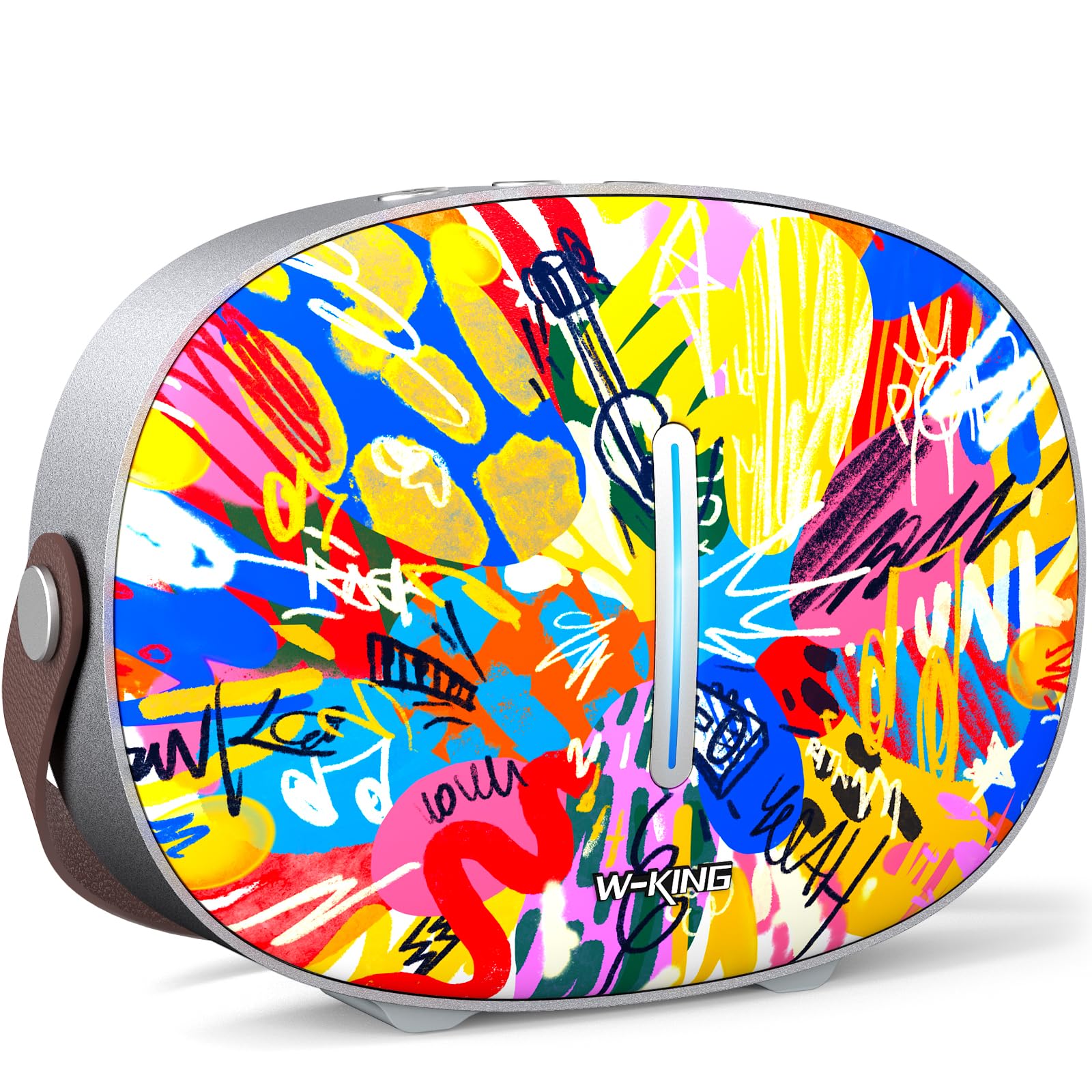
The package includes the W-KING T8II speaker, a 3.5mm audio cable for auxiliary connections, a Type-C charging cable, and this user manual.
Сетуп
Почетно пуњење
Before first use, fully charge your W-KING T8II speaker. Connect the provided Type-C charging cable to the speaker's Type-C port and a compatible power source. The speaker supports up to 30W fast charging. The indicator lights on the back will show the charging status.

Укључивање/искључивање
- To power on: Press and hold the power button located on the back of the speaker for a few seconds until the indicator light illuminates.
- To power off: Press and hold the power button again for a few seconds until the indicator light turns off.

Блуетоотх упаривање
- Ensure the speaker is powered on and in Bluetooth pairing mode (the indicator light will flash).
- На свом уређају (паметном телефону, таблету итд.) омогућите Блутут и потражите доступне уређаје.
- Select "W-KING T8II" from the list of devices.
- Once connected, the indicator light will become solid, and you will hear an audible confirmation.

The W-KING T8II uses Bluetooth 5.4 for a stable and efficient wireless connection.
Распакивање и крајview Видео
Видео: Распакивање и готовоview of the W-KING T8II Portable Bluetooth Speaker, demonstrating its contents and initial setup.
Упутство за употребу
Контролна дугмад
The top panel of the speaker features intuitive control buttons for easy operation:
- M (дугме за режим): Притисните да бисте пребацивали између режима репродукције преко Bluetooth, AUX и USB.
- - (Volume Down / Previous Track): Кратко притисните да смањите јачину звука. Дуго притисните да бисте прешли на претходну нумеру.
- Дугме за репродукцију/паузу: Притисните за репродукцију или паузирање звука.
- + (Volume Up / Next Track): Short press to increase volume. Long press to go to the next track.

Режими репродукције
- Блуетоотх режим: Connect wirelessly to your device as described in the Setup section.
- АУКС режим: Connect an external audio device using the provided 3.5mm audio cable to the AUX port on the back of the speaker. Press the 'M' button to switch to AUX mode.
- УСБ режим репродукције: Insert a USB flash drive into the USB-A port on the back of the speaker. The speaker will automatically switch to USB mode and begin playing compatible audio files.

Упаривање Труе Вирелесс Стерео (ТВС)
For an enhanced audio experience, two W-KING T8II speakers can be paired together to create a true stereo sound system:
- Ensure both T8II speakers are powered on and in Bluetooth pairing mode (not connected to any device).
- On one of the speakers, press and hold the Bluetooth pairing button (usually indicated by a Bluetooth icon) until you hear a confirmation tone.
- Два звучника ће се аутоматски повезати један са другим. Након повезивања, један звучник ће деловати као главни (леви канал), а други као подређени (десни канал).
- Connect your device to the master speaker via Bluetooth.

Пуњење спољних уређаја
The W-KING T8II speaker can function as a power bank to charge your mobile devices. Connect your device to the speaker's USB-A output port using a compatible charging cable. The USB-A to Type-C output supports up to 18W charging.

Одржавање
Општа нега
- Keep the speaker away from extreme temperatures, direct sunlight, and moisture.
- Избегавајте испуштање или излагање звучника јаким ударима.
- Не растављајте и не покушавајте сами да поправите звучник, јер ће то поништити гаранцију.
Баттери Царе
To maximize battery life, avoid fully discharging the speaker frequently. Recharge the battery regularly, even if the speaker is not in use for extended periods.
Чишћење
Обришите звучник меком, сувом крпом. Не користите абразивна средства за чишћење или раствараче.
Отпорност на воду
Напомена: The W-KING T8II speaker is НИЈЕ водоотпоран. Avoid exposure to water or other liquids to prevent damage.
Решавање проблема
| Проблем | Решење |
|---|---|
| Звучник се не укључује. | Уверите се да је батерија напуњена. Повежите звучник са извором напајања помоћу Type-C кабла. |
| Није могуће упаривање преко Bluetooth-а. |
|
| Нема звука. |
|
| Изобличење звука при великој јачини звука. | Reduce the volume on the speaker or your connected device. Ensure audio source quality is high. |
| Speaker not charging external device. | Ensure the speaker has sufficient battery charge. Use a compatible USB-A cable. |
Спецификације
| Назив модела | Т8ИИ |
| Бранд | В-КИНГ |
| Спеакер Типе | Outdoor Wireless Portable Loud Speaker |
| Технологија повезивања | Помоћни, Блутут, УСБ |
| Блуетоотх верзија | 5.4 |
| Максимална излазна снага звучника | 96 Ваттс |
| Режим аудио излаза | Сурроунд Стерео |
| Фреквенцијски одзив | 20 Hz (Lower bound, full range not specified) |
| Однос сигнала и шума | 85 дБ |
| Пречник вуфера | 3 инча |
| Пречник високотонца | 1 инча |
| Извор напајања | Battery Powered (1 x 12V battery required) |
| Димензије производа | 10.91"Д к 7.73"Ш к 3.9"В |
| Тежина артикла | 5.5 фунте (2.5 килограма) |
| Материјал | Пластика, метал |
| Водоотпоран | бр |
| Посебне карактеристике | Bass Boost, Bluetooth 5.4, True Wireless Stereo Pairing, Portable, Shockproof, Type-C Fast Charging, Type-C output, USB PLAYBACK/AUX, Personalised Trendy Design |
Информације о гаранцији
The W-KING T8II Portable Bluetooth Speaker comes with a Limited Warranty. Please refer to the product packaging or contact W-KING customer support for specific warranty terms and conditions.
Подршка
For further assistance, technical support, or inquiries regarding your W-KING T8II speaker, please visit the official W-KING website or contact their customer service department. The user manual included in the package also contains detailed information.
W-KING Store: Visit the W-KING Store on Amazon