
Увод
Thank you for choosing the XTU S6 Remote Control. This device is designed to provide convenient wireless control over your XTU S6 camera, enhancing your remote shooting experience. Please read this manual carefully before use to ensure proper operation and to maximize the performance and lifespan of your remote control.
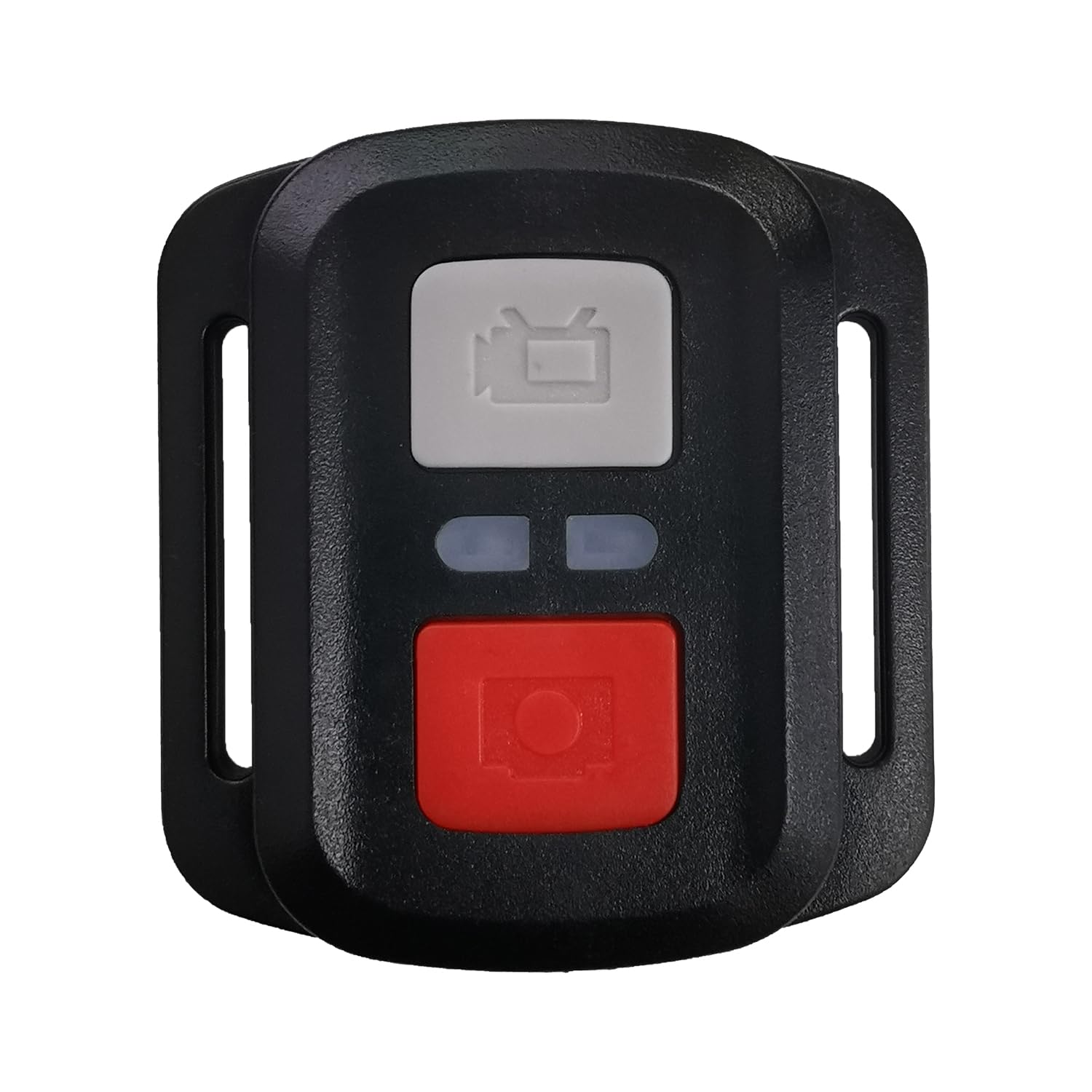
Слика 1: XTU S6 Remote Control. This image displays the compact black remote control with its array of buttons, designed for easy handling and intuitive operation of the XTU S6 camera.
Сетуп
Follow these steps to set up your XTU S6 Remote Control with your XTU S6 camera:
- Инсталација батерије: Open the battery compartment on the back of the remote control. Insert the required batteries (type not specified, refer to product packaging) ensuring correct polarity. Close the compartment securely.
- Укључено: Press and hold the power button on the remote control until the indicator light illuminates.
- Pairing with XTU S6 Camera:
- Ensure your XTU S6 camera is powered on and in pairing mode (refer to your camera's user manual for specific instructions on enabling remote control pairing).
- On the remote control, press the designated pairing button (if available) or follow the camera's instructions to initiate the connection.
- Once successfully paired, the indicator light on the remote control may change or stop blinking, and the camera should acknowledge the connection.
- Тестна веза: Attempt to take a photo or start recording using the remote control to confirm successful pairing.
Упутство за употребу
The XTU S6 Remote Control features 15 buttons for various functions. While specific button assignments may vary, general operations include:
- Дугме за напајање: Укључује/искључује даљински управљач.
- Дугме затварача/снимања: Activates photo capture or starts/stops video recording.
- Дугме за режим: Switches between different camera modes (e.g., Photo, Video, Playback).
- Навигациона дугмад (горе/доле/лево/десно/ОК): Used to navigate camera menus and confirm selections.
- Дугмад за зумирање: Adjusts the camera's zoom level (if supported by the camera).
- Settings/Menu Button: Accesses camera settings or menu options.
- Светло индикатора: Provides feedback on power status, pairing status, and command transmission.
For detailed functionality of each button, please refer to your XTU S6 camera's user manual, as remote control functions are often integrated with camera features.
Одржавање
To ensure the longevity and optimal performance of your XTU S6 Remote Control, follow these maintenance guidelines:
- Чишћење: Use a soft, dry cloth to wipe the remote control. Do not use liquid cleaners, solvents, or abrasive materials, as they may damage the surface or internal components.
- Складиштење: Даљински управљач чувајте на хладном и сувом месту, даље од директне сунчеве светлости, екстремних температура и високе влажности.
- Одржавање батерије: Ако даљински управљач неће бити коришћен дуже време, извадите батерије како бисте спречили цурење и потенцијално оштећење.
- Избегавајте утицај: Protect the remote control from drops and impacts, which can damage internal circuitry.
Решавање проблема
If you encounter issues with your XTU S6 Remote Control, try the following solutions:
- Даљински не реагује:
- Проверите да ли су батерије правилно постављене и да ли су довољно напуњене. Замените их ако је потребно.
- Уверите се да је даљински управљач укључен.
- Verify that the remote control is within the operating range of the camera.
- Није могуће упарити:
- Make sure both the remote control and the camera are in pairing mode.
- Restart both the remote control and the camera, then attempt pairing again.
- Ensure there are no strong interferences (e.g., other wireless devices) nearby.
- Интермитентна веза:
- Check battery levels in both devices.
- Reduce the distance between the remote control and the camera.
- Ensure there are no physical obstructions between the remote and the camera.
If these steps do not resolve the issue, please contact XTU customer support for further assistance.
Спецификације
| Бранд | КСТУ |
| Број модела | Ремоте |
| Боја | Црно |
| Број дугмади | 15 |
| Произвођач | КСТУ |
| ASIN | B0F93BZKJP |
| Први доступан датум | 2025/05/19 |
Гаранција и подршка
For information regarding warranty coverage, technical support, or service, please refer to the warranty card included with your product packaging or visit the official XTU webсајт. Сачувајте рачун као доказ о куповини за потребе гаранције.
XTU Official Webсајт: XTU Store on Amazon.co.jp