
1. Увод
The EDIFIER MP330 is a portable Bluetooth speaker designed to deliver a high-quality audio experience with its retro aesthetic and advanced features. It supports Hi-Res audio and offers versatile connectivity options.

Image: The EDIFIER MP330 portable Bluetooth speaker, showcasing its brown finish and integrated leather handle.
2. Садржај пакета
Молимо вас да означите поље за следеће ставке:
- EDIFIER MP330 Speaker x 1
- Кабел УСБ-Ц на УСБ-Ц к 1
- Кратки водич за почетак к 1
- Important Safety Information x 1

Image: A visual representation of the EDIFIER MP330 speaker and its included accessories: USB-C cable, quick start guide, and safety information.
3. Производ је готовview
3.1 Контроле и портови
The EDIFIER MP330 features intuitive controls and essential ports for various audio sources.
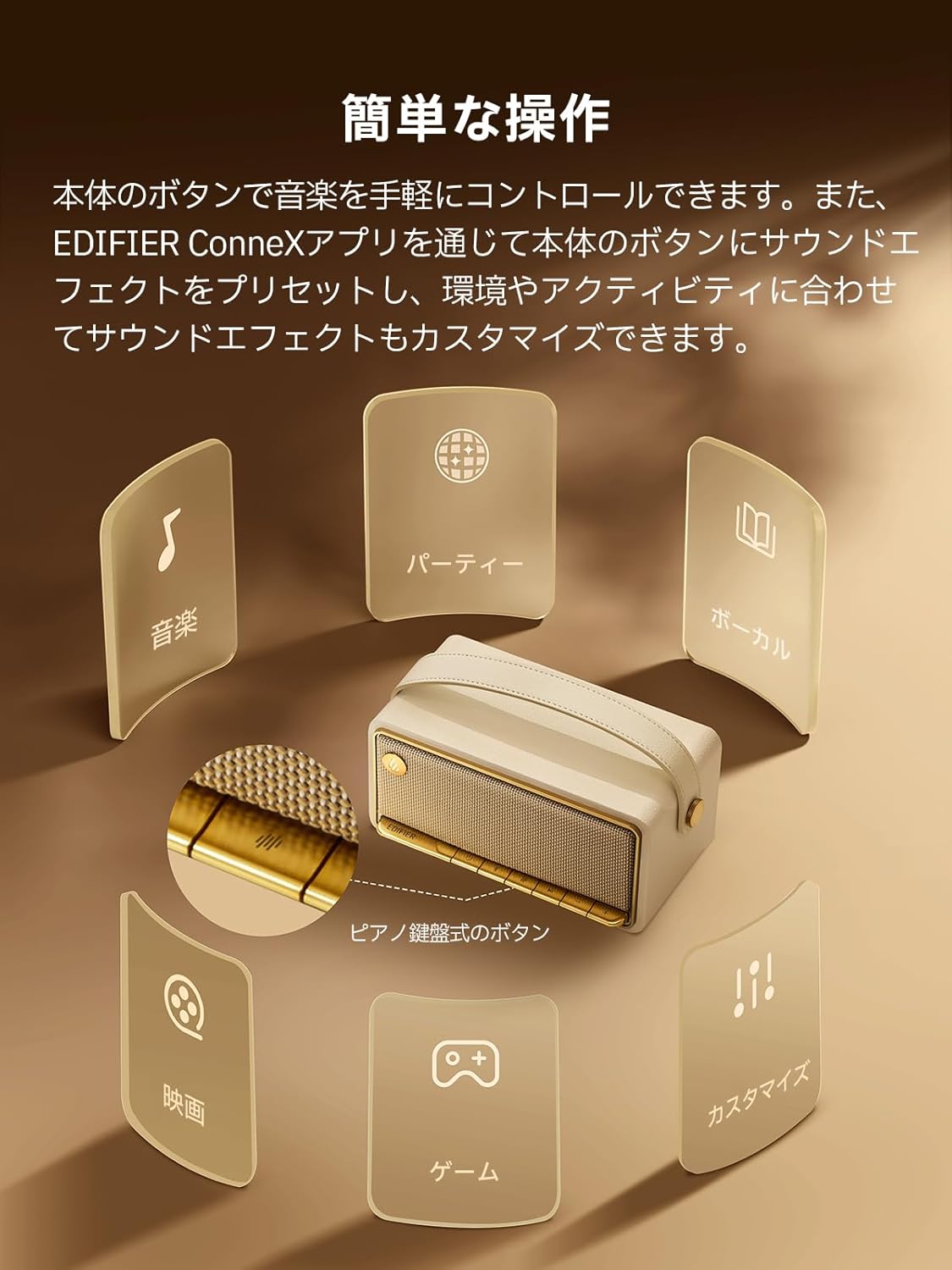
Image: A diagram illustrating the control buttons and indicator lights on the EDIFIER MP330 speaker, showing their functions for power, mode selection, playback, and volume.
- Дугме за напајање: Притисните и држите за укључивање/искључивање.
- Дугме за режим: Short press to cycle through Bluetooth, USB-C, and microSD card input modes.
- Дугме за репродукцију/паузу: Кратким притиском репродукујете или паузирате звук.
- Дугме за појачавање јачине звука/следећу нумеру: Кратак притисак за појачавање јачине звука, дуг притисак за следећу нумеру.
- Дугме за смањивање јачине звука/претходну нумеру: Кратак притисак за смањивање јачине звука, дуг притисак за претходну нумеру.
- УСБ-Ц порт: For charging and audio input.
- Утор за мицроСД картицу: За репродукцију звука files directly from a microSD card.
4. Подешавање
4.1 Пуњење звучника
Before first use, fully charge the speaker using the provided USB-C cable and a compatible power adapter (not included). The indicator light will show charging status.
4.2 Укључивање/искључивање
- Да бисте укључили: Притисните и држите дугме за напајање док се индикаторска лампица не упали.
- Да бисте искључили напајање: Притисните и држите дугме за напајање док се индикаторска лампица не угаси.
4.3 Блуетоотх упаривање
Да бисте повезали свој уређај преко Блуетоотх-а:
- Power on the MP330 speaker. The Bluetooth indicator will flash, indicating it is in pairing mode.
- На свом уређају (паметном телефону, таблету итд.) омогућите Блутут и потражите доступне уређаје.
- Select "EDIFIER MP330" from the list of devices.
- Једном када се повеже, индикатор Bluetooth-а ће остати стално упаљен.
4.4 Вишеструка веза
The MP330 supports connecting to two Bluetooth devices simultaneously. After connecting the first device, put the speaker back into pairing mode and connect the second device. You can then switch between audio sources by pausing playback on one device and starting it on the other.

Image: Two mobile phones displaying music playback interfaces, indicating a multipoint Bluetooth connection to the EDIFIER MP330 speaker.
4.5 Stereo Pairing (TWS)
For an enhanced stereo sound experience, you can pair two MP330 speakers together:
- Ensure both MP330 speakers are powered on and not connected to any Bluetooth device.
- On one speaker, press and hold the Bluetooth button until it enters TWS pairing mode (indicator light will flash a specific pattern).
- The two speakers will automatically connect to each other. One speaker will become the left channel and the other the right.
- Once paired, connect your device to the primary speaker via Bluetooth as described in section 4.3.

Image: Two EDIFIER MP330 speakers, one black and one ivory, positioned to illustrate stereo pairing, with a Bluetooth logo and arrows indicating connection.
5. Упутство за употребу
5.1 Пребацивање режима уноса
Short press the Mode button to switch between Bluetooth, USB-C, and microSD card input modes. The indicator light will change color to reflect the active mode.
5.2 USB-C Audio Playback
Connect the MP330 to your computer using the provided USB-C cable. The speaker will automatically switch to USB-C audio mode. Select "EDIFIER MP330" as the audio output device on your computer.

Image: A diagram showing the EDIFIER MP330 speaker connected to a computer via a USB-C cable, indicating USB-C audio playback.
5.3 microSD Card Playback
Убаците мицроСД картицу која садржи аудио files into the microSD card slot. The MP330 will automatically switch to microSD card mode and begin playback.

Image: A diagram illustrating how to insert a microSD card into the dedicated slot on the EDIFIER MP330 speaker.
5.4 Using the EDIFIER Connex App
Download the EDIFIER Connex app to unlock extended features and customize your listening experience. The app allows you to:
- Пребаците изворе улаза.
- Контролишите репродукцију.
- Customize sound effects (equalizer presets or custom settings).
- Access the electronic user manual and other settings.

Image: Multiple smartphone screens displaying the EDIFIER Connex app interface, highlighting various control and customization options for the speaker.
6. Одржавање
To ensure the longevity and optimal performance of your EDIFIER MP330 speaker, follow these maintenance guidelines:
- Чишћење: Use a soft, dry cloth to clean the speaker's surface. Avoid using abrasive cleaners, solvents, or strong chemicals, as they may damage the finish.
- Складиштење: Чувајте звучник на хладном и сувом месту, даље од директне сунчеве светлости, екстремних температура и високе влажности.
- Изложеност води: The speaker is not waterproof. Avoid exposing it to water, rain, or excessive moisture.
- Руковање: Пажљиво рукујте звучником. Избегавајте да га испустите или изложите јаким ударцима.
- Одржавање батерије: For optimal battery life, avoid fully discharging the battery frequently. If storing for an extended period, charge the battery to about 50% every few months.
КСНУМКС. Решавање проблема
If you encounter issues with your EDIFIER MP330 speaker, refer to the following common troubleshooting steps:
- Нема напајања:
- Уверите се да је звучник потпуно напуњен.
- Check if the power button is pressed and held correctly to turn on the device.
- Нема звука:
- Verify the volume level on both the speaker and your connected device.
- Ensure the correct input mode (Bluetooth, USB-C, microSD) is selected.
- If using Bluetooth, ensure the speaker is properly paired and connected to your device.
- If using a microSD card, ensure the card is inserted correctly and contains playable audio files.
- Проблеми са Блуетоотх упаривањем:
- Уверите се да је звучник у режиму упаривања путем Bluetooth-а (трепери индикаторска лампица).
- Онемогућите и поново омогућите Блутут на свом уређају.
- Move the speaker closer to your device and away from potential interference sources.
- Покушајте да раскинете упаривање и поново упарите звучник из подешавања Bluetooth-а на уређају.
- Стерео упаривање не ради:
- Ensure both speakers are not connected to any other Bluetooth device before initiating TWS pairing.
- Follow the TWS pairing steps carefully (Section 4.5).
- Проблеми са повезивањем апликација:
- Ensure Bluetooth is enabled and the speaker is connected to your device.
- Update the EDIFIER Connex app to the latest version.
- Поново покрените и звучник и уређај.
If the problem persists after trying these steps, please contact Edifier customer support for further assistance.
8. Спецификације
Detailed technical specifications for the EDIFIER MP330 speaker:

Image: A comparison chart highlighting key specifications of the EDIFIER MP330 and MP230 models, including output power, Bluetooth version, battery capacity, playback time, and Hi-Res audio support.
| Феатуре | Спецификација |
|---|---|
| Назив модела | МП330 |
| Спеакер Типе | Преносиви звучник |
| Материјал | Дрво (MDF) |
| Боја | Браон |
| Излазна снага | 40В РМС |
| Блуетоотх верзија | 6.0 |
| Капацитет батерије | 4800мАх |
| Време репродукције | До 19 сати (при 50% запремине) |
| Фреквенцијски одзив | 53Хз-40кХз |
| Хи-Рес Аудио | Supported (up to 24bit/96kHz) |
| Повезивање | Bluetooth, USB-C, microSD card |
| Димензије (Ш к Д к В) | 20.7 к 11.6 к 10.1 цм |
| Тежина | 1.13 кг |
| Контролни метод | Апликација, дугме |
| Однос сигнал/шум (С/Н) | 85 дБ |

Image: A technical drawing showing the dimensions (width, depth, height) and weight of the EDIFIER MP330 speaker.
9. Гаранција и подршка
For warranty information, please refer to the warranty card included in your product packaging or visit the official Edifier website. If you require technical support or have questions about your EDIFIER MP330 speaker, please contact Edifier customer service through their official channels.
Званични Едифајер Webсајт: ввв.едифиер.цом