
Montech X5-Black
MONTECH X5- ATX Mid-Tower Gaming PC Case User Manual
Model: X5-Black
Увод
The MONTECH X5-Black is a high-performance ATX Mid-Tower PC case designed for gaming enthusiasts, offering excellent airflow, versatile component compatibility, and aesthetic appeal. It features a tempered glass side panel, carbon print accents, and comes with pre-installed ARGB fans to provide optimal cooling and vibrant lighting out of the box.

This manual provides detailed instructions for assembling your system within the X5-Black case, ensuring proper installation and optimal performance.
Кључне карактеристике
- High Airflow Design: Optimized front mesh panel for superior air intake.
- Унапред инсталирани ARGB вентилатори: Includes three 140mm front ARGB fans and one 120mm rear ARGB fan for immediate cooling and lighting.
- Бочна плоча од каљеног стакла: Пружа јасан view ваших унутрашњих компоненти.
- Integrated GPU Holder: An adjustable support stand is included to prevent GPU sag.
- Carbon Print Accents: Refined carbon texture details on the front frame for a modern aesthetic.
- Excellent Hardware Compatibility: Supports GPUs up to 410mm, CPU coolers up to 165mm, and standard ATX PSUs up to 230mm.
- Optimized Cable Management: Ample routing space behind the motherboard tray and an extra-large PSU shroud.
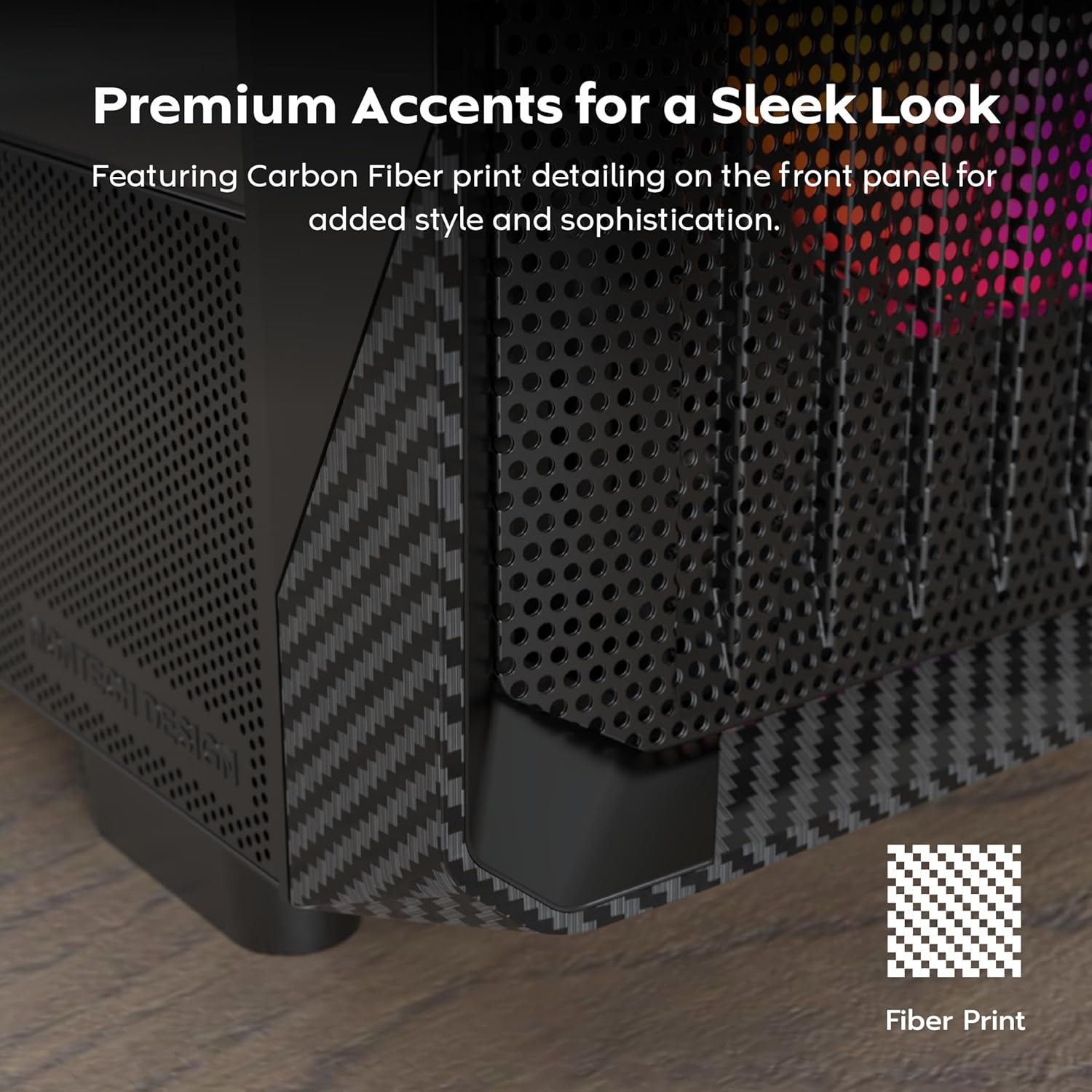
The carbon print accents provide a sleek and premium finish to the case's exterior.

The adjustable GPU holder ensures stability for even the heaviest graphics cards.
Водич за подешавање
1. Распакивање и припрема
- Пажљиво извадите кућиште из његовог паковања.
- Remove the tempered glass side panel by gently swinging it open and lifting it off its hinges. Place it on a soft, flat surface to prevent scratches.
- Identify the accessory box, which contains screws, zip ties, and other small parts.
2. Инсталација компоненте
Before installing components, familiarize yourself with the case's internal layout and compatibility:

This diagram illustrates the maximum dimensions for key components: GPU (410mm), CPU Cooler (165mm), and Power Supply (230mm).
2.1 Инсталација матичне плоче
- Ensure the correct standoffs are installed for your motherboard form factor (ATX, Micro ATX).
- Carefully place the motherboard into the case, aligning it with the standoffs and the I/O shield opening.
- Причврстите матичну плочу одговарајућим завртњима.
2.2 Инсталација напајања
- Уметните јединицу за напајање (PSU) у наменски одељак на доњој задњој страни кућишта.
- Причврстите напајање завртњима са задње стране кућишта.
2.3 Инсталација графичке картице
- Уклоните потребне поклопце PCIe слотова са задње стране кућишта.
- Уметните графичку картицу у одговарајући PCIe слот на матичној плочи.
- Secure the GPU with screws. Utilize the integrated GPU holder (Figure 3) to provide additional support.
2.4 Инсталација уређаја за складиштење података (HDD/SSD)
- Locate the drive bays/mounts behind the motherboard tray or within the PSU shroud.
- Install 2.5" SSDs or 3.5" HDDs using the provided screws and brackets.
2.5 Уградња вентилатора и радијатора
The X5-Black supports various fan and radiator configurations:

The case supports up to 360mm AIO radiators on both the top and front. Ensure proper airflow direction for optimal cooling.
2.6 Управљање кабловима
- Route all power and data cables through the designated cutouts and channels behind the motherboard tray.
- Use zip ties or Velcro straps to bundle cables neatly, improving airflow and aesthetics.
Операција
1. Front I/O Panel
Предња И/О плоча пружа практичан приступ основним портовима и контролама:

- Дугме за напајање: Укључује или искључује систем.
- ЛЕД дугме: Cycles through various ARGB lighting modes for the pre-installed fans.
- УСБ 2.0 порт: За повезивање USB 2.0 уређаја.
- УСБ 3.0 порт: For connecting high-speed USB 3.0 devices.
- Mic & Audio Jacks: За повезивање слушалица и микрофона.
- УСБ Типе-Ц порт: For modern USB-C connectivity (if applicable to your specific model).
2. ARGB контрола вентилатора
The pre-installed ARGB fans can be controlled via the dedicated LED button on the front I/O panel. Press the button to cycle through different lighting effects and colors. For advanced synchronization and control, connect the ARGB headers to a compatible motherboard with ARGB software support (e.g., ASUS Aura Sync, MSI Mystic Light Sync, GIGABYTE RGB Fusion, ASRock Polychrome Sync).
Одржавање
- Чишћење филтера за прашину: Regularly check and clean the removable dust filters located on the top, bottom, and front (if applicable) of the case. This helps maintain optimal airflow and prevents dust buildup inside your system.
- Унутрашње чишћење: Periodically use compressed air to remove dust from internal components, especially fan blades and heatsinks. Ensure the system is powered off and unplugged before cleaning.
- Спољно чишћење: Обришите спољашње површине меком, дamp cloth. Avoid abrasive cleaners or solvents that may damage the finish or carbon print accents.
Решавање проблема
| Иссуе | Могући узрок | Решење |
|---|---|---|
| Систем се не укључује. | Лабави прикључци за напајање, неисправан извор напајања, неисправна веза на предњој плочи. | Check all power cables (24-pin, CPU, GPU). Ensure front panel power switch cable is correctly connected to motherboard. Test PSU if possible. |
| Вентилатори се не окрећу. | Fan cables disconnected, insufficient power, faulty fans. | Verify fan power cables are securely connected to the motherboard or fan controller. Check BIOS settings for fan control. |
| ARGB lighting not working or stuck. | ARGB cable disconnected, incompatible motherboard header, software issue. | Ensure ARGB cables are connected to the correct 3-pin 5V ARGB header on the motherboard. Try pressing the LED button on the front I/O. Update or reinstall motherboard RGB software. |
| USB ports not functioning. | Front panel USB cables disconnected from motherboard. | Check that the USB 2.0, USB 3.0, and USB Type-C (if applicable) headers from the case are securely connected to the corresponding headers on your motherboard. |
Техничке спецификације
| Феатуре | Спецификација |
|---|---|
| Назив модела | X5-Black |
| Тип случаја | Мид Товер |
| Компатибилност матичне плоче | АТКС, Мицро АТКС |
| Димензије (Д к Ш к В) | 18.98 к 8.5 к 19.53 инча (482 к 216 к 496 мм) |
| Тежина | 14.3 фунте (6.49 кг) |
| Материјал | Metal with Carbon Fiber Accents, Tempered Glass |
| Унапред инсталирани вентилатори | Front: 3 x 140mm ARGB; Rear: 1 x 120mm ARGB |
| Подршка вентилатора (макс.) | Напред: 3 x 120 мм / 3 x 140 мм; Горе: 2 x 120 мм / 2 x 140 мм; Задње: 1 x 120 мм |
| Radiator Support (Max) | Напред: 360 мм; Горе: 360 мм; Позади: 120 мм |
| Максимална дужина ГПУ-а | 410мм |
| Максимална висина ЦПУ хладњака | 165мм |
| Мак ПСУ Ленгтх | 230мм |
| Дриве Баис | 2.5" SSD, 3.5" HDD (specific configuration varies) |
| Предњи И / О портови | 1 x USB 3.0, 1 x USB 2.0, 1 x USB Type-C, Audio In/Out, Power Button, LED Button |
Гаранција и подршка
For warranty information and technical support, please refer to the official MONTECH website or contact your local retailer. Warranty terms and conditions may vary by region and product. Please retain your proof of purchase for warranty claims.
Ask a question about this manual
Ask about setup, troubleshooting, compatibility, parts, safety, or missing instructions. Manuals+ will review the question and use this page’s manual context to help answer it.