
1. Увод
This manual provides detailed instructions for the operation and maintenance of your HOVOYNN M10-128G MP3 Player. This portable digital music player features Bluetooth 5.3, a 2.8-inch touchscreen, 128GB internal storage, HiFi lossless sound, FM radio, voice recording, and e-book capabilities. Please read this manual thoroughly before use to ensure optimal performance and longevity of your device.
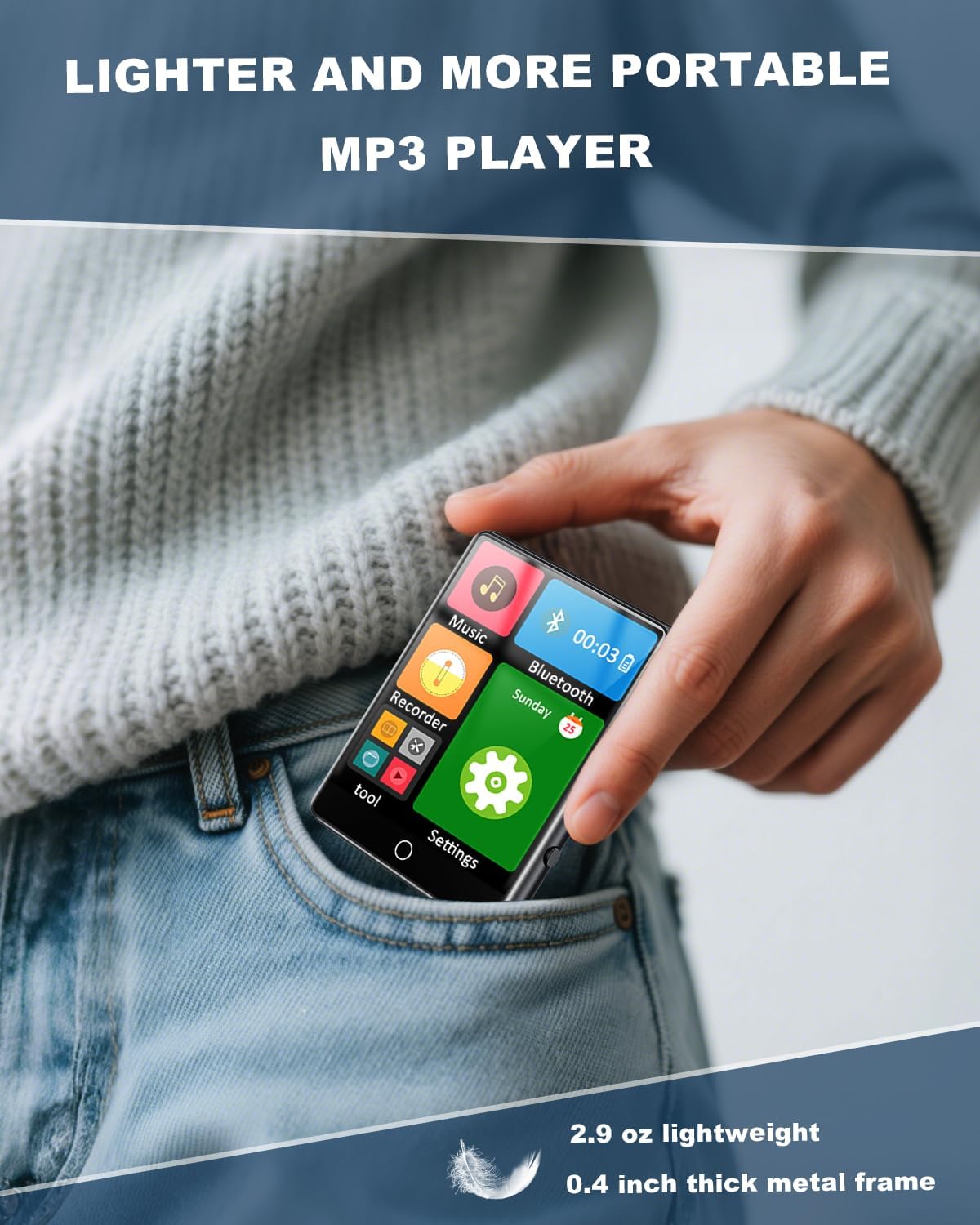
Figure 1.1: The HOVOYNN M10-128G MP3 Player, designed for portability.
Видео 1.1: Оверview of the 128GB MP3 Player with Bluetooth 5.3, showcasinг његове карактеристике и дизајн.
2. Безбедносне информације
- Не излажите уређај екстремним температурама, директној сунчевој светлости или високој влажности.
- Избегавајте испуштање или излагање уређаја јаким ударима.
- Држите уређај даље од воде и других течности.
- Не покушавајте сами да раставите или поправите уређај. Обратите се корисничкој подршци за помоћ.
- Користите само приложени кабл за пуњење и додатну опрему.
- Дуготрајно слушање при високим нивоима јачине звука може довести до оштећења слуха.
3. Садржај пакета
Проверите да ли су све ставке присутне у пакету:
- HOVOYNN M10-128G Portable MP3 Player
- УСБ-Ц кабл за пуњење
- Жичане слушалице
- Упутства за кориснике (овај приручник)
4. Производ је готовview
Familiarize yourself with the physical components and interface of your MP3 player.

Слика 4.1: Предња страна view of the HOVOYNN M10-128G MP3 Player, showing the main interface and connected headphones.

Figure 4.2: Key features of the HOVOYNN M10-128G MP3 Player.
5. Подешавање
5.1. Пуњење уређаја
Before first use, fully charge your MP3 player. Connect the provided USB-C cable to the device's charging port and the other end to a USB power adapter (not included) or a computer's USB port. The battery indicator on the screen will show charging status.
5.2. Управљање меморијом
The device comes with 128GB of built-in memory. You can expand storage by inserting a Micro SD card (up to 128GB, not included) into the designated slot. Ensure the card is inserted correctly.

Figure 5.1: The MP3 player with an external Micro SD card, demonstrating memory expansion.

Figure 5.2: Storage capacity details for the MP3 player.
5.3. Connecting to a Computer & File Трансфер
За пренос files (music, videos, photos, e-books) to your MP3 player, connect it to your computer using the provided USB-C cable. The device should appear as a removable disk. Drag and drop your fileс у одговарајуће фасцикле на уређају.
Video 5.1: Instructions on how to transfer files from a computer to the MP3 player.
6. Упутство за употребу
6.1. Укључивање/искључивање
Притисните и држите дугме за напајање са стране уређаја да бисте га укључили или искључили.
6.2. Touch Screen Navigation
The 2.8-inch touchscreen allows for intuitive navigation. Swipe left/right or tap icons to access different functions and settings.

Figure 6.1: Demonstrating sensitive full-screen touch control.

Figure 6.2: The 2.8-inch large color screen for clear viewинг.

Figure 6.3: Easy control through the full touch screen.
6.3. Репродукција музике
Tap the 'Music' icon to access your music library. The player supports MP3, WMA, APE, FLAC, WAV, and AAC formats. Enjoy HiFi lossless sound quality through headphones or the built-in speaker.
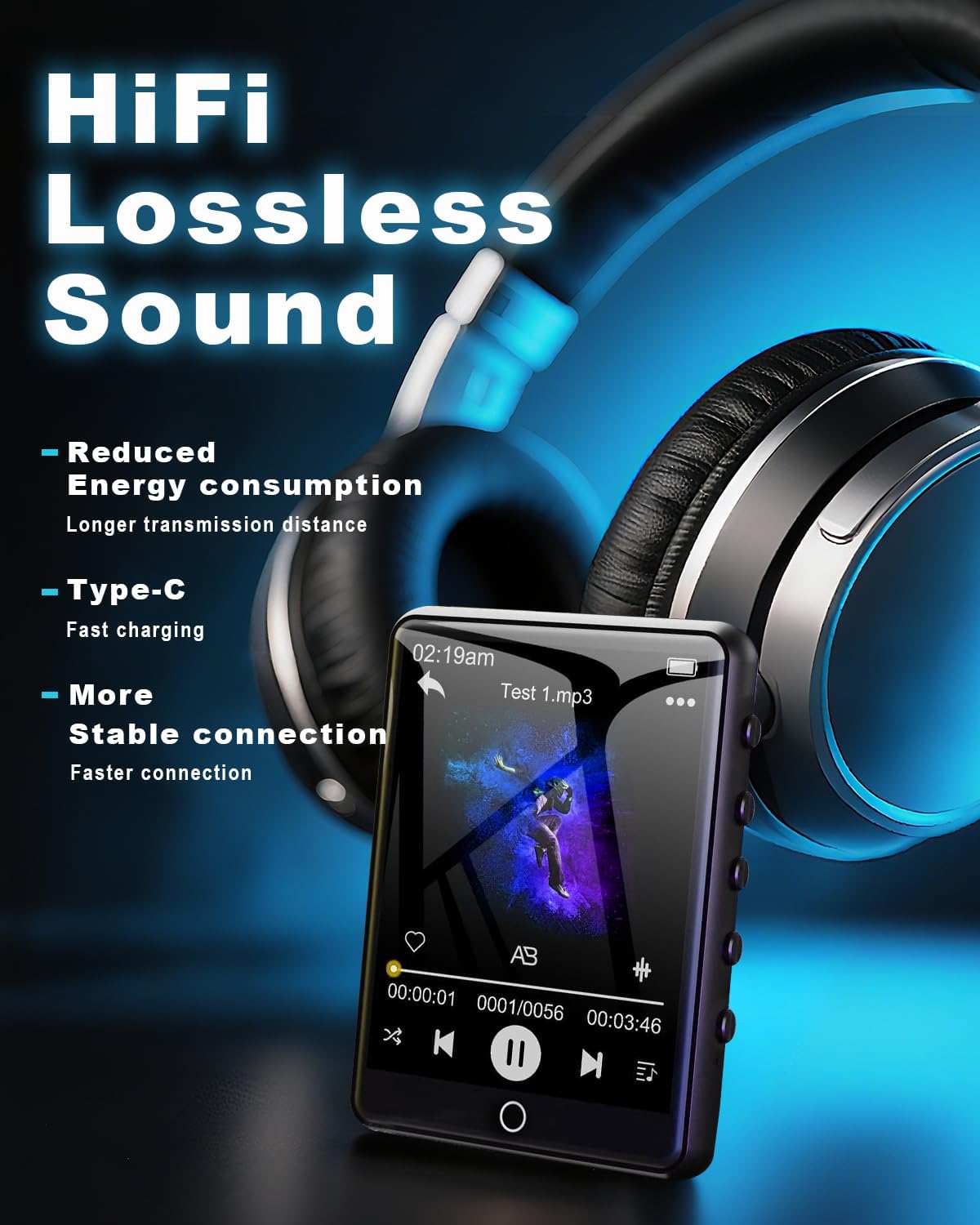
Figure 6.4: Enjoying HiFi lossless sound with headphones.

Figure 6.5: High-fidelity lossless sound quality experience.

Figure 6.6: The built-in speaker for audio playback without headphones.

Figure 6.7: Music playback options and controls.

Figure 6.8: Supported media formats for the MP3 player.
6.4. Блуетоотх повезивање
Activate Bluetooth by tapping the 'Bluetooth' icon. Pair with compatible Bluetooth headphones or speakers for wireless audio streaming. The device features Bluetooth 5.3 for faster data transfer and stable connections.
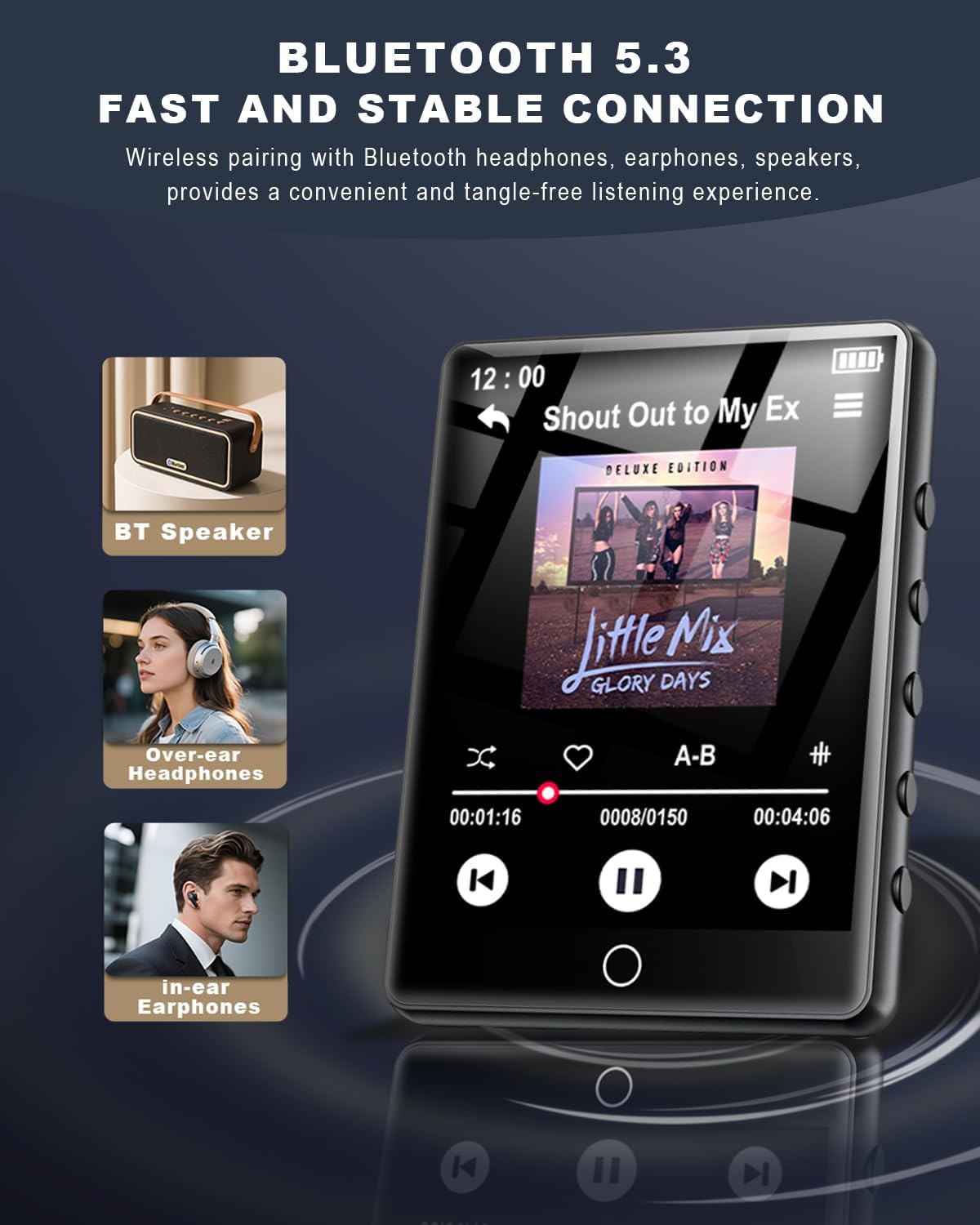
Figure 6.9: Bluetooth 5.3 connectivity with various audio devices.

Figure 6.10: Fast and stable Bluetooth 5.3 connection.
6.5. ФМ радио
To use the FM radio, connect the wired headphones (included) as they act as an antenna. Tap the 'FM Radio' icon to access radio functions. You can scan for stations and save your favorites.

Figure 6.11: FM Radio icon.
6.6. Диктафон
Tap the 'Recorder' icon to access the voice recording function. You can record audio memos and save them directly to the device's memory.

Figure 6.12: Voice Recorder icon.
6.7. Читач е-књига
Tap the 'E-Book' icon to read TXT format e-books. The touchscreen allows for easy page navigation.

Figure 6.13: E-Book icon.
6.8. Остале функције
The MP3 player includes additional tools such as a pedometer, alarm clock, calendar, and stopwatch. Access these features through the main menu or 'Tool' section.

Figure 6.14: Alarm Clock function settings.

Слика 6.15: Завршеноview of multi-functional capabilities.
7. Одржавање
- Clean the device regularly with a soft, dry cloth. Avoid using abrasive cleaners or solvents.
- Keep the screen free from dust and fingerprints for optimal touch response.
- Чувајте уређај на хладном и сувом месту када се не користи.
- Да бисте продужили век трајања батерије, избегавајте често потпуно пражњење батерије.
КСНУМКС. Решавање проблема
| Иссуе | Могуће решење |
|---|---|
| Уређај се не укључује | Уверите се да је батерија напуњена. Прикључите се на извор напајања и покушајте поново. |
| Није могуће пренети files | Ensure the USB-C cable is securely connected. Try a different USB port or computer. Verify the device is in 'File Transfer' mode if prompted. |
| Блуетоотх уређај се не упарује | Ensure the Bluetooth device is in pairing mode and within range. Restart both devices and try again. |
| No FM radio signal | Ensure wired headphones are plugged in, as they function as the antenna. Adjust your location for better reception. |
| Екран на додир не реагује | Restart the device. Ensure the screen is clean and dry. |
9. Спецификације
- Назив модела: MP3 Player M10-128G
- Бренд: HOVOYNN
- Капацитет меморије: 128 GB (expandable up to 128GB via Micro SD)
- Величина екрана: 2.8 инча
- Технологија повезивања: Блуетоотх 5.3, УСБ
- Посебне карактеристике: Built-In Speaker, FM Radio, Touch Screen, Voice Recorder, E-Book, Pedometer, Alarm Clock, Calendar, Stopwatch, A-B Repeat
- Компатибилни уређаји: Слушалице, звучници
- Тип медија: Мицро СД
- Тежина артикла: 2.96 унци
- батерије: 1 литијум-јонска батерија (укључена)
10. Гаранција и подршка
For warranty information and technical support, please refer to the contact details provided with your purchase documentation or visit the official HOVOYNN webсајт. Сачувајте доказ о куповини за потребе гаранције.