
Важна безбедносна упутства
Молимо вас да прочитате и разумете сва безбедносна упутства пре употребе овог производа. Сачувајте ово упутство за будуће потребе.
- вентилација: Обезбедите одговарајућу вентилацију. Не блокирајте вентилационе отворе.
- Вода и влага: Do not expose this appliance to rain or moisture. Do not place objects filled with liquids, such as vases, on the apparatus.
- Извори топлоте: Не постављајте у близини извора топлоте као што су радијатори, грејни регистри, пећи или други уређаји (укључујући ampлифиерс) који производе топлоту.
- Извори напајања: Use only power supplies specified by the manufacturer. Ensure the power cord is protected from being walked on or pinched.
- Чишћење: Чистите само сувом крпом.
- Сервисирање: Не покушавајте сами да сервисирате овај производ. Све сервисирање препустите квалификованом сервисном особљу.
Садржај пакета
Проверите да ли су све ставке наведене у наставку укључене у ваш пакет:
- Kuephom CD-X2A Boombox
- Кабл за напајање наизменичном струјом
- Упутство за употребу (овај документ)
- Ремоте Цонтрол
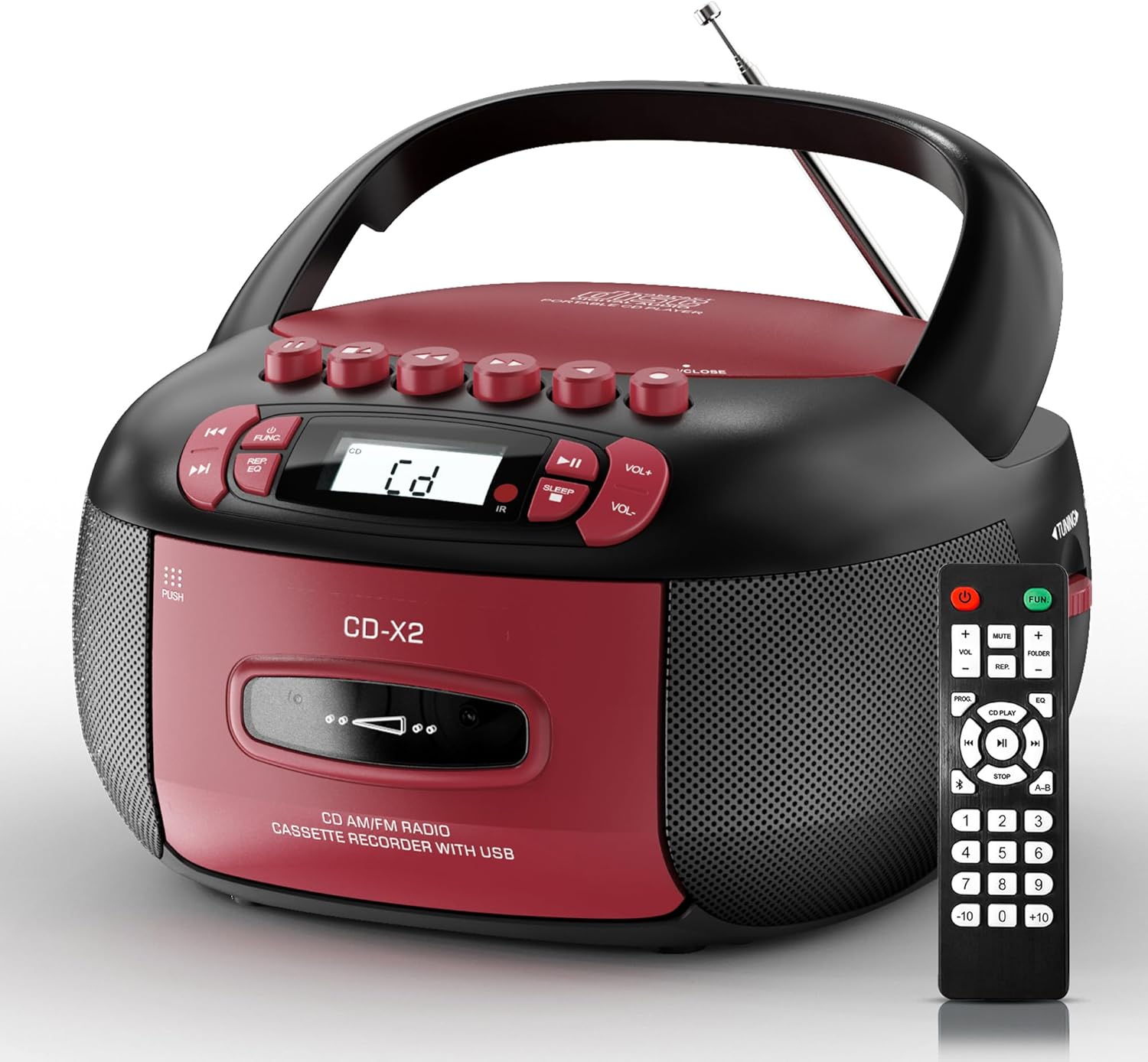
Image: The Kuephom CD-X2A Boombox with its included remote control, showcasing its compact design and red/black color scheme.
Производ је завршенview
Familiarize yourself with the various components and controls of your Kuephom CD-X2A Boombox.
Контроле предњег панела
- Дугме за напајање/функцију: Press and hold to power on/off. Press to cycle through modes (CD, USB, Bluetooth, Radio, AUX, Tape).
- Дугмад за јачину звука +/-: Подесите јачину звука репродукције.
- Дугме за репродукцију/паузу: Start or pause playback for CD, USB, Bluetooth, or Tape.
- Стоп дугме: Зауставите репродукцију.
- Дугмад за прескакање/претрагу: Navigate between tracks on CD/USB or fast forward/rewind on tape.
- ЕК тастер: Изаберите унапред подешене поставке еквилајзера.
- Дугме тајмера за спавање: Подесите тајмер за спавање.
Контроле бочне плоче
- Дугме за подешавање: Manually tune AM/FM radio stations.
- Слушалице: Повежите слушалице за приватно слушање.
- AUX-in порт: Повежите спољне аудио уређаје.
- УСБ порт: Insert USB drives for MP3/WMA playback.
Карактеристике горњег панела
- Преграда за CD-ове: Top-loading compartment for CDs.
- Cassette Compartment: Front-loading compartment for cassette tapes.
- Телескопска антена: Продужите за бољи радио пријем.

Image: The boombox highlighting its multiple functions including CD/MP3, Bluetooth, Type I/II tape, USB, FM/AM Radios, Sleep timer, Remote, Phone jack, AUX, and Tape recording.

Слика: Крупни план views of the boombox's phone jack, top-loading CD player, telescopic antenna, and tape play/record buttons.
Сетуп
Напајање бумбокса
АЦ Повер
- Connect the supplied AC power cord to the AC IN jack on the back of the boombox.
- Plug the other end of the power cord into a standard AC wall outlet (120V~60Hz).
Снага батерије
- Open the battery compartment cover located on the bottom of the boombox.
- Insert 6 x 'C' size batteries (not included), ensuring correct polarity (+/-).
- Добро затворите поклопац одељка за батерије.
- When operating on battery power, disconnect the AC power cord.

Image: The boombox demonstrating both AC power connection and the use of 6 C-size batteries for portable operation.
Ремоте Цонтрол
- Insert 2 x 'AAA' batteries (not included) into the remote control, observing polarity.
- Point the remote control towards the boombox's IR sensor for optimal operation.

Image: An individual comfortably operating the boombox using the remote control from a distance.
Упутство за употребу
Општа операција
- Укључивање/искључивање: Press and hold the Power/Function button to turn the unit on or off.
- Избор функције: Press the Power/Function button repeatedly to switch between CD, USB, Bluetooth, Radio (AM/FM), AUX, and Tape modes.
ЦД репродукција
- Отворите поклопац одељка за ЦД.
- Place a CD (CD, CD-R, MP3, WMA compatible) onto the spindle with the label side facing up.
- Затворите поклопац одељка за ЦД.
- Press the Power/Function button to select 'CD' mode.
- Притисните дугме Плаи/Паусе да започнете репродукцију.
- Use the Skip/Search buttons to navigate tracks.
- Press the Repeat button to repeat a single track, folder, or all tracks.
- Press the Program button to program a custom playback sequence.

Image: The boombox's display showing 'CD' mode, with icons indicating compatibility with CD, CD-R, CD-RW, WMA, and MP3 formats, along with single cycle, repeat folder, repeat all, random play, and play in order options.
Cassette Playback and Recording
- Press the 'OPEN/CLOSE' button on the cassette compartment to open it.
- Убаците касету.
- Затворите одељак за касету.
- Press the Power/Function button to select 'TAPE' mode.
- Притисните дугме Плаи да бисте започели репродукцију.
- Use the Fast Forward/Rewind buttons to navigate the tape.
- Снимање: In TAPE mode, select the desired source (CD, Bluetooth, USB, or AM/FM radio). Press the Record button to begin recording onto the cassette. The unit features an auto-stop function when the tape reaches its end.

Image: A hand inserting a cassette tape into the boombox's front-loading compartment, with controls for tape operation visible.
АМ/ФМ радио
- Press the Power/Function button to select 'RADIO' mode. Press again to switch between AM and FM bands.
- Extend the telescopic antenna for better FM reception. For AM, rotate the unit for best reception.
- Use the Tuning knob on the side to manually tune to your desired station. The frequency will be displayed on the screen.

Image: A man relaxing on a couch with the boombox, which displays various FM/AM radio frequencies, indicating good reception.
Блуетоотх повезивање
- Press the Power/Function button to select 'BT' (Bluetooth) mode. The display will show 'BT' and flash, indicating it's in pairing mode.
- On your mobile device, enable Bluetooth and search for 'CD-X2A'.
- Select 'CD-X2A' to pair. Once paired, the 'BT' indicator will stop flashing.
- You can now stream audio wirelessly from your device to the boombox.

Image: A woman in a living room wirelessly streaming audio from her smartphone to the boombox via Bluetooth 5.1, indicating a stable connection.
УСБ репродукција
- Insert a USB flash drive into the USB port on the side of the boombox.
- Press the Power/Function button to select 'USB' mode.
- The boombox will automatically detect and play compatible MP3/WMA files.
- Use the Play/Pause, Stop, and Skip/Search buttons to control playback.
АУКС улаз
- Connect an external audio device (e.g., smartphone, MP3 player) to the AUX-in port using a 3.5mm audio cable (not included).
- Press the Power/Function button to select 'AUX' mode.
- Управљајте репродукцијом директно са повезаног екстерног уређаја.
Слееп Тимер
- While the unit is playing, press the Sleep Timer button.
- Repeatedly press the button to cycle through available sleep timer durations (e.g., 15, 30, 60, 90 minutes).
- The unit will automatically power off after the selected time.

Image: A man sleeping in bed with the boombox on his nightstand, illustrating the sleep timer feature which allows the device to turn off automatically.
Одржавање
- Чишћење: Use a soft, dry cloth to clean the exterior of the boombox. Do not use abrasive cleaners or solvents.
- ЦД Царе: Држите ЦД-ове за ивице. Прљаве ЦД-ове чистите меком крпом која не оставља влакна, бришући од средине ка споља.
- Cassette Care: Keep cassette tapes away from direct sunlight and heat. Periodically clean the tape heads with a specialized cassette head cleaner.
- Складиштење: Када се уређај не користи дуже време, искључите кабл за напајање и извадите батерије. Чувајте уређај на хладном и сувом месту.
Решавање проблема
Ако наиђете на проблеме, погледајте табелу испод за уобичајене проблеме и решења.
| Проблем | Могући узрок | Решење |
|---|---|---|
| Нема струје | Кабл за наизменичну струју није повезан; Батерије су празне или неправилно уметнуте. | Check AC connection; Replace or correctly insert batteries. |
| Нема звука | Јачина звука је прениска; изабран је погрешан режим рада; повезане су слушалице. | Increase volume; Select correct mode; Disconnect headphones. |
| CD skips or doesn't play | CD dirty or scratched; CD inserted incorrectly; Incompatible CD format. | Clean or replace CD; Insert CD correctly; Ensure CD is compatible (CD, CD-R, MP3, WMA). |
| Радио статички/слаб пријем | Антена није извучена/позиционирана; Слаб сигнал. | Extend and adjust telescopic antenna; Try repositioning the unit. |
| Блуетоотх се не упарује | Boombox not in pairing mode; Device Bluetooth off; Device too far. | Ensure boombox is in 'BT' mode and flashing; Enable Bluetooth on device; Move device closer. |
| Касета не репродукује/не снима | Tape inserted incorrectly; Tape heads dirty; Auto-stop engaged. | Insert tape correctly; Clean tape heads; Check tape end. |
Спецификације
| Феатуре | Детаљ |
|---|---|
| Број модела | ЦД-Кс2А |
| Димензије производа (Д к Ш к В) | 8.39 к 4.8 к 8.54 инча |
| Тежина артикла | 3.45 фунти |
| Извор напајања | AC 120V~60Hz or 6 x 'C' size batteries |
| Технологија повезивања | Помоћни, Блутут, УСБ |
| Спеакер Типе | Stereo (2W+2W output) |
| Подржани формати дискова | CD, CD-R, MP3, WMA |
| Supported Tape Types | Type I/II Cassette |
| Радио Бандс | АМ/ФМ |
| Посебне карактеристике | Tape Recording, Sleep Timer, Earphone Jack, Remote Control |
Гаранција и подршка
Kuephom products are designed for reliability and performance. This product comes with a standard manufacturer's warranty against defects in materials and workmanship under normal use.
For warranty claims, technical assistance, or any questions regarding your Kuephom CD-X2A Boombox, please contact Kuephom customer support. Refer to the contact information provided with your purchase documentation or visit the official Kuephom webсајт за детаље подршке.
We are committed to providing lifetime service support and 7/24 customer assistance for our products.