
1. Увод
The iDiskk Security Lock Box Shoulder Bag is designed to protect your valuables with advanced security features. This bag incorporates fingerprint and password unlocking mechanisms, along with Apple MFi certification for seamless integration with the Find My app on iOS devices. It also features RFID blocking technology to safeguard your personal information.
This manual provides detailed instructions for the proper setup, operation, and maintenance of your iDiskk Security Lock Box Shoulder Bag. Please read this manual thoroughly before using the product.
Видео 1: Званични производ је завршенview of the iDiskk Security Lock Box Shoulder Bag, highlighting its design and key features.
2. Безбедносне информације
- Do not expose the bag to extreme temperatures or direct sunlight for prolonged periods.
- Avoid submerging the bag in water or exposing it to heavy rain.
- Keep the fingerprint sensor and keypad clean and dry to ensure optimal performance.
- Do not attempt to force open the bag if it is locked. Refer to the troubleshooting section for assistance.
- Use only the provided charging cable for the internal battery.
- Keep out of reach of children to prevent accidental locking or damage.
3. Садржај пакета
Проверите да ли су све ставке присутне у пакету:
- iDiskk Security Lock Box Shoulder Bag
- Shoulder Strap (chain and leatherette)
- УСБ кабл за пуњење
- Упутство за употребу
4. Производ је готовview
The iDiskk Security Lock Box Shoulder Bag features a durable metallic construction with integrated electronic locking mechanisms. Key components include:
- Сензор отиска прста: Located on the top surface for quick biometric unlocking.
- Нумеричка тастатура: For password entry, located alongside the fingerprint sensor.
- Светло индикатора статуса: Provides visual feedback on lock status (e.g., green for unlocked, red for locked/error).
- Порт за пуњење: За пуњење унутрашње батерије.
- Shoulder Strap Attachment Points: For securing the detachable shoulder strap.

Слика 1: Детаљно view of the iDiskk Security Lock Box Shoulder Bag, highlighting the intelligent unlocking method (fingerprint sensor), secure code keypad, and shoulder straps.

Figure 2: Close-up of the bag's top panel, illustrating the fingerprint and password unlocking areas.
5. Подешавање
5.1 Почетно пуњење
Before first use, fully charge the bag's internal battery using the provided USB cable. Connect the cable to the charging port on the bag and a compatible USB power source. The status indicator light will show charging status (e.g., red for charging, green for fully charged).
5.2 Setting Up Fingerprint and Password
The bag comes with a default password (e.g., 12345#) and allows any fingerprint to unlock initially. It is crucial to set your personal fingerprint(s) and password for security.
- Промена подразумеване лозинке:
- Притисните тастер „#“.
- Enter the default password (e.g., 12345#).
- Press the '*' key.
- Enter your new 6-digit password followed by '#'.
- Re-enter your new 6-digit password followed by '#' to confirm.
- The status indicator will confirm successful password change.
- Register Fingerprint(s): (Up to 3 fingerprints can be registered)
- With the bag unlocked, press and hold the fingerprint sensor until the indicator light flashes.
- Place your finger on the sensor, lift, and repeat several times from different angles until the indicator light confirms successful registration (e.g., solid green light).
- Поновите поступак за додатне отиске прстију ако желите.
5.3 Connecting to Apple Find My App (iOS Only)
The iDiskk bag is MFi certified and can be tracked using the Apple Find My app on your iOS device. No additional app download is required.
- Ensure Bluetooth is enabled on your iPhone or iPad.
- Open the "Find My" app.
- Navigate to the "Items" tab and tap "Add Item".
- Select "Other Supported Item".
- The app will search for nearby compatible devices. Select "safeBag" (or similar name) and tap "Connect".
- You can rename your bag and choose an emoji for it. Tap "Continue" and then "Agree" to the terms.
- Када сте упарени, можете view its location on the map, play a sound, or get directions to your bag.

Figure 3: Step-by-step guide for connecting your iDiskk bag to the Apple Find My app.

Figure 4: The Find My app interface displaying the bag's location and options like "Play Sound" and "Directions".
6. Упутство за употребу
6.1 Откључавање отиском прста
To unlock the bag using your registered fingerprint:
- Чврсто поставите регистровани прст на сензор отиска прста.
- The status indicator light will turn green, and you will hear an audible click as the lock disengages.
- Gently lift the lid to open the bag.
6.2 Unlocking with Password
To unlock the bag using your set password:
- Press the '#' key to activate the keypad.
- Enter your 6-digit password followed by the '#' key.
- The status indicator light will turn green, and you will hear an audible click as the lock disengages.
- Gently lift the lid to open the bag.
Video 2: Official product video demonstrating the fingerprint and password unlocking features of the iDiskk Security Lock Box Shoulder Bag.
6.3 Using Find My Features
Once paired with the Apple Find My app, you can utilize its features:
- Пронађи: View the bag's current or last known location on a map.
- Репродукцију звука: If the bag is nearby but out of sight, tap "Play Sound" in the app to make the bag emit an audible alert.
- Изгубљен начин: Mark your bag as lost to receive notifications if it's found by another Apple device user. You can also display contact information for the finder.
6.4 RFID Blocking Protection
The iDiskk Security Lock Box Shoulder Bag is equipped with RFID blocking material to protect your credit cards, passports, and other RFID-enabled items from unauthorized scanning and electronic theft.
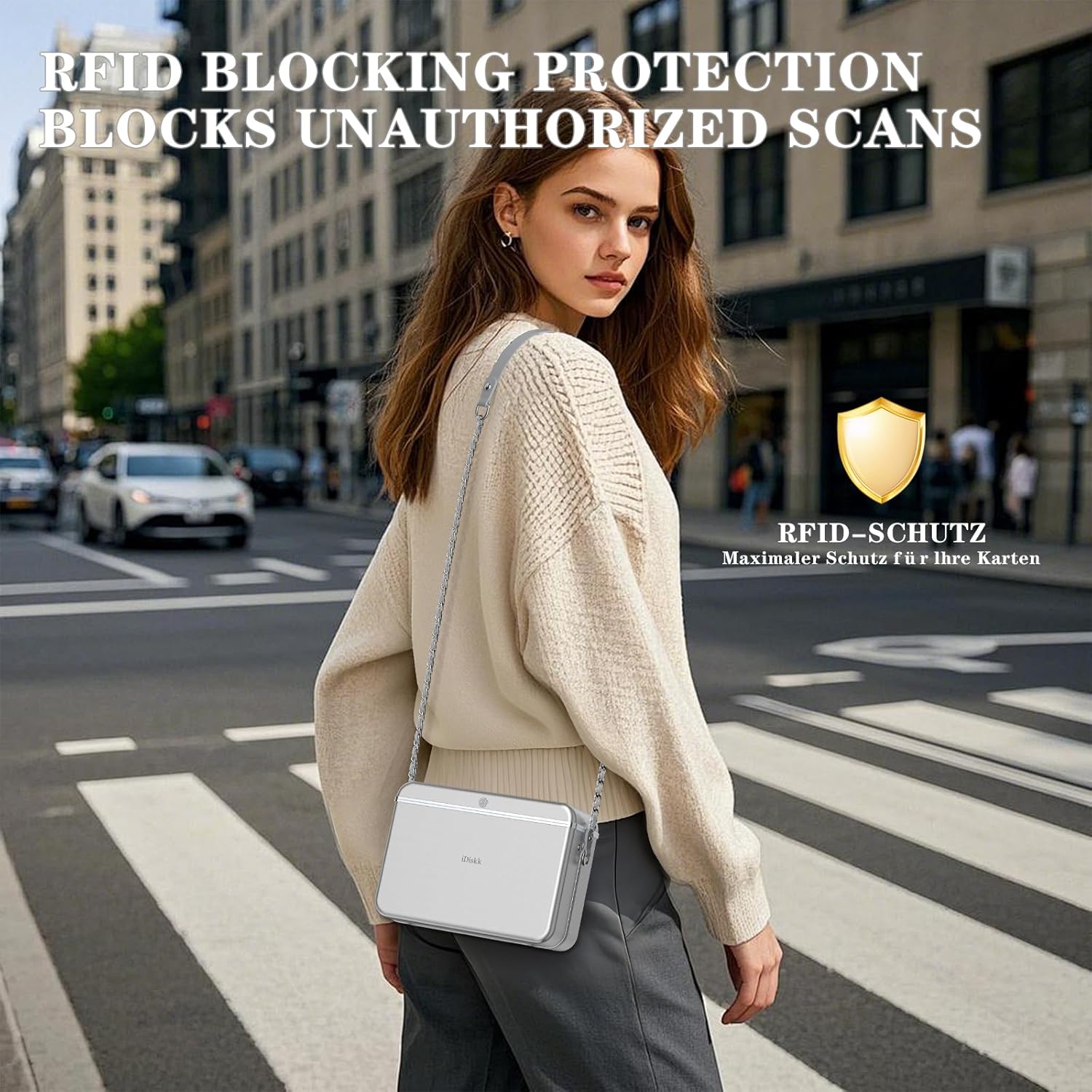
Figure 5: Illustration of the bag's RFID blocking capability, preventing unauthorized data scans.
7. Одржавање
- Чишћење: Обришите спољашњост меком, дamp cloth. Do not use harsh chemicals or abrasive cleaners. Ensure the fingerprint sensor and keypad are free of dust and debris.
- Одржавање батерије: Recharge the battery regularly, even if the bag is not in frequent use, to maintain battery health. Avoid completely draining the battery.
- Складиштење: Чувајте торбу на хладном и сувом месту када се не користи.
КСНУМКС. Решавање проблема
8.1 Bag Does Not Open
- Проверите батерију: Ensure the bag is sufficiently charged. A low battery might prevent the locking mechanism from operating. Charge the bag for at least 30 minutes and try again.
- Incorrect Fingerprint/Password: Verify you are using a registered fingerprint or the correct password. The status indicator will typically flash red for incorrect attempts.
- Sensor/Keypad Cleanliness: Ensure the fingerprint sensor and keypad are clean and dry. Moisture or dirt can interfere with recognition.
- Mechanical Jam: If the lock mechanism sounds like it's engaging but the lid doesn't open, gently press down on the lid while attempting to unlock. If the issue persists, contact customer support.
8.2 Find My App Not Locating Bag
- Блуетоотх веза: Ensure Bluetooth is active on your iOS device and the bag is within range.
- Bag Battery: The bag needs to have sufficient battery power to transmit its location.
- Поново упарите уређај: If connection issues persist, try removing the bag from the Find My app and re-pairing it.
9. Спецификације
| Димензије производа | 7.3 x 2.56 x 3.4 inches (L*W*H) |
| Унутрашње димензије | 7.3 x 2.2 x 3.4 inches (L*W*H) |
| Тежина артикла | 2 фунти |
| Shoulder Strap Length | 47.2 инча |
| Батерија | Потребна је 1 литијум-јонска батерија |
| Методе откључавања | Отисак прста, лозинка |
| Праћење | Apple Find My App (iOS Only) |
| Сигурносне карактеристике | РФИД Блоцкинг |

Figure 6: Visual representation of the bag's dimensions and internal capacity.
10. Гаранција и подршка
The iDiskk Security Lock Box Shoulder Bag comes with a standard manufacturer's warranty. For warranty details, product support, or to report any issues, please contact iDiskk customer service through their official webсајт или продавца где је производ купљен. Молимо вас да сачувате доказ о куповини за потребе гаранције.

Figure 7: iDiskk customer support is available to assist with product inquiries and issues.