
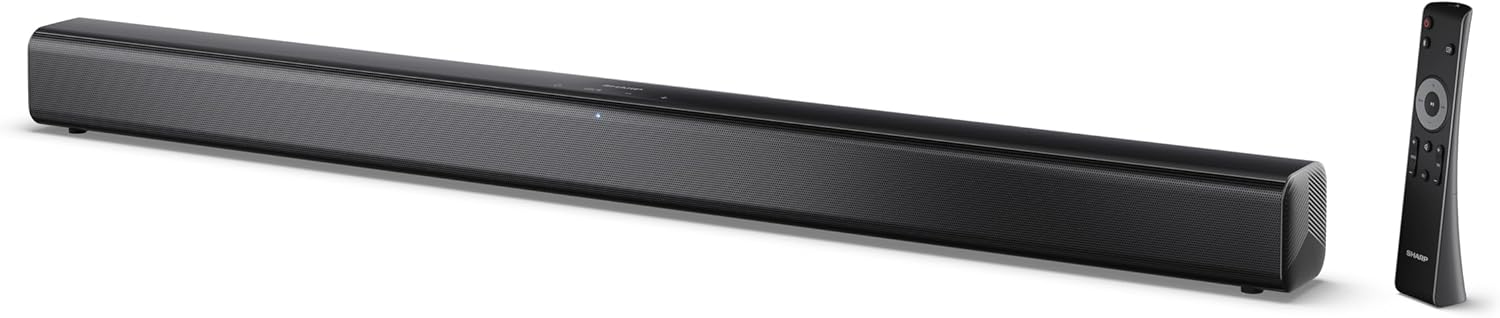
Image 0.1: The SHARP HT-SB145 2.0 Channel Soundbar shown alongside its remote control.
1. Увод
This manual provides essential instructions for the safe and efficient operation of your SHARP HT-SB145 2.0 Channel Soundbar. Please read this manual thoroughly before use and retain it for future reference.
2. Безбедносне информације
Придржавајте се следећих мера предострожности како бисте спречили струјни удар, пожар или оштећење уређаја:
- Не излажите овај уређај капању или прскању.
- Не стављајте предмете напуњене течношћу, као што су вазе, на апарат.
- Обезбедите одговарајућу вентилацију. Не блокирајте вентилационе отворе.
- Не постављајте у близини извора топлоте као што су радијатори, грејни регистри, пећи или други уређаји (укључујући ampлифиерс) који производе топлоту.
- Заштитите кабл за напајање од гажења или прикљештења.
- Користите само додатке/прибор које је навео произвођач.
- Искључите овај апарат из струје током олуја са грмљавином или када га не користите дуже време.
- Све сервисирање препустите квалификованом сервисном особљу.
3. Садржај пакета
Проверите да ли су све ставке наведене у наставку укључене у ваш пакет:
- SHARP HT-SB145 саундбар
- Ремоте Цонтрол
- Повер Цабле
- Носачи за монтирање на зид (2)
- Screws and Wall Plugs (for mounting)
- ААА батерије (2)
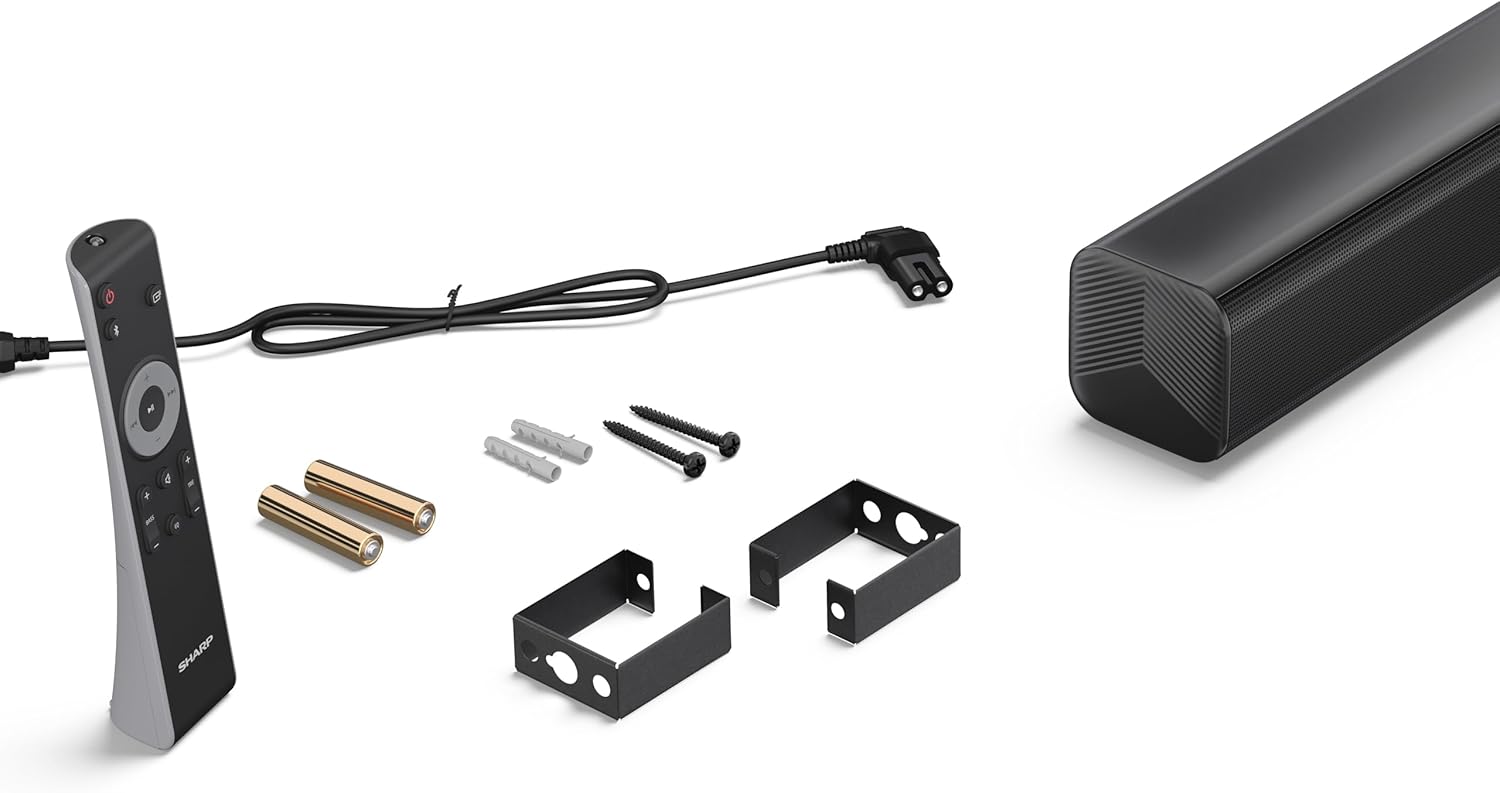
Image 3.1: Contents of the SHARP HT-SB145 Soundbar package, including the soundbar, remote control, power cable, wall mount brackets, screws, and two AAA batteries.
4. Производ је готовview
4.1 Предња и горња страна View

Слика 4.1: Предња страна view of the SHARP HT-SB145 Soundbar, showcasing the speaker grille and the central LED indicator.
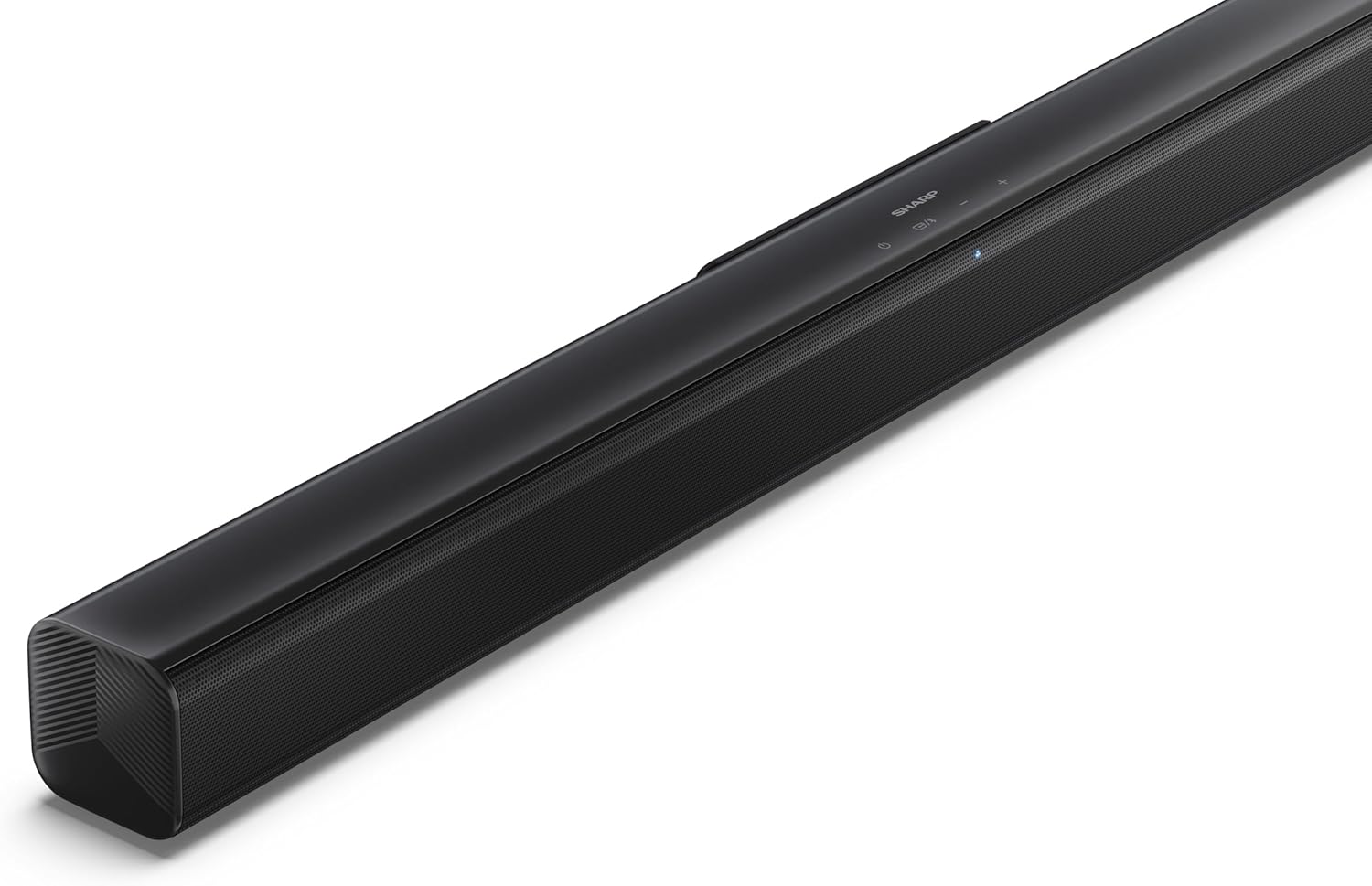
Слика 4.2: Угаони врх view of the soundbar, highlighting the integrated control buttons for power, source selection, and volume adjustment, along with the SHARP logo.

Image 4.3: Close-up of the top-mounted control panel, showing the power button, source/Bluetooth button, and volume up/down buttons.
4.2 Прикључци задње плоче

Слика 4.4: Позади view of the soundbar, displaying the various input ports and power connection.

Слика 4.5: Детаљно view of the rear panel connections, including OPTICAL input, USB port (5V 500mA), AUX input, and HDMI ARC (TV) port.
5. Подешавање
5.1 Опције пласмана
The SHARP HT-SB145 Soundbar offers flexible placement options:
- Положај стола: Place the soundbar on a stable, flat surface in front of your TV. Ensure it does not obstruct the TV's remote sensor.
- Монтажа на зид: Use the provided wall mount brackets to attach the soundbar to a wall below your TV. Refer to section 5.4 for detailed wall mounting instructions.

Image 5.1: The soundbar positioned on a media console beneath a television, demonstrating a typical tabletop setup.
5.2 Повезивање на напајање
- Connect the power cable to the AC IN port on the rear of the soundbar.
- Укључите други крај кабла за напајање у зидну утичницу.
5.3 Аудио везе
Изаберите један од следећих начина да повежете саундбар са телевизором или другим аудио извором:
- HDMI ARC/CEC (Recommended):
Connect an HDMI cable (not included) from the HDMI ARC port on the soundbar to the HDMI ARC port on your TV. This connection allows for audio return and control via your TV remote.
- Оптички:
Connect an optical cable (not included) from the OPTICAL port on the soundbar to the optical digital output on your TV or audio source.
- АУКС:
Connect a 3.5mm audio cable (not included) from the AUX port on the soundbar to the headphone jack or audio output on your TV or audio source.
5.4 Монтажа на зид
Пратите ове кораке за безбедно монтирање на зид:
- Determine the desired mounting location on the wall, ensuring it is level and within reach of power and audio cables.
- Mark the positions for the two wall mount brackets using a pencil. The distance between the brackets should match the mounting points on the soundbar.
- Drill pilot holes at the marked positions. Insert the wall plugs if mounting into drywall or plaster.
- Secure the wall mount brackets to the wall using the provided screws.
- Carefully attach the soundbar to the mounted brackets. Ensure it is securely seated.
6. Упутство за употребу
6.1 Укључивање/искључивање
- Притисните тастер Повер дугме на саундбару или даљинском управљачу да бисте укључили или искључили уређај.
6.2 Избор извора
Притисните тастер Извор button on the soundbar or remote control repeatedly to cycle through the available input sources:
- ХДМИ АРЦ: For audio from a TV connected via HDMI ARC.
- ОПТИЧКИ: For audio from a device connected via optical cable.
- АУКС: For audio from a device connected via 3.5mm audio cable.
- БЛУЕТООТХ: За бежични аудио стриминг.
- УСБ: For audio playback from a USB drive.
6.3 Контрола јачине звука
- Притисните тастер Волуме + дугме за повећање јачине звука.
- Притисните тастер Волуме - дугме за смањење јачине звука.
6.4 Блуетоотх упаривање
- Turn on the soundbar and select the Bluetooth source. The LED indicator will flash, indicating pairing mode.
- Омогућите Блутут на свом паметном телефону, таблету или другом уређају.
- Тражи "SHARP HT-SB145" in your device's Bluetooth list and select it to pair.
- Once paired, the LED indicator on the soundbar will glow steadily. You can now stream audio wirelessly.
6.5 Репродукција са УСБ-а
The soundbar supports MP3/WAV audio playback from a USB drive.
- Insert a USB drive containing MP3/WAV audio files into the USB port on the rear of the soundbar.
- Select the USB source using the Source button.
- Playback will begin automatically. Use the remote control to navigate tracks (if supported).
The USB port also provides 5V 500mA for charging compatible devices.
7. Одржавање
- Чишћење: Користите меку, суву крпу за чишћење површине саундбара. Не користите течна средства за чишћење или абразивне материјале.
- Складиштење: Ако складиштите уређај дуже време, искључите га из утичнице и чувајте га на хладном и сувом месту.
КСНУМКС. Решавање проблема
| Проблем | Могући узрок | Решење |
|---|---|---|
| Нема струје | Power cable not connected or outlet not active. | Уверите се да је кабл за напајање безбедно повезан и да је утичница функционална. |
| Нема звука | Incorrect input source selected, volume too low, or cable connection issue. | Select the correct input source. Increase volume. Check audio cable connections. |
| Блуетоотх упаривање није успело | Звучна табла није у режиму упаривања или је уређај предалеко. | Ensure soundbar is in Bluetooth pairing mode (flashing LED). Move device closer. Try re-pairing. |
| Даљински управљач не ради | Batteries depleted or obstructed signal. | Замените батерије. Уверите се да нема препрека између даљинског управљача и саундбара. |
9. Спецификације
| Феатуре | Детаљ |
|---|---|
| Назив модела | ХТ-СБ145 |
| Спеакер Типе | Соундбар |
| Канали | 2.0 Цханнел |
| Максимална излазна снага | 150 Ваттс |
| Блуетоотх верзија | 5.3 |
| Повезивање | HDMI ARC/CEC, Optical, AUX, Bluetooth, USB |
| УСБ репродукција | МП3 / ВАВ |
| УСБ излаз за пуњење | 5В 500мА |
| Димензије производа (Д к Ш к В) | 80 цм к 6.2 цм к 6.3 цм (31.5 ин к 2.4 ин к 2.5 ин) |
| Тежина артикла | 1.4 килограма (3.1 лбс) |
| Укључене компоненте | Remote Control, Power Cable, Wall Mount Brackets, AAA Batteries |

Image 9.1: Diagram illustrating the dimensions of the SHARP HT-SB145 Soundbar: 800mm length, 63mm height, and 63mm depth.
10. Гаранција и подршка
For warranty information and technical support, please refer to the warranty card included with your product or visit the official Sharp webсајт. Сачувајте доказ о куповини за потребе гаранције.
For further assistance, contact Sharp customer service.