
1. Увод
The ATTACK SHARK X11SE is a high-performance wireless gaming mouse designed for precision and comfort. It features a lightweight design, advanced sensor technology, and versatile connectivity options to enhance your gaming and productivity experience.

Слика: Прекоview of the ATTACK SHARK X11SE's key features including PAW3311 sensor, 63g lightweight design, 22000 DPI, HUANO switches, tri-mode switch, BK52820 chip, TTC encoders, and 65 hours of battery life.
Кључне карактеристике:
- PAW3311 Gaming Sensor: Equipped with the flagship PixArt PAW3311 sensor, offering up to 22,000 DPI with 6 adjustable levels, 400 IPS tracking speed, 35G acceleration, and a 1000Hz/1ms polling rate.
- Ultralight 63g Design: Weighing only 63 ± 3g, this mouse features a minimalist, full-casing design optimized for reduced weight without compromising build quality.
- Тромодална повезаност: Supports 2.4 GHz wireless, USB-C wired, and Bluetooth connections for versatile use across various devices.
- Durable Switches & Encoder: Features HUANO switches with a lifespan of 20 million clicks and an optimized TTC encoder for precise scroll wheel feedback.
- Ергономски дизајн: Dimensions (128 x 64 x 40 mm) suitable for medium to large hands, accommodating palm, claw, and fingertip grip styles for extended comfort.
- Dual Driver Support: Компатибилан са Web Driver and proprietary ATTACK SHARK driver for advanced customization of buttons, DPI, polling rate, and macros.
2. Подешавање
Садржај пакета:
- ATTACK SHARK X11SE Wireless Gaming Mouse
- УСБ-Ц кабл
- USB пријемник (2.4 GHz)
- Грип Тапе
- Упутство за употребу
Пуњење миша:
Connect the mouse to your computer using the provided USB-C cable. The mouse has a 300mAh battery, providing up to 65 hours of uninterrupted use on a full charge (2-3 hours charging time).

Image: The ATTACK SHARK X11SE mouse illustrating its efficient battery management, offering up to 65 hours of use from a 300mAh battery, fully charged in 2-3 hours.
Режими повезивања:
The X11SE mouse supports three connection modes: 2.4GHz Wireless, Bluetooth, and USB-C Wired.

Image: The ATTACK SHARK X11SE mouse highlighting its lightning-fast 2.4G wireless connection, wired mode via USB-C, and Bluetooth 5.2 capabilities.
- 2.4 ГХз бежични режим:
- Пронађите УСБ пријемник, који се обично налази у одељку на доњој страни миша.
- Укључите УСБ пријемник у слободан УСБ порт на рачунару.
- Turn on the mouse using the switch on the bottom. Select the 2.4G mode.
- Миш би требало да се аутоматски повеже.
- Блуетоотх режим:
- Turn on the mouse and select the Bluetooth mode using the switch on the bottom.
- Press and hold the Bluetooth toggle button (often located near the mode switch) for 3 seconds to enter pairing mode. The indicator light will flash.
- На рачунару или уређају идите у подешавања Bluetooth-а и потражите нове уређаје.
- Select "ATTACK SHARK X11SE" from the list to pair.
- Жични режим рада са USB-C каблом:
- Connect the USB-C cable to the front port of the mouse and the other end to a USB port on your computer.
- Миш ће се аутоматски пребацити у жични режим и почети са пуњењем.
3. Операција
Функције дугмета:
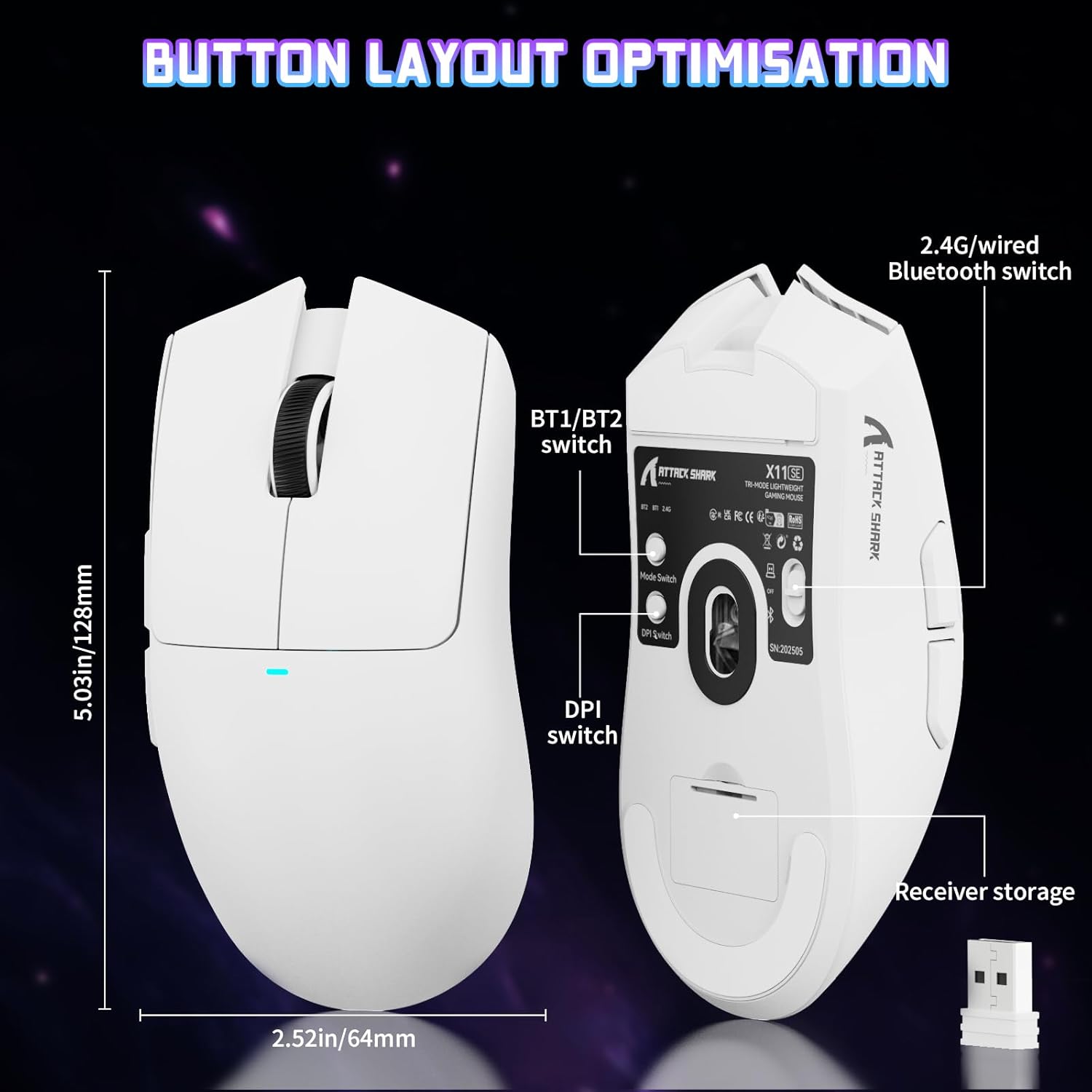
Image: The ATTACK SHARK X11SE mouse displaying its button layout, including the BT1/BT2 switch, DPI switch, and receiver storage, along with its dimensions (128mm length, 64mm width).
- Леви клик: Примарно дугме за акцију.
- Десни клик: Дугме за секундарну акцију, обично за контекстне меније.
- Точак за померање: Scrolls up/down. Can also be pressed for a middle-click function.
- Бочна дугмад (напред/назад): Used for navigation in web прегледачи или радње у игри.
- ДПИ прекидач: Located on the underside of the mouse, this button cycles through preset DPI levels.
- Прекидач режима: Located on the underside, this switch allows you to select between 2.4G wireless, Bluetooth, and Off modes.
ДПИ подешавање:
The X11SE features a PixArt PAW3311 sensor with up to 22,000 DPI. You can adjust the DPI sensitivity using the dedicated DPI switch on the bottom of the mouse. For more precise control and custom DPI levels, use the official software.
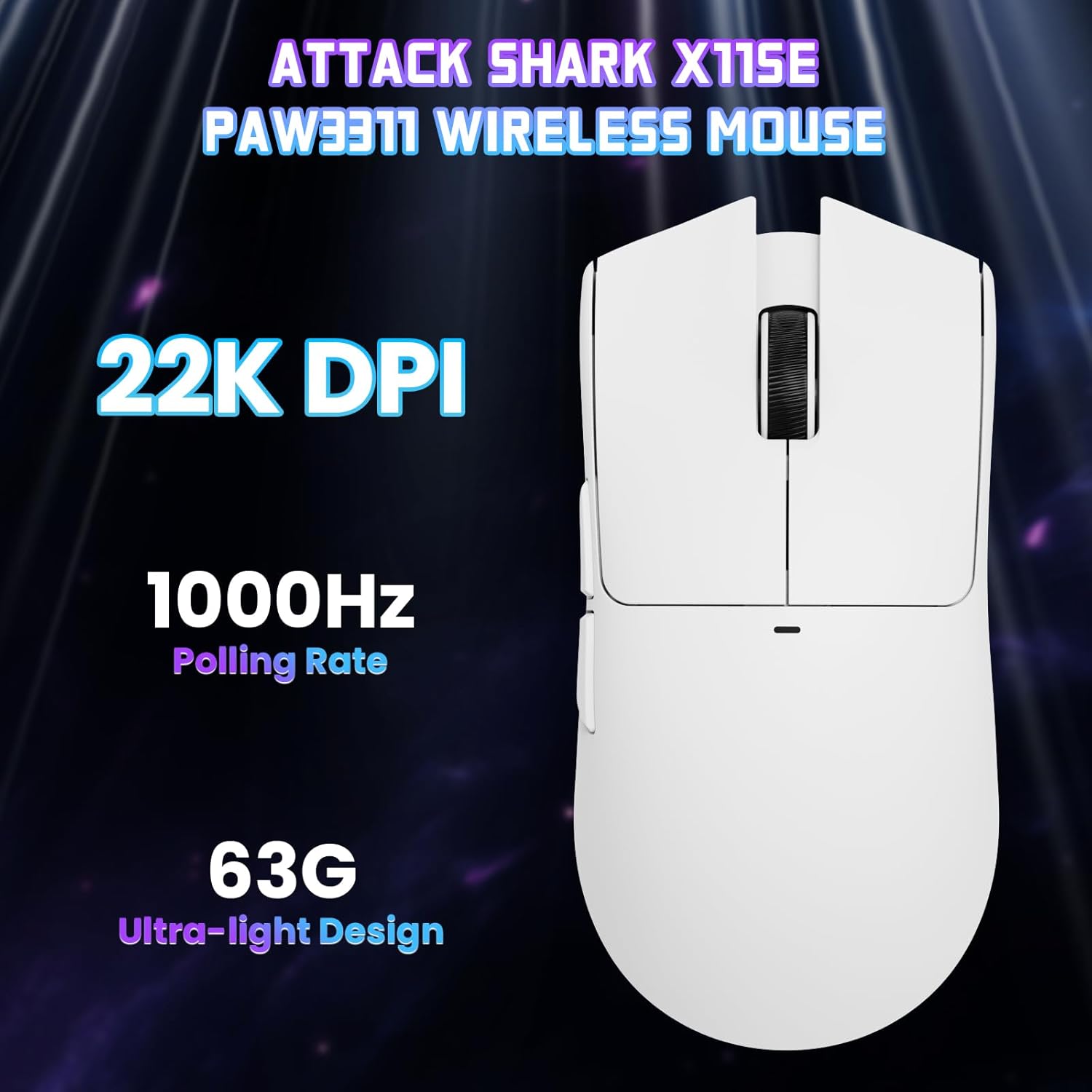
Слика: Одозго надоле view of the ATTACK SHARK X11SE mouse, emphasizing its 22,000 DPI capability and 1000Hz polling rate for high-performance gaming.
4. Прилагођавање
The ATTACK SHARK X11SE mouse offers extensive customization options through its dedicated software. This allows you to personalize button assignments, DPI settings, polling rate, and create macros.
Инсталација драјвера:
The mouse supports two drivers:
- Web Возач: Приступ преко http://szslxd-tech.com/#/
- ATTACK SHARK Proprietary Driver: Преузми са https://attackshark.com/pages/dirver-download
Download and install the preferred driver software on your Windows, macOS, or Linux system.
Софтверске карактеристике:

Image: The ATTACK SHARK X11SE software interface, demonstrating options for mouse settings, DPI adjustments, parameter settings, macro editing, and personal profiles.
- Програмирање дугмади: Reassign functions to any of the 5 buttons.
- ДПИ подешавања: Create custom DPI profiles and adjust sensitivity levels.
- Стопа гласања: Прилагодите брзину анкетирања за оптималан одзив.
- Макро уредник: Record and assign complex sequences of commands to a single button.
- Проfile Менаџмент: Save and switch between different profileза разне игре или апликације.
5. Одржавање
Чишћење:
- Користите меку, суву крпу да обришете површину миша.
- За тврдокорну прљавштину, благо дampОбришите крпу водом или благим раствором за чишћење. Избегавајте јаке хемикалије.
- Clean the optical sensor area on the bottom of the mouse with a cotton swab to ensure accurate tracking.
Одржавање батерије:
- Избегавајте често потпуно пражњење батерије како бисте продужили њен век трајања.
- Чувајте миш на хладном и сувом месту када га не користите дуже време.
КСНУМКС. Решавање проблема
Уобичајени проблеми и решења:
- Миш не реагује:
- Уверите се да је миш напуњен.
- Check the mode switch on the bottom of the mouse to ensure it's in the correct mode (2.4G, BT, or Wired).
- За режим од 2.4 GHz, уверите се да је USB пријемник добро прикључен. Покушајте са другим USB портом.
- For Bluetooth mode, ensure Bluetooth is enabled on your device and the mouse is paired correctly. Try re-pairing.
- For wired mode, ensure the USB-C cable is properly connected.
- DPI се не мења:
- Press the DPI switch on the bottom of the mouse.
- If using custom DPI settings, ensure the driver software is running and the correct profile је активан.
- Кашњење или повремена веза:
- Ensure the mouse is close to the USB receiver (for 2.4GHz) or your device (for Bluetooth).
- Избегавајте сметње од других бежичних уређаја.
- Уверите се да је батерија миша довољно напуњена.
- Update mouse drivers if available.
7. Спецификације
| Феатуре | Спецификација |
|---|---|
| Бранд | АТТАЦК СХАРК |
| Назив модела | Кс11СЕ |
| Боја | Бела |
| Технологија повезивања | 2.4 GHz Wireless/USB-C Wired/Bluetooth |
| Посебне карактеристике | 63g ultralight, BK52820 Chip, TTC Encoder, Dual Driver |
| Технологија детекције покрета | Optical (PixArt PAW3311) |
| Број дугмади | 5 |
| Оријентација руке | Амбидектроус |
| Препоручена употреба производа | Цомпутер Гаминг |
| Компатибилни уређаји | Desktop Computer, MAC |
| Оперативни систем | Виндовс, мацОС, Линук |
| Број батерија | 1 литијум полимер (укључен) |
| Извор напајања | Баттери Поверед |
| Maximum Mouse Sensitivity | 22000 ДПИ |
| Домет | 300 центиметра |
| Стиле | Ергономски |
| Материјал | Пластика |
| Земља порекла | Кина |
| Укључене компоненте | USB-C Cable, Manual, Grip Tape |
| УПЦ | 752010613663 |
8. Гаранција и подршка
Информације о гаранцији:
The ATTACK SHARK X11SE Wireless Gaming Mouse comes with a six-month warranty from the date of purchase. Please retain your proof of purchase for warranty claims.
Преузимања драјвера:
For the latest drivers and software updates, please visit:
- Web Возач: http://szslxd-tech.com/#/
- ATTACK SHARK Driver: https://attackshark.com/pages/dirver-download
Related Product Video:
Video: An official seller video showcasing the ATTACK SHARK X11 Mouse, demonstrating its features and functionality. While specifically for the X11, it provides relevant insights into the X11SE's design and operation.