
Увод
Thank you for choosing the Dekala Smart Sunrise Alarm Clock. This device combines a sunrise simulation alarm, a wireless charging station, a white noise sleep sound machine, and a versatile night light. This manual provides instructions for setup, operation, and maintenance to ensure optimal performance.
Садржај пакета
Проверите да ли су све ставке присутне у пакету:
- 1x Smart Sunrise Alarm Clock with Wireless Charging
- 1x Wireless Charging Dock for iWatch
- 1к адаптер за пуњење
- 1к Упутство за употребу
Напомена: Please use the original Dekala adapter included in the package for proper functionality.
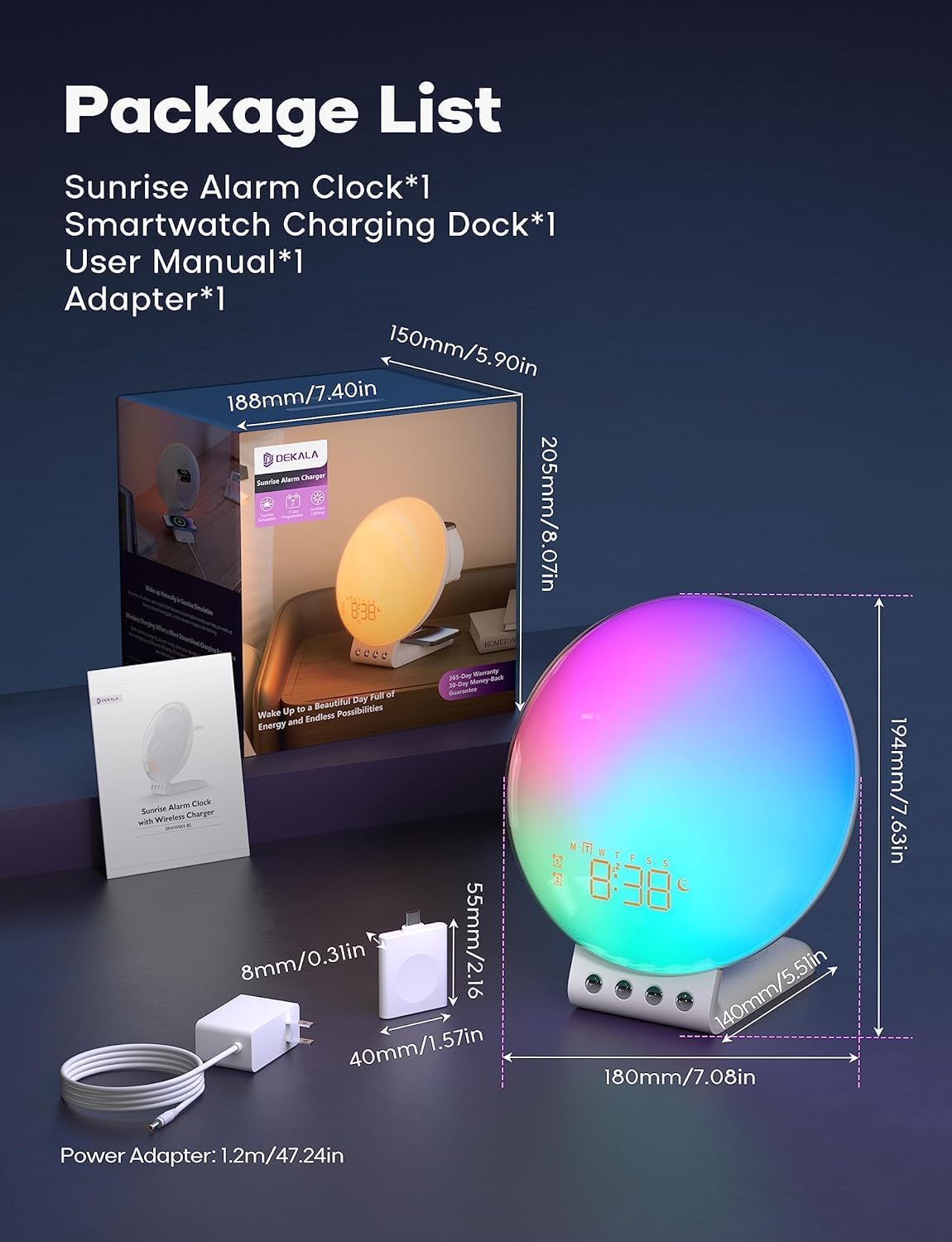
Image: Package contents and dimensions of the Dekala Smart Sunrise Alarm Clock.
Сетуп
- Прикључак за напајање: Connect the provided charging adapter to the alarm clock and plug it into a power outlet.
- iWatch Charging Dock: Attach the iWatch wireless charging dock to the designated port on the alarm clock.
- Почетно укључивање: The clock display will illuminate upon successful power connection.
- Веза са апликацијом (опционо): For advanced features and easier control, download the Dekala App. A 2.4G WiFi connection is required for the initial setup of the app. Follow the in-app instructions to pair your device.
Упутство за употребу
1. Sunrise Simulation Alarm Clock
The sunrise simulation feature gradually increases light intensity before your set alarm time, mimicking a natural sunrise to gently wake you up. The alarm clock supports 7-day programmable dual alarms.
- Подешавање аларма: Use the controls on the device or the Dekala App to set up to two independent alarms.
- Прилагодљиви звуци: Choose from various alarm sounds including Bird chirping, Ocean, Valley Stream, Melodic, Music Box, Wind Chimes, and Beeping.
- Одгода функција: Tap the top of the device to activate the snooze function, which provides an additional 9 minutes of sleep, up to 5 times.

Image: Visual representation of the gradual sunrise simulation feature.
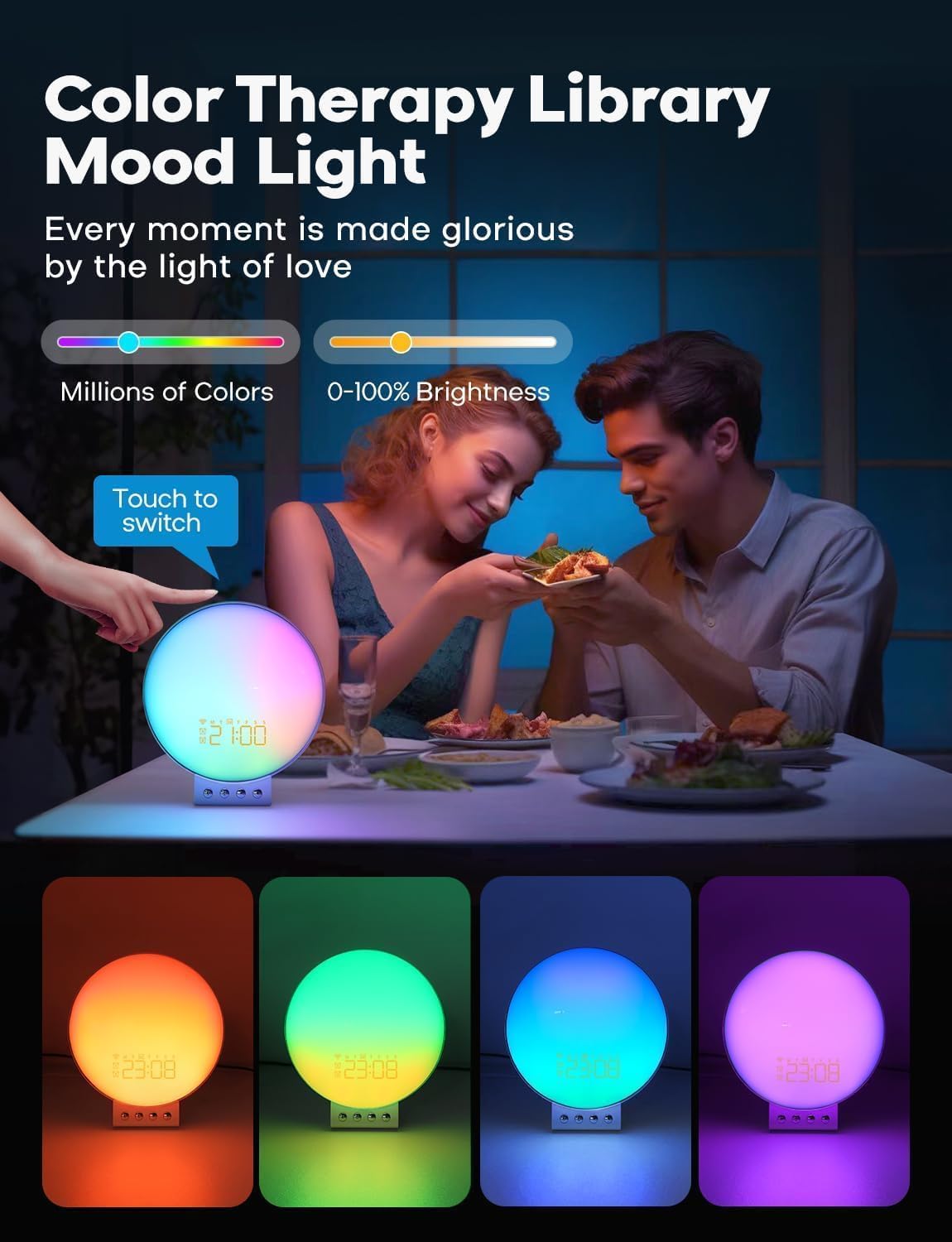
Image: Illustration of 7-day programmable dual alarms and the snooze function.
2. Wireless Charging Station
The alarm clock features an integrated wireless charging station for compatible devices.
- Мобилни телефони: Supports up to 15W wireless charging for iPhone 14/13/12/11/X Series, Samsung Galaxy S23/S22/S21/S20/Note 20/Note 10, Google Pixel 7 Pro/6 Pro, and other Qi-enabled wireless charging cellphones.
- Аппле Ватцх: Provides 3W charging for Apple Watch SE/8/7/6/5/4/3/2. Note: Does not support Samsung Watch and iWatch 1.
- Слушалице: Offers 5W charging for AirPods 2/3/Pro.
- Оптимално пуњење: For optimal phone charging, ensure your phone case thickness is within 8mm (0.2 inches).

Image: The alarm clock functioning as a multi-device wireless charging station.
3. Sleep Sound Machine
Enhance your sleep environment with 8 calming sleep sounds. Sounds can be played throughout the night or set to gradually fade out with a countdown timer.
- Доступни звуци: White noise, Pink noise, Brown noise, Wind, Rain, Bonfire, Night Whispers, Yoga, and Zen.
- Fade-Out Timer: As the timer progresses, both the sound and night light will diminish, promoting a peaceful transition to sleep.

Image: The alarm clock used as a sleep aid with various sound options.
4. Personalized Lighting Experience
Customize the ambiance with adjustable brightness levels and multiple light modes.
- Осветљеност: Adjust brightness from 0-100%.
- Светлосни режими: Includes warm yellow night light, breathing regulation light, and colorful ambient light for various settings.
- Color Therapy: Explore millions of colors to create different moods. Touch the device to switch between colors.

Image: The alarm clock providing color therapy and mood lighting.
5. Паметно гласовно управљање
Control your alarm clock using simple voice commands through compatible voice assistants or the Dekala App.
- Компатибилност: Works with Hey Google and Alexa.
- Dekala App: Use the dedicated app for comprehensive control and customization.
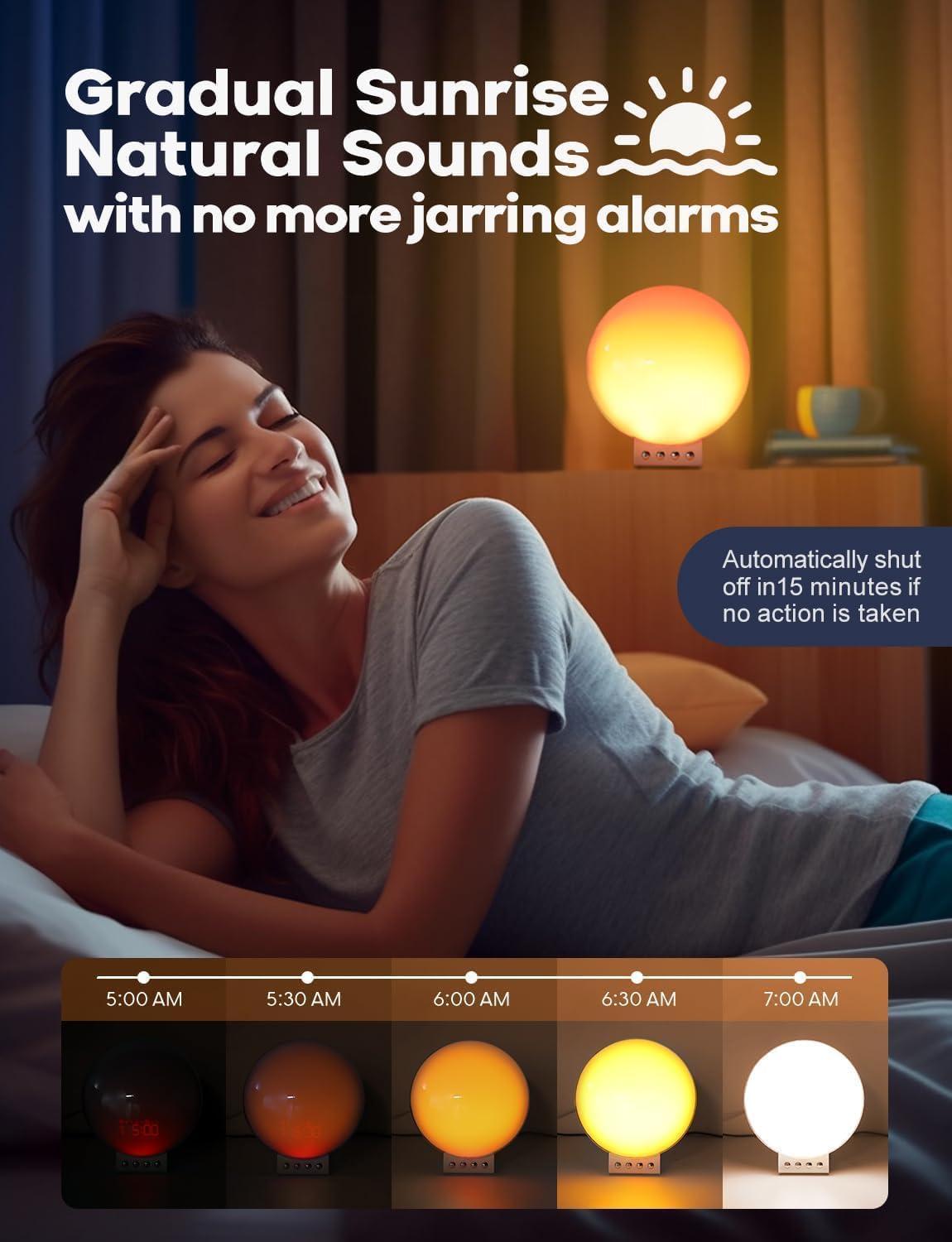
Image: Demonstrating smart voice control integration with the alarm clock.
6. Ноћно светло
The device functions as a night light with adjustable brightness levels (L1-L20).
Video: Demonstrating the night light function and adjustable brightness levels of the Dekala Smart Sunrise Alarm Clock.
Спецификације
| Бранд | Декала |
| Број модела | СРВВ-С |
| Боја | Бела |
| Дисплаи Типе | Дигитал |
| Извор напајања | Цордед Елецтриц |
| Димензије производа | 6" Ш x 6" В |
| Материјал | Пластика, акрил |
| Аларм Цлоцк | Да |
| Бежично пуњење | Yes (Phone, Apple Watch, Earbuds) |
| Слееп Соундс | White noise, Pink noise, Brown noise, Wind, Rain, Bonfire, Night Whispers, Yoga, Zen |
| Воице Цонтрол | Hey Google, Alexa, Dekala App |
Решавање проблема
- Уређај се не укључује: Ensure the power adapter is securely connected to both the device and a working power outlet. Use only the provided Dekala adapter.
- Бежично пуњење не ради:
- Verify your device is Qi-enabled and placed correctly on the charging pad.
- Remove any thick phone cases (over 8mm) that may interfere with charging.
- Ensure no metal objects are between the device and the charging pad.
- Confirm the iWatch charging dock is properly attached.
- Проблеми са везом апликације:
- Ensure your smartphone is connected to a 2.4G WiFi network during initial setup.
- Restart the app and the alarm clock.
- Проверите ажурирања апликација.
- Alarm Not Sounding/Light Not Activating:
- Verify alarm settings (time, days, sound, light intensity) are correctly configured.
- Ensure the volume is not set to zero.
- Light Too Bright: Adjust the brightness levels using the device controls or the Dekala App. The device offers 0-100% brightness adjustment.
Одржавање
- Чишћење: Обришите уређај меком, сувом крпом. Не користите абразивна средства за чишћење или раствараче.
- Складиштење: Чувајте уређај на хладном и сувом месту када се не користи дуже време.
- Адаптер за напајање: Користите само оригинални адаптер за напајање који је испоручени уз уређај.
Гаранција и подршка
For warranty information, technical support, or customer service inquiries, please refer to the contact details provided on the product packaging or visit the official Dekala webсајту. Сачувајте рачун о куповини за гаранције.