
1. Увод
This manual provides essential information for the safe and efficient use of your Azeyou A733 Android 15 Tablet. Please read this manual thoroughly before operating the device to ensure proper functionality and to prevent damage. Keep this manual for future reference.

Image: The Azeyou A733 Android 15 Tablet, showcasing its 12-inch display and core specifications.
2. Безбедносне информације
- Не излажите таблет екстремним температурама, директној сунчевој светлости или високој влажности.
- Избегавајте испуштање или излагање таблета јаким ударцима.
- Користите само пуњаче и додатну опрему које је одобрио произвођач.
- Do not attempt to disassemble or repair the tablet yourself. Refer to authorized service personnel.
- Keep the tablet away from children and pets to prevent accidental damage or injury.
3. Садржај пакета
Проверите да ли су све ставке присутне у паковању вашег производа:
- Azeyou A733 Android 15 Tablet
- УСБ кабл за пуњење типа Ц
- Адаптер за напајање (брзи пуњач од 20 W)
- Кориснички приручник (овај документ)
- SIM Ejector Tool (if applicable for models with cellular support)
4. Девице Оверview
Упознајте се са физичким компонентама вашег таблета.

Слика: Са стране view of the Azeyou A733 tablet, illustrating the placement of buttons and ports.
- Дугме за напајање: Located on the side, used to turn the tablet on/off or wake/sleep the screen.
- Дугмад за јачину звука: Подесите јачину звука.
- УСБ Типе-Ц порт: За пуњење и пренос података.
- Решетке звучника: Located on the sides for audio output.
- Предња камера: For video calls and selfies (5MP).
- Задња камера: For taking photos and videos (13MP).
- микрофон: За гласовни унос.
- Слот за ТФ картицу: For expandable storage up to 1TB.
5. Подешавање
5.1 Почетно пуњење
Before first use, fully charge your tablet. Connect the provided USB Type-C cable to the tablet's Type-C port and the power adapter, then plug the adapter into a wall outlet. The tablet supports 20W fast charging.
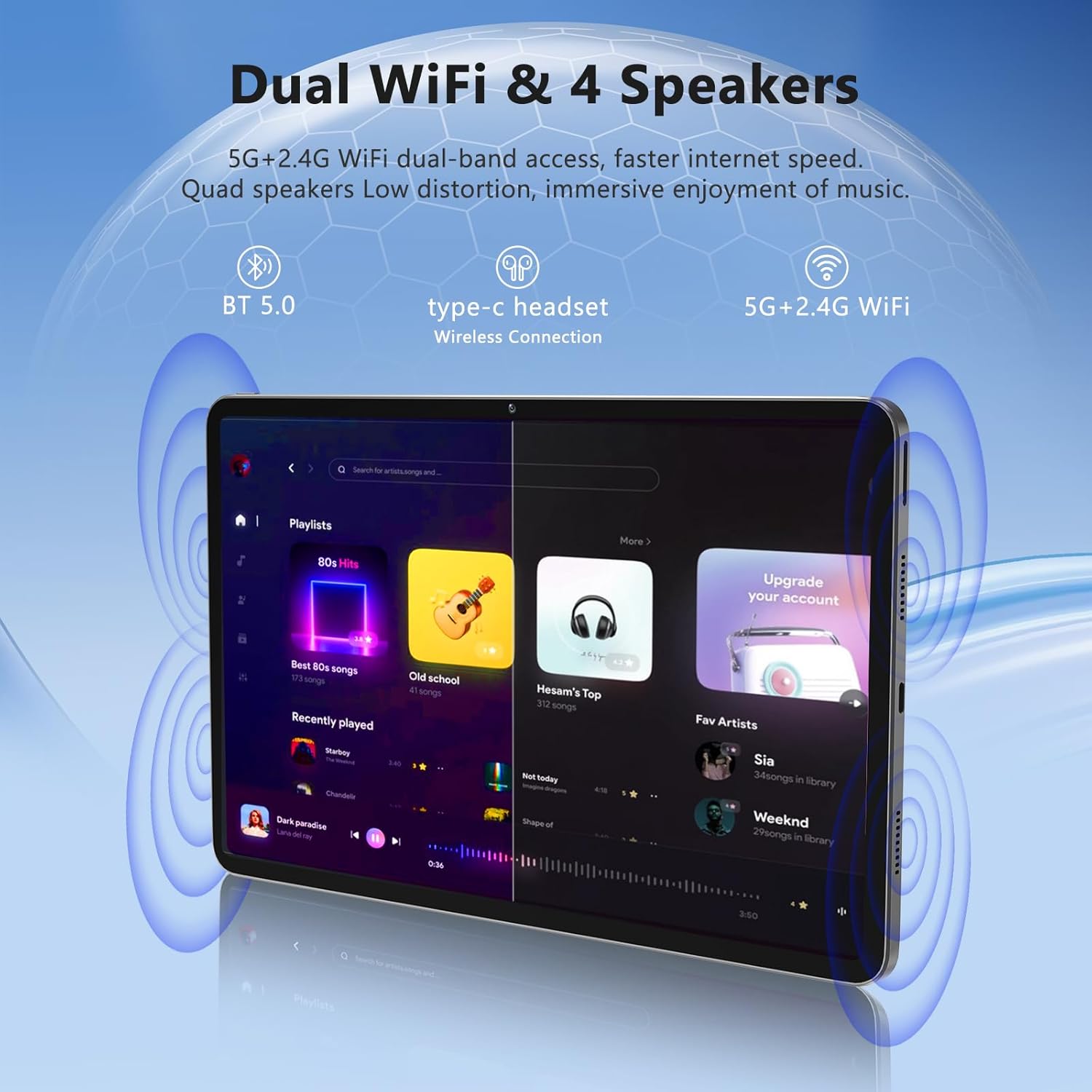
Image: The Azeyou A733 tablet connected to a charger, illustrating its fast charging feature.
5.2 Укључивање/искључивање
- За укључивање: Press and hold the Power button until the Azeyou logo appears.
- За искључивање: Press and hold the Power button until the power options appear on screen, then select "Power off."
- Рестартовати: Press and hold the Power button until the power options appear, then select "Restart."
5.3 Чаробњак за почетно подешавање
При првом укључивању, таблет ће вас водити кроз процес почетног подешавања:
- Изаберите жељени језик.
- Повежите се на Ви-Фи мрежу.
- Пријавите се помоћу свог Google налога или креирајте нови.
- Review и прихватите услове и одредбе.
- Подесите закључавање екрана (ПИН, шаблон или лозинка).
5.4 Проширива меморија
To expand storage, insert a TF (microSD) card into the designated slot. The tablet supports up to 1TB expansion.

Image: Visual representation of the tablet's memory configuration, including 20GB RAM, 128GB ROM, and 1TB expandable storage.
6. Управљање таблетом
6.1 Основна навигација
The Azeyou A733 tablet uses touch gestures for navigation:
- Додирните: Изаберите ставку или отворите апликацију.
- Превуците: Померајте се кроз екране или листе.
- Прстохват: Увећајте или умањите слике и web странице.
- Дуго притисните: Приступите контекстуалним менијима или померите иконе.
6.2 Ви-Фи веза
Да бисте се повезали на Ви-Фи мрежу:
- Иди на Подешавања > Мрежа и интернет > Ви-Фи.
- Укључи/искључи Wi-Fi On.
- Изаберите жељену мрежу са листе.
- Унесите лозинку ако се то од вас затражи, а затим додирните Повежите се.
The tablet supports Wi-Fi 6 for faster and more stable connections.

Слика: Изложба таблетаasing its dual Wi-Fi capabilities and quad speakers for enhanced audio experience.
6.3 Блуетоотх веза
To pair with a Bluetooth device (e.g., headphones, keyboard, mouse):
- Иди на Подешавања > Повезани уређаји > Блуетоотх.
- Укључите Блуетоотх On.
- Уверите се да је ваш Bluetooth уређај у режиму упаривања.
- Select the device from the list and follow any on-screen prompts to complete pairing.
6.4 Управљање апликацијама
Your Azeyou A733 tablet is GMS certified, allowing full access to the Google Play Store for downloading and managing applications.
- Инсталирајте апликације: Open the Play Store app, search for your desired app, and tap Инсталирај.
- Деинсталирајте апликације: Long-press an app icon on the home screen or app drawer, then drag it to "Uninstall" or select "App info" and choose "Uninstall."
6.5 Употреба камере
Таблет има предњу камеру од 5 МП и задњу камеру од 13 МП.
- Отворите Камера апп.
- Додирните икону прекидача камере да бисте пребацивали између предње и задње камере.
- Додирните дугме затварача да бисте снимили фотографију или покренули/зауставили снимање видеа.
Слика: Детаљна view of the tablet's 13MP rear camera and 5MP front camera, illustrating their positions and use.
6.6 Функција подељеног екрана
To use two apps simultaneously:
- Отворите прву апликацију.
- Tap the recent apps button (usually a square icon).
- Long-press the icon of the first app at the top of its card.
- Select "Split screen."
- Изаберите другу апликацију са листе недавних апликација или фиоке апликација.
6.7 AI Air Gesture
The tablet supports AI Air Gesture for hands-free control. Specific gestures and their functions can be configured in Подешавања > Смарт Цонтролс (or similar menu name).
6.8 Sitting Posture Detection
This feature helps users maintain a healthy sitting posture by providing alerts or guidance. Access and configure this feature in Подешавања > Дигитално благостање и родитељски надзор or a dedicated health/posture app.

Image: Demonstrations of AI air gesture for tablet control and the sitting posture detection system.
6.9 Media Playback (Widevine L1)
The tablet is Widevine L1 certified, enabling high-definition (HD) content streaming on platforms such as Netflix, Amazon Prime Video, Hulu, and HBO.

Image: The tablet displaying logos of popular streaming services, signifying its Widevine L1 certification for HD playback.
7. Одржавање
7.1 Чишћење
Use a soft, lint-free cloth to clean the tablet screen and body. Avoid using harsh chemicals or abrasive materials.
7.2 Одржавање батерије
Батерија од 8000 mAh омогућава продужено коришћење. Да бисте продужили век трајања батерије:
- Избегавајте често потпуно пражњење батерије.
- Не остављајте таблет да се пуни предуго након што се потпуно напуни.
- Keep the tablet within a moderate temperature range.

Image: An infographic detailing the 8000mAh battery and its estimated performance across various activities.
7.3 Ажурирања софтвера
Редовно проверавајте и инсталирајте ажурирања софтвера како бисте осигурали оптималне перформансе и безбедност. Идите на Подешавања > Систем > Ажурирање система.
7.4 Управљање складиштем
To manage your 128GB internal storage (expandable to 1TB):
- Иди на Подешавања > Складиштење да view коришћење и ослобађање простора.
- Regularly clear cache data from apps.
- Помери велико files to an inserted TF card.
КСНУМКС. Решавање проблема
8.1 Уобичајена питања
- Таблет се не укључује: Уверите се да је батерија напуњена. Повежите пуњач са пуњачем најмање 30 минута пре него што покушате да је укључите.
- Апликације се руше или замрзавају: Close and reopen the app. If the issue persists, clear the app's cache (Settings > Apps > [App Name] > Storage & cache > Clear cache). Restart the tablet.
- Проблеми са Ви-Фи везом: Рестартујте Wi-Fi рутер и таблет. Заборавите мрежу у подешавањима таблета и поново се повежите.
- Споре перформансе: Затворите непотребне апликације у позадини. Обришите кеш и привремене files. Consider performing a factory reset if performance issues persist after other troubleshooting steps.
8.2 Ресетовање на фабричка подешавања
A factory reset will erase all data from your tablet and restore it to its original factory settings. Back up important data before proceeding.
- Иди на Подешавања > Систем > Опције ресетовања.
- Изаберите Обриши све податке (ресетовање на фабричка подешавања).
- Потврдите своју одлуку и пратите упутства на екрану.
9. Спецификације

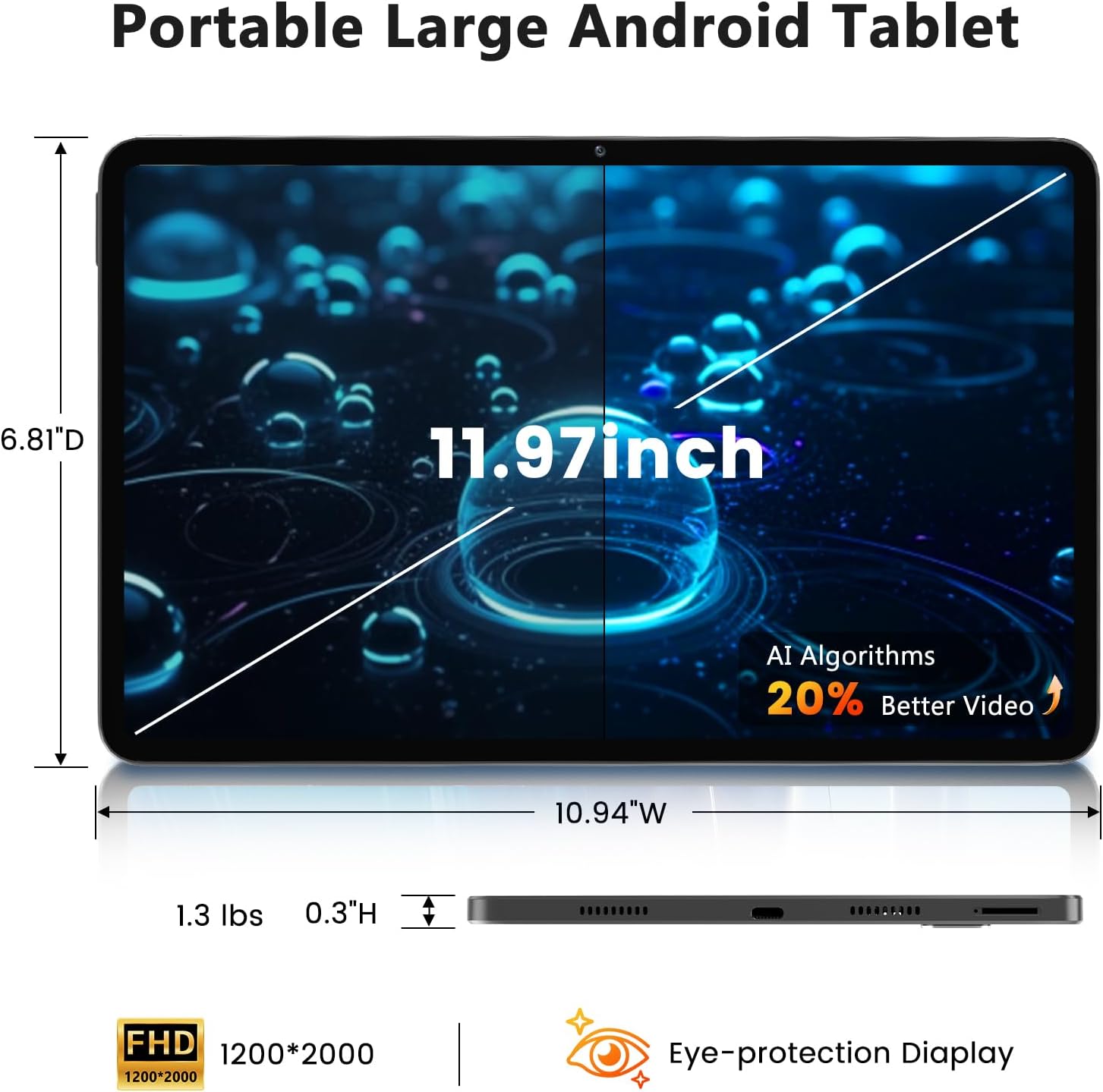
Image: A visual representation of the tablet's physical dimensions and weight.
| Феатуре | Спецификација |
|---|---|
| Бранд | Азеиоу |
| Модел | А733 |
| Оперативни систем | Андроид 15 |
| Процесор | A733 Octa-Core |
| РАМ | 20GB (6GB Physical + 14GB Virtual) |
| Интерна меморија (РОМ) | 128ГБ |
| Екпандабле Стораге | До 1TB преко TF картице (није укључена) |
| Величина екрана | 11.97 инча |
| Резолуција екрана | 1200 x 2000 Pixels (2K Display) |
| Задња камера | 13 МП |
| Предња камера | 5 МП |
| Капацитет батерије | 8000мАх |
| Пуњење | 20W Fast Charge, Type-C Port |
| Бежично повезивање | WiFi 6 (802.11ax), Bluetooth 5.0 |
| Димензије (ДкШкВ) | 11.97 к 6.81 к 0.3 инча |
| Тежина артикла | 3.15 фунти |
| Посебне карактеристике | GMS Certified, Widevine L1, Dual Speakers, AI Air Gesture, Sitting Posture Detection, Split-screen function |
10. Гаранција и подршка
Your Azeyou A733 Tablet comes with a standard manufacturer's warranty. Please refer to the warranty card included in your package for specific terms and conditions, including warranty duration and coverage details.
For technical support, troubleshooting assistance, or warranty claims, please contact Azeyou customer service through the retailer where the product was purchased or visit the official Azeyou support webсајт (ако је доступан).
Please have your product model number (A733) and purchase information ready when contacting support.