
1. Увод
The Perixx PERIBOARD-832RGB is a compact, wireless mini keyboard featuring RGB backlighting and multi-device Bluetooth connectivity. This manual provides instructions for setting up, operating, and maintaining your keyboard to ensure optimal performance.

Image 1.1: The Perixx PERIBOARD-832RGB keyboard in use, showcasing its compact design and backlit keys.
2. Садржај пакета
Молимо вас да проверите пакет за следеће ставке:
- Perixx PERIBOARD-832RGB Wireless RGB Backlit Mini Keyboard
- USB-C to A Charging Cable
- Кориснички приручник (овај документ)

Image 2.1: Contents of the Perixx PERIBOARD-832RGB package, including the keyboard, USB-C cable, and manual.
3. Подешавање и повезивање
3.1 Пуњење тастатуре
Before first use, fully charge the keyboard. Connect the provided USB-C to A cable to the keyboard's USB-C charging port and the other end to a USB power source (e.g., computer USB port, USB wall adapter).
- Индикаторска лампица пуњења ће светлети током пуњења.
- The indicator will change or turn off once charging is complete.

Image 3.1: Location of the USB-C charging port and power ON/OFF switch on the keyboard.
3.2 Укључивање/искључивање
Locate the power switch on the side or back of the keyboard. Slide it to the 'ON' position to power on the keyboard. Slide it to 'OFF' when not in use to conserve battery.
3.3 Bluetooth Pairing (Multi-Device Connection)
The PERIBOARD-832RGB supports connection to up to three devices via Bluetooth. Follow these steps to pair your keyboard:
- Уверите се да је тастатура укључена.
- Притисните и држите Fn тастер и један од тастера за Bluetooth канал (Q за БТ1, W for BT2, or E for BT3) for 3-5 seconds until the corresponding indicator light (usually above the key) starts blinking rapidly. This indicates the keyboard is in pairing mode.
- На свом уређају (рачунар, лаптоп, таблет, паметни телефон) омогућите Блутут и потражите нове уређаје.
- Select "PERIBOARD-832RGB" from the list of available devices.
- If prompted, enter the pairing code displayed on your screen using the keyboard and press Ентер.
- Once paired, the indicator light will stop blinking and remain solid for a few seconds before turning off. The keyboard is now connected.
To connect to additional devices, repeat the process using a different Bluetooth channel key (Fn+W or Fn+E).

Image 3.2: Visual guide for connecting the keyboard to up to three devices using Fn+Q/W/E keys.
4. Операција
4.1 Пребацивање између повезаних уређаја
Да бисте прелазили између упарених уређаја, једноставно притисните Fn тастер заједно са одговарајућим тастером Bluetooth канала (Q, W, или E) for the desired device. The keyboard will automatically connect to the selected device.
4.2 Контрола позадинског осветљења
The PERIBOARD-832RGB features RGB backlighting with multiple color options.
- Укључивање/искључивање позадинског осветљења: Притисните Fn + F11 (RGB) to toggle the backlight on or off.
- Промена боје позадинског осветљења: Притисните Fn + F12 (RGB) to cycle through the available RGB colors (7 colors).
- Подесите осветљеност: Користите Фн + Страница горе за повећање осветљености и Фн + Паге Довн да смањи осветљеност.
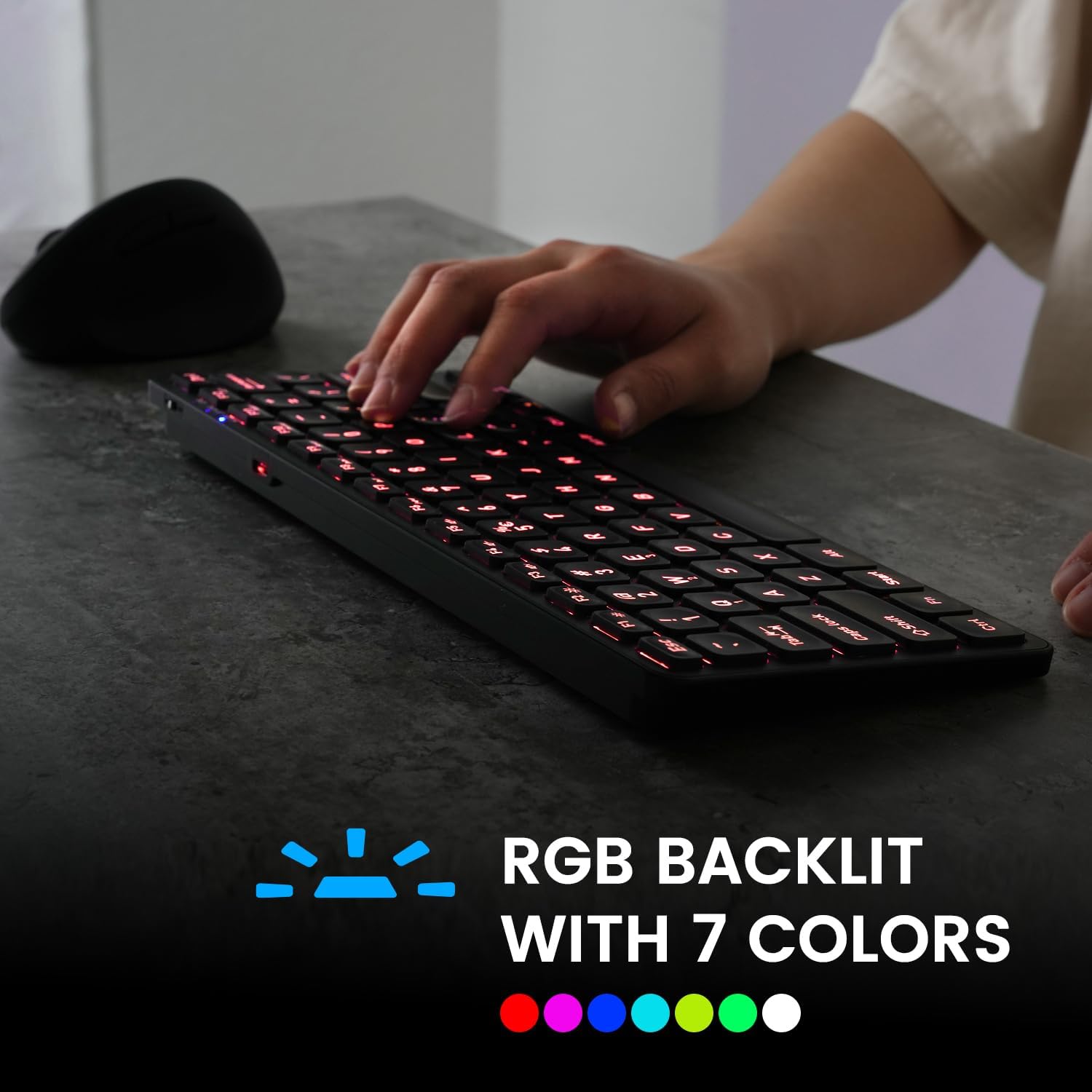
Image 4.1: The keyboard illuminated with RGB backlighting, demonstrating visibility in low-light conditions.
4.3 Функцијски тастери (Fn комбинације)
Многи тастери имају секундарне функције којима се може приступити држањем Fn key and pressing the desired function key. These include media controls, volume adjustments, and other system shortcuts.
| Комбинација тастера | Функција |
|---|---|
| Фн + К | Пребаците се на Блуетоотх уређај 1 |
| Фн + В | Пребаците се на Блуетоотх уређај 2 |
| Фн + Е | Пребаците се на Блуетоотх уређај 3 |
| Фн + Ф1 | Медиа Плаиер |
| Фн + Ф2 | Утишавање звука |
| Фн + Ф3 | Волуме Уп |
| Фн + Ф4 | Муте |
| Фн + Ф5 | Превиоус Трацк |
| Фн + Ф6 | Пусти/Паузирај |
| Фн + Ф7 | Нект Трацк |
| Фн + Ф8 | Стани |
| Фн + Ф9 | Web Бровсер |
| Фн + Ф10 | Емаил |
| Fn + F11 (RGB) | Позадинско осветљење Укључено/Искључено |
| Fn + F12 (RGB) | Cycle Backlight Colors |
| Фн + Страница горе | Повећајте осветљеност позадинског осветљења |
| Фн + Паге Довн | Смањите осветљеност позадинског осветљења |

Слика 4.2: Детаљно view of the keyboard keys, highlighting the primary and secondary (Fn) functions.
5. Одржавање
Да бисте осигурали дуготрајност и оптималне перформансе ваше тастатуре, пратите ова упутства за одржавање:
- Чишћење: Користите меку крпу која не оставља длачицеampОпрати водом или благим средством за чишћење да бисте обрисали површину тастатуре. Избегавајте јаке хемикалије или абразивне материјале.
- Уклањање прашине: Користите компримовани ваздух да уклоните прашину и остатке између тастера.
- Одржавање батерије: Avoid fully discharging the battery frequently. Charge the keyboard regularly, especially if it will not be used for an extended period.
- Складиштење: Чувајте тастатуру на хладном и сувом месту, даље од директне сунчеве светлости и екстремних температура.
КСНУМКС. Решавање проблема
If you encounter issues with your PERIBOARD-832RGB, refer to the following common solutions:
| Проблем | Могуће решење |
|---|---|
| Тастатура се не укључује. | Ensure the power switch is in the 'ON' position. Charge the keyboard fully using the provided USB-C cable. |
| Не могу се повезати преко Bluetooth-а. | Make sure the keyboard is in pairing mode (Fn + Q/W/E, indicator blinking). Ensure Bluetooth is enabled on your device. Try unpairing and re-pairing the keyboard. Move the keyboard closer to your device. |
| Тастери не реагују или се куца погрешно. | Check battery level and charge if necessary. Ensure the keyboard is connected to the correct device. Restart the keyboard and your device. |
| Позадинско осветљење не ради. | Press Fn + F11 to toggle the backlight. Ensure the keyboard has sufficient battery charge. |
| Тастатура се често искључује. | Ensure the keyboard is within the effective Bluetooth range (typically 10 meters). Reduce interference from other wireless devices. Charge the keyboard. |
7. Спецификације
| Феатуре | Детаљ |
|---|---|
| Бранд | Перикк |
| Модел | PERIBOARD-832RGB |
| Технологија повезивања | Блуетоотх |
| Опис тастатуре | Mechanical (Scissor-switch type) |
| Посебна карактеристика | RGB Backlit (7 colors) |
| Компатибилни уређаји | PC, Laptop, Tablet, Smartphone |
| Димензије производа | 28.09 x 11.51 x 2.21 цм |
| Тежина артикла | 1.06 фунте (0.48 кг) |
| Материјал | Пластика |
| Извор напајања | USB Powered (Rechargeable Battery) |
| Укључене компоненте | УСБ-Ц на А кабл |
8. Гаранција и подршка
Perixx products are covered by a limited warranty. For detailed warranty information, technical support, or customer service, please refer to the official Perixx webсајт или директно контактирајте њихову корисничку подршку. Сачувајте рачун о куповини за потребе рекламације у гаранцији.