
1. Увод
The memzuoix C899 Wired Gaming Mouse is engineered for precision and comfort, featuring adjustable DPI settings, dynamic RGB lighting, and an ergonomic design. This manual provides essential instructions for setup, operation, maintenance, and troubleshooting to ensure optimal performance and a satisfying user experience.

Слика 1.1: Врх view of the memzuoix C899 Wired Gaming Mouse, showcasing its sleek black design and vibrant RGB illumination.
2. Производ је готовview
The memzuoix C899 mouse is equipped with features designed to enhance both gaming and general computer use:
- Precision for Gaming: Offers 6 adjustable DPI levels (1200, 2400, 4800, 6400, 9600, and 12800) for customizable sensitivity.
- Динамичко RGB осветљење: Features 12 distinct LED lighting modes, including static, breathing, and rainbow effects, to personalize your setup.
- Ергономска удобност: Designed with a non-slip rubber scroll wheel and an ergonomic shape that conforms naturally to your hand, reducing fatigue during extended use.
- Лаган и издржљив: Constructed for quick, smooth movements and long-lasting performance.
- Повезивање „укључи и користи“: Ready to use instantly on PC or laptop (Windows/Mac) without requiring driver installation.
- Плетени УСБ кабл: Includes a 5.6ft (1.7m) braided USB cable for a stable, lag-free connection.
- Multi-Button Design: Equipped with 6 programmable buttons and an additional button for RGB light mode switching.

Image 2.1: Key features of the memzuoix C899 mouse, including 12800 DPI, 3 million click lifespan, colorful RGB lights, USB plug and play, 7 buttons, 5.6ft braided cable, wide compatibility, and ergonomic design.

Image 2.2: The ergonomic design supports various grip styles, including palm, fingertip, and claw, for comfortable use.
3. Подешавање
The memzuoix C899 Wired Gaming Mouse is designed for simple plug-and-play functionality.
- Повежите УСБ кабл: Insert the USB-A connector of the mouse's braided cable into an available USB port on your computer (PC or Mac).
- Аутоматско препознавање: The mouse will be automatically recognized by your operating system (Windows/macOS) without the need for additional driver installations.
- Почетна активација: The RGB lighting will activate upon successful connection, indicating the mouse is ready for use.
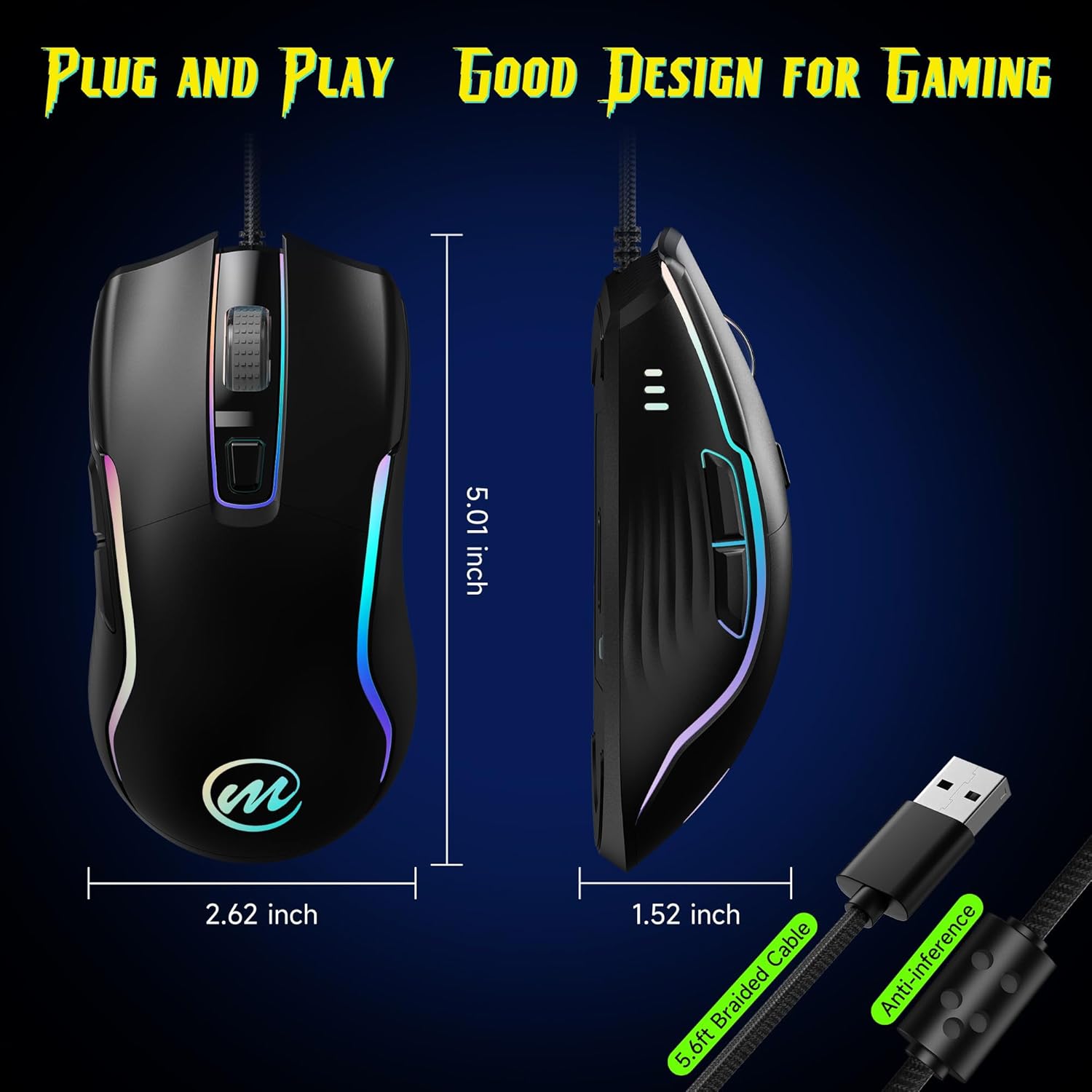
Image 3.1: The mouse features a 5.6ft braided USB cable for reliable plug-and-play connectivity. Dimensions are shown as 5.01 inches length, 2.62 inches width, and 1.52 inches height.
4. Упутство за употребу
4.1 ДПИ подешавање
The mouse offers 6 adjustable DPI levels to suit various tasks, from precise aiming in games to fast navigation on the desktop.
- Промена DPI-ја: Притисните тастер DPI Adjust Button, located just below the scroll wheel, to cycle through the available DPI settings.
- DPI Level Indicators: Each DPI level is temporarily indicated by a specific LED color on the mouse:
| ДПИ Левел | Боја индикатора |
|---|---|
| 1200 ДПИ | Жута |
| 2400 ДПИ | Плава |
| 4800 ДПИ | Љубичаста |
| 6400 ДПИ | Зелена |
| 9600 ДПИ | Црвени |
| 12800 ДПИ | Циан |
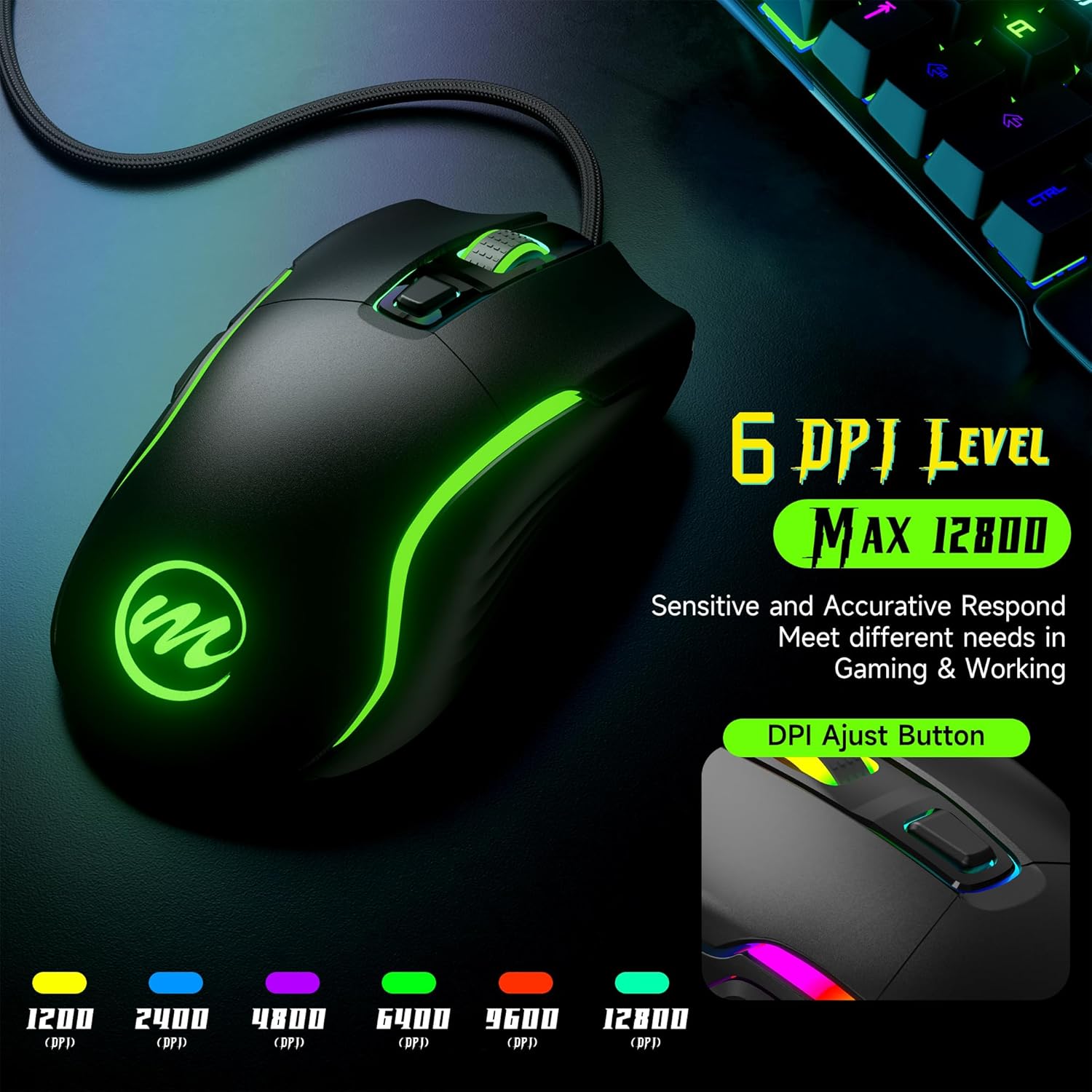
Image 4.1: Visual representation of the 6 adjustable DPI levels and their associated LED indicator colors.
4.2 RGB режима осветљења
The mouse features 12 dynamic LED lighting modes to customize its appearance.
- Промена начина рада: To cycle through the different lighting effects, press the Light RGB Switch Button located on the underside of the mouse.
- Available Effects: Modes include various static colors, breathing effects, and rainbow patterns. You can also select an option to turn the lights off completely.

Image 4.2: The mouse offers 12 dynamic RGB lighting modes plus an off mode, allowing users to pick their preferred style.
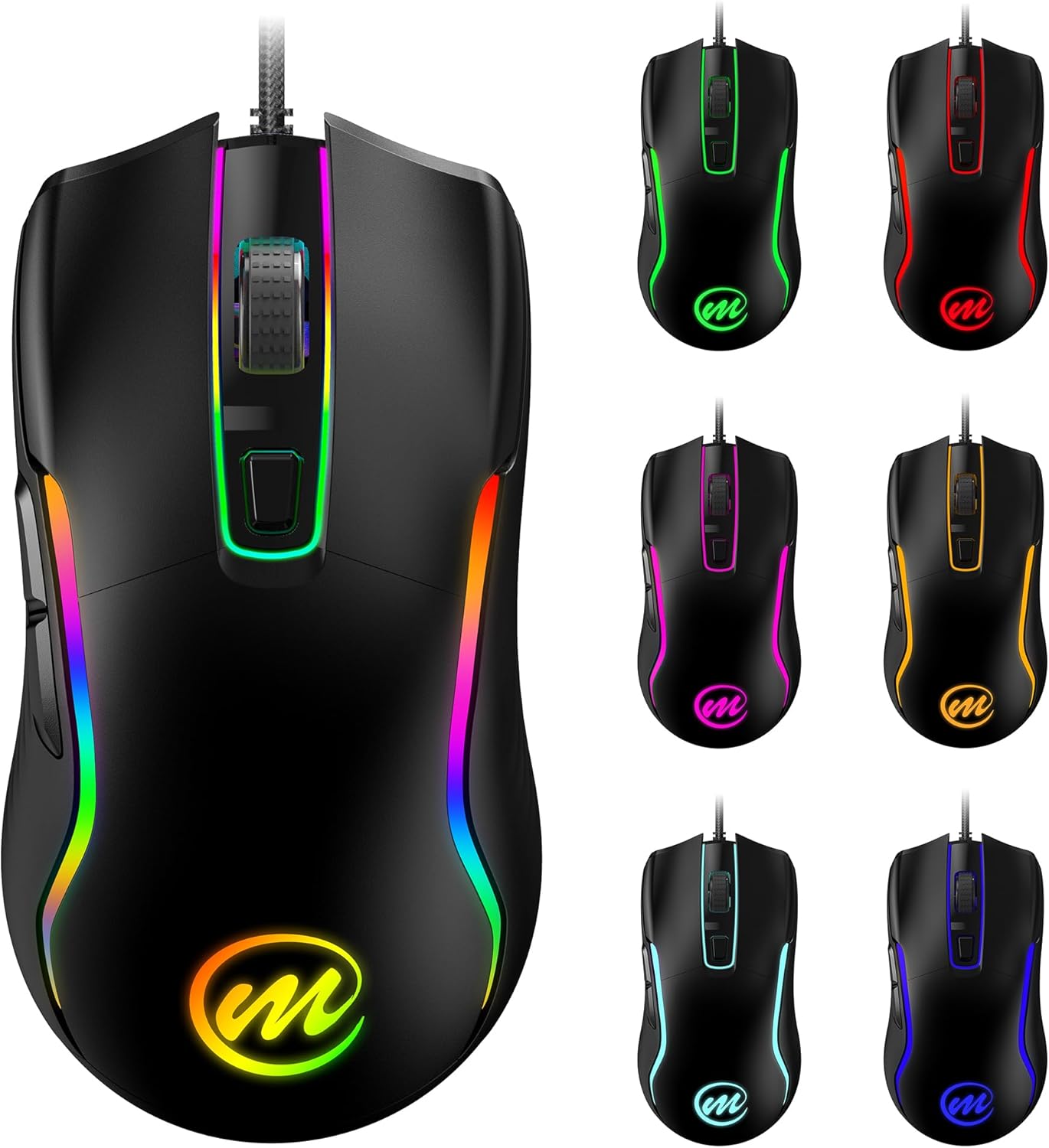
Слика 4.3: Примерamples of the diverse RGB color options available on the memzuoix C899 mouse.
4.3 Функције дугмета
The memzuoix C899 mouse features 6 primary buttons for versatile control:
- Лево дугме: Примарна функција клика.
- Десно дугме: Secondary click function, typically opening context menus.
- Точак за померање: Used for scrolling up/down and acts as a middle click button.
- Дугме за подешавање DPI-ја: Changes the mouse sensitivity (DPI levels).
- Дугме за премотавање напред (са стране): Навигација напред у web прегледачи или апликације.
- Дугме за назад (са стране): Навигација уназад web прегледачи или апликације.

Image 4.4: Labeled diagram illustrating the location of the Left Button, Right Button, Scroll Wheel, DPI Adjust Button, Forward Button, Backward Button, and the Light RGB Switch Button on the underside.
5. Одржавање
Proper maintenance ensures the longevity and optimal performance of your memzuoix C899 mouse.
- Чишћење површине: Use a soft, dry cloth to gently wipe the mouse surface. For more persistent dirt, a slightly dampened cloth with water can be used. Avoid harsh chemicals, abrasive cleaners, or solvents.
- Нега каблова: Do not sharply bend, twist, or pull the braided USB cable. Store the cable neatly when not in use to prevent tangles and potential damage to the internal wires.
- Одржавање сензора: Keep the optical sensor on the underside of the mouse clean and free from dust, lint, or debris. A clean sensor ensures accurate tracking.
КСНУМКС. Решавање проблема
If you encounter issues with your memzuoix C899 mouse, refer to the following common troubleshooting steps:
- Миш не реагује:
- Уверите се да је USB кабл безбедно прикључен у исправан USB порт на рачунару.
- Покушајте да прикључите миш на други УСБ порт.
- Поново покрените рачунар.
- DPI се не мења:
- Verify you are pressing the correct DPI Adjust Button (below the scroll wheel).
- Observe the LED color change to confirm DPI level adjustment.
- RGB Lights Not Working or Changing:
- Ensure you are pressing the Light RGB Switch Button on the underside of the mouse.
- Cycle through all modes to ensure it is not set to the "lights off" option.
- Проблеми са кретањем курсора:
- Очистите оптички сензор на дну миша.
- Уверите се да користите миш на чистој, равномерној површини (нпр. подлога за миш).
- Adjust DPI settings to a comfortable level.
- Дугмад не функционишу:
- Ensure no conflicting software or drivers are installed for other mouse devices.
- Test the mouse on another computer to determine if the issue is system-specific.
7. Спецификације
| Феатуре | Детаљ |
|---|---|
| Број модела | Ц899 |
| Повезивање | Жичани УСБ |
| ДПИ Левелс | 1200, 2400, 4800, 6400, 9600, 12800 (Подесиво) |
| Дугмад | 6 programmable buttons + 1 RGB light switch button |
| Осветљење | RGB with 12 dynamic modes |
| Цабле Ленгтх | 5.6 ft (1.7 meters) Braided USB Cable |
| Технологија детекције покрета | Оптицал |
| Димензије производа | 5 к 2.62 к 0.1 инча |
| Тежина артикла | 5 унци |
| Компатибилност | PC/Mac/Windows (Plug & Play) |
| Произвођач | мемзуоик |
8. Гаранција и подршка
For detailed warranty information, technical assistance, or customer support regarding your memzuoix C899 Wired Gaming Mouse, please refer to the documentation included with your purchase or visit the official memzuoix webсајт. Сачувајте доказ о куповини за потребе гаранције.