
1. Увод и преглед производаview
This manual provides detailed instructions for the installation, operation, and maintenance of your WALI Vertical Dual Monitor Wall Mount, Model 012ARMV-49. This mount is designed to support two monitors in a stacked configuration, optimizing desk space and providing ergonomic viewинг углова.
The mount supports displays from 17 to 49 inches, with a maximum weight capacity of 44 lbs (20 kg) per arm. It is compatible with VESA 75x75mm and 100x100mm mounting patterns. Key features include flexible tilt, swivel, and height adjustments, along with 360-degree rotation for versatile screen positioning.
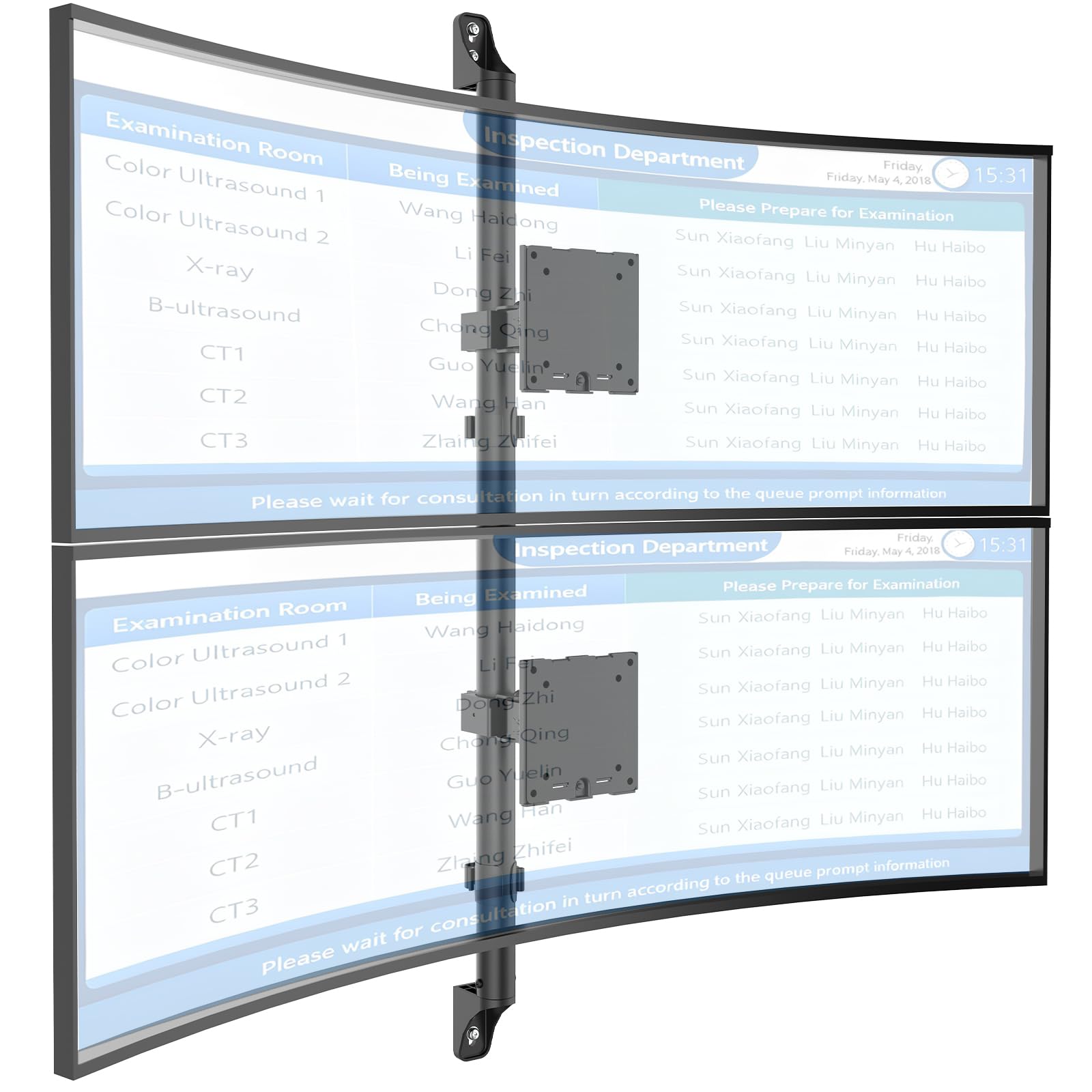
Figure 1: WALI Vertical Dual Monitor Wall Mount with two curved monitors.
2. Безбедносне информације
Please read and understand all instructions before installation and use. Failure to do so may result in personal injury or property damage. Keep this manual for future reference.
- Капацитет тежине: Do not exceed the maximum weight capacity of 44 lbs (20 kg) per monitor. Exceeding this limit can result in serious injury or product failure.
- Величина монитора: Ensure your monitors are within the supported size range of 17-49 inches.
- ВЕСА компатибилност: Verify your monitor's VESA mounting pattern (75x75mm or 100x100mm) before installation.
- Тип зида: This mount is designed for installation on concrete/brick walls or wooden studs. Do not install on drywall alone.
- Професионална инсталација: Ако нисте сигурни у вези са поступком инсталације или типом зида, консултујте се са квалификованим стручњаком.
- Покретних делова: Keep hands and fingers clear of moving parts during adjustment to prevent pinching.
- деца: Keep small parts and packaging materials away from children, as they may pose a choking hazard.
3. Садржај пакета
Verify that all components are present and undamaged. If any parts are missing or damaged, contact WALI customer support.
- 1 x WALI Vertical Dual Monitor Wall Mount (Black)
- Mounting Hardware Kit (includes screws, washers, wall anchors for masonry, and self-tapping screws for wood)
- Упутство за употребу
4. Спецификације
| Феатуре | Спецификација |
|---|---|
| Тип монтаже | Валл Моунт |
| Мовемент Типе | Артикулисање |
| Бранд | ВАЛИ |
| Материјал | Dual aerospace-grade aluminum mounting brackets, High-strength steel pole |
| Боја | Црно |
| Компатибилни уређаји | Монитор, Телевизор |
| Максимални угао нагиба | 20 степени |
| Minimum Supported Screen Size | 17 инча |
| Maximum Supported Screen Size | 49 инча |
| Број модела | 012ARMV-49 |
| ВЕСА компатибилност | 75к75мм, 100к100мм |
| Тежина Капацитет | 44 лбс (20 кг) по руци |
5. Подешавање и инсталација
Follow these steps carefully to install your WALI Vertical Dual Monitor Wall Mount.
5.1 Припрема зида
- Идентификујте тип зида: This mount is suitable for wooden studs, solid concrete walls, and brick walls.
- Locate Studs (for wood walls): Use a stud finder to locate the center of a wooden stud. Mark the drilling locations.
- Означите локације за бушење: Hold the wall plate against the wall at your desired height and mark the screw holes. Ensure it is level.

Figure 2: Wall compatibility for installation.
5.2 Attaching the Wall Plate
- Избушите пилот рупе: Drill pilot holes at the marked locations. The size of the drill bit will depend on your wall type and the provided hardware.
- Безбедна зидна плоча: Attach the wall plate to the wall using the appropriate screws and anchors for your wall type. Ensure it is firmly secured.

Figure 3: Securing the wall mount plate.
5.3 Причвршћивање VESA плоча на мониторе
- Remove Original Stand: Carefully remove the original stand from your monitors.
- Причврстите ВЕСА плочу: Align the VESA plate with the mounting holes on the back of your monitor. Use the provided screws to secure the plate. Ensure the plate is oriented correctly for vertical stacking.
5.4 Mounting Monitors to the Arm
- Slide Arm onto Wall Base: Carefully slide the monitor arm assembly onto the secured wall base.
- Attach Monitors: With assistance, carefully lift each monitor and slide its VESA plate onto the corresponding arm bracket. Ensure it clicks securely into place.
- Secure Monitors: Use the safety screws or clips to prevent accidental dislodgement of the monitors from the arms.

Figure 4: Monitor arm assembly and attachment points.
5.5 Управљање кабловима
- Путни каблови: Utilize the integrated cable management system to route monitor cables neatly along the arm and down the wall pole.
- Сигурни каблови: Use the provided clips or ties to secure the cables, preventing clutter and ensuring a clean setup.

Figure 5: Integrated cable management system.
6. Упутство за употребу (Подешавања)
The WALI Vertical Dual Monitor Wall Mount offers various adjustments for optimal viewин удобност.
- Подешавање висине: The monitors can be adjusted vertically along the main pole. Loosen the adjustment screws on the arm brackets, slide the monitors to the desired height, and then re-tighten the screws. The maximum height adjustment is 28.74 inches.
- Подешавање нагиба: Tilt the monitors up to +50 degrees or down to -20 degrees to reduce glare and find your preferred viewугао уласка.
- Подешавање окретања: Swivel the monitors up to +/-90 degrees horizontally for collaborative work or to adjust the viewинг дирецтион.
- ротација: Rotate the monitors 360 degrees to switch between landscape and portrait orientations.

Figure 6: Tilt, Swivel, and Rotation adjustments.

Figure 7: Full motion adjustment range and dimensions.
7. Одржавање
Редовно одржавање осигурава дуготрајност и безбедан рад вашег носача монитора.
- Чишћење: Обришите носач меком крпомamp крпу. Избегавајте абразивна средства за чишћење или раствараче.
- Проверите затегнутост: Периодично проверавајте све завртње и спојеве како бисте били сигурни да су чврсто затегнути. По потреби поново затегните.
- Прегледајте има ли оштећења: Regularly inspect the mount for any signs of wear, damage, or corrosion. Discontinue use and contact support if any issues are found.
КСНУМКС. Решавање проблема
If you encounter issues with your WALI Vertical Dual Monitor Wall Mount, refer to the following common problems and solutions:
- Монитор се увија или не држи положај:
- Ensure the monitor weight is within the 44 lbs (20 kg) per arm limit.
- Tighten the tension adjustment screws on the arm joints using the included tool.
- Планина се осећа нестабилно:
- Verify that the wall plate is securely fastened to the wall with appropriate anchors for your wall type.
- Check that all connections between the arm and the VESA plates are tight.
- Тешкоће са подешавањем положаја монитора:
- Loosen the tension adjustment screws slightly if the movement is too stiff.
- Ensure no cables are obstructing the movement of the arms.
9. Гаранција и подршка
Your WALI Vertical Dual Monitor Wall Mount comes with a 10-годишња гаранција, покривајући недостатке у материјалу и изради при нормалној употреби.
For technical assistance, missing parts, or warranty claims, please contact WALI customer support. Our experienced and friendly US-based customer support team is available to assist you 7 days a week.
Контакт информације: Refer to the WALI webсајт или паковање производа за најновије контакт податке.