
1. Увод
Thank you for choosing the TCL Gaming Monitor 25G54. This monitor is designed to provide an immersive gaming experience with its advanced display technology and high performance. This manual will guide you through the setup, operation, and maintenance of your new monitor.
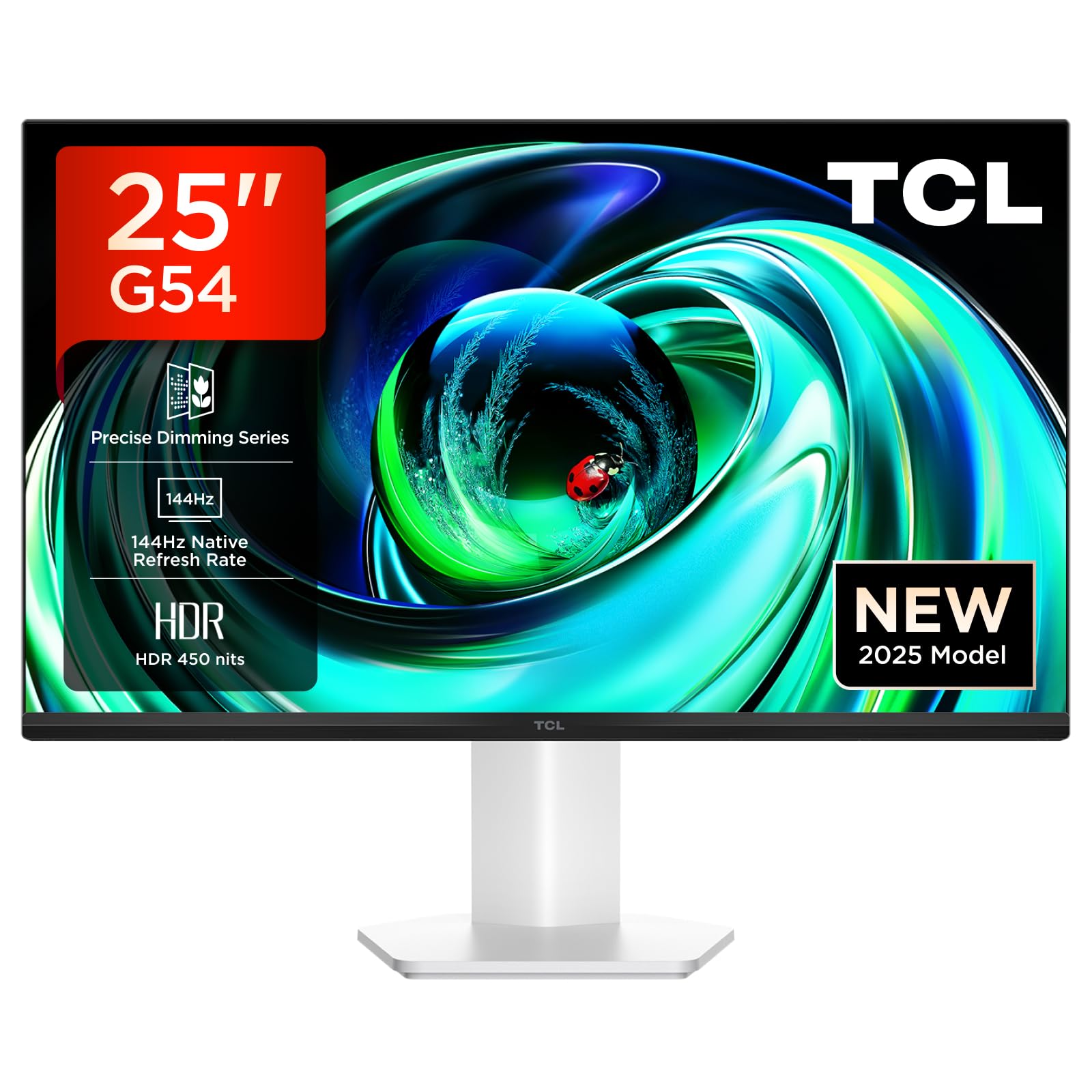
Слика 1: Предња страна view of the TCL Gaming Monitor 25G54.
2. Безбедносне информације
Пажљиво прочитајте сва упутства пре употребе монитора. Сачувајте ово упутство за будуће потребе.
- Не излажите монитор киши или влази како бисте спречили пожар или струјни удар.
- Не отварајте монитор цasinг. Унутра нема делова које корисник може сам да поправи. Сво сервисирање препустите квалификованом особљу.
- Поставите монитор на стабилну, равну површину како бисте спречили његов пад.
- Обезбедите одговарајућу вентилацију око монитора. Не блокирајте вентилационе отворе.
- Користите само адаптер за напајање и каблове које је обезбедио произвођач.
- Disconnect the power plug from the outlet if the monitor will not be used for a long period.
3. Садржај пакета
Проверите да ли су све ставке присутне у вашем пакету:
- TCL Gaming Monitor 25G54
- Постоље за монитор (база и врат)
- Повер Цабле
- ХДМИ кабл
- Упутство за употребу и гарантни лист
Note: Specific cable types (e.g., DisplayPort) may vary by region or package.
4. Подешавање
4.1 Састављање постоља
- Пажљиво извадите компоненте монитора и постоља из паковања.
- Причврстите врат постоља на панел монитора. Уверите се да је безбедно закачено на своје место или да је причвршћено завртњима као што је назначено у водичу за брзи почетак.
- Причврстите основу постоља на врат постоља, причврстивши је приложеним завртњем.
- Поставите састављени монитор на стабилан сто.
4.2 Повезивање монитора
The monitor supports various input options. Connect the appropriate cable from your computer or gaming console to the monitor.
- ХДМИ веза: Use an HDMI cable to connect your device to the monitor's HDMI port.
- ДисплаиПорт веза: Use a DisplayPort cable to connect your device to the monitor's DisplayPort.
- УСБ везе: Користите УСБ портове за повезивање периферних уређаја.

Слика 2: Задња страна view showing the monitor's connectivity ports including HDMI, DisplayPort, and USB.
4.3 Укључивање
- Повежите кабл за напајање са улазом за напајање монитора, а затим са електричном утичницом.
- Press the power button, usually located on the back or bottom of the monitor, to turn it on.
5. Упутство за употребу
5.1 Приказ на екрану (ОСД) мени
The OSD menu allows you to adjust various monitor settings. Access it using the joystick button, typically located on the back of the monitor.

Figure 3: Illustration of the joystick button for OSD menu navigation.
Уобичајена подешавања на екрану (OSD):
- Осветљеност/контраст: Подесите нивое осветљености и контраста екрана.
- Подешавања боја: Modify color temperature, gamma, and color space (e.g., DCI-P3, sRGB).
- Извор уноса: Manually select the active input (HDMI, DisplayPort).
- Карактеристике игара: Enable/disable FreeSync, adjust response time, and other gaming-specific enhancements.
- Режим слике: Select preset display modes for different content types (e.g., Standard, Game, Movie).
5.2 Ергономска подешавања
Постоље за монитор нуди ергономска подешавања за оптимално viewин удобност.
- Нагиб: Подесите вертикални угао екрана.
- Окретни: Ротирајте екран хоризонтално.
- Подешавање висине: Подигните или спустите екран до нивоа очију.
- Пивот: Ротирајте екран у портретни или пејзажни положај.

Figure 4: Illustration of the monitor's ergonomic stand, showing tilt and height adjustment capabilities.
6. Карактеристике
The TCL Gaming Monitor 25G54 incorporates several key technologies for superior performance:
- Mini LED Technology: Combines QLED and OLED advantages for precise, pixel-level illumination, offering sharp contrast and a wide color gamut.
- Precise Dimming Series: Enhances overall image quality by optimizing light and shadow, providing a high-quality visual experience.
- HDR 400 nit Brightness: With a peak brightness of 450 nits and a contrast ratio of 4,500,000:1, it delivers extended dynamic range and vivid details in both dark and bright areas.
- Брзина освежавања од 144Хз: Ensures smooth and fluid images in all gaming scenes and actions, minimizing motion blur.
- 1ms (GTG) Response Time: An extremely fast response time reduces ghosting and blurring, allowing for quick target acquisition.
- 93% DCI-P3 Wide Color Gamut: Displays vibrant colors with professional-level accuracy, revealing an immersive world of color.
- TÜV Rheinland Flicker-Free & Low Blue Light: Certified for eye protection, this mode blocks harmful blue light and eliminates flicker for prolonged viewин удобност.

Слика 5: Завршеноview of the TCL 25G54 Mini LED Monitor's key features.
7. Одржавање
Правилно одржавање осигурава дуготрајност и оптималне перформансе вашег монитора.
- Чишћење екрана: Нежно обришите екран меком крпом која не оставља влакна. За тврдокорне мрље користите средство за чишћење посебно за мониторе нането на крпу, а не директно на екран.
- Чишћење Цasing: Користите меку, суву крпу да обришете монитор casinг. Избегавајте абразивна средства за чишћење.
- вентилација: Ensure the ventilation openings are clear of dust and debris. Use compressed air to clean if necessary.
- Искључивање: Always turn off and unplug the monitor before cleaning or if it will be unused for an extended period.
КСНУМКС. Решавање проблема
Ако наиђете на проблеме са монитором, погледајте следећа уобичајена решења:
| Проблем | Могући узрок | Решење |
|---|---|---|
| Нема слике на екрану | Power cable disconnected, input cable loose, incorrect input source selected. | Check power and input cable connections. Select correct input source via OSD. |
| Слика је мутна или искривљена | Incorrect resolution, faulty cable, graphics driver issue. | Set display resolution to 1920x1080. Try a different cable. Update graphics drivers. |
| Треперећи екран | Refresh rate mismatch, faulty cable, external interference. | Ensure refresh rate is set to 144Hz. Try a different cable. Check for nearby electronic devices. |
| Нема звука | Audio cable not connected, volume too low, incorrect audio output selected. | Connect headphones to the monitor's audio output. Adjust volume. Select monitor as audio output on your device. |
If the problem persists after trying these solutions, please contact TCL customer support.
9. Спецификације
| Феатуре | Спецификација |
|---|---|
| Бранд | ТЦЛ |
| Број модела | 25Г54 |
| Величина екрана | 25 инча |
| Резолуција | 1920x1080 (FHD) |
| Панел Типе | ИПС |
| Рефресх Рате | 144 Хз |
| Време одговора | 1 мс (ГТГ) |
| Осветљеност | 450 нита |
| Однос контраста | 4,500,000:1 |
| ХДР подршка | VESA Display HDR 400 |
| Гамут боја | 93% ДЦИ-П3 |
| Viewинг Англе | 178 степени |
| Повезивање | 1x HDMI, 1x DisplayPort, 4x USB, Headphone Output |
| Адаптиве Синц | ФрееСинц |
| Димензије (ДкШкВ) | 18.2 к 55.6 к 43.9 цм |
| Тежина | 4.39 кг |
| Посебне карактеристике | Mini LED, Flicker-Free, Low Blue Light |
10. Гаранција и подршка
Your TCL Gaming Monitor 25G54 comes with a 2-year manufacturer's warranty. For warranty claims, technical support, or service inquiries, please visit the official TCL support webсајт или контактирајте локалног продавца.
За више информација посетите TCL продавница на Амазону.
11. Информације о рециклирању
Please dispose of this product responsibly. Electronic waste should not be disposed of with household waste. Follow local regulations for the proper disposal of electronic devices. This helps protect the environment and human health.