
1. Увод
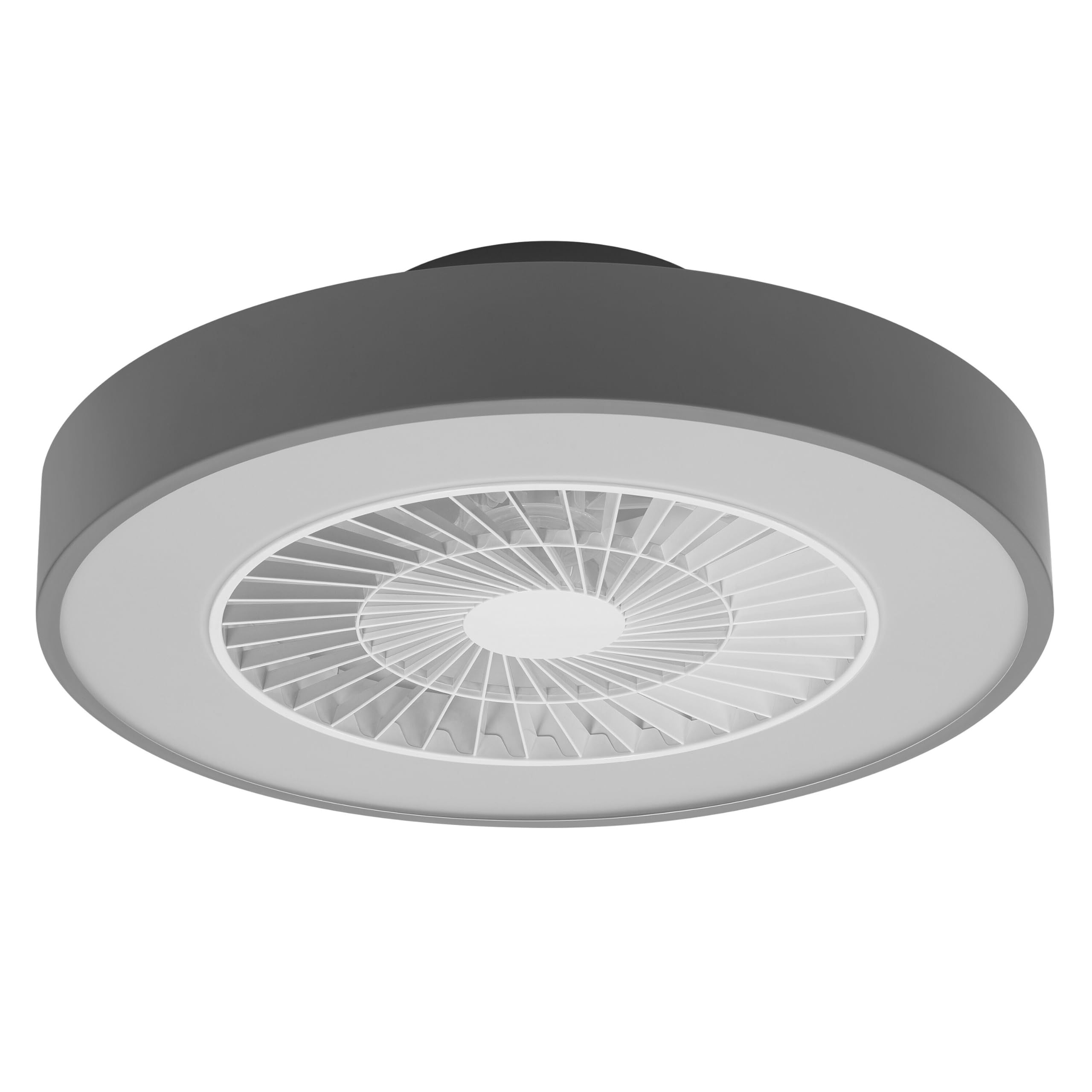
This manual provides detailed instructions for the installation, operation, and maintenance of your Osram SMART+ WiFi LED Ceiling Fan, Cylinder 550mm model. This innovative device combines an LED light fixture with an integrated fan, designed to provide both illumination and air circulation in various indoor environments.
The fan features adjustable speed settings, while the integrated LED light offers a customizable color temperature range from warm white (3000 K) to daylight white (6500 K) and is fully dimmable. Control options include a dedicated remote control, a smartphone application, and voice assistants for a seamless user experience.
2. Безбедносне информације
Пажљиво прочитајте сва безбедносна упутства пре инсталације и употребе. Непоштовање ових упутстава може довести до струјног удара, пожара или телесних повреда.
- Сва електрична повезивања мора да изврши квалификовани електричар.
- Always disconnect power at the circuit breaker before beginning any installation, maintenance, or cleaning procedures.
- Verify the suitability and structural integrity of the ceiling and wall before mounting the fan. If in doubt, consult a professional.
- Овај производ је дизајниран само за унутрашњу употребу.
- Ensure all components are securely fastened before restoring power.

3. Садржај пакета
Carefully unpack the box and ensure all items are present and undamaged. If any parts are missing or damaged, contact customer support.
- 1x Osram SMART+ WiFi LED Ceiling Fan Cylinder 550mm
- 1к даљински управљач
- Mounting accessories (screws, dowels, bracket)
- Упутство за употребу
4. Подешавање и инсталација
The Osram SMART+ WiFi LED Ceiling Fan is designed for simple assembly. Complete accessories are included for installation. The fan has dimensions of 60 x 60 cm, making it suitable for standard ceiling covers.
Кораци инсталације:
- Искључите струју: Before starting any work, ensure the main power supply to the installation area is switched off at the circuit breaker.
- Припремите монтажу: Mark and drill holes for the mounting bracket on the ceiling. Ensure the holes are correctly spaced and sized for the provided dowels and screws.
- Fix the Support: Securely attach the mounting bracket to the ceiling using the provided dowels and screws.
- Повежите каблове: Connect the electrical cables according to the wiring diagram provided in the manual. Ensure all connections are tight and secure.
- Install the Fan: Attach the ceiling fan unit to the mounted bracket, ensuring it is securely locked in place.
- Врати снагу: Once the installation is complete and all connections are secure, restore power at the circuit breaker.


5. Упутство за употребу
Your Osram SMART+ WiFi LED Ceiling Fan can be operated using the included remote control, the SMART+ app, or voice commands.
5.1. Операције даљинског управљача
The remote control allows for direct adjustment of fan speed, light brightness, and color temperature without needing a network connection.

- Дугме за напајање: Укључује/искључује вентилатор и светло.
- Дугмад за брзину вентилатора: Adjusts the fan speed (typically 3 levels).
- Укључено/искључено светло: Controls the light independently.
- Подешавање осветљености: Пригушује или појачава светло.
- Подешавање температуре боје: Changes the light color from warm white to daylight white.
- Летњи/зимски режим: Switches between airflow directions for cooling (summer) or circulating warm air (winter).


6. Smart Features (WiFi, App, Voice Control)
The Osram SMART+ WiFi LED Ceiling Fan integrates seamlessly into your smart home ecosystem, offering advanced control options via WiFi.
6.1. SMART+ App Control
Control your fan and light settings from anywhere using the SMART+ app on your smartphone or tablet. The app allows for precise adjustments of fan speed, light brightness, and color temperature, as well as scheduling and scene creation.
- Преузмите апликацију: Тражи "SMART+ App" in the App Store (iOS 14.0 or higher) or Google Play Store (Android 8.0 or higher). You can also scan the QR code or visit l.ead.me/SmartPlusWifi.
- Упаривање: Follow the in-app instructions to pair your ceiling fan with the SMART+ app via your home WiFi network (2.4 GHz).
- Карактеристике: Once paired, you can control individual fan and light functions, group multiple devices, create automated routines, and manage settings remotely.


6.2. Управљање гласом
Integrate your Osram SMART+ Ceiling Fan with compatible voice assistants like Google Home and Amazon Alexa for hands-free control.
- Подешавање: Link your SMART+ account with your preferred voice assistant app (e.g., Google Home, Amazon Alexa).
- команде: Use simple voice commands to turn the fan or light on/off, adjust speed, brightness, or color temperature. For example, "Alexa, turn on the ceiling fan" or "Hey Google, set fan speed to medium."

7. Одржавање
Редовно одржавање осигурава оптималне перформансе и дуготрајност вашег плафонског вентилатора.
- Чишћење: Before cleaning, ensure the power is disconnected. Wipe the fan and light surfaces with a soft, dry, or slightly damp тканина. Немојте користити абразивна средства за чишћење или раствараче.
- инспекција: Periodically check all mounting screws and connections to ensure they remain tight.
- Извор светлости: The integrated LED light source is designed for a long lifespan (30,000 hours) and is not user-replaceable.
КСНУМКС. Решавање проблема
If you encounter issues with your Osram SMART+ WiFi LED Ceiling Fan, refer to the following common problems and solutions:
| Проблем | Могући узрок | Решење |
|---|---|---|
| Fan/Light does not turn on | Нема напајања; лабаво ожичење; празна батерија даљинског управљача. | Check circuit breaker; Verify electrical connections (consult electrician); Replace remote control batteries. |
| Даљински управљач не реагује | Batteries depleted; Obstruction between remote and fan; Remote out of range. | Replace batteries; Ensure clear line of sight; Operate within closer range. |
| WiFi disconnection or app control issues | Weak WiFi signal; Router issues; Incorrect app pairing. | Ensure strong 2.4 GHz WiFi signal; Restart router; Re-pair device in SMART+ app. |
| Вентилатор је бучан | Loose mounting; Obstruction in fan blades; Motor issue. | Check mounting screws; Ensure no obstructions; If noise persists, contact support. |
If the problem persists after attempting these solutions, please contact Osram customer support.
9. Спецификације
| Феатуре | Спецификација |
|---|---|
| Бранд | Осрам |
| Назив модела | SMART+ Wifi Ceiling Fan LED Cylinder 550mm + RC |
| Број модела | 4099854472800 |
| Боја | Греи |
| Стиле | Цилиндар |
| Димензије | 60 к 60 цм |
| Тежина | 4000 грама |
| Материјал | акрилонитрил бутадиен стирен (АБС) |
| Извор напајања | АЦ (наизменична струја) |
| Потрошња енергије | 78 Ваттс |
| Волtage | 6 Volts (Note: This may refer to a control circuit voltage; the main power supply is AC.) |
| Лигхт Типе | ЛЕД |
| Лигхт Оутпут | 2500 лумена |
| Температура боје | 3000 K (Warm White) to 6500 K (Daylight White) |
| Диммабле | Да |
| Животни век | 30,000 сата |
| Нивои брзине вентилатора | 3 |
| Тип мотора | Мотор без четкица |
| Контролни метод | App, Remote Control, Voice |
| Компатибилност паметног дома | Yes (via SMART+ App, Google Home, Amazon Alexa) |
| mrežni протокол | ВиФи (2.4 ГХз) |
| Бежични рад | No (Refers to main power supply, not control via WiFi) |
| Класа енергетске ефикасности | E |
| Врста инсталације | Самостална инсталација |
| Усаге Енвиронмент | Индоор |
10. Гаранција и подршка
Osram products are manufactured to high-quality standards. This product comes with a standard manufacturer's warranty. Please refer to the warranty card included in your package or visit the official Osram webсајт за детаљне услове гаранције.
For technical support, troubleshooting assistance, or warranty claims, please contact Osram customer service through their official webсајт или контакт информације наведене у документацији вашег производа.
Osram Official Webсајт: ввв.осрам.цом