
NIMO Nimo N156
NIMO 15.6" FHD Business Laptop User Manual
Model: Nimo N156
Увод
This user manual provides comprehensive instructions for setting up, operating, maintaining, and troubleshooting your NIMO 15.6" FHD Business Laptop. Please read this manual carefully before using your device to ensure optimal performance and longevity. Keep this manual for future reference.
Шта је у кутији
Проверите да ли су све ставке присутне у пакету:
- 1 x Nimo N156 Laptop
- 1 x Type-C 100W PD Fast Charger
- 1 x Упутство за употребу (овај документ)
- Windows 11 Home (pre-installed)
- 2 Years Warranty, 90 Days Return information
Производ је завршенview
Familiarize yourself with the key components of your NIMO laptop.

Слика 1: Фронт view of the NIMO 15.6 inch FHD Business Laptop, showcasing its full HD IPS display, Intel Core i5 processor, fingerprint reader, Type-C PD charger port, and backlit keyboard.

Слика 2: Close-up of the NIMO laptop's backlit full keyboard, highlighting the integrated webcam shield, fingerprint sensor, and numeric keypad for enhanced productivity and security.

Слика 3: Diagram illustrating the multiple ports on the NIMO laptop, including Micro SD slot, USB 2.0, USB 3.0, Headphone Jack, Kensington lock, Type-C (multifunction), Type-C (PD Charger Only), HDMI, and Charge LED.
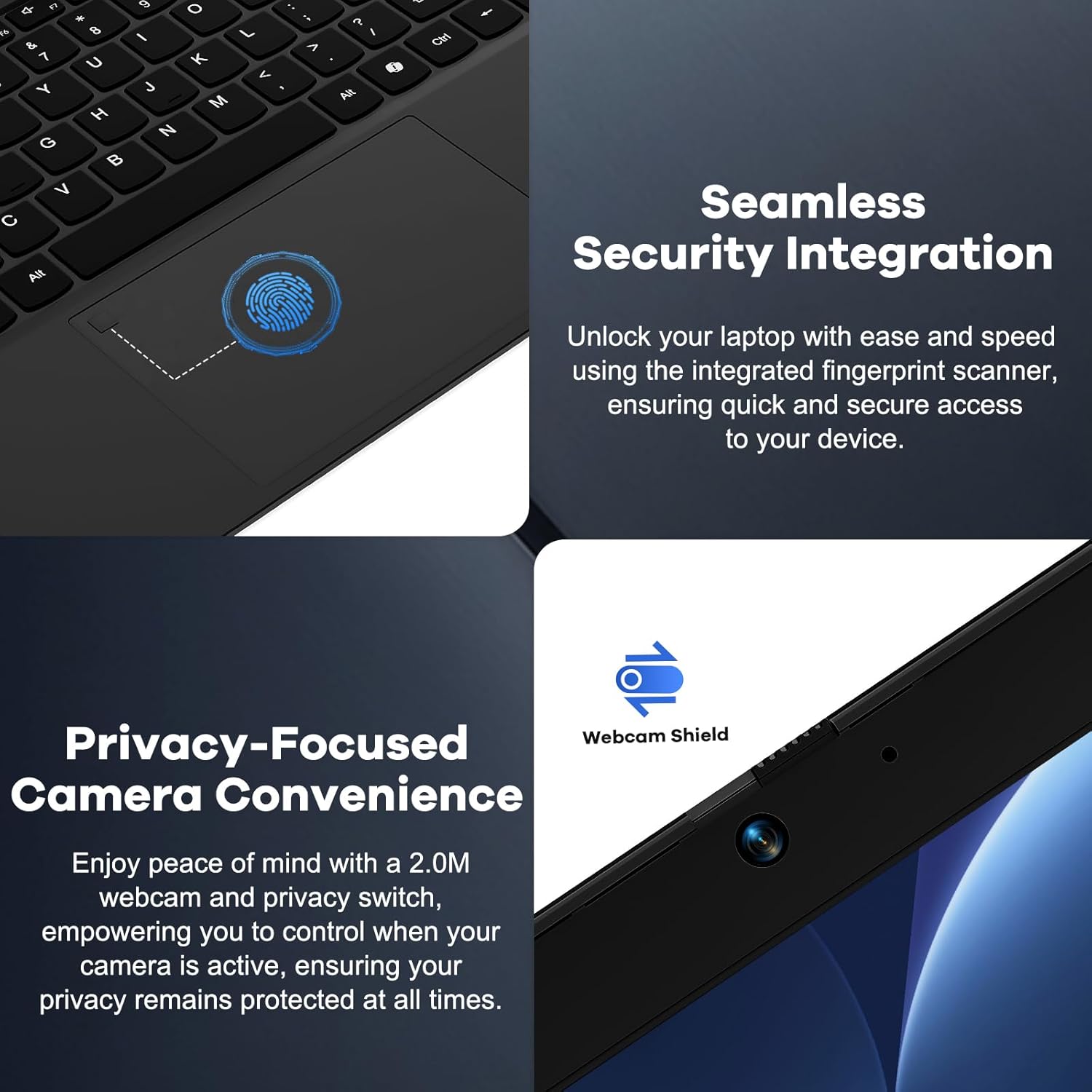
Слика 4: Details on the seamless security integration with the fingerprint sensor for quick login and the privacy-focused camera convenience with a built-in webcam shield.

Слика 5: The compact 100W GaN Type-C PD Fast Charger included with the NIMO laptop, capable of charging to 50% in 15 minutes and compatible with various devices.
Сетуп
1. Прво укључивање
- Raspakujte: Пажљиво извадите лаптоп и сву додатну опрему из паковања.
- Прикључите напајање: Plug the 100W GaN Type-C PD Fast Charger into a power outlet and connect the USB-C cable to the laptop's Type-C charging port. The Charge LED will illuminate.
- Прво покретање: Open the laptop lid. The system may power on automatically or you may need to press the power button (located on the top right of the keyboard).
- Виндовс подешавање: Пратите упутства на екрану да бисте завршили процес подешавања система Windows 11 Home. То укључује избор региона, језика, повезивање са Wi-Fi мрежом и креирање корисничког налога.
2. Повезивање периферних уређаја
Your NIMO laptop offers various ports for connecting external devices:
- УСБ уређаји: Connect USB flash drives, external hard drives, mice, or keyboards to the USB 2.0 or USB 3.0 ports.
- Спољашњи екран: Користите HDMI порт за повезивање екстерног монитора или пројектора.
- аудио: Plug headphones or external speakers into the 3.5mm Headphone Jack.
- меморијске картице: Insert a Micro SD card into the Micro SD slot for additional storage.
Упутство за употребу
1. Основна операција
- Укључивање/искључивање: Press the power button to turn the laptop on. To shut down, click the Start button in Windows, then Power > Shut down.
- Режим спавања: Close the lid or click the Start button, then Power > Sleep to put the laptop into sleep mode.
- Fingerprint Login: Utilize the integrated fingerprint sensor for quick and secure login to Windows. Register your fingerprints through Windows Settings > Accounts > Sign-in options.
- Тастатура са позадинским осветљењем: The keyboard features backlighting for low-light conditions. Use the dedicated function key (Fn + F key combination, typically F3 or F4) to toggle or adjust the backlight brightness.
- WebПриватност камере: The laptop includes a physical webcam shield. Slide the switch next to the webкамеру да бисте покрили или открили сочиво камере ради приватности.
2. Windows 11 Features
Your laptop comes with Windows 11 Home pre-installed. Explore its features for enhanced productivity and entertainment:
- Распореди прикачивања: Easily organize open windows on your screen.
- Додаци: Приступите персонализованим информацијама на први поглед.
- Мајкрософт продавница: Преузмите и инсталирајте апликације.
- безбедност: Windows Defender provides built-in antivirus and firewall protection.
Одржавање
- Чишћење: Use a soft, lint-free cloth to clean the screen and chassis. For stubborn smudges, slightly dampОперите крпу водом или раствором за чишћење екрана. Избегавајте јаке хемикалије.
- Одржавање батерије: To prolong battery life, avoid fully discharging the battery frequently. It is recommended to keep the battery charge between 20% and 80% when possible. Store the laptop in a cool, dry place if not used for extended periods.
- Ажурирања софтвера: Regularly check for and install Windows updates and driver updates to ensure system stability and security. Go to Windows Settings > Windows Update.
- Управљање складиштем: Периодично чистите непотребно files and applications to free up storage space and improve performance.
Решавање проблема
| Проблем | Могући узрок | Решење |
|---|---|---|
| Лаптоп се не укључује. | Проблем са слабом батеријом или адаптером за напајање. | Ensure the charger is properly connected and the power outlet is working. Allow the laptop to charge for at least 30 minutes before attempting to power on again. |
| Екран је празан или трепери. | Incorrect display settings or driver issue. | Try connecting an external monitor to check if the issue is with the laptop's display. Update graphics drivers. Restart the laptop. |
| Проблеми са Wi-Fi везом. | Incorrect network settings or driver issue. | Ensure Wi-Fi is enabled. Restart your router and laptop. Update Wi-Fi drivers. Forget and reconnect to the network. |
| Позадинско осветљење тастатуре не ради. | Backlight feature is off or driver issue. | Press the Fn + F key combination (e.g., F3 or F4) to toggle the backlight. Check keyboard settings in Windows. |
If the problem persists, please refer to the Warranty and Support section for assistance.
Спецификације
| Феатуре | Детаљ |
|---|---|
| Бранд | NIMO |
| Назив модела | Nimo N156 |
| Величина екрана | 15.6 инча |
| Резолуција екрана | 1920 x 1080 пиксела (FHD IPS) |
| Процесор | Intel Core i5-12450H (8 Cores, up to 4.4 GHz) |
| РАМ | 8 GB DDR4 (Upgradable) |
| Хард Дриве | 256 GB PCIe SSD (Upgradable) |
| Грапхицс Цопроцессор | Интегрисана Интел Грапхицс |
| Оперативни систем | Виндовс 11 Хоме |
| Вирелесс Типе | 802.11a/b/g/n/ac (WiFi 6) |
| Блуетоотх | БТ5.2 |
| Портс | 1x USB 2.0, 3x USB 3.0, Type-C (PD Charger Only), Type-C (Multifunction), HDMI, Headphone Jack, Micro SD Slot |
| Повер Адаптер | 100W GaN Type-C PD Fast Charger |
| Просечно трајање батерије | 5 Hours (54Wh Smart Battery for up to 9 Hours Standby) |
| Тежина артикла | 3.8 фунти |
| Димензије производа | 14.07 к 8.98 к 0.76 инча |
| Посебне карактеристике | Backlit Keyboard, Fingerprint Reader, HD Audio, Memory Card Slot, Numeric Keypad, Webcam Shield |
Гаранција и подршка
NIMO stands behind the quality of its products. Your NIMO laptop comes with the following:
- 2-годишња гаранција: A 2-Year Warranty from NIMO Direct Inc. covers manufacturing defects and hardware failures.
- 90-дневни повраћај без проблема: Уживајте у политици враћања у року од 90 дана за свој душевни мир.
- 24/7 Dedicated Support: For any issues or inquiries, dedicated support is available to provide instant resolution.
For warranty claims or technical assistance, please contact NIMO customer support through the contact information provided on the official NIMO webсајт или вашу документацију о куповини.
видео: Ан оверview of the NIMO laptop, highlighting its features, performance, and the comprehensive 90-day return policy and 2-year warranty, demonstrating NIMO's commitment to customer satisfaction.
Ask a question about this manual
Ask about setup, troubleshooting, compatibility, parts, safety, or missing instructions. Manuals+ will review the question and use this page’s manual context to help answer it.