
Увод
This manual provides detailed instructions for the setup, operation, and maintenance of your PELADN HA-4 Mini PC. This compact desktop computer is equipped with an AMD Ryzen 7 7840HS processor, Radeon 780M graphics, 16GB DDR5 RAM, and a 512GB NVMe SSD, designed for efficient performance in business, entertainment, and light gaming applications.

Слика 1: Предња страна view of the PELADN HA-4 Mini PC, showcasing its compact design and RGB light strip.
Садржај пакета
Молимо вас да проверите да ли су све ставке присутне у пакету:
- PELADN HA-4 7840HS Mini PC
- ХДМИ кабл
- Повер Адаптер
- Кориснички приручник (овај документ)
- Mounting Bracket (for VESA mounting)
Производ је завршенview
Интерне компоненте
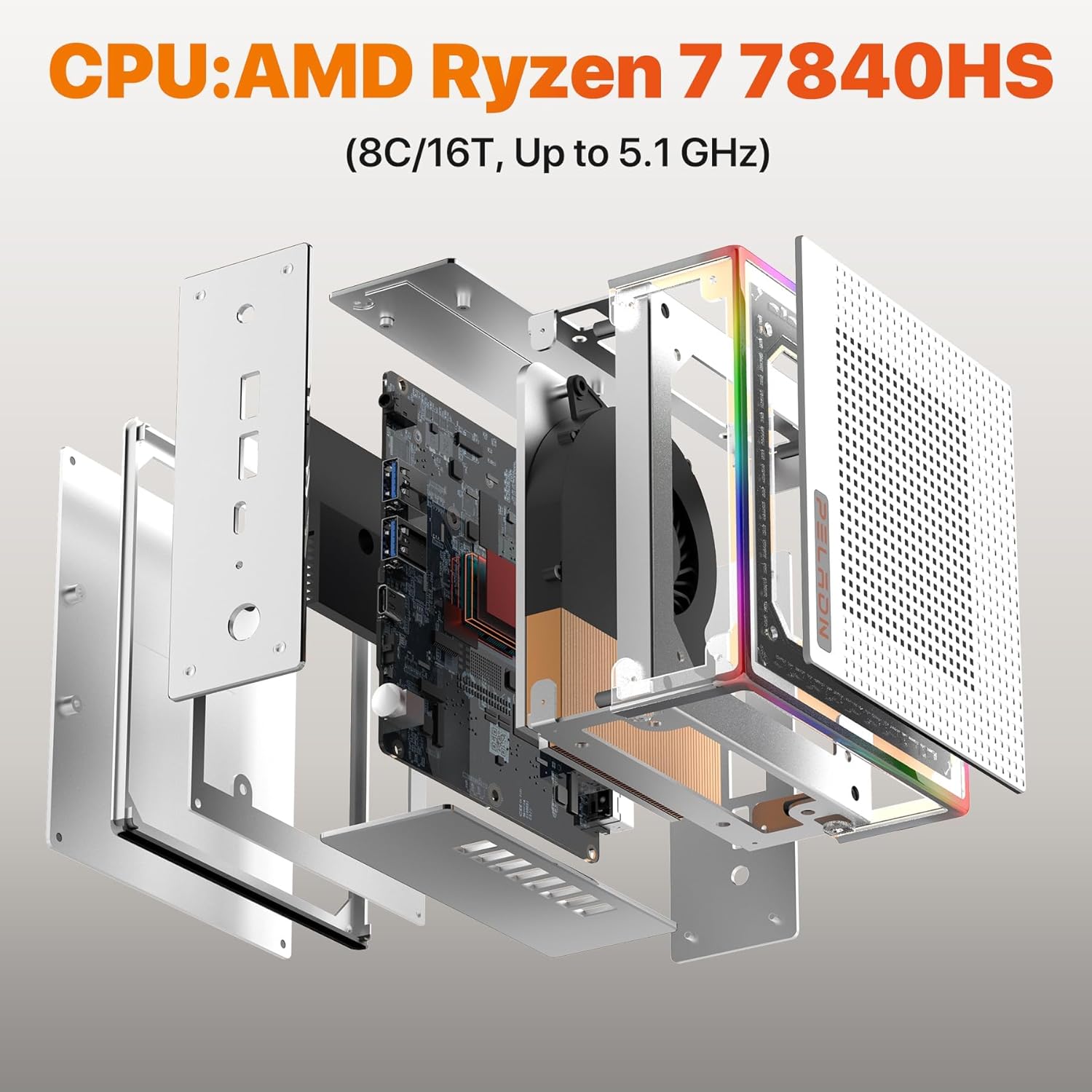
The PELADN HA-4 Mini PC features a well-engineered internal layout for optimal performance and cooling. Key components include the AMD Ryzen 7 7840HS processor, DDR5 RAM, and an NVMe SSD.
Слика 2: Експлодирао view illustrating the internal structure and components of the Mini PC.
Портови и интерфејси
The Mini PC offers a comprehensive range of ports for connectivity, including multiple USB ports, HDMI, and Type-C for versatile peripheral and display connections.
Слика 3: Детаљно view of the Mini PC's front and rear ports, including USB, HDMI, Type-C, RJ45 LAN, and power input.
- Предњи портови: Power Button, Reset Button, 2x USB 3.2, Earphone Jack.
- Задњи портови: DC 19V Power Input, 2x USB 2.0, 2x HDMI 2.0, 1x RJ45 LAN (1000Mbps), 1x Type-C (USB 4.0, 40 Gbps).
РГБ осветљење
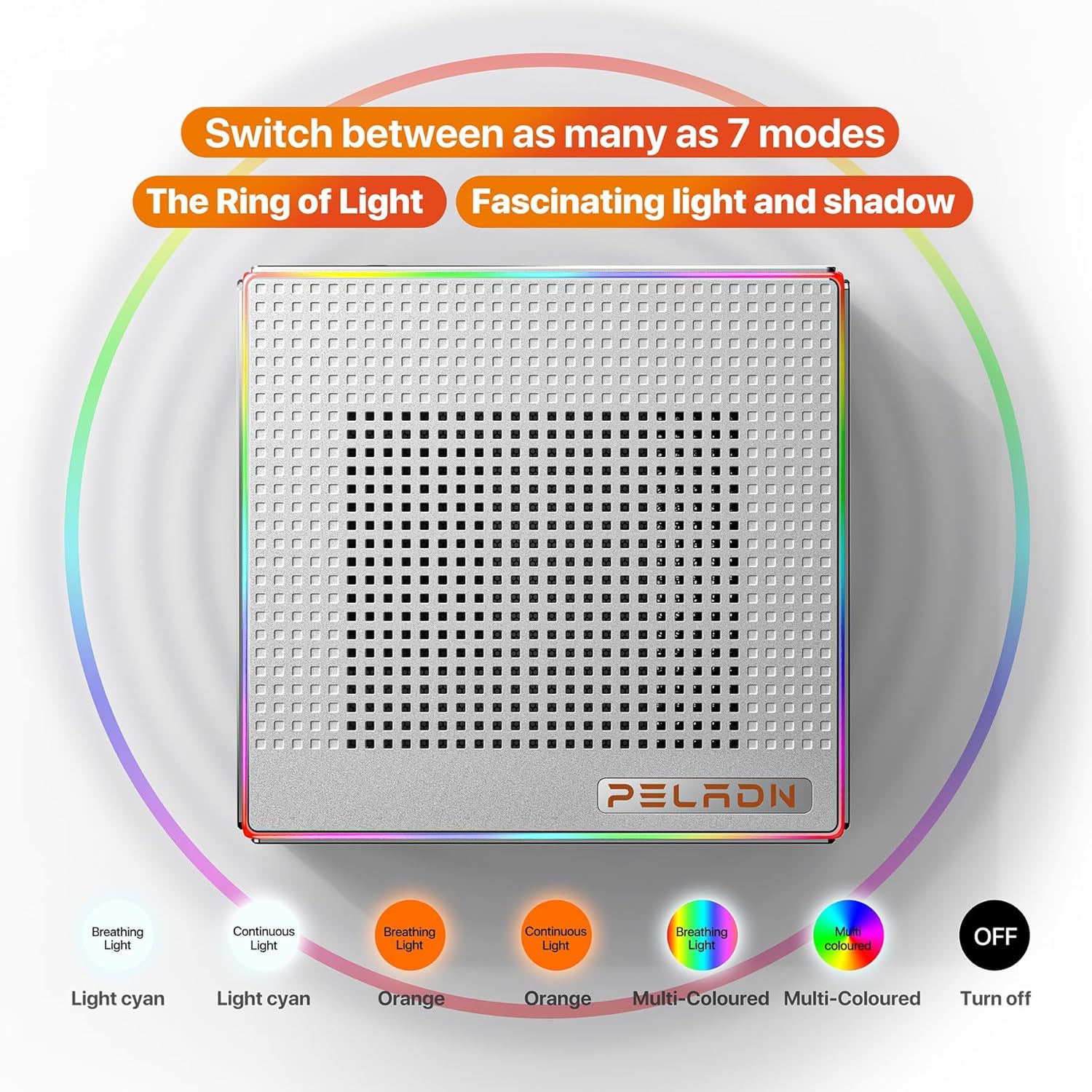
The PELADN HA-4 features a 64-color RGB light strip on its shell. A button at the rear of the machine allows users to cycle through three different modes: breathing, single-color constant light, and off.

Figure 4: Visual representation of the various RGB lighting modes available on the Mini PC.
Сетуп
- Повежите периферне уређаје: Повежите тастатуру, миш и друге УСБ уређаје на доступне УСБ портове.
- Повежи екран: Use an HDMI cable to connect your monitor(s) to the HDMI ports on the Mini PC. For triple display setup, utilize both HDMI ports and the USB-C 4.0 port with a compatible adapter/cable.
- Прикључите напајање: Plug the power adapter into the DC 19V input port on the Mini PC, then plug the adapter into a power outlet.
- Укључено: Press the Power Button located on the front of the Mini PC.
- Почетно подешавање: Follow the on-screen instructions to complete the operating system setup.
ВЕСА Монтажа
The included VESA mount allows you to attach the Mini PC to the back of a compatible monitor, saving desk space.
- Fix the mounting bracket to the Mini PC using the provided screws.
- Fix the bracket to the back of your display using the appropriate VESA mounting holes and screws.

Figure 5: Instructions for VESA mounting the Mini PC to a monitor.
Упутство за употребу
Укључивање/искључивање
- За укључивање: Притисните дугме за напајање једном.
- Затворити: Use the operating system's shutdown function. Alternatively, press and hold the Power Button for 5 seconds for a forced shutdown (use only when necessary).
РГБ контрола светла
The RGB light strip can be controlled via the button located at the rear of the device. Press the button to cycle through the available modes: breathing, single-color constant light, and off.
Подешавање троструког екрана
The Mini PC supports up to three 4K@60Hz displays simultaneously using its two HDMI 2.0 ports and one USB-C 4.0 port. Connect your monitors and configure display settings within your operating system.

Слика 6: Прample of a triple display setup connected to the Mini PC.
Одржавање
- Чишћење: Regularly clean the exterior of the Mini PC with a soft, dry cloth. Use compressed air to clear dust from ventilation openings. Ensure the device is powered off and unplugged before cleaning.
- вентилација: Ensure adequate airflow around the Mini PC. Do not block the ventilation holes.
- Ажурирања софтвера: Редовно ажурирајте оперативни систем и управљачке програме како бисте осигурали оптималне перформансе и безбедност.
- Складиштење: Avoid placing heavy objects on the Mini PC. Store it in a cool, dry environment away from direct sunlight and extreme temperatures.
Решавање проблема
- Нема напајања / Систем се не покреће:
- Уверите се да је адаптер за напајање безбедно повезан и са Мини рачунаром и са исправном утичницом.
- Проверите да ли је утичница функционална тако што ћете укључити други уређај.
- Try a different power outlet if available.
- Нема излаза на екран:
- Check that the HDMI or USB-C cable is securely connected to both the Mini PC and the monitor.
- Уверите се да је монитор укључен и подешен на исправан улазни извор.
- Пробајте други кабл за дисплеј или монитор ако је могуће.
- Slow Internet Speed (Wi-Fi):
- Ensure the Mini PC is within range of your Wi-Fi router.
- Check for obstructions between the Mini PC and the router.
- Update your Wi-Fi drivers.
- Consider connecting via Ethernet cable to the RJ45 LAN port for a stable wired connection.
- Incorrect Default Language:
- Access the operating system's language settings and change the display language to your preference.
- If the issue persists or the system is unusable, a reinstallation of the operating system with the correct language pack may be required.
Спецификације
| Феатуре | Детаљ |
|---|---|
| Бранд | ПЕЛАДН |
| Назив модела | HA-4 Ryzen 7 7840HS |
| ЦПУ модел | AMD Ryzen 7 7840HS (8 Cores/16 Threads, up to 5.1 GHz) |
| Грапхицс Цопроцессор | Radeon 780M (12-core GPU, 2200MHz) |
| РАМ меморија | 16 GB DDR5 (5600 MHz, upgradeable to 64GB) |
| Складиштење | 512 GB M.2 2280 NVMe SSD (PCIe Gen 4.0) |
| Оперативни систем | OS (as shipped) |
| Повезивање | WiFi 6, Bluetooth 5.2, 1000Mbps Ethernet (RJ45 LAN) |
| Видео Оутпут | 2x HDMI 2.0, 1x USB Type-C 4.0 (Supports Triple 4K@60Hz Displays) |
| УСБ портови | 2x USB 3.2, 2x USB 2.0, 1x USB Type-C 4.0 |
| Потрошња енергије | 45 Watts (Max 54W TDP) |
| Димензије | Приближно 5.3 к 5.0 к 2.0 инча |
| Додатне карактеристике | 64-color RGB light strip, VESA mount support |
Гаранција и подршка
The PELADN HA-4 Mini PC comes with a 1-year free warranty. For technical assistance or customer support, please refer to the contact information provided with your purchase or visit the official PELADN website. All Mini PCs have obtained FCC, CE, and RoHS certifications.