
1. Увод
This manual provides detailed instructions for the setup, operation, and maintenance of your Cillso IDW26 Smart Watch. Please read this manual thoroughly before using your device to ensure proper functionality and to maximize your user experience.

Image: The Cillso IDW26 Smart Watch, showcasing its main display with various metrics and a separate screen illustrating an incoming call.
2. Шта је у кутији
- 1x Cillso IDW26 Smart Watch
- 1x Type-C Magnetic Charging Cable
- 1к упутство за употребу
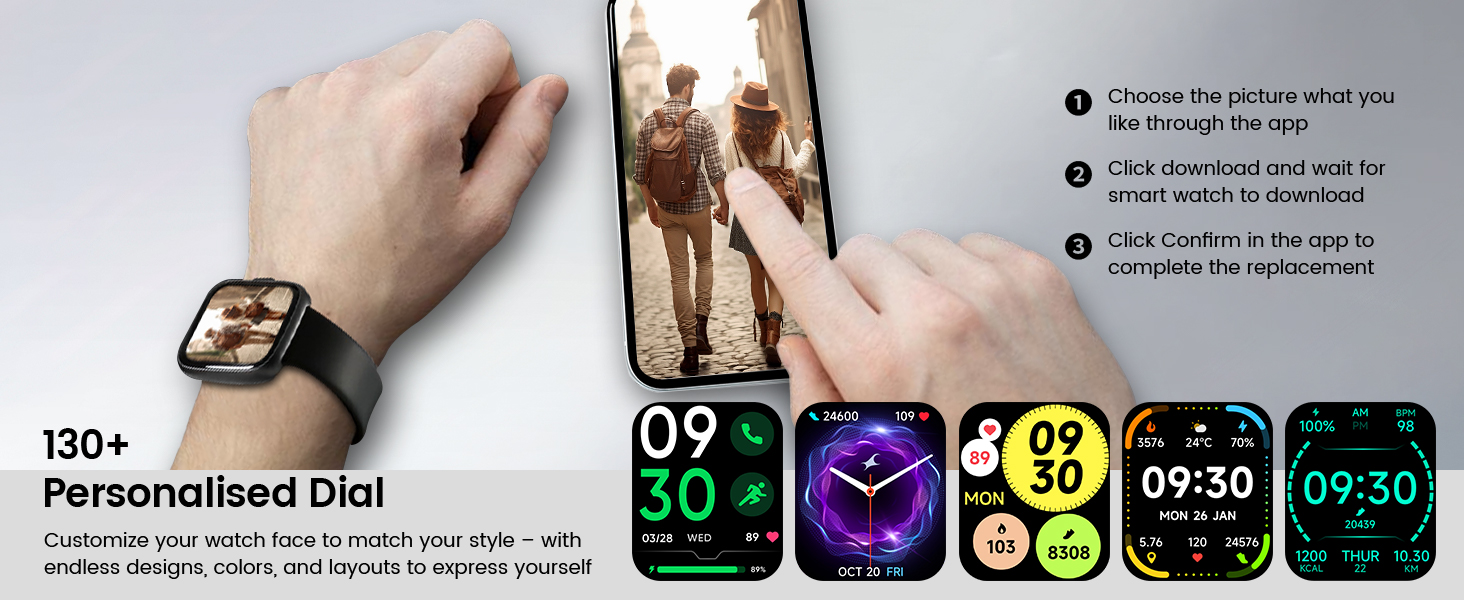
Image: A visual representation of the Cillso IDW26 Smart Watch packaging contents, showing the watch, its magnetic charging cable, and the included user manual.
3. Подешавање и почетна употреба
3.1 Пуњење уређаја
Before first use, fully charge your Cillso IDW26 Smart Watch. Connect the magnetic charging cable to the charging points on the back of the watch and plug the USB end into a power adapter (not included) or a computer's USB port. A full charge typically takes approximately 1.5 to 2 hours.

Слика: Задњи део view of the Cillso IDW26 Smart Watch, highlighting the optical sensor for health monitoring and the two metallic contacts for magnetic charging.
3.2 Инсталација и упаривање апликације
To unlock the full functionality of your Cillso IDW26 Smart Watch, you need to install the companion application on your smartphone. The watch is compatible with smartphones running iOS 9.0+ and Android 5.0+ (or later versions).
- Преузмите апликацију: Scan the QR code provided in the watch's packaging or search for "VeryFit" in your smartphone's app store (App Store for iOS, Google Play Store for Android).
- Омогући Блуетоотх: Уверите се да је Блуетоотх омогућен на вашем паметном телефону.
- Отворите апликацију: Launch the "VeryFit" app and follow the on-screen instructions to create an account or log in.
- Додај уређај: Within the app, navigate to the "Add Device" section. The app will search for nearby devices.
- Изаберите свој сат: Select "IDW26" from the list of found devices.
- Потврдите упаривање: A pairing request will appear on your phone and watch. Confirm the pairing on both devices.
- Дозволи обавештења: Grant the app necessary permissions, especially for notifications, to ensure messages and calls are displayed on your smartwatch.
For certain message notifications, the "GloryFit" app may also be mentioned in some contexts. If you encounter issues with specific message types, verify settings within both "VeryFit" and "GloryFit" if both are installed, or consult the app's help section.

Image: A visual guide demonstrating the pairing process for the Cillso IDW26 Smart Watch, from enabling Bluetooth to confirming the connection and allowing notifications.
For further assistance with app installation and pairing, you can visit the official support page: https://t.ido.ink/eAriqu
4. Управљање паметним сатом
4.1 Навигација преко екрана осетљивог на додир
- Превуците нагоре/надоле: Листајте кроз меније и обавештења.
- Превуците лево/десно: Access quick widgets or different feature screens.
- Додирните: Изаберите ставку или потврдите радњу.
- Притисните и држите: Customize watch faces (on the home screen).
4.2 Side Button Functionality
The physical button on the side of the watch typically serves the following functions:
- Кратки притисак: Wake up the screen, return to the previous screen, or go back to the home screen.
- Дуго притисните: Power on/off the device, or access a quick menu (e.g., restart, power off).
5. Кључне карактеристике
5.1 Обавештења о позивима и порукама путем Bluetooth-а
The Cillso IDW26 Smart Watch features Bluetooth 5.3 for stable connectivity, allowing you to make and answer calls directly from your wrist. It includes a sensitive microphone and speaker for clear communication. Once paired with the "GloryFit" or "VeryFit" app, you will receive notifications for incoming calls, SMS messages, and alerts from various social media applications (e.g., Facebook, Twitter, WhatsApp, Instagram). Notifications are delivered via intuitive customizable vibrations.

Image: The Cillso IDW26 Smart Watch showing a message notification from WeChat and an incoming call interface with options to answer or decline.
5.2 Built-in Alexa Voice Control
Access Amazon Alexa's intelligent voice assistant directly from your wrist. Speak commands to check news, weather, calendar updates, set reminders, control smart home devices, and manage music playback. This feature enhances hands-free operation and daily efficiency.

Image: A user interacting with the Cillso IDW26 Smart Watch's built-in AI voice assistant, asking questions like "What time is it?" and "Weather today?".
5.3 1.83" HD Display and Customization
The smartwatch features a 1.83-inch HD display with 3D tempered glass, offering a resolution of 320x385 pixels for clear visuals and high touch sensitivity. The 4-level adjustable brightness ensures readability in various lighting conditions. Through the "VeryFit" app, you can choose from over 130 watch faces or create custom designs using your own photos.

Слика: Детаљна view of the Cillso IDW26 Smart Watch's 1.83-inch HD screen, emphasizing its clarity and display technology.

Image: A demonstration of the Cillso IDW26 Smart Watch's customization options, showing multiple watch face designs and the process of selecting or creating a personalized dial through the app.
5.4 Праћење здравља 24/7
Equipped with a high-precision optical sensor, the IDW26 Smart Watch provides continuous health monitoring:
- Мониторинг срчане фреквенције: Tracks your heart rate in real-time, providing insights into your cardiovascular health.
- Праћење сна: Analyzes sleep quality by identifying deep sleep, light sleep, and awake phases, offering suggestions for improved sleep habits.
- Праћење кисеоника у крви (SpO2): Monitors your blood oxygen levels for essential wellness insights.
- Тренинг дисања: Guides you through breathing exercises with gentle vibrations and visual cues to help calm your mind and body.

Image: A composite image illustrating the 24/7 health monitoring capabilities of the Cillso IDW26 Smart Watch, including heart rate, sleep tracking, blood oxygen measurement, and guided breath training.
5.5 120+ спортских режима
The fitness tracker supports over 120 professional sport modes, covering a wide range of indoor and outdoor activities such as running, cycling, soccer, and more. High-precision sensors accurately track steps, distance, calories burned, and workout duration, assisting in performance analysis and training plan optimization.

Image: A person hiking with the Cillso IDW26 Smart Watch, alongside graphics illustrating the watch's 24-hour activity tracking and icons representing over 120 sports modes.
5.6 IP68 водоотпорна оцена
With an IP68 rating, the smartwatch is resistant to sweat, rain, and can be worn during handwashing. It is not suitable for swimming or hot showers.

Image: The Cillso IDW26 Smart Watch shown with water droplets, visually representing its IP68 waterproof capabilities for daily activities like hand washing, exposure to rain, and perspiration.
5.7 додатних функција
The Cillso IDW26 Smart Watch includes several practical features to enhance daily convenience:
- Будилник: Подесите више аларма.
- Штоперица и тајмер: За прецизно мерење времена током активности.
- Локатор телефона: Helps find your paired smartphone.
- Контрола камере: Даљински управљајте камером свог телефона.
- Контрола музике: Управљајте репродукцијом музике на свом паметном телефону.
- Временска прогноза: Добијајте ажурирања о времену у реалном времену.
- Седентарни подсетник: Подстиче вас да се крећете након периода неактивности.

Image: A collage of images depicting various practical functions of the Cillso IDW26 Smart Watch, including stopwatch, alarm clock, camera control, music control, weather forecast, and sedentary reminder.
6. Трајање батерије и пуњење
The Cillso IDW26 Smart Watch is powered by a 300mAh battery designed for low power consumption.
- Време употребе: Up to 5-7 days with typical use.
- Време приправности: До 30 дана.
- Време пуњења: Приближно 1.5 сата за потпуно пуњење.
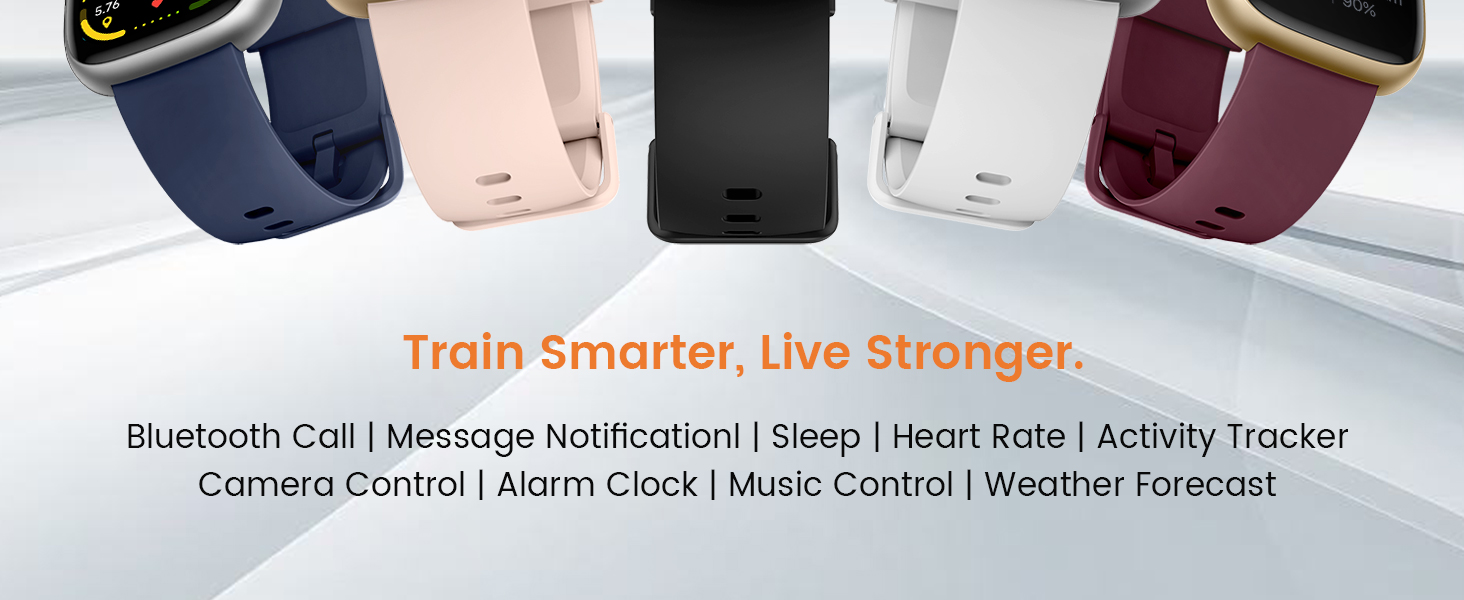
Image: A graphic illustrating the battery performance of the Cillso IDW26 Smart Watch, detailing its 2-hour charging time, 7 days of normal use, and 30 days of standby time.
7. Одржавање и њега
- Чишћење: Редовно бришите сат и каиш меком, сувом крпом. Ако је потребно, користите благоamp крпом, а затим добро осушите.
- Избегавајте хемикалије: Не користите јаке хемикалије, раствараче за чишћење или јаке детерџенте, јер они могу оштетити завршну обраду и заптивке сата.
- Изложеност води: While IP68 rated, avoid prolonged submersion, hot water, or steam. Dry the watch thoroughly if it gets wet.
- температура: Avoid exposing the watch to extreme temperatures (very hot or very cold) or direct sunlight for extended periods.
- Утицај: Protect the watch from strong impacts or drops.
КСНУМКС. Решавање проблема
If you encounter issues with your Cillso IDW26 Smart Watch, please refer to the following common solutions:
- Сат се не укључује: Уверите се да је сат потпуно напуњен. Повежите га са пуњачем најмање 10 минута.
- Не могу да упарим телефон:
- Уверите се да је Bluetooth омогућен на вашем телефону и сату.
- Уверите се да је сат у домету вашег телефона.
- Рестартујте и телефон и сат.
- Try unpairing and re-pairing the device through the "VeryFit" app.
- Check if the "VeryFit" app has all necessary permissions enabled on your phone.
- Обавештења се не приказују:
- Уверите се да је сат успешно упарен и повезан са апликацијом.
- Verify that notification permissions are granted to the "VeryFit" app in your phone's settings.
- Check the notification settings within the "VeryFit" app to ensure specific app notifications are enabled.
- Ensure your phone's notification bar displays the messages; if not, the watch cannot receive them.
- Нетачни здравствени подаци:
- Уверите се да сат чврсто приања на зглоб, не превише стегнут или превише лабав.
- Очистите сензор на задњој страни сата.
- Избегавајте прекомерно кретање током мерења.
- Kratko trajanje baterije:
- Смањите осветљеност екрана.
- Онемогућите континуирано праћење откуцаја срца ако није потребно.
- Ограничите број апликација које шаљу обавештења на сат.
- Уверите се да је сат сваки пут потпуно напуњен.
If these steps do not resolve your issue, please contact Cillso customer support.
9. Спецификације
| Феатуре | Детаљ |
|---|---|
| Назив модела | ИДВ26 |
| Бранд | Cillso |
| Величина екрана | 1.83 инча |
| Резолуција екрана | 320x385 пиксела |
| Облик | Скуаре |
| ГПС | ГПС преко паметног телефона |
| Састав батерије батерије | Литхиум Полимер |
| Технологија повезивања | Блуетоотх 5.3 |
| Капацитет батерије | 300 Милиamp Сати |
| Посебне карактеристике | Activity Tracker, Alarm Clock, Camera Control, Touchscreen, Weather Forecast, Alexa Built-in, Bluetooth Calling, Heart Rate/Sleep Monitor, 120+ Sports Modes, IP68 Waterproof |
| Компатибилност оперативног система | иОС 9.0+, Андроид 5.0+ |
| Тежина артикла | 10 грама (0.353 унци) |
| Отпорност на воду | IP68 (Resistant to sweat, rain, handwashing) |
10. Гаранција и подршка
Cillso is committed to providing quality products and customer service.
10.1 Корисничка подршка
If you have any questions about the product, encounter problems, or require assistance, please contact Cillso customer service through the platform where you purchased the product (e.g., Amazon). Cillso offers 24-hour customer service to help resolve any issues promptly.

Image: A graphic indicating customer support availability, prompting users to contact for assistance with product issues.