
Увод
This manual provides detailed instructions for the installation, operation, and maintenance of your Mcezdy Ebike LCD Display, model M5C-2(BLE)-6-Pin. This display is designed to enhance your electric bike experience by providing essential riding data and smart connectivity features. Please read this manual thoroughly before use to ensure proper functionality and safety.
Важна напомена о компатибилности: This ebike display operates exclusively with the UART No. 2 protocol. Ensure your ebike controller also uses the UART No. 2 protocol for proper functionality. Incompatibility with other UART protocols will prevent the display from working correctly.
Сетуп
1. Садржај пакета
Пре инсталације, проверите да ли су све компоненте присутне:
- Mcezdy Ebike LCD Display (M5C-2(BLE)-6-Pin)
- Упутство за употребу
- Шифра квара Опис
2. Монтирање дисплеја
The display is designed for handlebar mounting. It features an adjustable mount compatible with handlebar diameters of 22.2mm, 25.4mm, 28.6mm, and 31.8mm, ensuring a secure fit for most bicycles.
- Отпустите завртње на носачу за монтажу екрана.
- Position the display on your ebike's handlebar at a comfortable viewугао уласка.
- Tighten the screws to secure the display firmly in place.
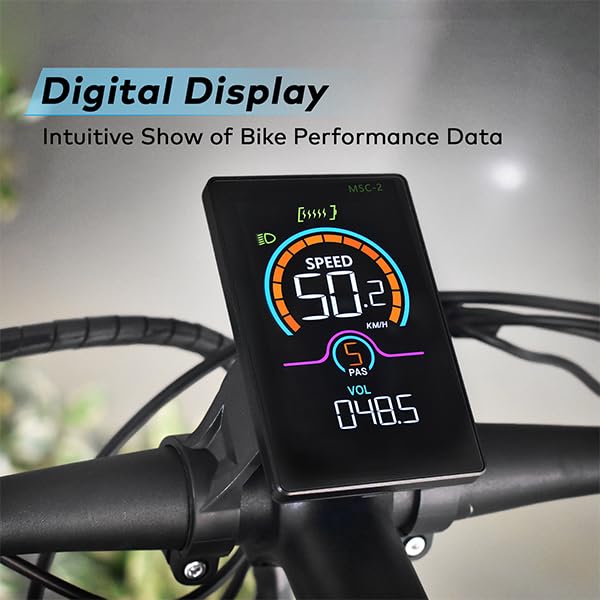
Image: The Mcezdy Ebike LCD Display mounted on a bicycle handlebar, showing its position and visibility.

Image: The Mcezdy Ebike LCD Display with an illustration highlighting its compatibility with various handlebar diameters (22.2mm, 25.4mm, 28.6mm, 31.8mm).
3. Повезивање каблова
The display comes with a 150mm waterproof cable. Ensure your ebike's connector type matches the display's connector (5-pin or 6-pin) before connecting.

Image: The Mcezdy Ebike LCD Display showing a warning about UART No. 2 protocol compatibility and illustrating the difference between 5-pin and 6-pin connectors. Please confirm your e-bike's connector type before purchase.

Слика: Детаљна view of the Mcezdy Ebike LCD Display, highlighting the waterproof 5-pin and 6-pin connector types and the external keyboard for easy adjustment of display settings.
Carefully align the connectors and push them together until they click into place. Ensure the connection is secure and waterproof.
Упутство за употребу
1. Укључивање/искључивање
Press and hold the power button on the display or the external control panel to turn the display on or off.
2. Функције приказа
The vibrant color screen provides real-time information about your ride:
- брзина: Current riding speed (KM/H).
- ПАС ниво: Pedal Assist System level.
- Волtagе (ВОЛ): Вол. батерије у реалном временуtage.
- ОДО: Total mileage.
- Путовање: Single trip mileage.
- Трајање: Duration of the current ride.
- ВАТTAGE: Излазна снага.
- Ниво батерије: Graphical representation of remaining battery charge.
- Индикатор фарова: Indicates if the ebike's headlight is on.
- Упозорење о грешци: Displays fault codes if an issue is detected. Refer to the "Fault Code Description" document for details.

Image: The Mcezdy Ebike LCD Display illustrating its various functions, including Cruise, ODO, PAS, Trip, Speed, Fault Warning, Headlight, Battery Level, Voltagе, Ватtage, Running Time, and Walking Assist.
3. Special Modes and Features
- Режим помоћи при ходању: Provides assistance when pushing the ebike.
- темпомат: Maintains a set speed without continuous throttle input.
- Модификација параметра: Access settings to customize parameters such as wheel diameter and speed limits. Refer to the detailed user manual for navigation through these settings.
4. Smart Connectivity (Bluetooth APP)
The display supports Bluetooth connectivity, allowing you to sync with cycling applications. This enables recording of routes, statistics, and other ride data.
- Scan the QR code provided in the product packaging or on the display's screen to download the "LINGHUI" app from your device's app store.
- Follow the in-app instructions to connect your display via Bluetooth.
- Once connected, you can monitor and record your cycling data.

Image: The Mcezdy Ebike LCD Display demonstrating LINGHUI APP support. A smartphone screen shows the app interface, and a QR code is provided for downloading the "LINGHUI" app to record cycling data.
5. Port za punjenje tipa C
The display includes a built-in Type-C charging port, allowing you to charge compatible devices, such as your smartphone, during your rides. This ensures you stay connected and can navigate safely without worrying about phone battery depletion.
Одржавање
- Чишћење: Обришите екран и кућиште меком крпомamp cloth. Avoid using abrasive cleaners or solvents that could damage the screen or housing.
- Отпорност на воду: The display has an IPX65 waterproof rating, providing protection against water splashes and rain. However, avoid submerging the device in water.
- Складиштење: When not in use for extended periods, store the display in a dry, cool place away from direct sunlight.
- Инспекција каблова: Periodically check all cables and connectors for any signs of wear, damage, or loose connections.
Решавање проблема
If you encounter issues with your Mcezdy Ebike LCD Display, consider the following:
- Екран се не укључује:
- Ensure the ebike battery is charged and properly connected.
- Check all cable connections between the display and the controller for looseness or damage.
- Incorrect Readings or No Data:
- Verify that the display's protocol (UART No. 2) matches your ebike controller's protocol.
- Проверите да ли су каблови сигурни.
- Ensure wheel diameter settings are correctly configured in the display's parameters.
- Fault Codes Displayed:
If a fault code appears on the screen, refer to the "Fault Code Description" document included with your product for an explanation of the code and recommended actions.
- Проблеми са Блуетоотх везом:
- Уверите се да је Блуетоотх омогућен на вашем паметном телефону.
- Поново покрените и екран и паметни телефон.
- Ensure the "LINGHUI" app is updated to the latest version.
If problems persist, contact Mcezdy customer support or your retailer for further assistance.
Спецификације
| Феатуре | Спецификација |
|---|---|
| Бранд | Мцезди |
| Број модела | M5C-2(BLE)-6-Pin |
| Дисплаи Типе | LCD (Color Screen) |
| Технологија повезивања | Блуетоотх |
| Протокол | UART No. 2 |
| Ворк Волtage | DC 24V, 36V, 48V, 60V |
| Cable Length (Exposed) | 150mm (Waterproof 5-pin/6-pin) |
| Водоотпорна оцена | ИПКС65 |
| Материјал кућишта | АБС + ПЦ |
| Материјал екрана | Каљено стакло |
| Тип монтаже | Handlebar Mount (22.2mm, 25.4mm, 28.6mm, 31.8mm compatible) |
| Тежина артикла | 222 г |
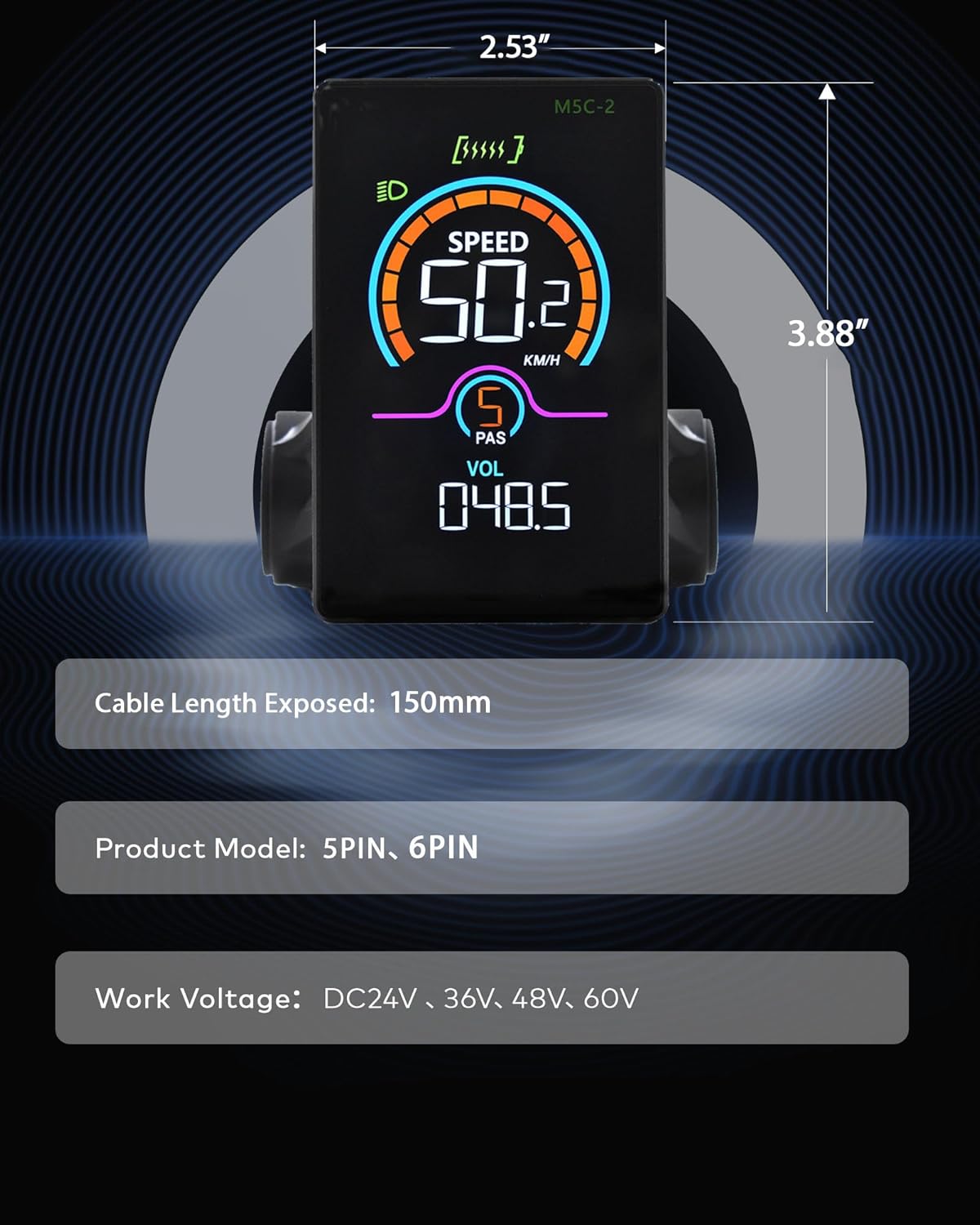
Image: The Mcezdy Ebike LCD Display showing its approximate dimensions (2.53" width, 3.88" height), exposed cable length (150mm), product model (5PIN, 6PIN), and work voltage compatibility (DC24V, 36V, 48V, 60V).
Гаранција и подршка
Информације о гаранцији
Specific warranty details for the Mcezdy Ebike LCD Display are typically provided at the point of purchase or within the product packaging. Please retain your proof of purchase for warranty claims. For detailed warranty terms and conditions, refer to the documentation provided by your retailer or contact Mcezdy customer service.
Корисничка подршка
If you require further assistance, have questions not covered in this manual, or need technical support, please contact:
- Your product retailer.
- Mcezdy customer service (contact information may be available on the official Mcezdy website or product packaging).
Ensure you have your product model number (M5C-2(BLE)-6-Pin) and proof of purchase ready when contacting support.