
1. Увод
This manual provides essential information for setting up, operating, maintaining, and troubleshooting your FUNYET Mini Gaming PC, Model STA-CF-01. Please read this manual thoroughly before using the product to ensure optimal performance and longevity.
2. Производ је готовview и карактеристике
The FUNYET Mini Gaming PC is a compact yet powerful desktop computer designed for high-performance tasks such as gaming, 3D rendering, and multitasking. It features advanced components and connectivity options to meet diverse user needs.
Кључне карактеристике:
- Desktop-Level Performance: Equipped with an Intel i7-12700HK processor (up to 4.7GHz) and an NVIDIA GeForce RTX 3050 8GB GPU for demanding applications.
- Efficient Multitasking & Fast Storage: Features 32GB DDR4 RAM (expandable up to 64GB across 2 SODIMM slots) and a 1TB M.2 SSD (supporting PCIe 4.0/SATA3) for rapid boot times and smooth operation.
- Напредни систем хлађења: Dual built-in fans ensure optimal temperature management during intensive use, contributing to stable performance and extended hardware lifespan.
- Повезивање велике брзине: Includes a 2.5Gbps and a Gigabit Ethernet port for reliable wired network connections, alongside WiFi 5 and Bluetooth 5.0 for wireless convenience.
- Versatile Port Selection: Offers 4x USB 3.2 Gen2, 2x USB 2.0, 2x HDMI 2.0, 1x DisplayPort 1.4, 1x Type-C (data+DP), and a 3.5mm audio jack for extensive peripheral and multi-monitor support.
- Compact and Upgradeable Design: A space-saving form factor with easily accessible slots for RAM and storage upgrades.
Висуал Оверview:

Слика 2.1: Предња страна view of the FUNYET Mini Gaming PC, highlighting its compact design and RGB lighting.
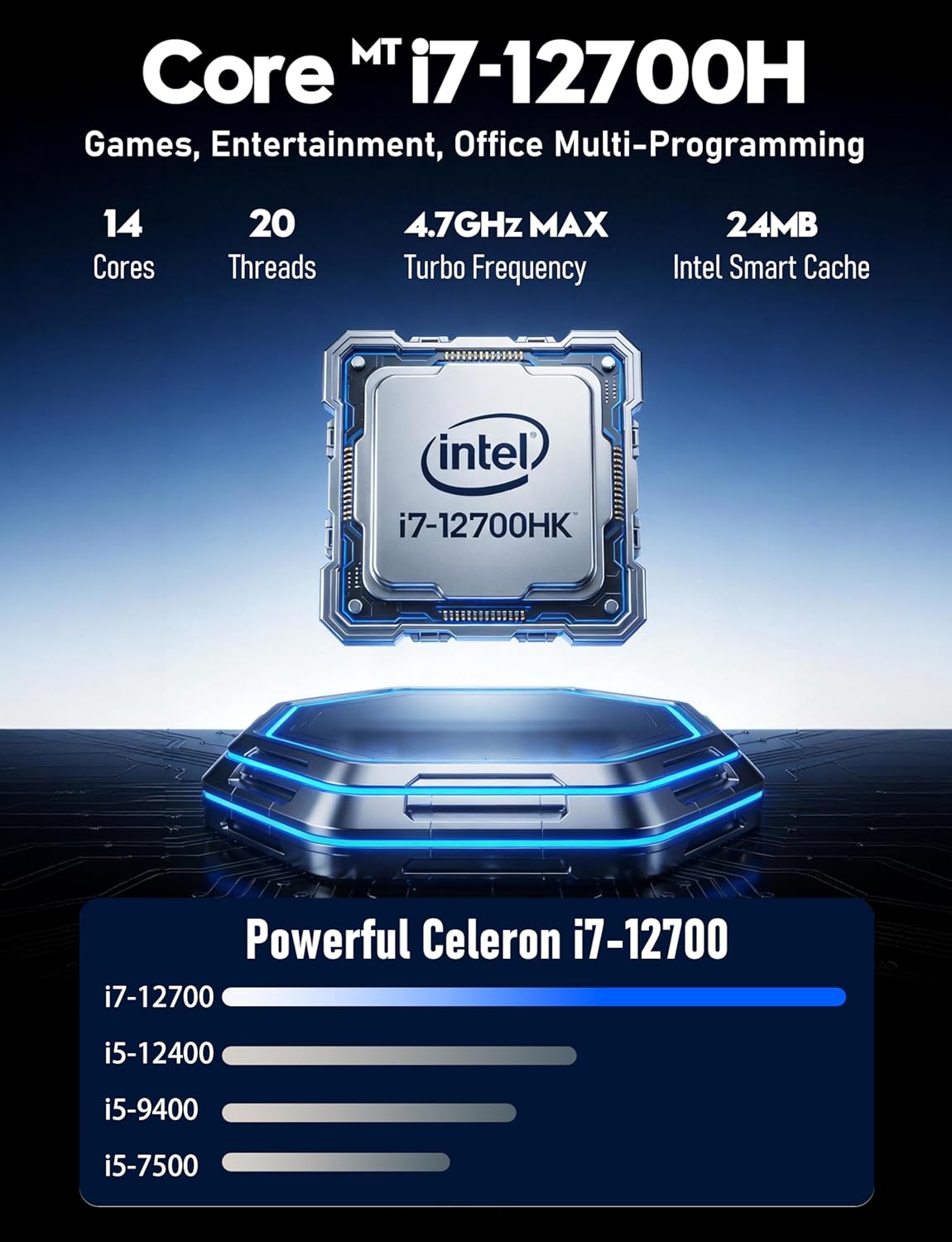
Слика 2.2: Детаљно view of the Intel Core i7-12700HK processor, emphasizing its core count and turbo frequency.

Figure 2.3: Illustration of the NVIDIA GeForce RTX 3050 graphics card, noting its 8GB memory and raytracing capabilities.
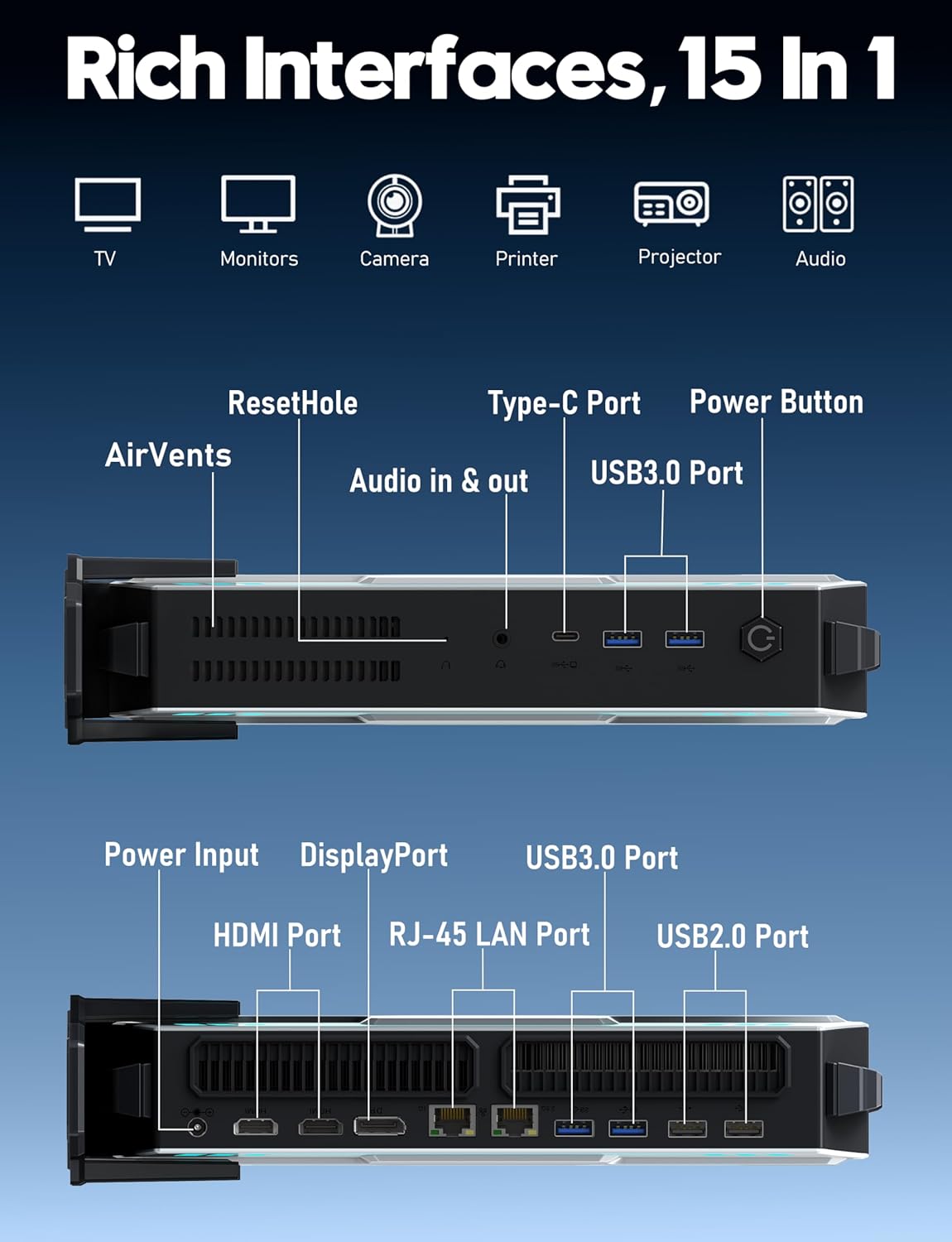
Слика 2.4: Завршеноview of the various input/output ports available on the FUNYET Mini Gaming PC, including USB, HDMI, DisplayPort, and LAN.
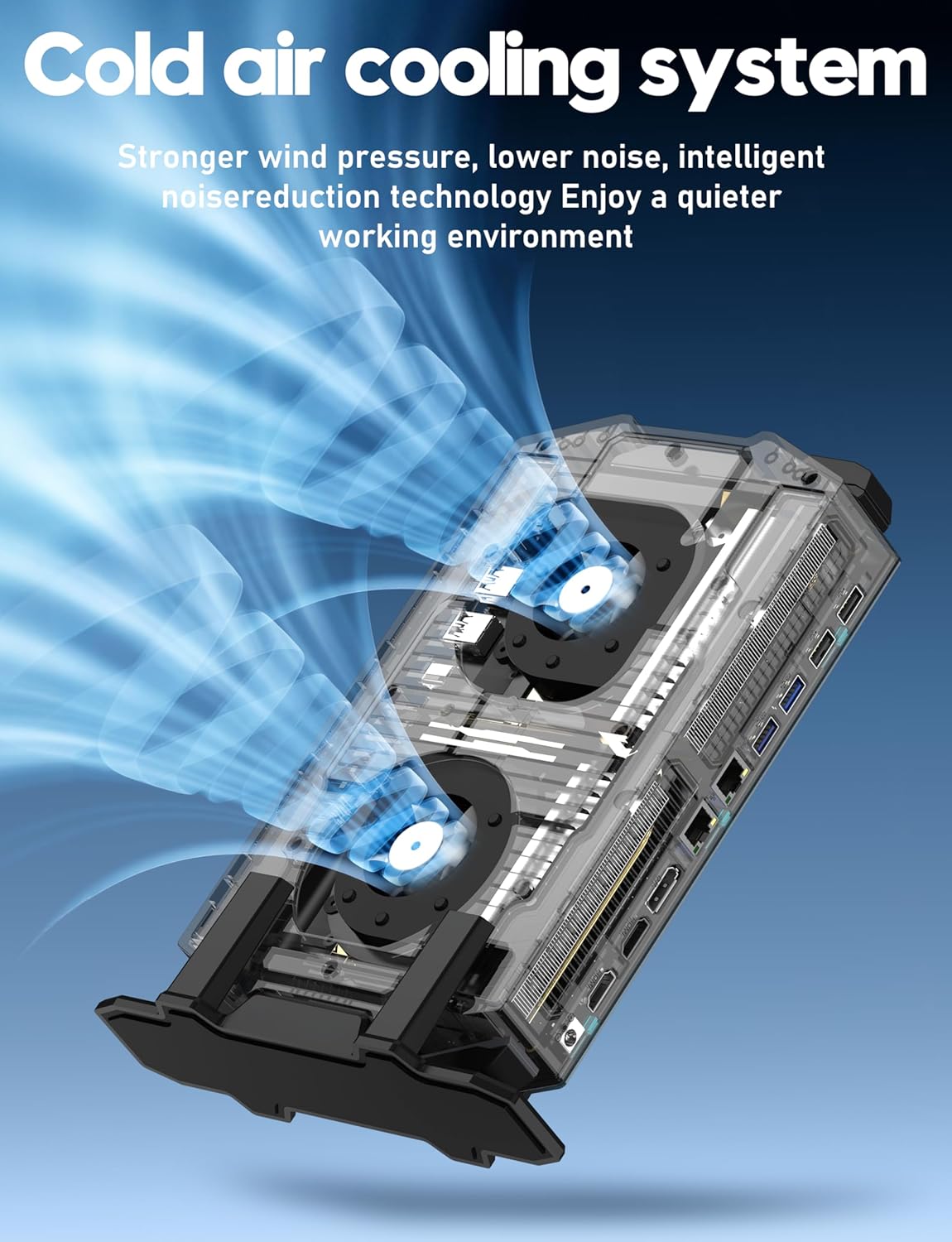
Figure 2.5: Diagram illustrating the cold air cooling system with dual fans, designed for efficient heat dissipation.
Видео о производу:
Видео 2.1: Званична видео презентација производаasing the FUNYET Mini Gaming PC's features, design, and performance capabilities.
3. Водич за подешавање
Follow these steps to set up your FUNYET Mini Gaming PC:
- Распакујте рачунар: Carefully remove the Mini PC and all accessories from the packaging.
- Повежи екран: Connect your monitor(s) to the PC using the available HDMI, DisplayPort, or Type-C video outputs. The PC supports up to three 4K displays simultaneously.

Слика 3.1: Прample setup with the Mini PC connected to multiple 4K displays.
- Повежите периферне уређаје: Plug in your USB keyboard, mouse, and any other desired peripherals into the available USB 2.0 or USB 3.2 Gen2 ports.
- Повежите се на мрежу: For a wired connection, plug an Ethernet cable into one of the RJ-45 LAN ports. For wireless, ensure the WiFi antenna (if external) is connected or that the internal WiFi is enabled.
- Прикључите напајање: Plug the power adapter into the DC-in port on the PC, then connect the power cord to an electrical outlet.
- Укључено: Press the power button located on the front of the Mini PC. The RGB lighting will illuminate, indicating the PC is starting.
4. Упутство за употребу
Your FUNYET Mini Gaming PC comes with Windows 11 Pro pre-installed. Here are basic operating guidelines:
- Почетна инсталација Windows-а: On first boot, follow the on-screen instructions to complete the Windows 11 Pro setup, including language, region, network connection, and user account creation.
- Инсталација драјвера: Essential drivers are pre-installed. However, it is recommended to check for and install the latest graphics drivers from NVIDIA's official website for optimal gaming and display performance.
- Ажурирања софтвера: Regularly check for Windows updates via Подешавања > Windows Update to ensure your system has the latest security patches and features.
- Повезивање на ВиФи: If not connected via Ethernet, click the network icon in the taskbar, select your desired WiFi network, enter the password, and click Connect.
- Блуетоотх уређаји: To pair Bluetooth devices, go to Подешавања > Bluetooth и уређаји, turn on Bluetooth, and select "Add device".
- Искључивање/Поновно покретање: To properly shut down or restart the PC, click the Start button, then the Power icon, and select "Shut down" or "Restart".
5. Одржавање
Proper maintenance ensures the longevity and performance of your Mini PC:
- Чишћење:
- Редовно чистите спољашњост рачунара меком, сувом крпом.
- Use compressed air to gently clear dust from the air vents to maintain efficient cooling. Ensure the PC is powered off before cleaning vents.
- Ажурирања софтвера: Keep Windows and all drivers updated. This includes graphics drivers, chipset drivers, and BIOS updates (if available from FUNYET support).
- Управљање складиштем: Периодично чистите непотребно files and applications to free up disk space. Consider using Windows' built-in Disk Cleanup tool.
- Резервна копија података: Редовно правите резервне копије важних података на екстерни диск или складиште у облаку како бисте спречили губитак података.
- Услови животне средине: Operate the PC in a well-ventilated area, away from direct sunlight, excessive heat, humidity, and dust.
КСНУМКС. Решавање проблема
Ако наиђете на проблеме, погледајте следеће уобичајене проблеме и решења:
| Проблем | Могуће решење |
|---|---|
| Но Повер |
|
| Нема приказа на монитору |
|
| Споро перформансе |
|
| Проблеми са мрежном повезивањем |
|
7. Спецификације
Detailed technical specifications for the FUNYET Mini Gaming PC (Model STA-CF-01):
| Компонента | Детаљ |
|---|---|
| Број модела | STA-CF-01 |
| Оперативни систем | Виндовс 11 Про |
| Процесор | Intel Core i7-12700HK (14 Cores/20 Threads, up to 4.7GHz) |
| графичка картица | NVIDIA GeForce RTX 3050 (8GB GDDR6 наменске меморије) |
| РАМ | 32GB DDR4 (2x SODIMM slots, expandable up to 64GB) |
| Складиштење | 1TB M.2 SSD (Supports PCIe 4.0/SATA 3.0) |
| Максимална резолуција екрана | 3840 к 2160 (4К) |
| Видео излази | 2x HDMI 2.0, 1x DisplayPort 1.4, 1x Type-C (DisplayPort Alt Mode) |
| УСБ портови | 4x USB 3.2 Gen2, 2x USB 2.0, 1x Type-C (Data) |
| Мрежа | 2.5Gbps Ethernet, Gigabit Ethernet, WiFi 5, Bluetooth 5.0 |
| Аудио | КСНУМКСмм Аудио Јацк |
| Димензије (ДкШкВ) | 6 к 1.6 к 10 инча |
| Тежина артикла | 2.8 фунти |
| Боја | Греи |
8. Гаранција и подршка
FUNYET is committed to providing quality products and customer service.
- гаранција: All FUNYET products come with a 2-year free repair warranty.
- Exchanges/Returns: A 6-month free exchange and return policy is offered.
- Контактирајте подршку: For any questions or assistance with your product, please contact FUNYET support.
- Телефон: +1 800-986-9631 (4 AM - 10 PM PT, per business day)
- Емаил: funyetstore@outlook.com
FUNYET support aims to reply within 24 hours.