
Увод
This manual provides essential information for setting up, operating, and maintaining your LEFFOT M1 Plus Android 14 TV Box. Please read it thoroughly to ensure proper usage and to maximize your entertainment experience.
Шта је у кутији
Проверите да ли су све ставке наведене у наставку укључене у ваш пакет:
- 1 x LEFFOT M1 Plus Android 14 TV Box
- 1 x Voice Remote Control
- 1 к адаптер за напајање
- КСНУМКС к ХД кабл
- 1 к Упутство за употребу

Производ је завршенview
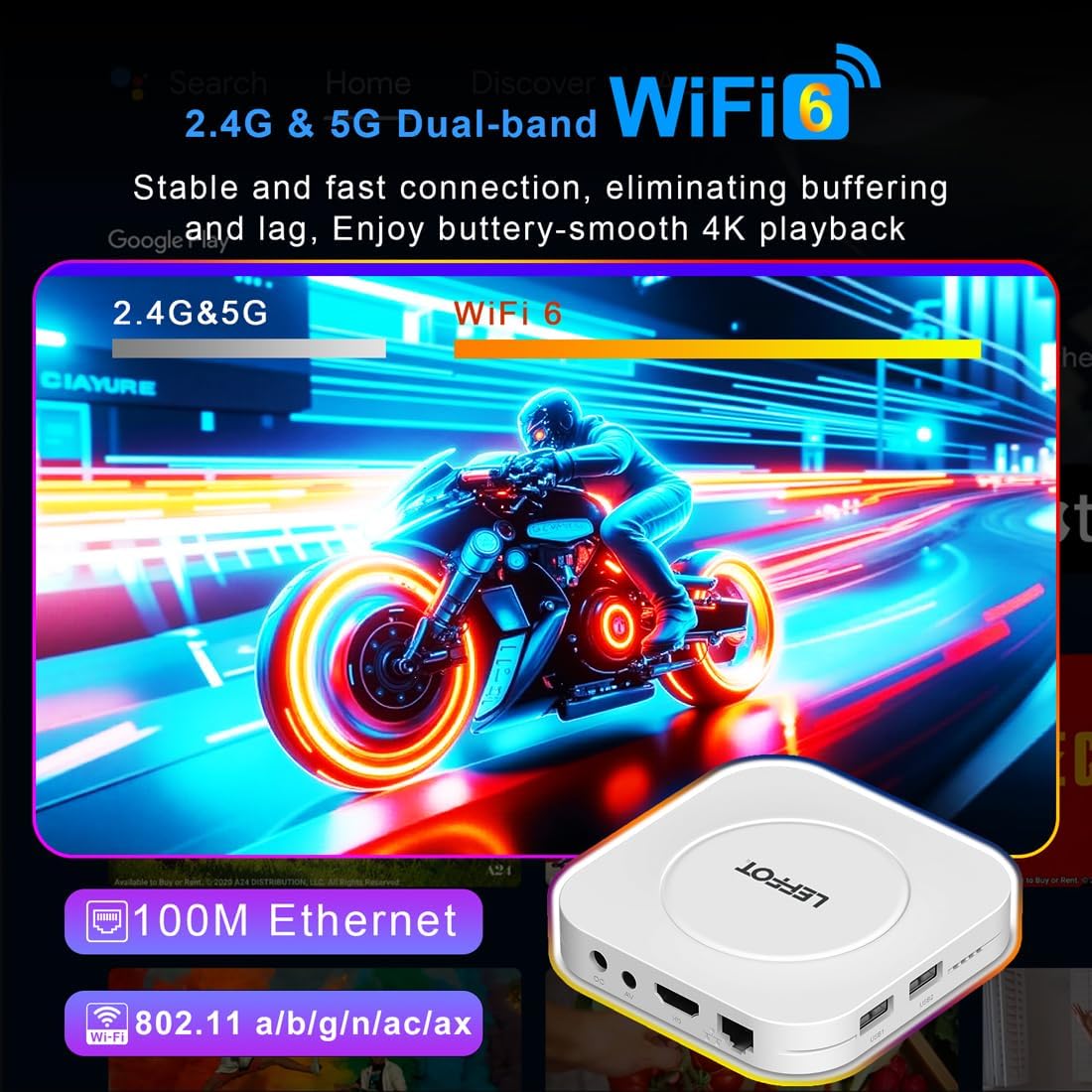
The LEFFOT M1 Plus is a compact 4K Ultra HD streaming device designed to enhance your television experience. It features a sleek design with various ports for connectivity.

Кључни интерфејси:
- Улаз за једносмерну струју: За повезивање адаптера за напајање.
- AV порт: For older televisions or audio systems.
- HD (HDMI) Output: Повезује се са вашим телевизором за видео и звук високе дефиниције.
- ЛАН (Етернет) порт: За жичану интернет везу.
- USB 1 и USB 2 портови: For connecting external storage devices, game controllers, or other USB accessories.
- СПДИФ: Дигитални аудио излаз.
Сетуп
Follow these steps to set up your LEFFOT M1 Plus TV Box:
- Повезивање са ТВ-ом: Connect one end of the provided HD cable to the HDMI port on your LEFFOT M1 Plus TV Box and the other end to an available HDMI input on your television.
- Прикључите напајање: Plug the power adapter into the DC power input on the TV Box, then plug the adapter into a wall outlet. The device will power on automatically.
- Уметните батерије у даљински управљач: Open the battery compartment on the back of the voice remote control and insert two AAA batteries (not included), ensuring correct polarity.
- Initial Boot & Wi-Fi Setup: Turn on your TV and select the correct HDMI input. The TV Box will boot up. Follow the on-screen instructions to connect to your Wi-Fi network and log in with your Google Account.

Видео водич за подешавање
Video: An unboxing and installation guide for the LEFFOT M1 Plus TV Box, demonstrating how to connect the device and establish a network connection.
Упутство за употребу
Навигација и интерфејс
The LEFFOT M1 Plus runs on Android 14 OS, providing a user-friendly interface. Navigate using the included voice remote control. The home screen provides quick access to your favorite apps and content.

Управљање гласом помоћу Гоогле помоћника
Utilize the built-in Google Assistant via the BT 5.4 voice remote for hands-free control. Simply press the Google Assistant button on the remote and speak your commands to search for content, control playback, or check information.

4K Ultra HD Streaming
Experience stunning visuals with 8K@23fps decoding and 4K@60fps HDR10 output. The device supports a wide range of streaming services, delivering breathtaking clarity and vibrant colors.

Беспрекорна повезаност
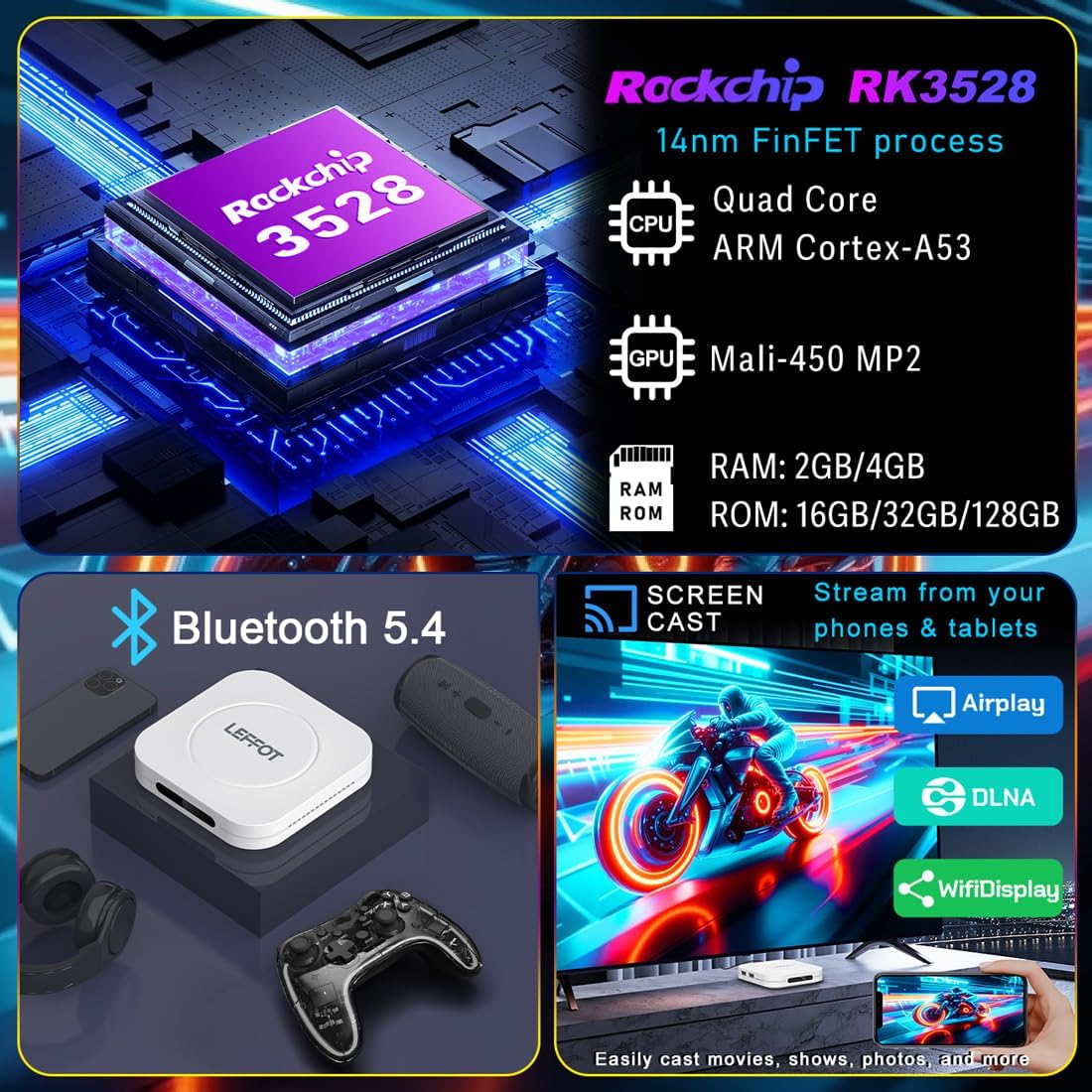
The M1 Plus offers stable and fast connectivity options including dual-band WiFi6 (802.11ax) and 100M Ethernet for buffer-free streaming. Bluetooth 5.4 allows for connection to various peripherals.
Сцреен Мирроринг
Easily share photos and videos from your phones or tablets to your TV using Airplay, DLNA, or WiFidisplay features.
Званични видео производа
Video: A short demonstration of the Google AndroidTV Box, showcasing its voice remote control capabilities.
Спецификације
| Феатуре | Опис |
|---|---|
| Бранд | ЛЕФОТ |
| Назив модела | М1 Плус |
| Оперативни систем | Андроид 14.0 |
| Процесор | RK3528 Quad-Core A53 CPU |
| ГПУ | Мали-КСНУМКС МПКСНУМКС |
| РАМ | 2ГБ |
| РОМ | 16ГБ |
| Резолуција | 8K decoding, 4K@60fps HDR10 output |
| Повезивање | 2.4G & 5G WiFi 6 (802.11ax), Bluetooth 5.4, 100M Ethernet |
| Посебне карактеристике | Google Assistant Voice Remote, Airplay, DLNA, WiFidisplay |
| Портс | Dual USB 2.0, HD 2.0b, AV, LAN, DC, SPDIF |
| Димензије | 3.8 к 3.8 к 0.81 инча |
| Тежина | 4.4 унци |
Решавање проблема
If you encounter issues with your LEFFOT M1 Plus, refer to the following common solutions:
- Нема напајања: Уверите се да је адаптер за напајање безбедно повезан и са уређајем и са исправном утичницом. Покушајте са другом утичницом.
- Нема сигнала на ТВ-у: Verify that the HD cable is properly connected to both the TV Box and your TV. Ensure your TV is set to the correct HDMI input source.
- Проблеми са Ви-Фи везом: Check your router and modem to ensure they are working correctly. Re-enter your Wi-Fi password on the TV Box. If using 5G Wi-Fi, ensure your device is within range.
- Даљински управљач не реагује: Check if the batteries are correctly inserted and have sufficient charge. Try re-pairing the Bluetooth remote if necessary (refer to on-screen instructions during initial setup or in device settings).
- Замрзавање/рушење апликације: Close and restart the application. If the issue persists, clear the app's cache or data in the device settings (Settings > Apps > [App Name] > Clear Cache/Clear Data).
- Лош видео квалитет: Ensure your internet connection is stable and fast enough for 4K streaming. Check your TV's display settings and the streaming app's quality settings.
Одржавање
To ensure the longevity and optimal performance of your LEFFOT M1 Plus TV Box:
- Држите уређај на хладном и сувом месту, даље од директне сунчеве светлости и извора топлоте.
- Очистите уређај меком, сувом крпом. Не користите течна средства за чишћење или абразивне материјале.
- Avoid blocking any ventilation openings (though this model has no external vents, ensure it's not covered).
- Regularly check for and install system updates to ensure the latest features and security patches.
Гаранција и подршка
Your LEFFOT M1 Plus TV Box comes with a standard manufacturer's warranty. For specific warranty terms and conditions, please refer to the documentation included in your package or contact LEFFOT customer support.
For technical assistance or further inquiries, please visit the official LEFFOT webсајту или контактирајте њихов тим за корисничку подршку.