
Увод
This manual provides comprehensive instructions for the setup, operation, and maintenance of your memzuoix WM125B Wireless Mouse. Designed for comfort and precision, this 2.4GHz wireless mouse offers adjustable DPI settings and broad compatibility for various computing needs.
Кључне карактеристике:
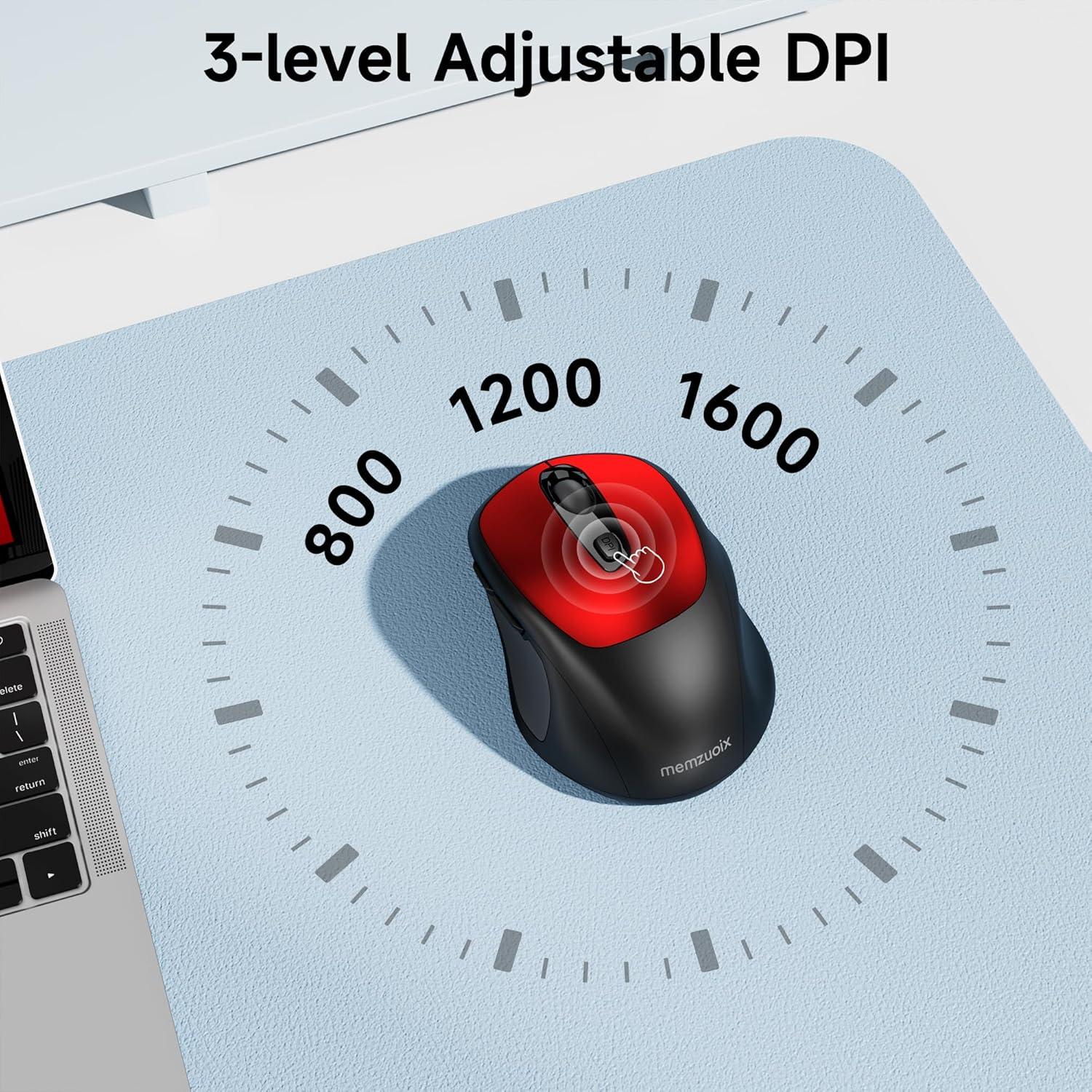
- 3 подесива нивоа DPI-ја: Easily switch between 800, 1200, and 1600 DPI for optimal control.
- Ергономски и амбидекстрални дизајн: Contoured shape with rubberized side grips for comfortable use by both left and right-handed users.
- Plug & Play 2.4GHz Nano Receiver: Instant connectivity without software installation, offering a reliable 33ft range.
- Издржљива конструкција: Buttons and scroll wheel tested for 10 million clicks, ensuring long-term reliability.
- Универзална компатибилност: Works seamlessly with Windows, macOS, Linux, and ChromeOS devices.
- Преносиви дизајн: Lightweight and compact, ideal for travel and on-the-go use.
Водич за подешавање
1. Инсталирајте батерије
- Пронађите поклопац одељка за батерију на доњој страни миша.
- Пажљиво померите или подигните поклопац да бисте отворили одељак.
- Уметните две ААА батерије, водећи рачуна о исправном поларитету (+/-).
- Вратите поклопац одељка за батерију док не кликне чврсто на своје место.

2. Повежите УСБ пријемник
- Locate the nano USB receiver, typically stored within the battery compartment of the mouse.
- Plug the USB receiver into an available USB port on your computer (PC, Mac, laptop, etc.).
- Рачунар би требало аутоматски да детектује и инсталира потребне драјвере. Није потребна додатна инсталација софтвера.

Упутство за употребу
1. Укључивање/искључивање
Locate the ON/OFF switch on the underside of the mouse. Slide the switch to the 'ON' position to activate the mouse. Slide it to 'OFF' when not in use to conserve battery life.
2. Функције дугмета
- Лево дугме: Примарна функција клика.
- Десно дугме: Функција секундарног клика (контекстни мени).
- Точак за померање: Scroll up/down documents and web pages. Can also be clicked for middle-button functionality.
- Дугме ДПИ: Cycles through DPI settings (800/1200/1600).
- Дугме за напред: Навигација напред у web претраживачи или file истраживачи.
- Дугме за назад: Навигација уназад web претраживачи или file истраживачи.
3. Adjusting DPI Sensitivity
Притисните тастер Дугме ДПИ located below the scroll wheel to cycle through the available sensitivity settings: 800 DPI (for precise control), 1200 DPI (standard use), and 1600 DPI (for faster cursor movement). The mouse will indicate the change, often with a brief LED flash.
Одржавање
1. Чишћење
Да бисте одржали оптималне перформансе, редовно чистите миш. Користите меку крпу која не оставља влакна, благо натопљенуampОпрати водом или благим раствором за чишћење. Избегавајте јаке хемикалије или абразивне материјале. Уверите се да течност не уђе у унутрашње компоненте миша.
2. Замена батерије
When the mouse's performance degrades or it stops responding, it may be time to replace the batteries. Follow the steps in the 'Install Batteries' section of this manual to replace the two AAA batteries. Dispose of old batteries responsibly according to local regulations.
Решавање проблема
- Миш не реагује:
- Ensure the mouse is switched 'ON' using the power switch on the underside.
- Проверите да ли су батерије правилно постављене и да ли су довољно напуњене. Замените их ако је потребно.
- Проверите да ли је USB пријемник безбедно прикључен на исправан USB порт на рачунару. Покушајте са другим USB портом.
- Поново покрените рачунар.
- Cursor movement is erratic or inaccurate:
- Ensure the mouse is used on a clean, non-reflective surface. Avoid glass or highly reflective surfaces.
- Очистите оптички сензор на доњој страни миша меком крпом.
- Покушајте да подесите DPI помоћу дугмета DPI.
- Connection issues or frequent disconnections:
- Ensure the mouse is within the effective operating range (approximately 33 feet) of the USB receiver.
- Avoid using the mouse near strong electromagnetic interference sources (e.g., other wireless devices, large metal objects).
- Re-pair the mouse with the receiver if possible (refer to manufacturer's website for specific pairing instructions if needed, as this model is typically plug-and-play).
Спецификације
| Феатуре | Детаљ |
|---|---|
| Бранд | мемзуоик |
| Број модела | ВМ125Б |
| Технологија повезивања | 2.4 GHz бежични (USB нано пријемник) |
| ДПИ Левелс | 800 / 1200 / 1600 |
| Број дугмади | 6 (лево, десно, точкић за скроловање, DPI, напред, назад) |
| Технологија детекције покрета | Оптицал |
| Извор напајања | 2 к ААА батерије (нису укључене) |
| Тежина артикла | 3.2 унци |
| Димензије пакета | 4.8 к 3.23 к 1.85 инча |
| Боја | Црвени |
| Компатибилност | PC, Mac, Laptop (Windows, macOS, Linux, ChromeOS) |
Гаранција и подршка
The memzuoix WM125B Wireless Mouse comes with a standard manufacturer's warranty. For specific warranty details, return policies, or technical support, please refer to the product packaging or contact memzuoix customer service directly through their official webсајт или продавницу где је производ купљен.
За додатну помоћ, посетите memzuoix Store on Amazon.