
bemi KIX-M
bemi Smartwatch Fitness Tracker User Manual
Model: KIX-M (B0FCYD6VV2)
Увод
This manual provides detailed instructions for the setup, operation, and maintenance of your bemi Smartwatch Fitness Tracker. Please read this manual thoroughly before using the device to ensure proper functionality and to maximize your user experience.
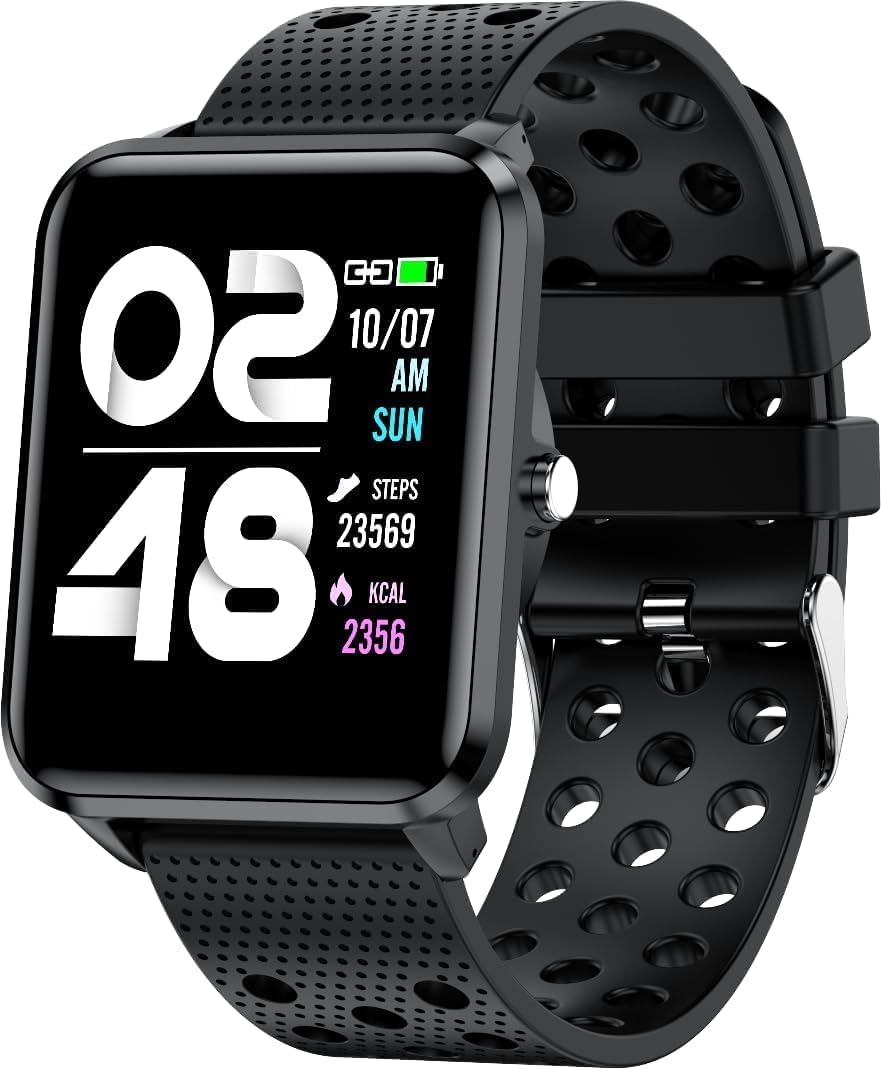
Слика: Фронт view of the bemi Smartwatch, showing the digital display with time, date, steps, and calories burned. The watch has a black perforated silicone band.
Шта је у кутији
- Kix-m Smartwatch
- USB Cable (Charging Cable)
- Упутство за употребу
- Поклон кутија
Сетуп
1. Пуњење паметног сата
Before first use, fully charge your smartwatch. Connect the provided USB charging cable to the magnetic charging points on the back of the watch and to a USB power source. The watch display will indicate charging status.

Слика: Позади view of the bemi Smartwatch, highlighting the magnetic charging contacts and the optical heart rate sensor.
2. Инсталирање пратеће апликације
The smartwatch operates with the "H Band" application. Download the app from the App Store (for iOS devices) or Google Play Store (for Android devices).
- Тражи "H Band" in your device's app store.
- Преузмите и инсталирајте апликацију.
- Уверите се да је Блутут на вашем паметном телефону омогућен.
3. Pairing the Smartwatch with Your Phone
- Open the "H Band" app on your smartphone.
- Пратите упутства на екрану да бисте креирали налог или се пријавили.
- Идите до одељка за упаривање уређаја у апликацији.
- Select your bemi Smartwatch from the list of available devices. The app will guide you through the pairing process.
- Потврдите захтев за упаривање и на телефону и на паметном сату ако се то од вас затражи.
Note: The smartwatch is compatible with Android (4.4 or newer) and iOS (8.0 or newer) operating systems.
Упутство за употребу
Основна навигација
- екран осетљив на додир: Превуците прстом лево/десно, горе/доле да бисте се кретали кроз меније и функције. Додирните да бисте изабрали.
- Бочно дугме: Press to wake the screen, return to the home screen, or confirm selections.
Кључне карактеристике и функције
Прилагодљиви сатови
Choose from 24 clock faces available in the "H Band" application. You can also set a photo from your phone as the watch face.

Image: The smartwatch screen showing different digital and analog watch face designs, indicating customization options available through the app.
Праћење активности
The smartwatch monitors your steps, distance, and calories burned. All activity data is recorded and can be viewed in the "H Band" app.

Image: A person running outdoors with the bemi Smartwatch visible on their wrist, showing the step tracking interface with current steps, distance, and calories.
Heart Rate and Blood Oxygen Monitoring
The watch provides 24-hour monitoring of pulse and blood oxygen levels. View real-time data on the watch or detailed historical data in the app.

Image: A close-up of the smartwatch screen showing heart rate (BPM) and blood pressure (mmHg) readings with a graph of historical data.
Слееп Мониторинг
Track your sleep patterns, including deep sleep, light sleep, and awake times. The app provides detailed analysis of your sleep quality.

Image: The "H Band" app interface displaying sleep quality data, including total sleep duration, deep sleep, light sleep, and awake times, with a corresponding graph.
Репродукција музике
The KIX-M features a built-in audio player with 512MB of internal memory. You can store music directly on the watch and connect Bluetooth headphones or speakers for wireless listening.

Image: The bemi Smartwatch showing its music player interface with play/pause and skip controls, alongside a pair of wireless earbuds, demonstrating its audio capabilities.
Обавештења
Receive notifications for calls, messages, and various applications directly on your smartwatch. Configure notification settings within the "H Band" app.

Image: The smartwatch screen showing an incoming message notification, with icons for various social media and communication apps like SMS, Twitter, WeChat, Skype, YouTube, Facebook, Google+, Instagрам и ЛинкедИн.
Друге паметне функције
- 10 Sport Modes: Track specific workouts like running, cycling, and more.
- Подсетник о покрету: Get alerts to move if you've been sedentary for too long.
- Special Mode for Women: Track menstrual cycles and ovulation.
- Контрола камере: Даљински управљајте камером свог телефона.
- Аларм: Подесите аларме директно са сата или апликације.
- Штоперица и тајмер: Основне функције мерења времена.
- Пронађите телефон: Пронађите упарени паметни телефон.
- GPS Position Tracking: Requires carrying your phone with you for GPS data.

Image: The "H Band" app interface displaying the female health tracking calendar, allowing users to log menstrual periods and predict ovulation.
Одржавање
Чишћење паметног сата
Regularly clean your smartwatch and band to prevent skin irritation and maintain device performance.
- Обришите екран и кућиште сата меком крпом која не оставља влакна.
- For stubborn spots, dampБлаго натопите крпу водом. Избегавајте употребу јаких хемикалија или абразивних материјала.
- Периодично чистите контакте за пуњење како бисте осигурали добру везу.
Водоотпорност (IP68)
The smartwatch is IP68 waterproof, meaning it is resistant to dust and can withstand immersion in water up to 1.5 meters for up to 30 minutes. It is suitable for daily use, hand washing, and light rain. Avoid hot water, steam, or prolonged immersion in water, especially saltwater.

Image: The bemi Smartwatch with water splashing over its screen and band, illustrating its IP68 water resistance rating.
Баттери Царе
- Пре прве употребе напуните батерију до краја.
- Избегавајте често потпуно пражњење батерије.
- Уређај чувајте на хладном и сувом месту ако се не користи дуже време.
Решавање проблема
| Проблем | Могући узрок | Решење |
|---|---|---|
| Сат се не укључује | Ниска батерија | Пуните сат најмање 30 минута. |
| Не могу да упарим телефон | Bluetooth off, app not open, watch not discoverable, phone OS not compatible | Ensure Bluetooth is on. Open "H Band" app. Restart watch and phone. Check OS compatibility (Android 4.4+/iOS 8.0+). |
| Нетачни здравствени подаци (пулс, SpO2) | Improper fit, sensor obstruction, movement during measurement | Ensure watch is snug but comfortable on wrist. Clean sensor. Remain still during measurement. |
| Обавештења нису примљена | App permissions, notification settings, Bluetooth disconnected | Check app permissions for notifications. Verify notification settings in "H Band" app. Ensure watch is connected via Bluetooth. |
| Екран не реагује | Software glitch, low battery | Restart the watch (if possible). Charge the watch. |
Спецификације
| Феатуре | Детаљ |
|---|---|
| Модел | KIX-M |
| Величина екрана | 1.5 инча |
| Дисплаи Типе | Тоуцхсцреен |
| Отпорност на воду | ИП68 |
| Повезивање | Bluetooth (Dual Bluetooth module) |
| Интерна меморија | 512 MB (for music storage) |
| Капацитет батерије | 200 Милиamp Сати (мАх) |
| Оперативни систем | ROTS |
| Компатибилан ОС | Андроид 4.4+ / иОС 8.0+ |
| Сензори | Heart Rate Monitor, Blood Oxygen Sensor, Accelerometer |
| Карактеристике | Activity Tracker, Sleep Tracking, Pedometer, Calorie Tracker, Music Player, Notifications, Gesture Control, 10 Sport Modes, Female Health Tracking, Camera Control, Alarm, Stopwatch, Timer, Find Phone, GPS via Smartphone |
| Тежина артикла | 4.4 унци |
| Димензије | 5.35 к 2.64 к 2.44 инча (димензије паковања) |
Гаранција и подршка
For warranty information and technical support, please refer to the contact details provided with your purchase or visit the official bemi webсајт. Сачувајте доказ о куповини за евентуалне рекламације по гаранцији.
Note: The manufacturer is Minrek.
Ask a question about this manual
Ask about setup, troubleshooting, compatibility, parts, safety, or missing instructions. Manuals+ will review the question and use this page’s manual context to help answer it.