
1. Увод
This manual provides detailed instructions for the MCHOSE A5 Ultra V2 Wireless Gaming Mouse. Designed for high-performance gaming, this mouse combines a lightweight, symmetrical design with advanced connectivity and sensor technology. Please read this manual thoroughly to ensure proper setup and optimal use of your device.
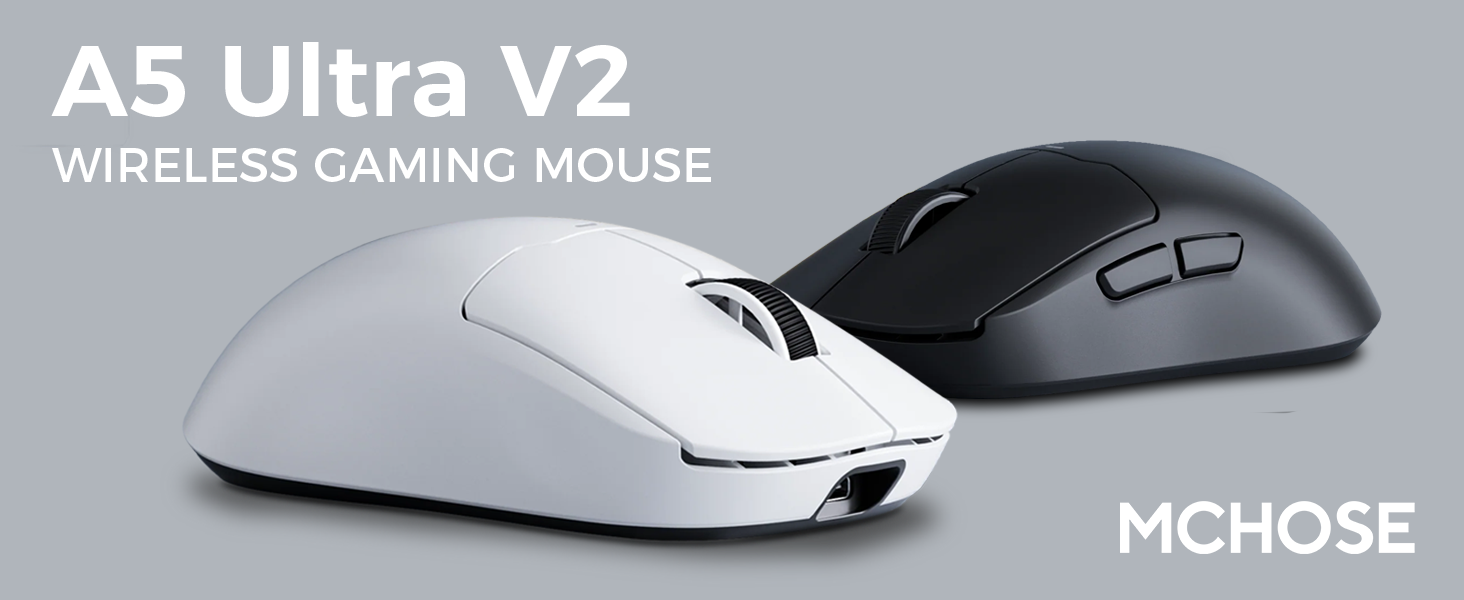
Figure 1: MCHOSE A5 Ultra V2 Wireless Gaming Mouse Overview
2. Кључне карактеристике
- Лагани дизајн: Weighing only 54g, the mouse offers optimal control and comfort for extended gaming sessions.

Figure 2: Lightweight design for enhanced comfort.
- High Precision PAW3395 Optical Sensor: Achieve maximum accuracy with up to 26,000 DPI for precise tracking.

Figure 3: PAW3395 optical sensor for high precision.
- Wired 8K/Wireless 4K Polling Rate: Experience ultra-low-latency and lightning-fast response times with up to 8000Hz wired and 4000Hz wireless polling rates.

Figure 4: Illustrating the 4K wireless polling rate capability.
- Тромодална веза: Connect via ultra-low-latency 2.4GHz wireless, Bluetooth, or wired USB for versatile use across various devices.

Figure 5: Tri-mode connectivity options.
- Custom Software: Utilize the dedicated software to store custom settings for buttons, DPI adjustments, polling rates, and gaming modes directly on the mouse's onboard memory.

Figure 6: Custom software for personalized settings.
- Дуготрајна батерија: Enjoy up to 130 hours of battery life on a single charge, minimizing interruptions during gameplay.
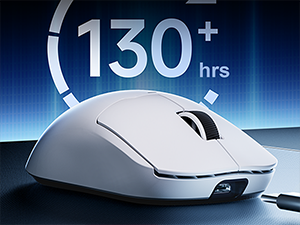
Figure 7: Extended battery life for prolonged use.
3. Упутства за подешавање
The MCHOSE A5 Ultra V2 offers three connection modes: 2.4GHz wireless, Bluetooth, and wired USB.
3.1. Бежична веза од 2.4 GHz
- Locate the 2.4GHz USB receiver (dongle) inside the mouse's bottom compartment.
- Укључите УСБ пријемник у слободан УСБ порт на рачунару.
- Turn on the mouse using the switch located on the bottom. Ensure it is set to the 2.4GHz wireless mode (usually indicated by a specific position or LED color).
- Your computer should automatically detect the mouse. If not, try restarting your computer or replugging the receiver.

Figure 8: USB receiver stored in the mouse compartment.
3.2. Блуетоотх веза
- Turn on the mouse and set the switch on the bottom to Bluetooth mode.
- На рачунару или уређају идите на подешавања Bluetooth-а.
- Initiate the pairing process on your device. The mouse should appear as "MCHOSE A5 Ultra V2" or similar.
- Select the mouse to pair. Follow any on-screen prompts.
3.3. Wired USB Connection
- Повежите приложени USB-C кабл са предњим портом миша.
- Повежите други крај кабла са доступним УСБ портом на рачунару.
- Миш ће се аутоматски пребацити у жични режим и почети са пуњењем.
4. Упутство за употребу
4.1. Основне функције
- Леви клик: Примарна акција.
- Десни клик: Секундарни радни/контекстни мени.
- Точак за померање: Померање горе/доле, клик средњим тастером миша.
- Бочна дугмад: Typically configured for forward/backward navigation in web browsers. Customizable via software.
4.2. Подешавање DPI-ја
The mouse features a dedicated DPI button (often located on the bottom or top, near the scroll wheel) to cycle through preset DPI levels. For fine-tuning and custom DPI settings, use the MCHOSE custom software.
4.3. Custom Software Usage
Download the MCHOSE custom software from the official MCHOSE webсајт. Овај софтвер вам омогућава да:
- Remap buttons.
- Adjust DPI levels and create custom profiles.
- Modify polling rates.
- Configure macros.
- Manage gaming modes.
Settings are stored on the mouse's onboard memory, allowing you to use your custom configurations on any computer without the software installed.
5. Одржавање
- Чишћење: Користите меку, суву крпу за чишћење површине миша. За тврдокорну прљавштину, благо дamp Може се користити крпа, водећи рачуна да влага не уђе у уређај. Избегавајте јаке хемикалије или абразивне материјале.
- Чишћење сензора: Periodically clean the optical sensor on the bottom of the mouse with a cotton swab to ensure optimal tracking performance.
- Одржавање батерије: To prolong battery life, avoid fully discharging the mouse frequently. Charge the mouse when the battery indicator is low.
- Складиштење: Када се миш не користи дуже време, чувајте га на хладном и сувом месту.
КСНУМКС. Решавање проблема
| Проблем | Могући узрок | Решење |
|---|---|---|
| Миш не реагује (бежични) | Low battery; USB receiver disconnected; Incorrect mode selected. | Charge the mouse; Re-plug the USB receiver; Ensure the mouse is in 2.4GHz or Bluetooth mode. |
| Миш не реагује (Блутут) | Not paired; Bluetooth off on device; Low battery. | Re-pair the mouse; Enable Bluetooth on your device; Charge the mouse. |
| Нетачно праћење | Dirty sensor; Unsuitable surface; Incorrect DPI setting. | Clean the optical sensor; Use a mouse pad or suitable surface; Adjust DPI settings. |
| Дугмад не раде | Software conflict; Physical damage. | Restart computer; Check custom software settings; Contact support if physical damage is suspected. |
| Кратко трајање батерије | Frequent high polling rate use; Battery degradation. | Reduce polling rate if not critical; Ensure full charges; Contact support if battery life significantly degrades. |
7. Спецификације производа
| Феатуре | Детаљ |
|---|---|
| Модел | A5 Ultra V2 |
| Бранд | МЦХОСЕ |
| Технологија повезивања | 2.4 GHz бежични, Bluetooth, USB жични |
| Технологија детекције покрета | Оптички (PAW3395) |
| Мак ДПИ | 26,000 ДПИ |
| Поллинг Рате | Wired 8000Hz, Wireless 4000Hz |
| Тежина артикла | 54 грама (2.12 унци) |
| Трајање батерије | До 130 сати |
| Батерије | 1 литијум-јонска батерија (укључена) |
| Боја | Црна (као што је тренутно доступна варијанта) |
| Димензије пакета | 7.36 к 4.53 к 3.31 инча |
| Компатибилност оперативног система | Линук, Виндовс |
8. Гаранција и подршка
This MCHOSE product is covered by a standard manufacturer's warranty. For specific warranty details, please refer to the warranty card included in your product packaging or visit the official MCHOSE webсајту.
For technical support, troubleshooting assistance, or warranty claims, please contact MCHOSE customer service through their official webсајт или контакт информације наведене у документацији вашег производа.
Note: Protection plans may be available for purchase separately through retailers. These plans are not directly provided by MCHOSE.