
1. Увод
This manual provides essential information for setting up, operating, and maintaining your NIMO N156 15.6" FHD Laptop. Please read this guide thoroughly before using your device to ensure proper function and longevity. Keep this manual for future reference.
2. Садржај пакета
Проверите да ли су све ставке присутне у вашем пакету:
- 1 x NIMO N156 Laptop
- 1 x Type-C 100W PD Fast Charger
- 1 x Упутство за употребу (овај документ)
- Windows 11 Home Operating System (pre-installed)

Image: The NIMO N156 laptop, showcasing its 15.6-inch Full HD IPS display, Intel Core i5-12450H processor, 32GB RAM, 1TB SSD, fingerprint reader, Type-C PD charger, and backlit keyboard.
3. Производ је готовview
3.1. Компоненте и карактеристике
- Приказ: 15.6" Full HD (1920x1080) IPS Anti-glare Panel with 178° wide viewинг углова.
- процесор: Intel Core i5-12450H (8 Cores, up to 4.4GHz).
- Меморија: 32GB DDR4 RAM (user-expandable).
- Складиштење: 1TB PCIe NVMe SSD (user-expandable).
- тастатура: Тастатура пуне величине са позадинским осветљењем и нумеричком тастатуром.
- безбедност: Integrated fingerprint reader, Webштит за приватност камере.
- Пуњење: 100W Type-C Power Delivery (PD) fast charging.
- Повезивање: Ви-Фи 6.

Image: A detailed diagram illustrating the various ports on the NIMO N156 laptop, including Micro SD, USB 2.0, USB 3.0, Headphone Jack, Kensington lock, Type-C (multifunction), Type-C (PD Charger Only), HDMI, and Charge LED.
3.2. Распоред портова
Familiarize yourself with the port locations for connecting peripherals:
- лева страна: USB 3.0 Port, USB 2.0 Port, Micro SD Card Slot, Headphone Jack, Kensington Lock.
- Десна страна: HDMI Port, USB 3.0 Port, Type-C Port (multifunction), Type-C Port (for PD Charger only), Charge LED.
4. Подешавање
4.1. Прво укључивање
- Unpack the laptop and charger from the box.
- Connect the 100W Type-C PD Fast Charger to the designated Type-C charging port on the laptop and plug it into a power outlet.
- Open the laptop lid. The power button is typically located on the top right of the keyboard or on the side. Press and hold the power button for a few seconds until the screen illuminates.
- Оставите лаптоп да се пуни најмање 30 минута пре прве употребе, посебно ако је батерија потпуно испражњена.

Image: The NIMO 100W Type-C PD Fast Charger, designed for rapid charging of the laptop and compatible devices.
4.2. Подешавање система Windows 11
Follow the on-screen instructions to complete the Windows 11 setup process. This typically includes:
- Избор региона и распореда тастатуре.
- Повезивање на Ви-Фи мрежу.
- Пријављивање са или креирање Microsoft налога.
- Подешавање ПИН-а или лозинке.
- Reviewподешавања приватности.
5. Упутство за употребу
5.1. Управљање напајањем
- Укључено: Притисните дугме за напајање.
- Режим спавања: Briefly press the power button or close the lid.
- Искључи: Кликните на дугме Старт у оперативном систему Windows, затим на Напајање > Искључи.
- Поново покрени: Click the Windows Start button, then Power > Restart.
5.2. Карактеристике тастатуре

Слика: Крупни план view of the NIMO N156 laptop's backlit keyboard, highlighting the numeric keypad and the integrated fingerprint sensor on the touchpad.
- Тастатура са позадинским осветљењем: Use the dedicated function key (often Fn + Fx, where Fx is an icon resembling a keyboard with light) to toggle the backlight on/off or adjust brightness levels.
- Нумеричка тастатура: The full-size numeric keypad on the right provides convenient data entry.
5.3. Читач отиска прста
The integrated fingerprint reader allows for secure and quick login. To set it up:
- Идите на Подешавања система Windows > Налози > Опције пријављивања.
- Under 'Windows Hello Fingerprint', click 'Set up' and follow the on-screen prompts to register your fingerprints.
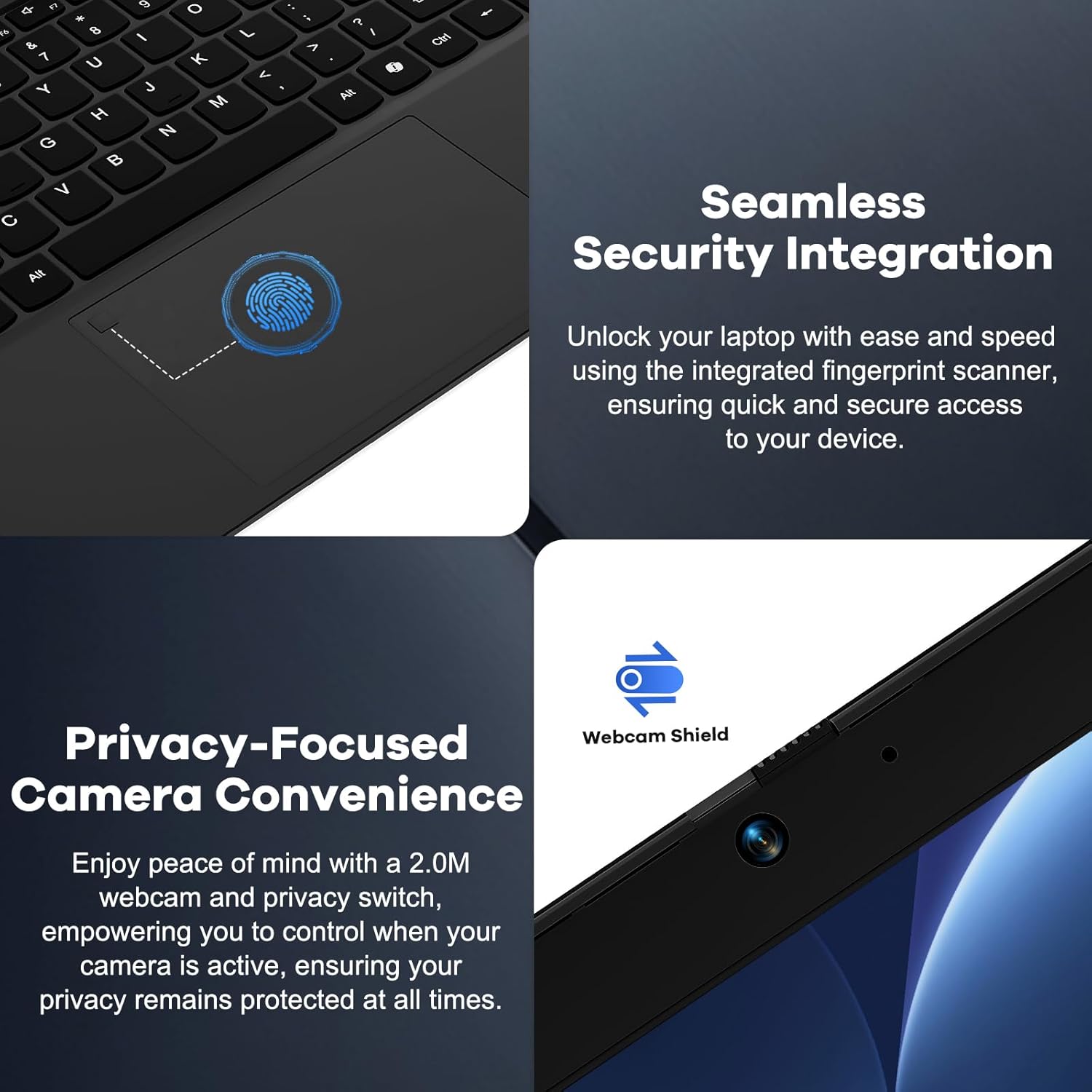
Image: A split image showing a close-up of the fingerprint reader on the touchpad for seamless security integration, and the physical webcam shield for privacy control.
5.4. Webcam Privacy Shield
The laptop features a physical privacy shield for the webcam. Slide the cover to the left to open the webcam for use, and slide it to the right to cover it when not in use, ensuring your privacy.
5.5. Повезивање периферних уређаја
Користите различите портове за повезивање екстерних уређаја:
- УСБ портови: Connect USB drives, external keyboards, mice, or other USB accessories.
- ХДМИ порт: Повежите се са екстерним монитором или телевизором за проширени приказ.
- Type-C Ports: One port supports multifunctionality (data transfer, display output via adapter), and the other is dedicated for the 100W PD charger.
- Слушалице: Повежите слушалице или спољне звучнике.
- Утор за микро СД картицу: Insert a Micro SD card for additional storage or data transfer.
6. Одржавање
6.1. Чишћење
- Always power off the laptop and disconnect the charger before cleaning.
- Користите меку крпу која не оставља длачицеampиспрати водом или средством за чишћење екрана.
- For the keyboard and chassis, use a soft, dry cloth. A can of compressed air can remove dust from crevices.
- Avoid harsh chemicals, abrasives, or excessive moisture.
6.2. Storage and RAM Upgrades
The NIMO N156 laptop features user-expandable DDR4 RAM and PCIe NVMe SSD storage. Refer to the official NIMO support resources or a qualified technician for detailed instructions on performing upgrades to avoid voiding your warranty or damaging the device.

Image: The NIMO N156 laptop displaying multiple open applications, emphasizing its high-speed 32GB RAM and 1TB PCIe SSD for faster performance and multitasking.
6.3. Брига о батерији
- Избегавајте често потпуно пражњење батерије.
- Чувајте лаптоп на хладном и сувом месту ако га не користите дуже време, са батеријом напуњеном на око 50-70%.
- Use only the provided NIMO 100W Type-C PD Fast Charger.
КСНУМКС. Решавање проблема
Ако наиђете на проблеме, покушајте са следећим основним корацима за решавање проблема:
- Лаптоп се не укључује: Ensure the charger is properly connected and plugged into a working outlet. Try a different outlet. If the battery is completely drained, allow it to charge for a while before attempting to power on.
- Екран је празан: Check if the laptop is powered on. Try connecting an external monitor via HDMI to see if there's a display output.
- Проблеми са Wi-Fi повезивањем: Ensure Wi-Fi is enabled in Windows settings. Restart your router and the laptop. Check for updated network drivers.
- Споре перформансе: Close unnecessary applications. Check for sufficient free storage space. Ensure Windows and drivers are up to date.
- прегревање: Уверите се да вентилациони отвори нису блокирани. Користите лаптоп на тврдој, равној површини.
For more complex issues, refer to the NIMO support webсајту или контактирајте корисничку подршку.
8. Спецификације
| Феатуре | Спецификација |
|---|---|
| Модел | Nimo N156 |
| Дисплаи | 15.6" Full HD (1920x1080) IPS Anti-glare |
| Процесор | Intel Core i5-12450H (8 Cores, up to 4.4 GHz) |
| РАМ | 32 GB DDR4 (3200 MHz) |
| Складиштење | 1 TB PCIe NVMe SSD |
| Оперативни систем | Виндовс 11 Хоме |
| Графика | Интегрисана Интел Грапхицс |
| Бежично повезивање | Ви-Фи 6 (802.11а/б/г/н/ац) |
| Портс | 2x USB 3.0, 1x USB 2.0, 2x Type-C (1x PD Charging), 1x HDMI, 1x Headphone Jack, 1x Micro SD Card Slot, 1x Kensington Lock |
| Трајање батерије | Approx. 5 hours (average usage), up to 9 hours (standby) |
| пуњач | 100W Type-C PD Fast Charger |
| Димензије (ДкШкВ) | 14.07 к 8.98 к 0.76 инча |
| Тежина | 5 фунти |
| Посебне карактеристике | Позадинско осветљење тастатуре, читач отиска прста, Webcam Shield, Numeric Keypad, 180° Lay-Flat Hinge |
9. Гаранција и подршка
Your NIMO N156 laptop is backed by a comprehensive 2-Year Manufacturer's Guarantee from Nimo Direct Inc. This warranty covers defects in materials and workmanship under normal use.
Additionally, NIMO offers a 90-Day Hassle-Free Returns policy. If you are not satisfied with your purchase, you may return it within 90 days according to the return policy terms.
For technical assistance, warranty claims, or support inquiries, please visit the official NIMO support website or contact their customer service department. Please have your model number (Nimo N156) and purchase information ready when contacting support.

Image: An illustration highlighting NIMO's after-sales services, including partially assembled domestically, 90-day returns, and 2 years of support.