
1. Увод и крајview
Thank you for choosing the iScooter W6 Electric Scooter. This manual provides essential information for the safe operation, assembly, maintenance, and troubleshooting of your new electric scooter. Please read this manual thoroughly before your first ride to ensure optimal performance and safety.
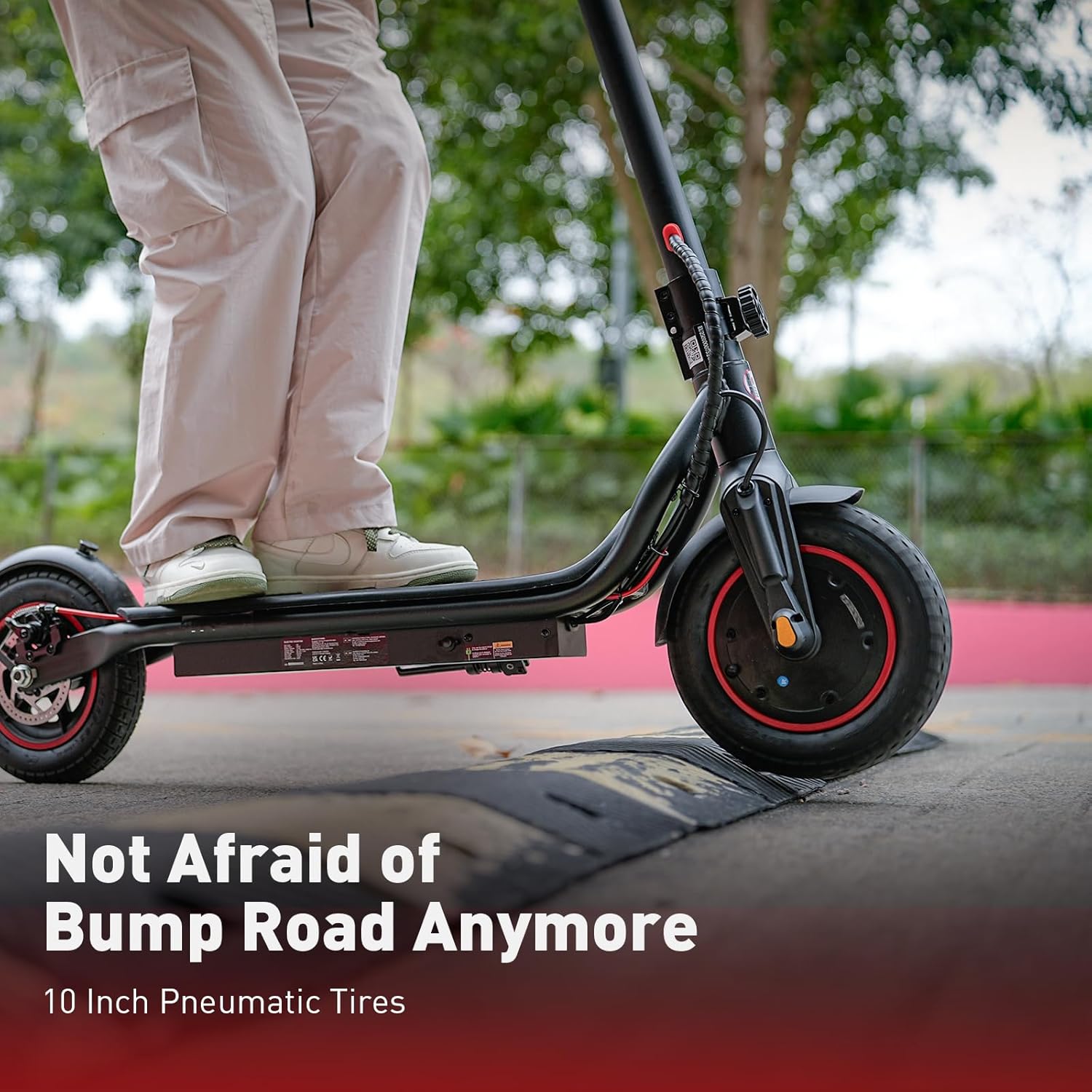
The iScooter W6 is designed for adults and teens, featuring a powerful 500W brushless motor, a top speed of 35 km/h, and a maximum range of 37 km. It is equipped with 10-inch pneumatic tires for a comfortable ride, dual braking systems for enhanced safety, and optional smart APP control for a personalized experience.
2. Безбедносне информације
Your safety is paramount. Always wear a helmet and appropriate protective gear (knee pads, elbow pads) when riding. Familiarize yourself with local laws and regulations regarding electric scooter use.
- Увек носите сертификовану кацигу.
- Do not ride in heavy rain or through puddles deeper than 2 cm.
- Avoid riding on slippery surfaces, loose gravel, or steep inclines.
- Одржавајте безбедно растојање од других возила и пешака.
- Не прекорачујте максималну дозвољену тежину од 120 кг (264 фунте).
- Ensure all screws and quick releases are securely fastened before each ride.
- Use both brakes simultaneously for effective stopping.
- Be aware of your surroundings and avoid distractions while riding.
3. Садржај пакета
Молимо вас да проверите садржај вашег пакета. Ако неке ставке недостају или су оштећене, контактирајте корисничку подршку.
- иСцоотер В6 Електрични скутер
- пуњач
- Упутство за употребу
- Screws and Screwdriver for assembly
4. Монтажа и подешавање
Your iScooter W6 comes partially assembled. Follow these steps to complete the setup:
- Расклопите скутер: Carefully lift the handlebar stem until it locks into place. Ensure the folding mechanism is securely latched.
- Attach the Handlebars: Insert the handlebars into the stem and tighten the screws using the provided screwdriver. Ensure they are firmly attached and aligned.
- Проверите притисак у гумама: Verify that the 10-inch pneumatic tires are inflated to the recommended pressure for optimal ride comfort and range.
- Почетна наплата: Fully charge the scooter before its first use. Refer to the 'Charging' section for details.

5. Упутство за употребу
Before riding, ensure you are in a safe, open area and are wearing all necessary safety gear.
5.1 Укључивање/искључивање
- To power on, press and hold the power button on the display for a few seconds.
- Да бисте искључили напајање, поново притисните и држите дугме за напајање док се екран не искључи.
5.2 Режими вожње
The iScooter W6 offers three speed modes to suit different riding conditions:
- ЕКО режим: Approximately 14 km/h (9 mph) - For energy saving and beginners.
- Режим вожње: Approximately 24 km/h (15 mph) - Standard mode for balanced performance.
- Спортски режим: Approximately 35 km/h (22 mph) - For maximum speed and power.
Press the power button once while the scooter is on to cycle through the speed modes.

5.3 Убрзање и кочење
- убрзање: Push off with your foot to gain initial momentum, then gently press the throttle lever on the right handlebar.
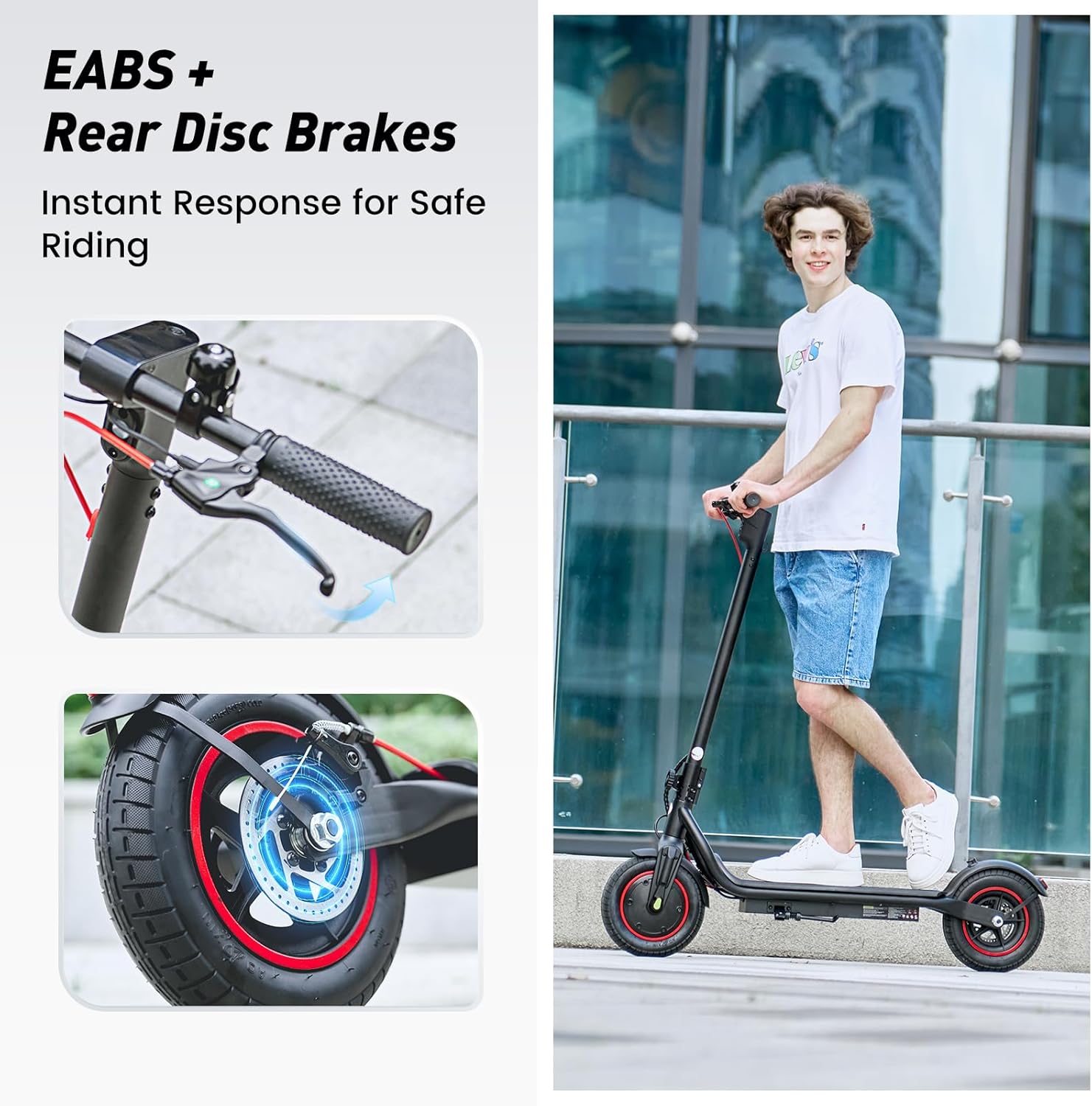
- кочење: The scooter features dual braking systems: a rear disc brake and an electronic brake. Squeeze the brake levers on the handlebars to slow down or stop. For emergency stops, apply both brakes firmly.
- темпомат: To activate cruise control, maintain a consistent speed for 5 seconds. The scooter will beep, and the cruise control icon will appear on the display. To deactivate, press the throttle or brake lever.
5.4 Lights and Bell
- фар: Press the power button twice quickly to turn the LED headlight on or off.
- Задње светло: The rear warning light automatically activates with the headlight and when braking.
- звоно: Use the integrated bell on the left handlebar to alert pedestrians or other riders.
6. Паметна контрола преко апликације
The iScooter W6 supports smart APP control for enhanced functionality (for models with APP support). Download the official iScooter APP from your smartphone's app store.
- Упаривање: Follow the in-app instructions to pair your scooter via Bluetooth.
- Карактеристике: The APP allows you to lock/unlock the scooter, view real-time ride data (speed, battery level, mileage), switch riding modes, and more.
- Anti-Theft Security: The APP can remotely lock the scooter, making it unridable and providing an additional layer of security.

7. Пуњење
Proper charging practices extend battery life and ensure safe operation.
- батерија: The scooter is equipped with a 42V / 10.5Ah lithium-ion battery.
- Време пуњења: A full charge typically takes 5–7 hours.
- Процес пуњења: Connect the charger to the charging port on the scooter, then plug it into a standard wall outlet. The indicator light on the charger will change (e.g., red to green) when fully charged.
- Најбоље праксе: Avoid completely draining the battery. Store the scooter with a partial charge (20-80%) if not used for extended periods. Do not charge unattended.
8. Одржавање
Редовно одржавање осигурава дуготрајност и безбедан рад вашег скутера.
- Чишћење: Обришите скутер огласомamp крпа. Не користите воду под високим притиском или корозивна средства за чишћење.
- гуме: Regularly check tire pressure and for any signs of wear or damage. The 10-inch pneumatic tires provide a comfortable ride but require proper inflation.
- кочнице: Inspect brake levers, cables, and disc brakes for proper function and wear. Adjust or replace components as needed.
- Причвршћивачи: Периодично проверавајте све завртње и вијке како бисте били сигурни да су чврсто затегнути.
- Складиштење: Чувајте скутер на хладном и сувом месту, даље од директне сунчеве светлости и екстремних температура.

КСНУМКС. Решавање проблема
If you encounter issues with your iScooter W6, refer to the following common problems and solutions:
| Проблем | Могући узрок | Решење |
|---|---|---|
| Скутер се не укључује | Low battery; loose connections; power button malfunction | Charge the battery; check all visible connections; contact support if issue persists. |
| Смањени домет или брзина | Low tire pressure; heavy load; riding uphill; cold weather; aging battery | Inflate tires to correct pressure; reduce load; ride on flatter terrain; ensure battery is fully charged. |
| Кочнице нису ефикасне | Worn brake pads; loose brake cable; disc brake misalignment | Inspect and adjust brake components; replace worn parts; seek professional service if unsure. |
| Неуобичајени звукови током рада | Loose components; debris in wheels; motor issue | Check for loose parts and tighten; inspect wheels for obstructions; contact support if noise persists. |
За проблеме који нису наведени овде или ако кораци за решавање проблема не реше проблем, обратите се корисничкој подршци iScooter-а.
10. Спецификације
Key technical specifications for the iScooter W6 Electric Scooter:
| Феатуре | Спецификација |
|---|---|
| Број модела | W6 |
| Снага мотора | 500В |
| Мак Спеед | 35 км/х |
| Мак домет | 37 км |
| Батерија | 42В / 10.5Ах |
| Вхеел Сизе | 10 инча (пнеуматски) |
| Браке Типе | Rear Disc Braking & Electronic Braking |
| Максимални капацитет тежине | 120 килограма (264 лбс) |
| Тежина артикла | 15 кг |
| Материјал | Алуминијум |
| Посебне карактеристике | 37KM Max Range & 35KM/H Top Speed, 500W Powerful Motor & 10'' Inflatable Tires, Double Braking Systems (Rear Disc Braking & Electronic Braking), Foldable & Commuting, Smart APP Support |
11. Гаранција и подршка
iScooter provides a comprehensive warranty and dedicated customer support for your electric scooter.
- Гарантни период: One-year warranty for the E-scooter, and 180-day warranty for specific parts such as the motor and battery. This warranty is non-transferable after the product's initial sale.
- враћа: iScooter offers a 7-day no-reason return policy, provided there is no human damage and no stains on the product.
- Оштећење приликом испоруке: If shipping damage occurs, please contact iScooter support at суппорт@исцоотерглобал.цом и доставите фото или видео доказ.
- Корисничка подршка: iScooter is committed to providing quality items and service. For any inquiries or assistance, please reach out to our customer support team.