1. Getting Started: Unboxing and Components
This section details the contents of your TABWEE T80 package and provides an overview of the tablet's physical features.
1.1 Садржај пакета
Проверите да ли се у вашем пакету налазе све ставке наведене у наставку:
- TABWEE T80 Android Tablet
- Блуетоотх тастатура
- Бежични миш
- Стилус Пен
- Протецтиве Цасе
- Заштитна фолија за екран (унапред постављена или одвојена)
- Сталак за таблете
- Charger and USB-C Cable

1.2 Производ завршенview
Familiarize yourself with the tablet's buttons, ports, and camera locations.
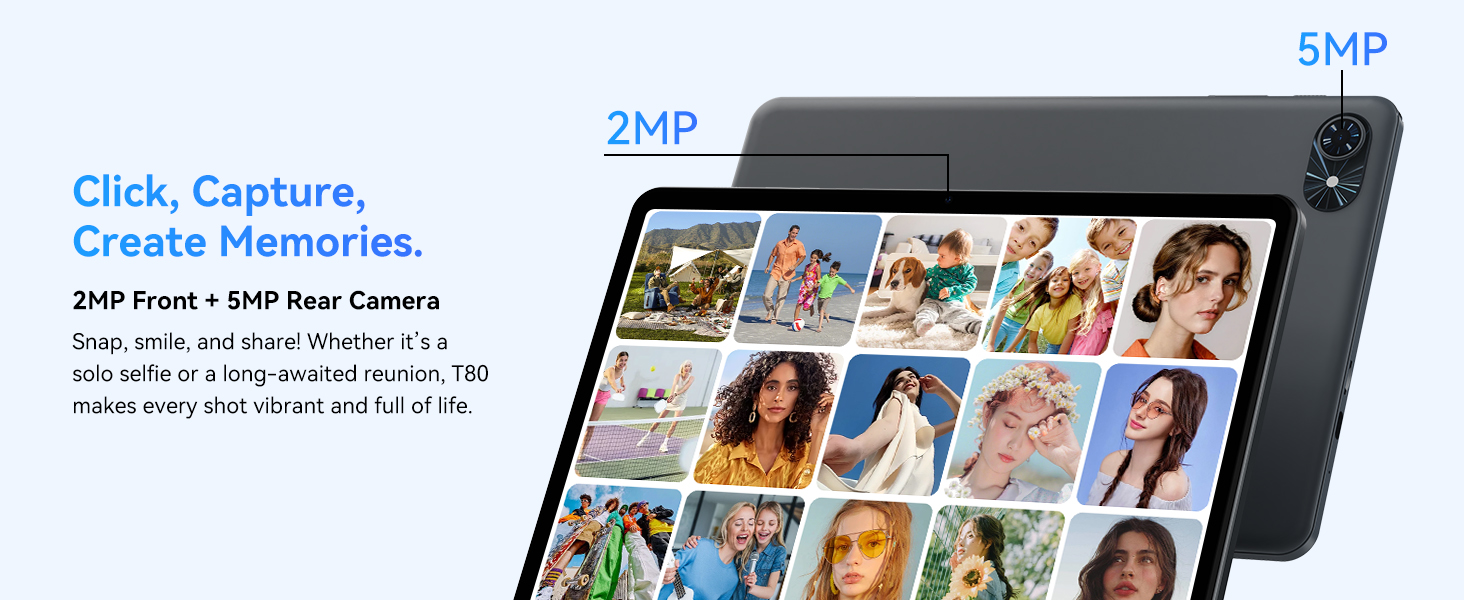
- Предња камера: Located at the top center when held in landscape orientation. (2MP)
- Задња камера: Located on the back panel, typically in the upper left corner. (5MP)
- Дугме за напајање: Used to turn the tablet on/off or wake/sleep the screen.
- Дугмад за јачину звука: Подесите ниво аудио излаза.
- УСБ-Ц порт: За пуњење и пренос података.
- Утор за мицроСД картицу: За проширење меморије до 2TB.
- говорници: Два звучника за аудио излаз.
2. Упутства за подешавање
Follow these steps to set up your TABWEE T80 tablet for first-time use.
2.1 Почетно укључивање и основна конфигурација
- Напуните таблет: Connect the provided USB-C cable and charger to the tablet and a power outlet. Allow the tablet to charge for at least 30 minutes before first use.
- Укључено: Press and hold the Power button until the TABWEE logo appears on the screen.
- Језик и регион: Пратите упутства на екрану да бисте изабрали жељени језик и регион.
- Повежите се на Ви-Фи: Select your Wi-Fi network from the list and enter the password. A stable internet connection is required for initial setup and updates.
- Гоогле налог: Пријавите се помоћу свог Google налога или креирајте нови. Ово је неопходно за преузимање апликација из Google Play продавнице.
- Датум и време: Потврдите подешавања датума и времена.
- безбедност: Подесите закључавање екрана (ПИН, шаблон или лозинку) ради безбедности.
2.2 Повезивање додатне опреме
The TABWEE T80 comes with several accessories to enhance its functionality.
- Bluetooth Keyboard and Mouse:
- Ensure the keyboard and mouse are charged and powered on.
- На таблету идите на Подешавања > Повезани уређаји > Блутут.
- Enable Bluetooth and scan for new devices.
- Select the keyboard and mouse from the list to pair them. Follow any on-screen prompts.
- Оловка: The stylus pen can be used directly on the screen for navigation, drawing, or writing. No pairing is typically required for basic capacitive styluses.
- Protective Case and Stand: Attach the protective case to the tablet. The case often includes a foldable stand for hands-free viewинг.
3. Упутство за употребу
This section covers the daily operation of your TABWEE T80 tablet.
3.1 Basic Navigation and Android 15 Features
- Почетни екран: Swipe left or right to access different home screens. Tap and hold an empty space to customize widgets, wallpaper, and settings.
- Обавештења и брза подешавања: Превуците надоле од врха екрана до view обавештења и приступ брзим подешавањима као што су Wi-Fi, Bluetooth и осветљеност.
- Фиока апликација: Превуците прстом нагоре од дна екрана да бисте приступили свим инсталираним апликацијама.
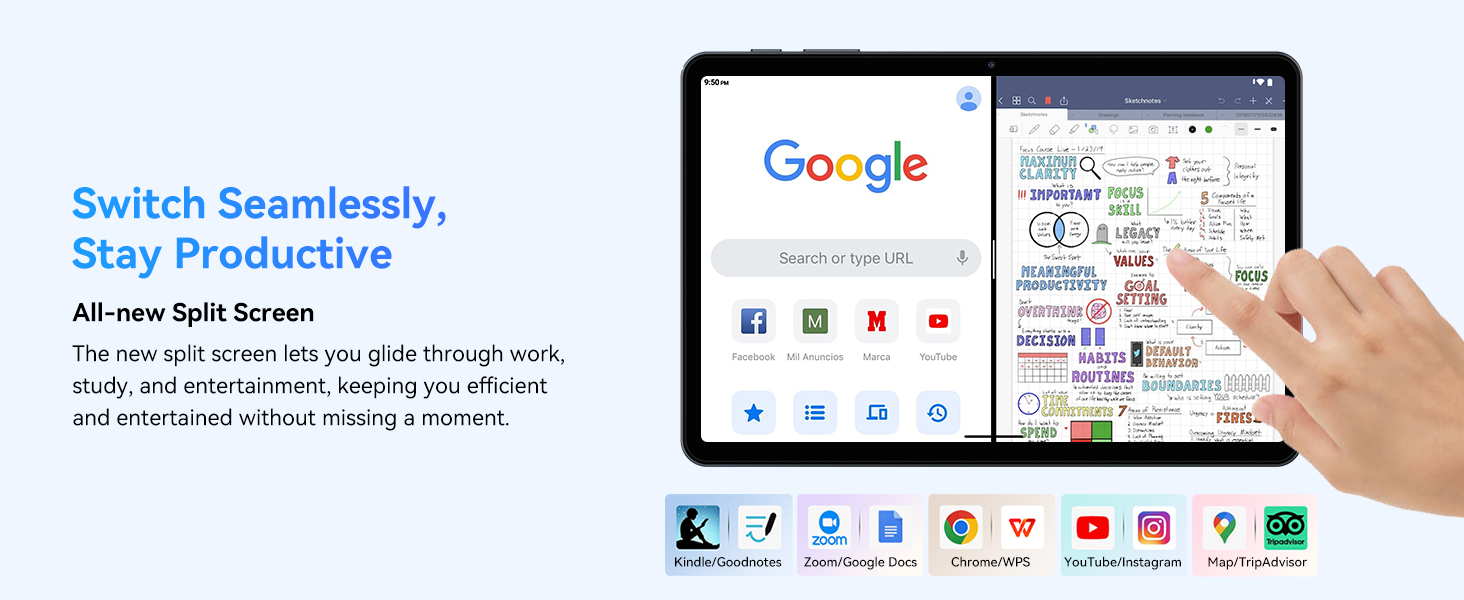
- Multitasking (Split Screen): Android 15 supports enhanced split-screen functionality. To use, open an app, then swipe up from the bottom, hold, and drag another app icon to either side of the screen.
- Gemini AI 2.0: Your tablet integrates Gemini AI 2.0 for enhanced task management, smart chats, text-to-image generation, voice-enabled Q&A, and real-time conversations. Access AI features through compatible apps or dedicated AI interfaces.
- Приватност и безбедност: Android 15 offers improved privacy controls. Review and adjust app permissions in Подешавања > Приватност.
3.2 Повезивање
- Ви-Фи: Supports 802.11a/b/g/n/ac for fast 5G Wi-Fi connectivity. Manage Wi-Fi connections in Подешавања > Мрежа и интернет > Wi-Fi.
- Блуетоотх КСНУМКС: For connecting wireless headphones, speakers, keyboards, and mice. Manage Bluetooth devices in Подешавања > Повезани уређаји > Блутут.
- ГПС: The tablet includes GPS functionality for location services and navigation apps.
- OTG (У покрету): Supports OTG, allowing you to connect USB devices like flash drives or external hard drives using an appropriate adapter.
3.3 Употреба камере
The TABWEE T80 features a 2MP front camera and a 5MP rear camera.
- Отворите апликацију Камера са почетног екрана или из фиоке апликација.
- Додирните дугме затварача да бисте снимили фотографије.
- Пребацујте се између предње и задње камере помоћу иконе за пребацивање камере.
- Explore different modes such as video recording or panorama if available.

3.4 Складиштење и перформансе
- РАМ: The tablet comes with 6GB of physical RAM, expandable virtually to 18GB for smooth multitasking. Adjust RAM settings in Подешавања ако је потребно.
- Интерна меморија: 128GB ROM is provided for apps and files.
- Прошириво складиште: A MicroSD card slot allows for storage expansion up to 2TB. Insert a compatible MicroSD card into the designated slot.
- процесор: Powered by a Quad-Core Unisoc T310 processor (1x A75 2.0GHz, 3x A55 1.8GHz) and GE8300 GPU for efficient performance.
3.5 Батерија и пуњење
- Капацитет батерије: Equipped with a 6000mAh battery, providing over 10 hours of typical usage.
- Пуњење: Use the provided 10W fast charger and USB-C cable. Connect the cable to the tablet's USB-C port and the charger to a power outlet.
- Оптимизација батерије: Android 15 includes AI Super Power Saving Algorithms to extend battery life. Monitor battery usage in Подешавања > Батерија.

3.6 Display and Entertainment
- Приказ: 10-inch IPS display with a resolution of 1280 x 800 pixels.
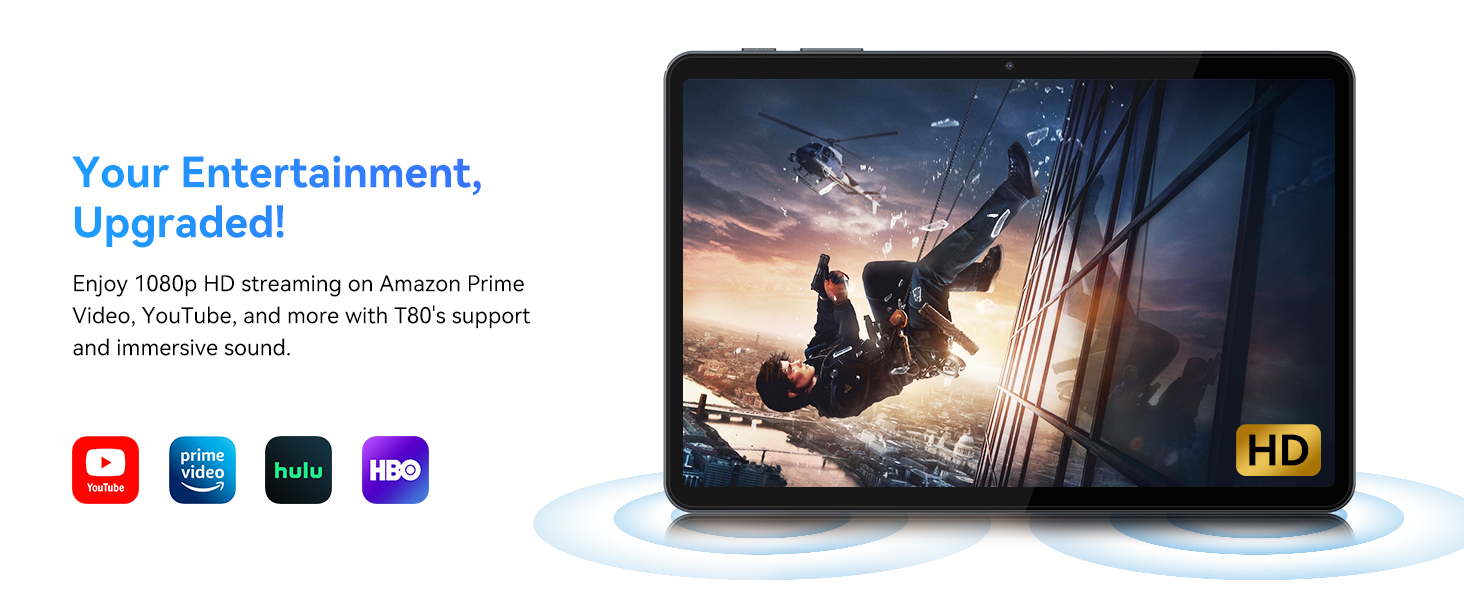
- Видео репродукција: Supports 1080P video playback for streaming services like Amazon Prime Video, YouTube, Hulu, and HBO.
- аудио: Dual speakers provide clear audio for media consumption.
4. Одржавање
Proper maintenance ensures the longevity and optimal performance of your tablet.
4.1 Одржавање батерије
- Избегавајте екстремне температуре, јер могу скратити век трајања батерије.
- Не дозволите да се батерија често потпуно испразни. Напуните је пре него што достигне 0%.
- Користите само приложени пуњач и кабл да бисте спречили оштећења.
4.2 Чишћење
- Користите меку крпу која не оставља влакна да бисте очистили екран и кућиште таблета.
- За тврдокорне мрље, благо дampОперите крпу водом или раствором за чишћење екрана. Избегавајте јаке хемикалије.
- Уверите се да су сви портови без прашине и прљавштине.
4.3 Ажурирања софтвера
- Regularly check for and install system updates. These updates often include performance improvements, security patches, and new features.
- Иди на Подешавања > Систем > Ажурирање система да проверите доступна ажурирања.
КСНУМКС. Решавање проблема
This section addresses common issues you might encounter with your TABWEE T80 tablet.
5.1 Таблет се не укључује
- Уверите се да је таблет довољно напуњен. Прикључите га на пуњач и сачекајте неколико минута пре него што га поново укључите.
- Покушајте да држите дугме за напајање 10-15 секунди да бисте поново покренули рачунар.
5.2 Проблеми са Wi-Fi повезивањем
- Искључите и укључите Wi-Fi у Брзим подешавањима.
- Рестартујте свој Wi-Fi рутер.
- Заборавите мрежу у Подешавања > Мрежа и интернет > Wi-Fi и поново се повежите.
5.3 Споре перформансе
- Затворите непотребне позадинске апликације.
- Обришите кеш за често коришћене апликације у Подешавања > Апликације > [Назив апликације] > Меморија и кеш > Обриши кеш.
- Ensure you have sufficient free storage space. Delete old files or move them to expandable storage.
- Повремено поново покрећите таблет.
5.4 Accessories Not Connecting
- For Bluetooth accessories, ensure they are charged, powered on, and in pairing mode.
- Verify Bluetooth is enabled on the tablet and try re-pairing the device.
- Check the battery level of the accessories.
6. Спецификације
Detailed technical specifications for the TABWEE T80 Android 15 Tablet.
| Феатуре | Спецификација |
|---|---|
| Назив модела | T80(6+128) |
| Оперативни систем | Андроид 15 |
| Величина екрана | 10 инча |
| Максимална резолуција екрана | 1280 к 800 пиксела |
| Процесор | Unisoc T310 Quad-Core (1x A75 2.0GHz, 3x A55 1.8GHz) |
| РАМ | 18 ГБ (6 ГБ физичке + 12 ГБ виртуелне) |
| Величина флеш меморије (ROM) | 128 ГБ |
| Екпандабле Стораге | До 2 ТБ преко MicroSD картице |
| Вирелесс Типе | 802.11a, 802.11ac, 802.11b, 802.11g, 802.11n (5G WiFi) |
| Блуетоотх | Блуетоотх 5.0 |
| Капацитет батерије | 6000мАх |
| Просечно трајање батерије | 480 Hours (Standby) / 10+ Hours (Usage) |
| Предња камера | 2МП |
| Задња камера | 5МП |
| Тежина артикла | 1.1 фунти |
| Димензије производа | 9.5 к 6.3 к 0.3 инча |
| Боја | Сребрно сива |
7. Гаранција и подршка
Information regarding your product warranty and how to obtain customer support.
7.1 Гаранција на производ
The TABWEE T80 tablet comes with a 2-годишња гаранција, covering manufacturing defects and ensuring product reliability. This warranty provides peace of mind and support for your device.
7.2 Корисничка подршка
For any technical assistance, inquiries, or warranty claims, please contact TABWEE customer support:
- Емаил: serviceplus.linda@gmail.com
- Телефон (САД): +1 (717) 896-6060
- Телефон (УК): +44 7700 156388
- Phone (CA): +1 (587) 841-0500
- Телефон (ДЕ): +49 157 3598 0115
TABWEE offers 24/7 customer support and lifetime technical assistance to ensure you have the best experience with your product.