
Увод
This manual provides detailed instructions for the ESR Flexible Keyboard Case, designed to enhance your iPad experience. It features a detachable magnetic keyboard, a large precision trackpad, and versatile viewing angles, offering comprehensive protection and functionality.
Please read this manual thoroughly before using the product to ensure proper operation and to maximize its features.
Компатибилност
This keyboard case is compatible only with the following iPad models:
- iPad 11" (A16) 2025
- iPad 10th Generation 2022
Compatible model numbers include: A2696, A2757, A2777, A3354, A3355, A3162, A3356.
To verify your iPad model number, locate it on the back of your iPad.

Image: Compatibility chart for ESR Flexible Keyboard Case, highlighting supported iPad 11" (A16) 2025 and iPad 10th Gen 2022 models, and illustrating where to find the model number on the back of the iPad.
Сетуп
- Пуњење тастатуре: Before initial use, ensure the keyboard is fully charged. Connect the provided charging cable to the keyboard's charging port and a power source. The charging indicator will show the charging status.
- Attach iPad to Case: Carefully place your compatible iPad into the protective case. Ensure all corners and edges are securely fitted. The reinforced Air Guard corners provide enhanced protection.
- Приложите тастатуру: The keyboard attaches magnetically to the case. Align the keyboard with the magnetic strip at the bottom edge of the case until it snaps into place.
- Упаривање преко Блуетоотх-а:
- Укључите тастатуру притиском на дугме за напајање.
- На вашем iPad-у идите на Подешавања > Блуетоотх.
- Уверите се да је Блуетоотх омогућен.
- Select the "ESR Keyboard" (or similar name) from the list of available devices.
- Пратите сва упутства на екрану да бисте довршили процес упаривања.
- Once paired, the keyboard will automatically connect to your iPad when turned on and within range (up to 32.8 ft).
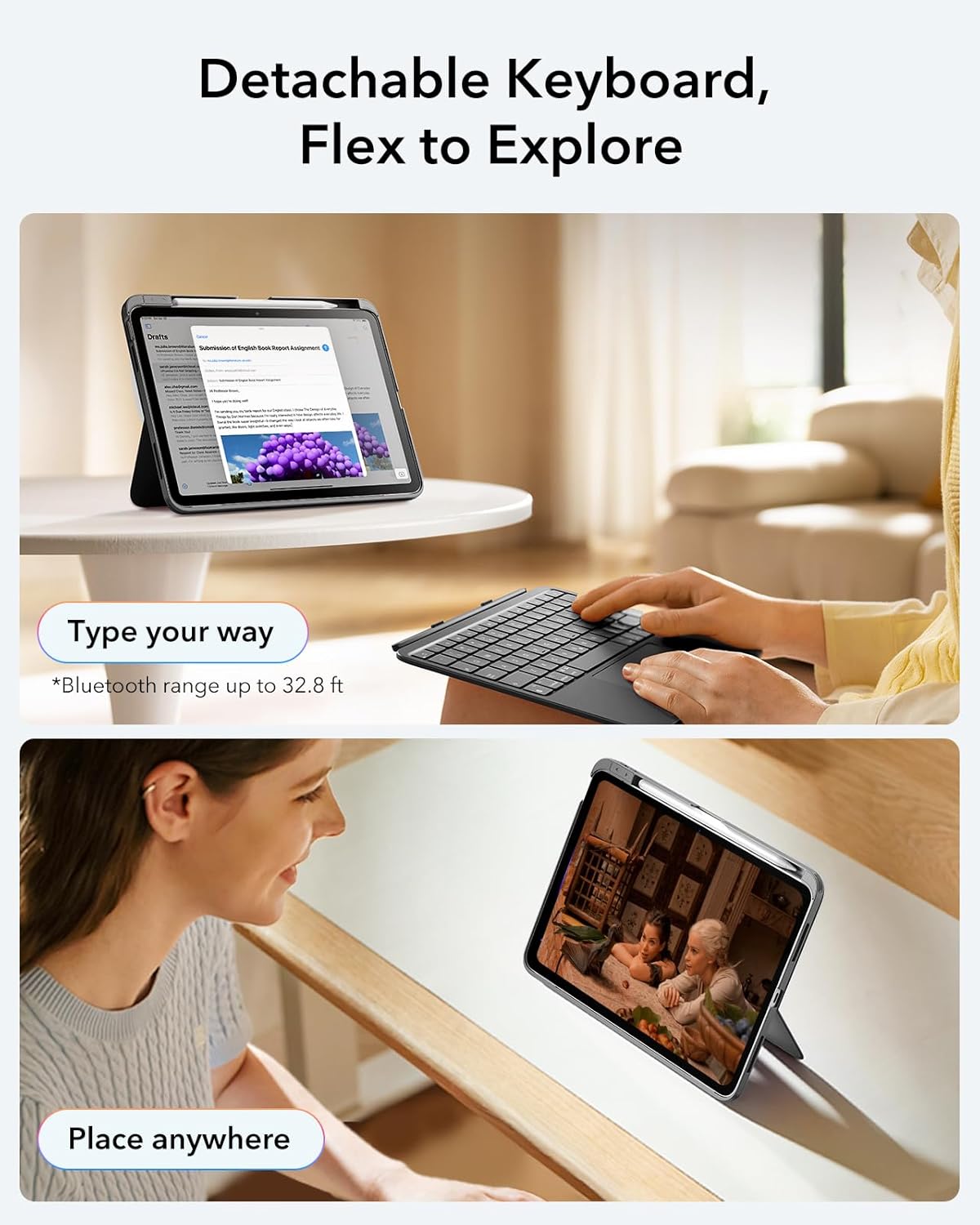
Image: The ESR Flexible Keyboard Case with the detachable keyboard in use, demonstrating its magnetic attachment and portability.
Упутство за употребу
Detachable Magnetic Keyboard
The keyboard can be easily attached or removed from the case due to its strong magnetic connection. This allows for flexible usage, enabling you to switch between a laptop-like setup and a pure tablet mode for reading, watching videos, or sketching.
The keyboard features a QWERTZ layout, which is standard for German-speaking regions. Please be aware of this layout difference if you are accustomed to other keyboard layouts (e.g., QWERTY or AZERTY).
Подесиво Viewинг Англес
The case offers two stable viewing angles, supported by a triangular stand design to prevent wobbling:
- Угао од 65°: Ideal for working, reading, or watching videos.
- Угао од 20°: Suitable for writing or drawing.

Image: The ESR Flexible Keyboard Case demonstrating its two stable viewing angles: 20 degrees for drawing/writing and 65 degrees for viewing/typing.
Прецисион Трацкпад
The extra-large trackpad provides smooth and precise navigation. It supports intuitive multi-touch gestures for efficient operation:
- Кликните: Додир једним прстом.
- Скролуј: Two-finger swipe up or down.
- Зумирање: Стисните са два прста.
- Почетна: Three-finger swipe up.
For optimal trackpad performance, you can adjust the cursor speed on your iPad: Go to iPad Settings > генерал > Трацкпад and adjust the cursor speed (10 levels available).
Note: This keyboard does not feature a backlight.

Image: A close-up of the large precision trackpad, illustrating various multi-touch gestures like click, scroll, zoom, and home.
Pencil Storage and Release
The case includes a quick-access pen slot for secure storage of your Apple Pencil. A one-handed release mechanism allows for easy retrieval.

Image: The ESR Flexible Keyboard Case featuring a dedicated slot for the Apple Pencil and a quick-release mechanism for easy access.
Одржавање
- Чишћење: Use a soft, dry, lint-free cloth to clean the keyboard and case. For stubborn dirt, slightly dampИсперите крпу водом. Избегавајте употребу јаких хемикалија или абразивних средстава за чишћење.
- Пуњење: Recharge the keyboard when the battery indicator shows low power. Regular charging helps maintain battery health.
- Складиштење: When not in use for extended periods, store the keyboard and case in a cool, dry place. Ensure the keyboard is turned off to conserve battery life.
- Заштита: The robust case with reinforced Air Guard corners is designed to protect your iPad from scratches, drops, and dust. While durable, avoid exposing the case to extreme temperatures or direct impact.
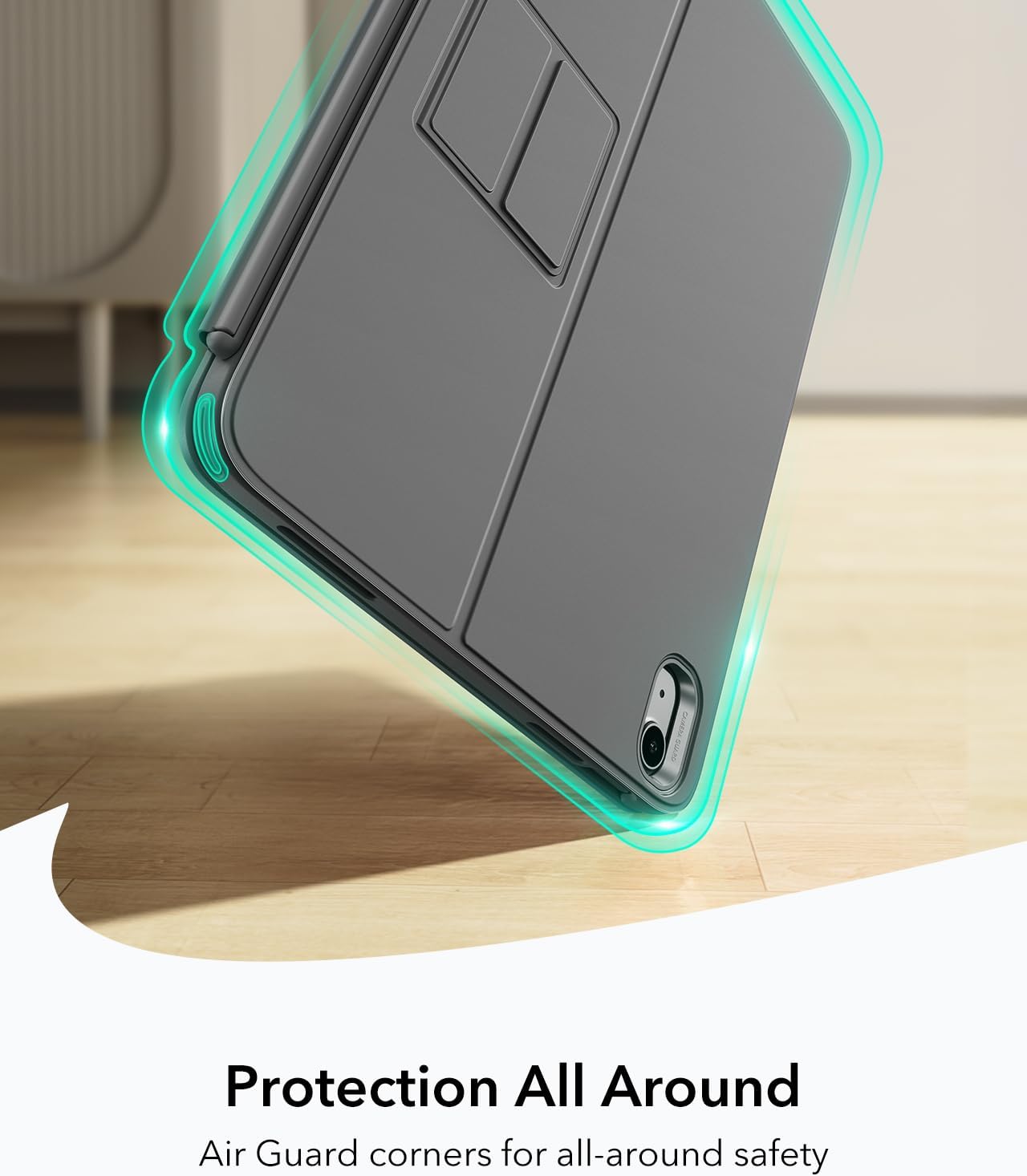
Image: The ESR Flexible Keyboard Case highlighting its Air Guard reinforced corners for all-around protection.
Решавање проблема
| Проблем | Могући узрок | Решење |
|---|---|---|
| Тастатура се не повезује преко Блутут-а. | Keyboard is off, low battery, Bluetooth off on iPad, or not paired. |
|
| Trackpad not responding. | Keyboard not connected, trackpad disabled (if applicable), or software glitch. |
|
| Тастери не реагују. | Low battery, connection issue, or keyboard malfunction. |
|
| Incorrect key input (e.g., QWERTZ vs QWERTY). | Keyboard layout is QWERTZ. |
|
Спецификације
- Бренд: ЕСР
- Модел: Flexible Keyboard Case
- Компатибилност: iPad 11" (A16) 2025, iPad 10th Gen 2022 (Models: A2696, A2757, A2777, A3354, A3355, A3162, A3356)
- Повезивање: Блуетоотх
- Распоред тастатуре: QWERTZ (German style)
- Број кључева: 78
- Трекпед: Extra-large precision trackpad with multi-touch gesture support
- Позадинско осветљење: Нема позадинског осветљења
- Viewуглови угла: 65° (working/viewing), 20° (writing/drawing)
- Извор напајања: Напајање батеријама (пуњиво)
- Материјал: Пластика
- Weight (Case & Keyboard): Отприлике 530 г
- дебљина: Отприлике 6.9 мм
- Блуетоотх опсег: До 32.8 стопа (10 метара)
- Посебне карактеристике: Detachable magnetic keyboard, reinforced Air Guard corners, quick-access pen slot.
- Компатибилност са оперативним системом: иПадОС

Image: The ESR Flexible Keyboard Case held in hand, emphasizing its lightweight design (530g) for portability.
Гаранција и подршка
For warranty information and customer support, please refer to the official ESR website or contact their customer service directly. Details regarding specific warranty periods and support procedures are typically provided with your purchase documentation or on the manufacturer's webсајту.
Молимо вас да сачувате доказ о куповини за евентуалне рекламације у вези са гаранцијом.