
1. Увод
This manual provides detailed instructions for the safe and effective use of your AFEXOA DY20 Night Light Bluetooth Speaker Alarm Clock. Please read this manual thoroughly before operating the device and retain it for future reference.
2. Карактеристике производа
- Мултифункционални уређај: Integrates a 20W Hi-Fi speaker, white noise machine, sleep sound machine with timer, multi-color touch control LED lamp, night light, and bedside alarm clock.
- Стерео звук високе верности: Delivers clear, undistorted sound with powerful bass, compatible with all Bluetooth devices.
- Дигитални будилник: Features 7 selectable alarm sounds (soft music, natural sounds), 30 adjustable volume levels (up to 110 dB), and an unlimited 9-minute snooze function.
- Осетљив додир активиран Лamp: Offers 8 RGB color options (Red, Green, Blue, Yellow, Purple, Indigo, White, Color cycle) and 3 levels of warm white light for various moods and occasions.
- 30 умирујућих звукова и тајмер за спавање: Includes 5 white noise, 5 fan sounds, 6 lullaby sounds, and 14 natural sounds. Features a 15, 30, 60, or 90-minute sleep timer for automatic sound and light shut-off.
- Подршка за MP3 плејер: Supports music playback via USB Flash Drive and Micro SD/TF Card input.
3. Садржај пакета
- 1 x AFEXOA DY20 Night Light Bluetooth Speaker Alarm Clock
- 1 к УСБ кабл за пуњење
- 1 к Упутство за употребу
4. Производ је готовview
Упознајте се са компонентама и контролама уређаја:
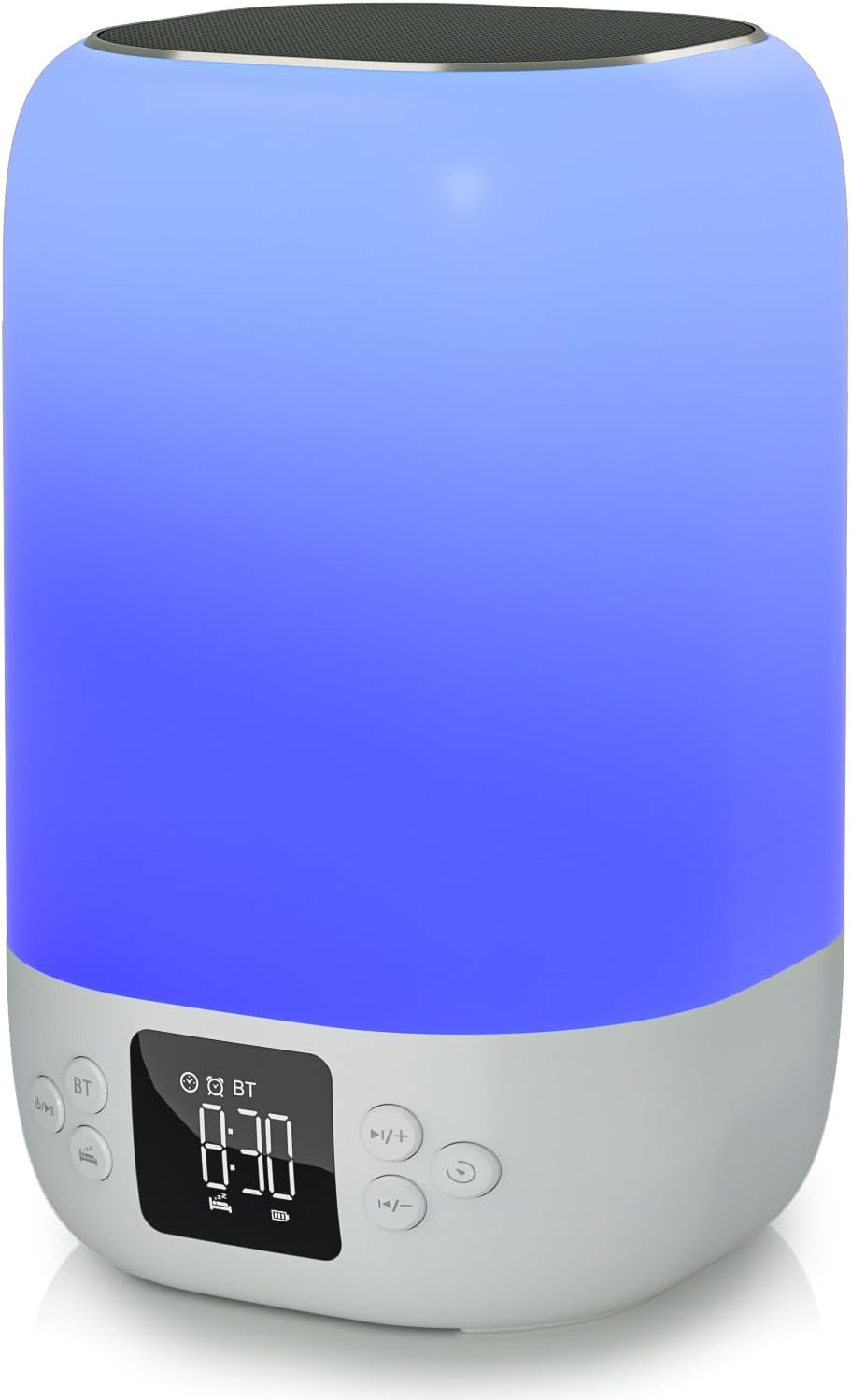
Фронт view of the AFEXOA DY20 device, showcasing the digital time display and control buttons.

An illustrative image detailing the five primary functions of the AFEXOA DY20: sound machine, MP3 player, night light, alarm clock, and Bluetooth speaker.

The device connected via Bluetooth to a smartphone playing music, with an inset showing the USB and Micro SD card input ports for MP3 playback.
Контроле:
- Дугме за напајање / режим рада: Turns the device on/off and switches between modes (Bluetooth, Sound Machine, MP3).
- Bluetooth (BT) Button: Активира режим упаривања путем Bluetooth-а.
- Volume Up (+)/Next Track Button: Increases volume or skips to the next track/sound.
- Volume Down (-)/Previous Track Button: Decreases volume or goes to the previous track/sound.
- Дугме за одлагање/светло: Activates snooze during an alarm or changes light modes.
- Приказ времена: Digital display for time and settings.
Портови:
- УСБ хост порт: For connecting a USB flash drive for MP3 playback.
- Слот за микро СД/ТФ картицу: For inserting a Micro SD/TF card for MP3 playback.
- Порт за пуњење типа Ц: For connecting the USB charging cable to power the device.
5. Подешавање
5.1 Почетно пуњење
- Повежите приложени USB кабл за пуњење са Type-C портом на уређају.
- Укључите други крај кабла у компатибилни USB адаптер за напајање (није укључен) или USB порт рачунара.
- Allow the device to fully charge before first use. The battery indicator on the display will show charging status.
5.2 Укључивање/искључивање
- To power on, press and hold the Power/Mode button.
- To power off, press and hold the Power/Mode button again.
6. Упутство за употребу
6.1 Подешавање времена
- In normal time display mode, press the 'Time Set' button (often labeled with a clock icon) to enter time setting mode. The hour digits will flash.
- Use the '+' and '-' buttons to adjust the hour.
- Press 'Time Set' again to move to minute setting. Use '+' and '-' to adjust minutes.
- Press 'Time Set' a third time to confirm and exit time setting.
- To switch between 12-hour and 24-hour format, short press the 'Time Set' button.
6.2 Подешавање аларма

The device displaying the time in alarm clock mode, with text indicating 7 wake-up ringtones, 1-30 level volume, and 9-minute snooze.
- Press the 'Alarm 1 Set' button (often labeled with an alarm clock icon) to set the first alarm. The hour digits will flash.
- Use the '+' and '-' buttons to adjust the alarm hour.
- Press 'Alarm 1 Set' again to set the alarm minutes. Use '+' and '-' to adjust minutes.
- Press 'Alarm 1 Set' a third time to select the alarm sound (7 options available). Use '+' and '-' to cycle through sounds.
- Press 'Alarm 1 Set' again to confirm.
- To activate/deactivate Alarm 1, use the dedicated 'Alarm 1 ON/OFF' switch or button. Repeat for Alarm 2 if available.
- When the alarm sounds, press the 'Snooze/Light' button to activate snooze for 9 minutes. Press any other button to turn off the alarm.
6.3 Режим Bluetooth звучника
- Turn on the device. Press the Power/Mode button until 'BT' appears on the display, indicating Bluetooth mode.
- On your smartphone or other Bluetooth-enabled device, enable Bluetooth and search for 'AFEXOA DY20' (or similar name).
- Select the device to pair. A confirmation sound will indicate successful pairing.
- You can now play audio from your connected device through the speaker. Use the '+/-' buttons on the speaker or your phone to adjust volume.
6.4 Sound Machine Mode (White Noise)

A person relaxing in bed with the AFEXOA DY20 emitting a warm light and soothing sounds, illustrating its sound machine capabilities.
- If not already in Sound Machine mode, press the Power/Mode button until the sound machine icon or 'FO' (for sound files) appears.
- Use the '+' and '-' buttons to cycle through the 30 available soothing sounds (white noise, fan sounds, lullabies, natural sounds).
- Подесите јачину звука помоћу дугмади „+“ и „-“.
- To set a sleep timer, press the 'Timer' button (if available) and select 15, 30, 60, or 90 minutes. The device will automatically turn off sound and light after the set time.
6.5 Режим ноћног светла
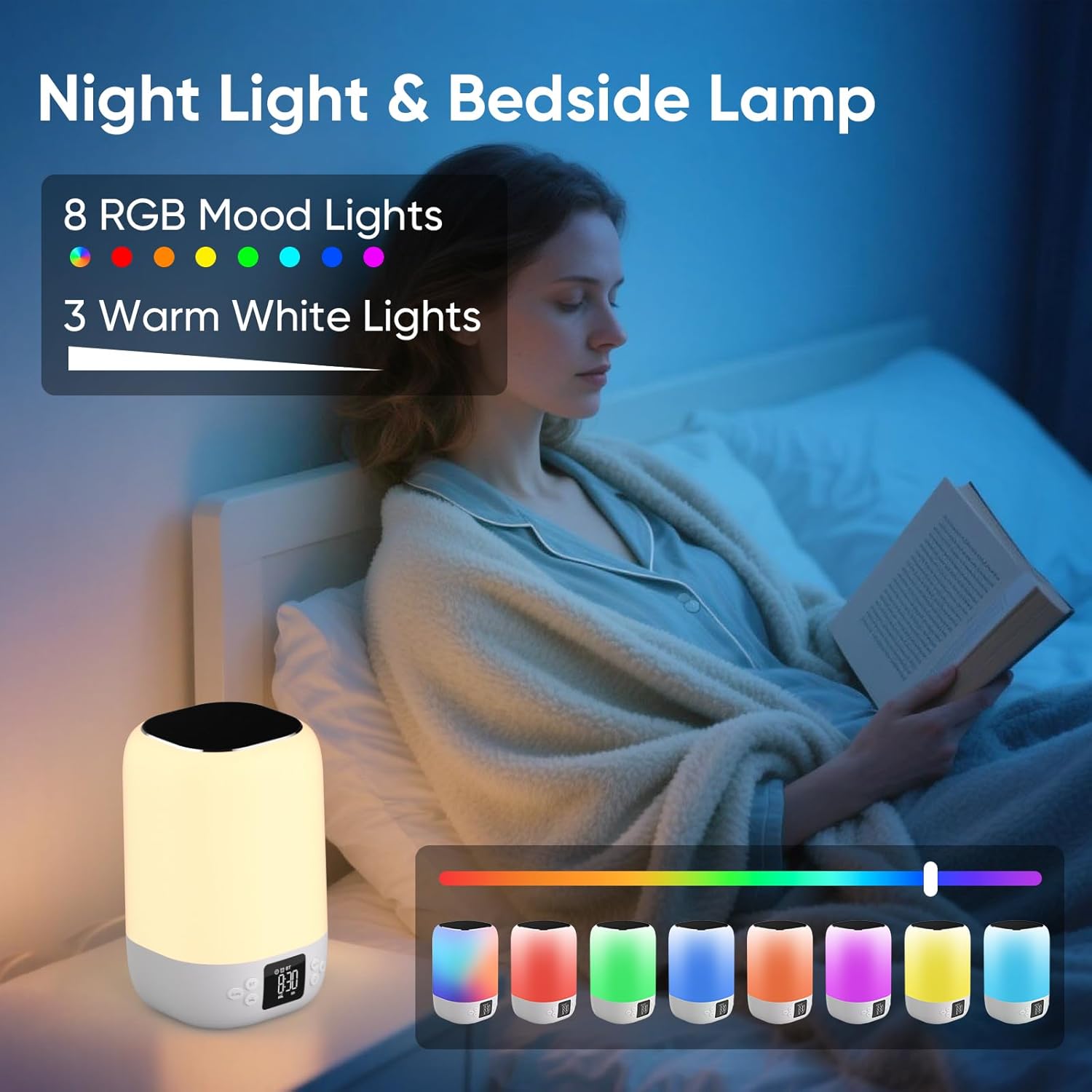
A person reading in bed with the AFEXOA DY20 displaying various light colors, highlighting its 8 RGB mood lights and 3 warm white light options.

A child sleeping peacefully with the AFEXOA DY20 emitting a soft blue light, demonstrating its sleep aid function with an adjustable auto-off timer.
- Топло бело светло: Short press the 'Snooze/Light' button to cycle through 3 levels of warm white light (low, medium, high).
- РГБ промена боје: Long press the 'Snooze/Light' button to activate the 8 RGB color changing mode. Short press again to pause on a specific color. Long press again to turn off the light.
6.6 MP3 Player Mode (USB/Micro SD)
- Insert a USB flash drive into the USB Host port or a Micro SD/TF card into its dedicated slot.
- The device should automatically switch to MP3 player mode and begin playback. If not, press the Power/Mode button to cycle to this mode.
- Use the '+' and '-' buttons to skip tracks.
- Use the Power/Mode button (short press) to play/pause.
6.7 Charging Other Devices (if applicable)
The product specifications do not explicitly list external device charging capabilities. Please refer to the product packaging or manufacturer's website for confirmation if this feature is desired.
7. Одржавање
- Чишћење: Обришите уређај меком, сувом крпом. Не користите абразивна средства за чишћење или раствараче.
- Складиштење: Уређај чувајте на хладном и сувом месту, даље од директне сунчеве светлости и екстремних температура.
- Одржавање батерије: To prolong battery life, avoid fully discharging the device frequently. Charge regularly, even if not in use for extended periods.
КСНУМКС. Решавање проблема
| Иссуе | Могуће решење |
|---|---|
| Уређај се неће укључити. | Ensure the device is charged. Connect to power and try again. |
| Блутут се не повезује. | Ensure the device is in Bluetooth pairing mode. Check your phone's Bluetooth settings and try re-pairing. Ensure no other devices are connected. |
| Нема звука из звучника. | Check volume levels on both the device and your connected source. Ensure the correct mode (Bluetooth/MP3/Sound Machine) is selected. |
| Светло не ради. | Ensure the device is powered on. Press the 'Snooze/Light' button to activate or cycle through light modes. |
| Аларм се не оглашава. | Verify alarm time and ensure the alarm is activated (ON). Check alarm volume settings. |
| MP3 playback issues. | Ensure USB drive or Micro SD card is inserted correctly and contains compatible MP3 files. Try re-inserting or using a different storage device. |
| Уређај не реагује. | Locate the 'RESET' button (often a small pinhole) and use a thin object (like a paperclip) to press it. This will restart the device. |
9. Спецификације
- Бренд: АФЕКСОА
- Модел: ДИ20
- Боја: Бела
- Тип приказа: Дигитал
- Извор напајања: Напаја се батеријама (1 литијум-јонска батерија је укључена)
- Димензије производа: 3.93" Ш x 7.87" В
- Тежина артикла: 1.32 фунти (600 грама)
- Материјал оквира: Пластика
- Посебна карактеристика: Лоуд Аларм
- Тип собе: Спаваћа соба
10. Гаранција и подршка
For warranty information or technical support, please refer to the documentation included with your purchase or contact AFEXOA customer service directly. Contact details can typically be found on the product packaging or the official AFEXOA webсајту.