
1. Увод
This manual provides essential instructions for the safe operation, setup, and maintenance of your FINOTI K11 SE 4K Dual-Camera Drone. Please read this manual thoroughly before operating the drone to ensure proper function and to prevent damage or injury. Retain this manual for future reference.
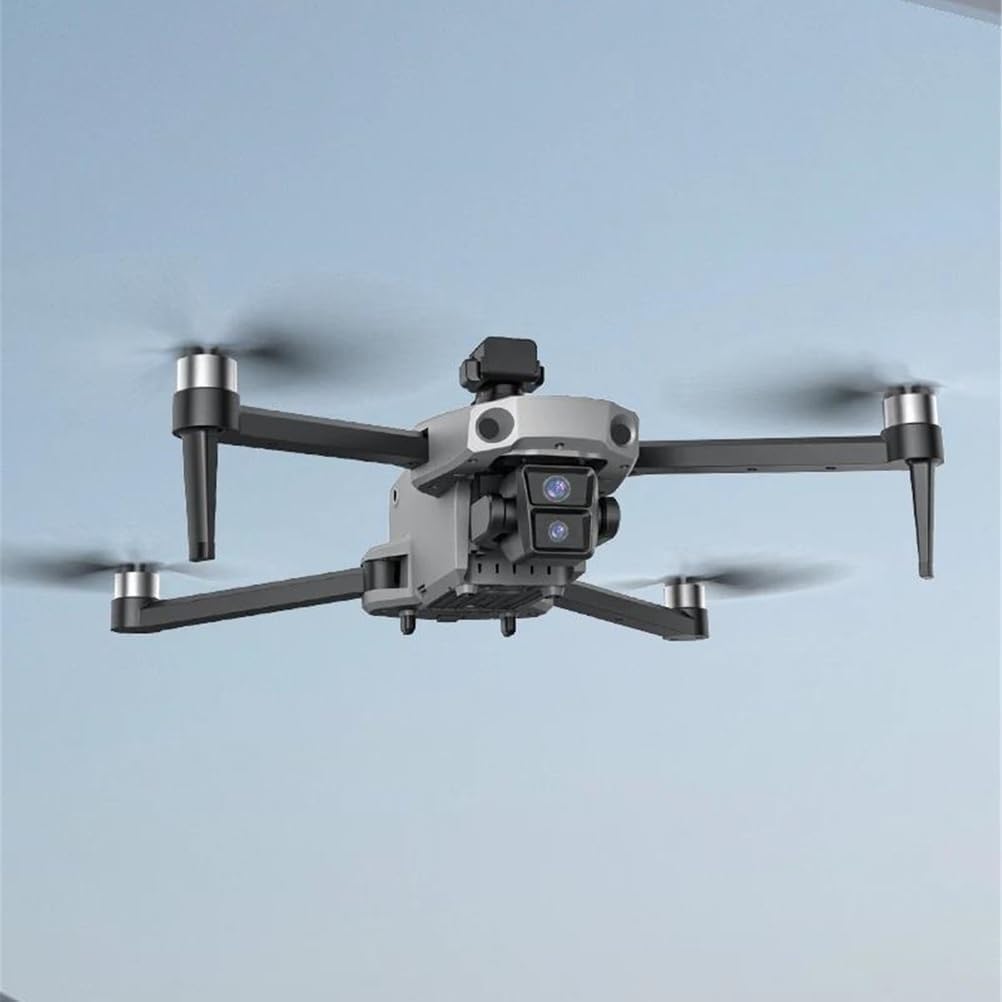
Image 1.1: The FINOTI K11 SE drone in flight, showcasing its compact and aerodynamic design with four propellers and a central camera module.
2. Безбедносне смернице
Adherence to these safety guidelines is crucial for preventing accidents, injuries, and property damage. Always operate the drone responsibly.
- Провера пре лета: Before each flight, ensure the drone, remote control, and batteries are fully charged and in good working condition. Check propellers for damage.
- Летна средина: Fly in open areas, away from people, animals, buildings, and power lines. Avoid flying in strong winds, rain, or fog.
- Линија вида: Увек одржавајте визуелну линију вида са дроном током лета.
- Безбедност батерије: Користите само одобрене пуњаче и батерије. Немојте препунити или пробушити батерије. Чувајте батерије на хладном и сувом месту.
- Поштујте приватност: Имајте на уму законе и прописе о приватности када користите камеру.
- старосно ограничење: This product is not suitable for children under 14 years old. Adult supervision is recommended for all users.
3. Садржај пакета
Проверите да ли су све ставке присутне у пакету:
- FINOTI K11 SE Drone
- Remote Control with Built-in Screen
- Aircraft Battery (7.4V 3500mAh)
- УСБ кабл за пуњење
- Резервни пропелери
- Шрафцигер
- Упутство за употребу
- Storage Backpack
4. Идентификација компоненте
4.1 Компоненте дрона

Image 4.1: The FINOTI K11 SE drone and its remote control, highlighting key features such as the 4K dual camera, brushless motors, and LED night vision lights.
- Пропелери: Четири склопива пропелера за лет.
- Мотори без четкица: Provide efficient and quiet operation.
- 4K Dual-Camera: Front-facing camera for high-resolution photo and video capture.
- EIS систем против подрхтавања: Electronic Image Stabilization for smoother footage.
- 360° Obstacle Avoidance Sensor: Located on top, detects obstacles in all directions.
- LED Night Vision Lights: За побољшану видљивост у условима слабог осветљења.
- Одељак за батерије: Located at the rear of the drone.
4.2 Remote Control Components
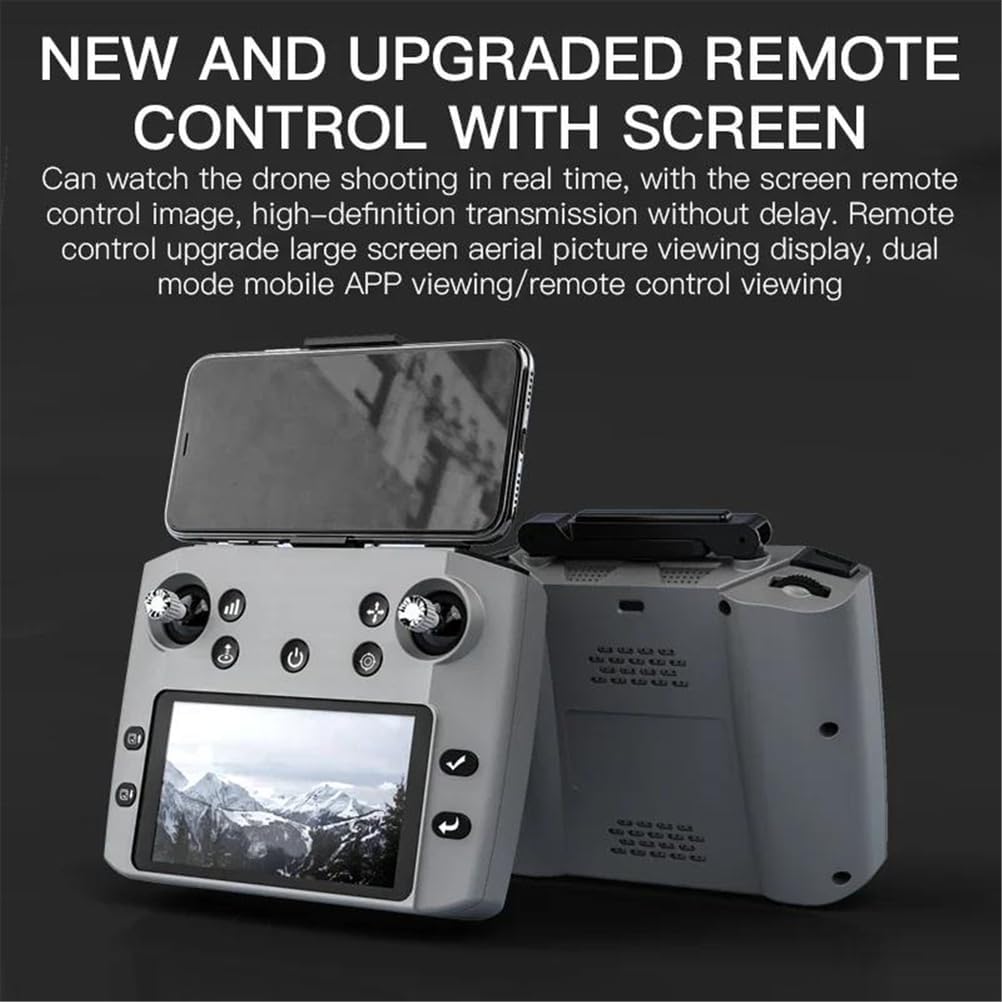
Image 4.2: The FINOTI K11 SE remote control, featuring an integrated screen for real-time FPV viewing and various control sticks and buttons.
- Контролне палице: Лева палица за гас/скретање, десна палица за нагиб/ротирање.
- Интегрисани екран: Displays real-time FPV video feed and flight data.
- Дугме за напајање: To turn the remote control on/off.
- Photo/Video Buttons: Dedicated buttons for camera functions.
- Return Home Button: Initiates automatic return to takeoff point.
- Дугме за брзи режим: Подешава брзину лета.
- Obstacle Avoidance Toggle: Activates/deactivates the obstacle avoidance system.
5. Подешавање
5.1 Пуњење батерија
- Батерија авиона: Insert the 7.4V 3500mAh aircraft battery into the drone's battery compartment. Connect the USB charging cable to the drone and a suitable USB power adapter (not included). The charging time is approximately 3 hours. The charging indicator light will turn off when fully charged.
- Батерија даљинског управљача: The remote control has a built-in 3.7V 800mAh battery. Connect the USB charging cable to the remote control and a USB power adapter.
5.2 Расклапање дрона
Gently unfold the drone arms until they lock into position. Ensure all arms are fully extended before flight.
5.3 Уградња пропелера (ако је потребно)
If propellers are not pre-installed, attach them according to the markings (A and B) on the propellers and motor shafts. Ensure they are securely fastened.
5.4 Инсталација и повезивање апликације
Download the dedicated drone application from your mobile device's app store. Power on the drone and remote control. Connect your mobile device to the drone's 5G Wi-Fi network. Open the app to establish a connection and view FPV фид.
5.5 Калибрација
Before the first flight and after any significant change in location, perform compass and gyroscope calibration as instructed in the app or remote control interface. This ensures stable flight and accurate GPS positioning.
6. Упутство за употребу
6.1 Основне контроле лета
- полетање: Press the one-key takeoff button or push both control sticks simultaneously to the bottom-outer corners to start motors, then push the left stick up.
- Слетање: Press the one-key landing button or pull the left stick down until the drone lands.
- Throttle (Left Stick Up/Down): Контролише надморску висину.
- Скретање (лева палица лево/десно): Rotates the drone horizontally.
- Pitch (Right Stick Up/Down): Moves the drone forward/backward.
- Roll (Right Stick Left/Right): Moves the drone left/right.
6.2 Рад камере
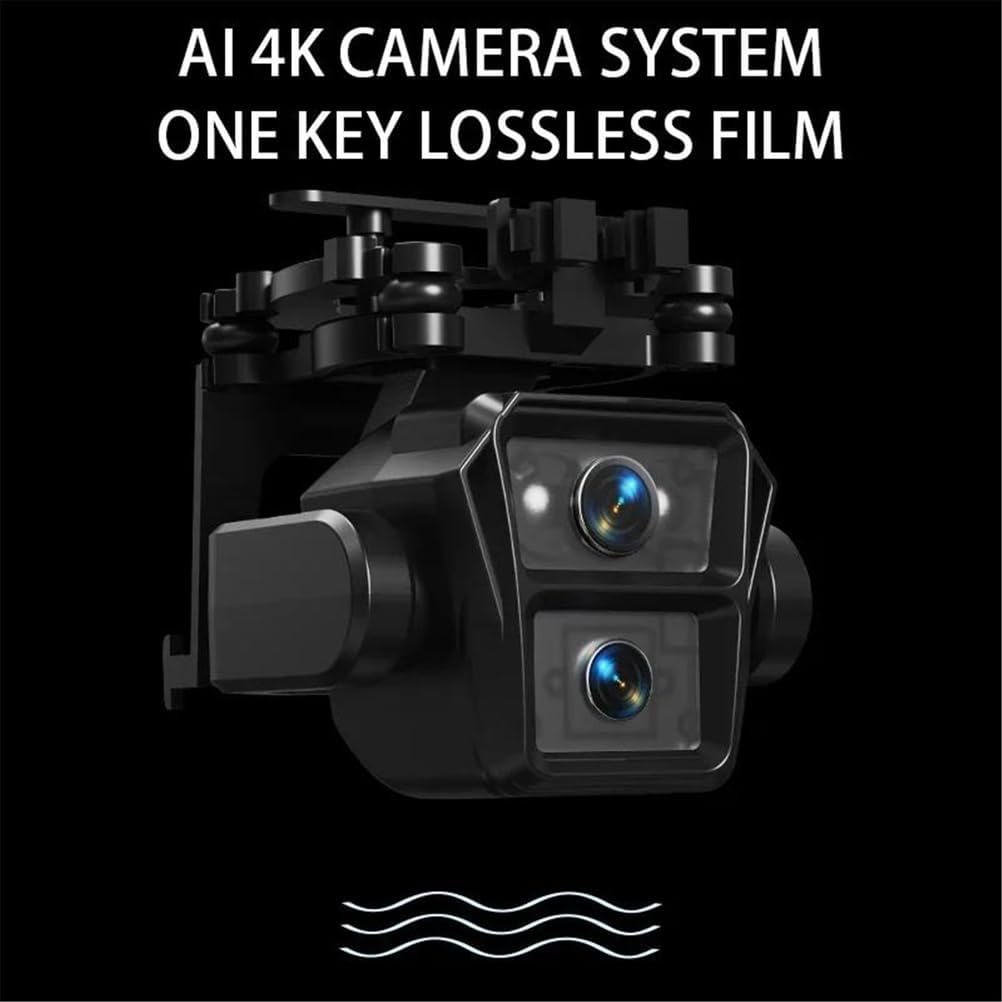
Слика 6.1: Детаљан view of the drone's AI 4K dual camera system, designed for high-quality image and video capture.
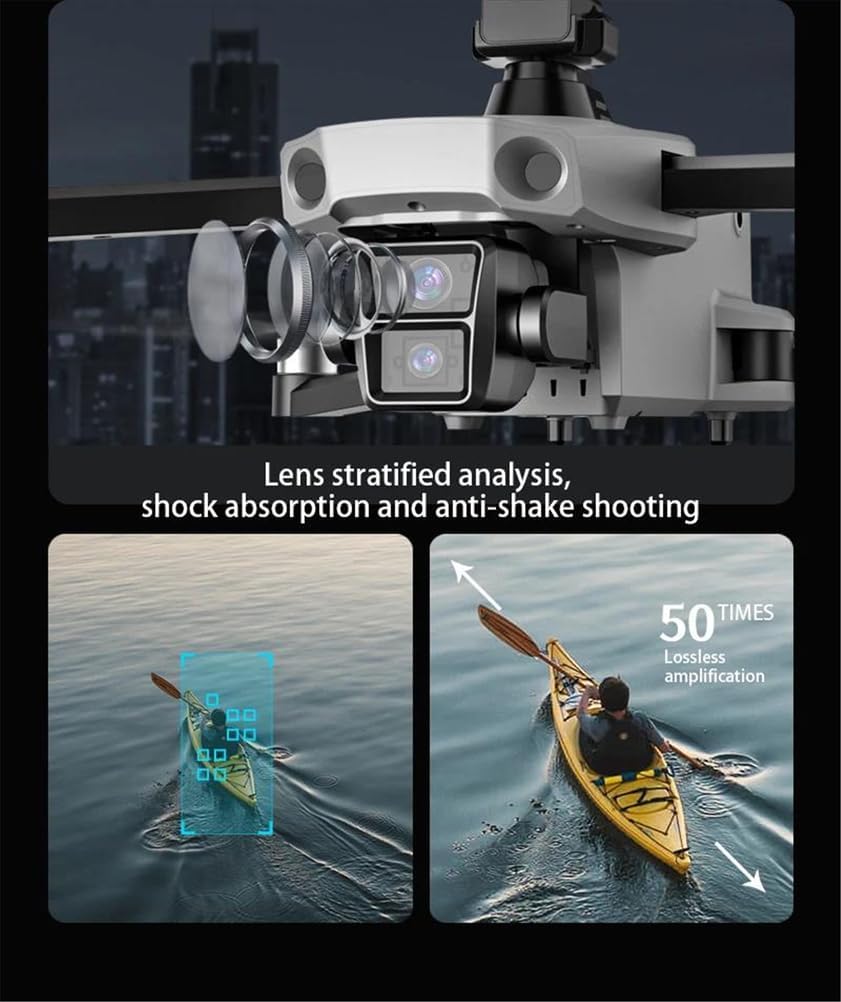
Image 6.2: Illustration of the drone's camera lens technology, featuring stratified analysis for enhanced image quality and shock absorption for anti-shake shooting.
- Снимање фотографија/видеа: Користите посебна дугмад на даљинском управљачу или интерфејсу апликације да бисте снимали фотографије или покретали/заустављали снимање видеа.
- EIS систем против подрхтавања: The Electronic Image Stabilization system automatically reduces blur and shakiness in your footage.
- Подесиви угао камере: The camera angle can be adjusted remotely via the app or remote control for optimal framing.
- Контрола покретима: Perform specific hand gestures within 1-3 meters of the drone to trigger photo or video capture. Refer to the app for specific gesture commands.
6.3 Интелигентни режими летења
- ГПС Прати ме: The drone will automatically follow the remote control or connected mobile device, maintaining a set distance and altitude.
- Waypoint Flying: In the app, draw a path on the map, and the drone will fly autonomously along the designated route.
- Point of Interest Circle: Select a point on the map, and the drone will orbit around it at a specified radius and altitude, keeping the subject centered.
- One-Key Return Home: Press the RTH button, and the drone will automatically return to its takeoff point. This feature also activates automatically upon low battery or signal loss.
6.4 Избегавање препрека

Image 6.3: The drone's 360-degree intelligent obstacle avoidance system, illustrating its ability to detect and navigate around objects.
The 360° intelligent obstacle avoidance system uses infrared sensors to detect obstacles in all directions. When an obstacle is detected, the drone will automatically adjust its flight path to avoid collision. This feature can be toggled on/off via the remote control.
6.5 Night Flight

Image 6.4: The drone illuminated by its high-light LED night vision lights, enabling flight and visibility in dark conditions.
The drone is equipped with high-light LED night vision lights, allowing for improved visibility and flight in low-light conditions. Ensure local regulations permit night drone operation.
7. Одржавање
7.1 Чишћење
Regularly clean the drone body, propellers, and camera lens with a soft, dry cloth. Avoid using harsh chemicals or solvents.
7.2 Складиштење
When not in use, store the drone and remote control in the provided backpack in a cool, dry place. Remove batteries if storing for extended periods.
7.3 Одржавање батерије
To prolong battery life, avoid fully discharging the batteries. Charge them to approximately 50-60% for long-term storage. Do not expose batteries to extreme temperatures.
7.4 Замена пропелера
If propellers are damaged, replace them with genuine FINOTI K11 SE spare parts. Ensure correct propeller (A or B) is installed on the corresponding motor shaft.
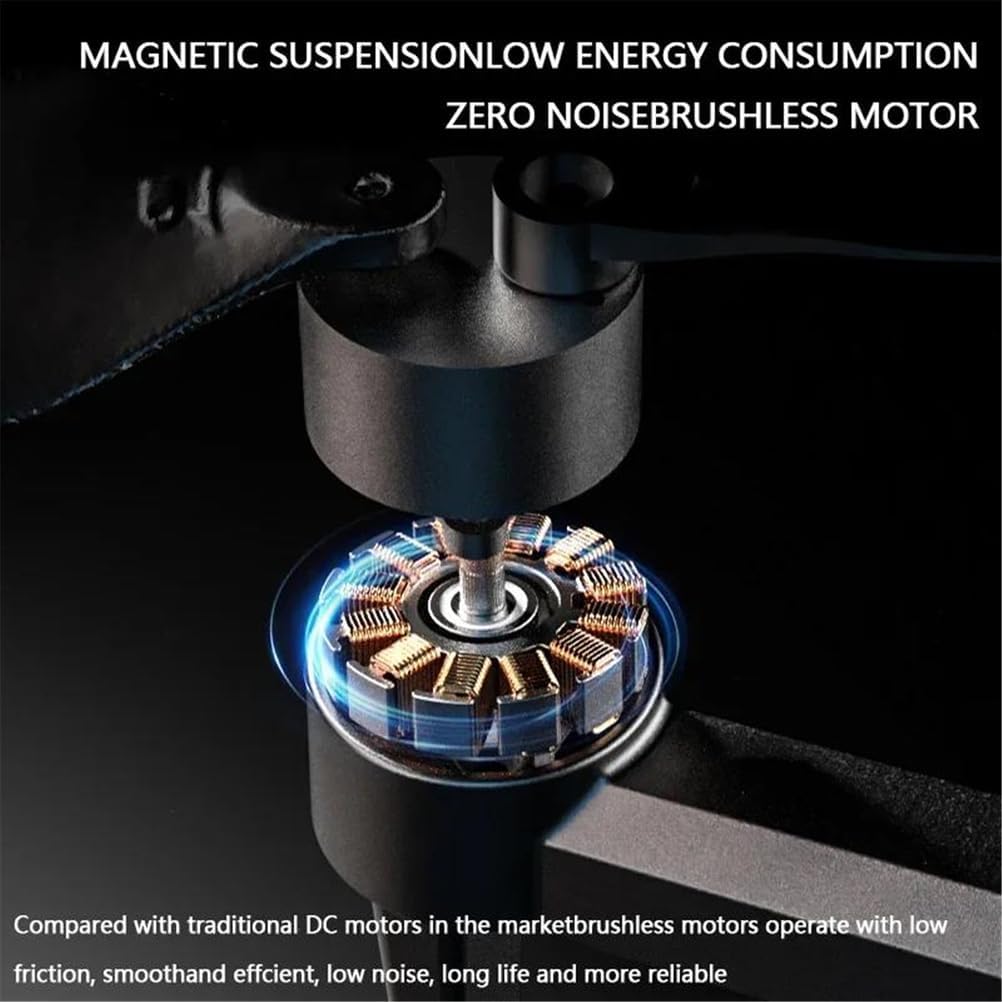
Слика 7.1: Детаљан view of the drone's brushless motor, highlighting its design for low energy consumption and quiet operation.
КСНУМКС. Решавање проблема
| Проблем | Могући узрок | Решење |
|---|---|---|
| Дрон се не укључује. | Батерија није напуњена или је неправилно уметнута. | Уверите се да је батерија потпуно напуњена и правилно уметнута. |
| Remote control does not connect. | Remote battery low; not paired; interference. | Charge remote control. Re-pair drone and remote. Move to an area with less interference. |
| Unstable flight/Drifting. | Improper calibration; strong winds; damaged propellers. | Perform compass and gyroscope calibration. Avoid flying in strong winds. Replace damaged propellers. |
| Нема FPV видео преноса. | App not connected to drone Wi-Fi; poor signal. | Ensure mobile device is connected to the drone's 5G Wi-Fi. Fly closer to the drone. |
| Избегавање препрека не функционише. | Feature disabled; sensor blocked/dirty. | Ensure obstacle avoidance is enabled. Clean sensors. |
9. Спецификације
| Модел производа | К11 СЕ |
| Бранд | FINOTI |
| Aircraft Dimensions (Folded) | 15.5 к 9 к 9.5 цм |
| Aircraft Dimensions (Unfolded) | 31.5 к 29 к 9.5 цм |
| Unit Weight (with battery) | 350г |
| Радна фреквенција | 5G |
| Аирцрафт Баттери | 7.4В 3500мАх |
| Батерија за даљински управљач | 3.7V 800mAh (built-in) |
| Време лета | Отприлике 21 минута |
| Време пуњења | Отприлике 3 сата |
| Image Return Distance (FPV) | Up to 500 meters (GPS version) |
| Flying Distance | До 800 метара |
| Режим пуњења | УСБ кабл за пуњење |
| Ленс Англе | 110° |
| Број модела ставке | SINGLEBATTERY-66500581 |
10. Гаранција и подршка
For warranty information, technical support, or service inquiries, please refer to the contact information provided with your purchase or visit the official FINOTI webсајт. Сачувајте доказ о куповини за потребе гаранције.