
1. Увод
Thank you for choosing Bluedee BD-SK900 Computer Speakers. This manual provides essential information for the proper setup, operation, and maintenance of your new speakers. Please read this guide thoroughly before use to ensure optimal performance and longevity of your device. These speakers are designed to deliver high-fidelity audio with versatile connectivity and dynamic RGB lighting for an enhanced audio-visual experience.
2. Садржај пакета
Молимо вас да проверите да ли су све ставке наведене у наставку укључене у ваш пакет:
- 1x Bluedee Computer Speaker (Pair)
- 1x USB/USB-C Cable
- КСНУМКСк водич за брзи почетак
3. Карактеристике производа
The Bluedee BD-SK900 speakers are equipped with advanced features for a superior audio experience:
- Стерео звук високе верности: Features 2 tweeters, 2 full-range drivers, and 2 passive radiators for clear highs, rich mids, and powerful bass with a 20W output.
- All-in-One Control Knob: A single, intuitive knob allows for play/pause, volume adjustment, lighting control, and switching between connection modes.
- Блуетоотх 5.4 повезивање: Ensures a stable, low-latency wireless connection for seamless audio streaming. (Note: Requires USB power supply for operation).
- Плуг & Плаи дизајн: Connects easily via the included USB/USB-C cable for both audio and power, requiring no additional drivers or software.
- Динамичко RGB осветљење: Offers 5 distinct RGB lighting modes, including dynamic color-shifting and static single-color glows, controllable via the knob.
- Unique Egg-shaped Acoustic Design: A minimalist and space-saving design (5.1"D x 5"W x 7.2"H) that enhances sound projection.
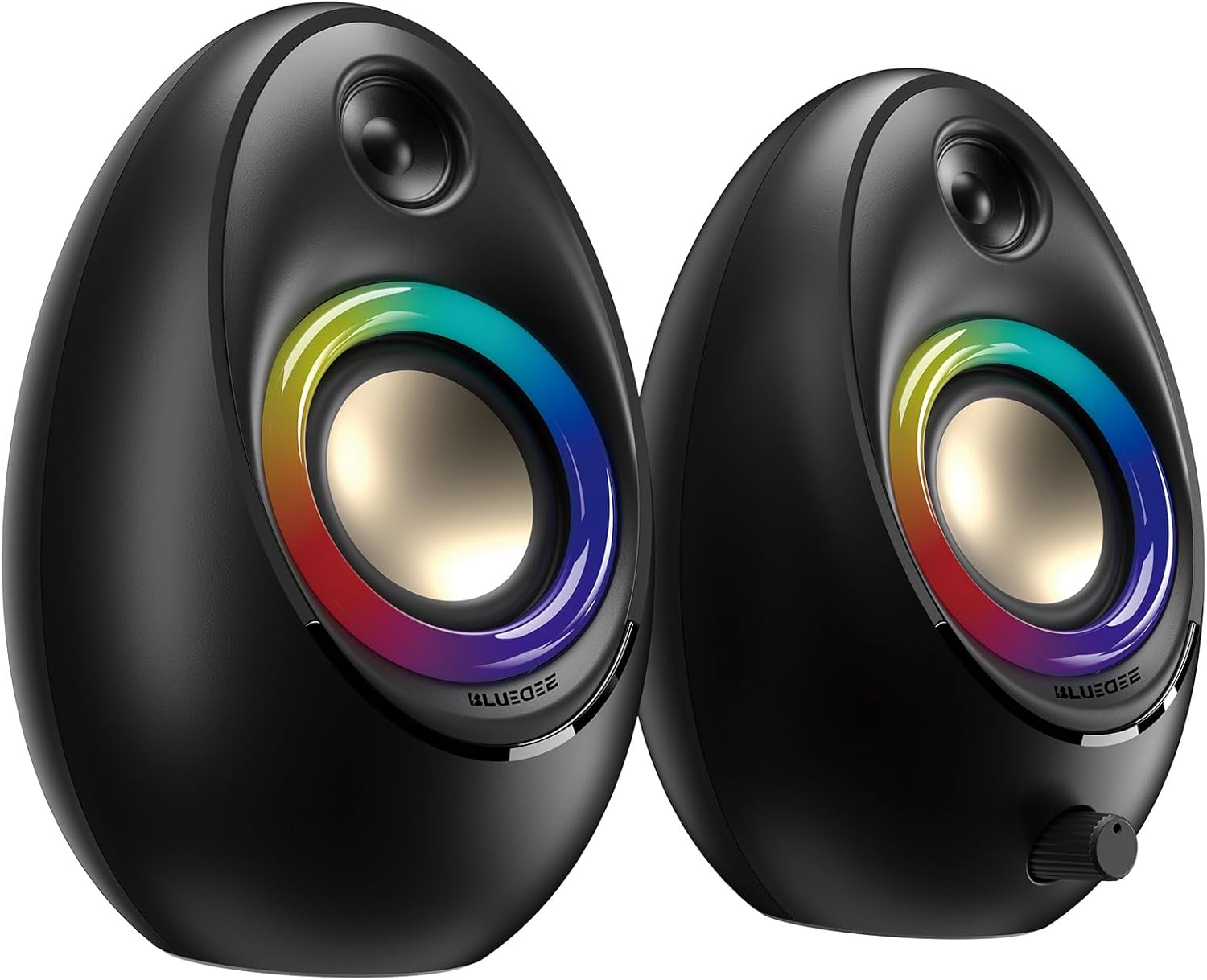
Figure 3.1: Bluedee BD-SK900 Computer Speakers, showcasing their design and RGB lighting.

Figure 3.2: Internal acoustic architecture of the Bluedee BD-SK900 speakers.

Figure 3.3: The multi-functional control knob for easy operation.
4. Упутства за подешавање
Follow these steps to set up your Bluedee BD-SK900 speakers:
- Пласман: Position the two speakers on your desktop or desired surface, ensuring they are spaced appropriately for optimal stereo sound.
- Повежите напајање и звук: Use the provided all-in-one USB/USB-C cable. Connect the USB-A or USB-C end to an available port on your computer (desktop, laptop) or a compatible USB power adapter (not included). The speakers will power on automatically.
- Почетна веза: Upon connecting, the speakers will typically default to USB audio mode. If your computer recognizes the speakers, audio will play directly through them.
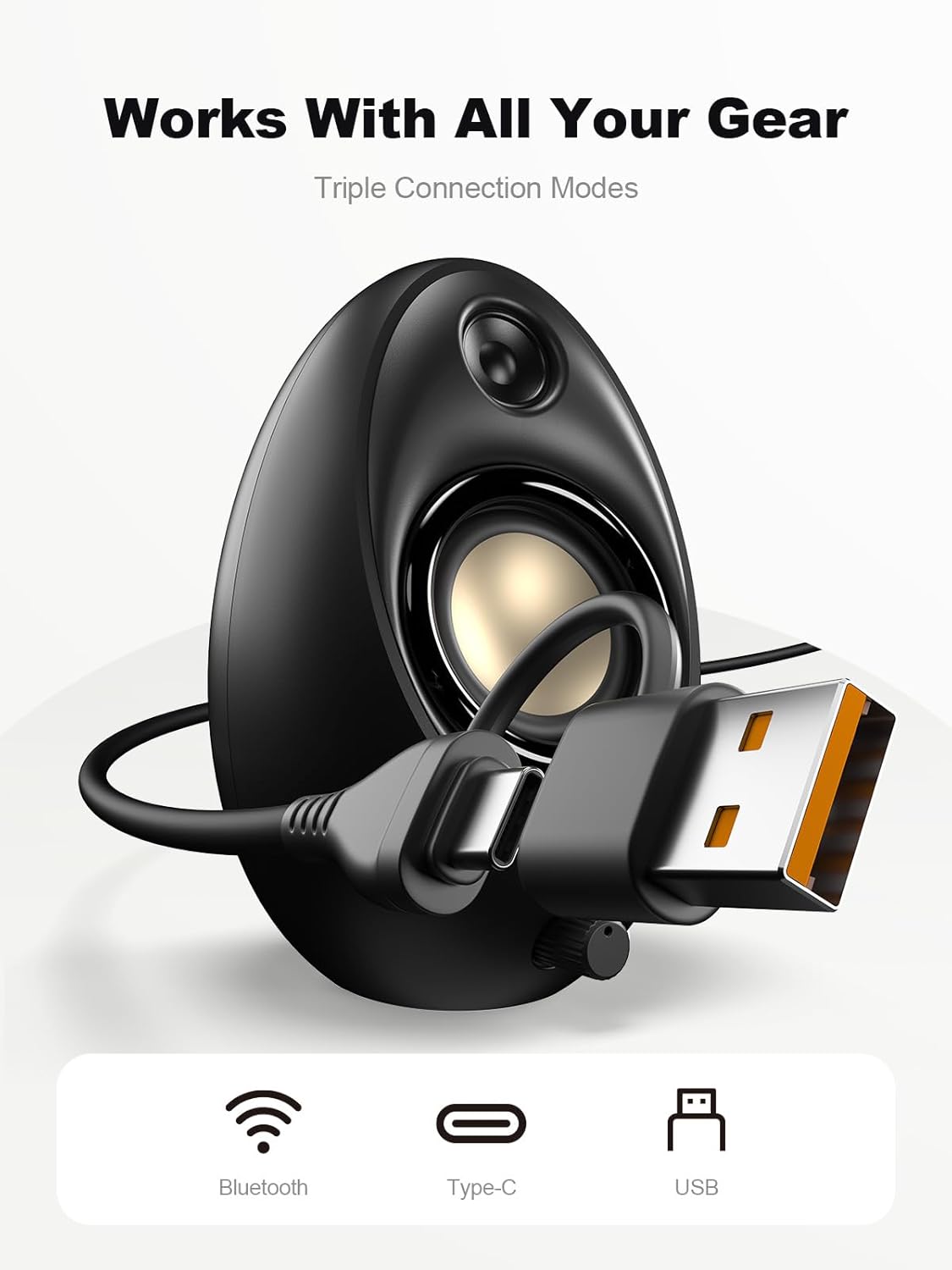
Figure 4.1: Connecting the speakers via USB/USB-C cable.
5. Упутство за употребу
5.1 Укључивање/искључивање
The speakers power on automatically when connected to a USB power source. To power off, disconnect the USB cable.
5.2 Контрола јачине звука
Rotate the multi-functional knob clockwise to increase volume and counter-clockwise to decrease volume.
5.3 Блуетоотх упаривање
- Пређите на Bluetooth режим: Press and hold the multi-functional knob for approximately 2-3 seconds until the speaker indicates Bluetooth mode (e.g., a specific light pattern or audio prompt).
- Омогућите Блутут на уређају: На паметном телефону, таблету или лаптопу омогућите Блутут и потражите доступне уређаје.
- пар: Select "Bluedee BD-SK900" from the list of devices. Once paired, the speakers will confirm the connection.
5.4 USB/Type-C Connection
When connected via the USB/USB-C cable, the speakers will automatically function as an audio output device for your computer. To switch back to USB mode from Bluetooth, press and hold the multi-functional knob again.
5.5 RGB контрола осветљења
The speakers feature 5 dynamic RGB lighting effects. Briefly press the multi-functional knob to cycle through the available lighting modes. This allows you to customize the ambiance to your preference.

Figure 5.1: Dynamic RGB lighting effects.
КСНУМКС. Решавање проблема
If you encounter issues with your Bluedee BD-SK900 speakers, please refer to the following common solutions:
- Нема звука:
- Ensure the USB/USB-C cable is securely connected to both the speakers and your device/power source.
- Check the volume level on both the speakers (using the knob) and your connected device.
- Проверите да ли је у подешавањима звука рачунара изабран исправан аудио излазни уређај.
- If using Bluetooth, ensure the speakers are in Bluetooth mode and successfully paired.
- Bluetooth Disconnection/Pairing Issues:
- Ensure the speakers are within the 10-meter Bluetooth range of your device.
- Искључите и укључите Bluetooth на уређају, а затим поново покушајте упаривање.
- Forget the device from your Bluetooth list and re-pair.
- Ensure the speakers are not connected to another device.
- РГБ светла не раде:
- Уверите се да су звучници укључени.
- Briefly press the multi-functional knob to cycle through lighting modes; the lights might be off or in a static mode.
- Искривљени звук:
- Смањите јачину звука и на звучницима и на повезаном уређају.
- Уверите се да је извор звука доброг квалитета.
- Check for any interference if using Bluetooth.
7. Спецификације
| Назив модела | БД-СК900 |
| Спеакер Типе | Компјутерски звучник |
| Технологија повезивања | Блуетоотх, УСБ |
| Блуетоотх верзија | 5.4 |
| Блуетоотх домет | 10 метара |
| Излазна снага | 20В |
| Однос сигнала и шума | 70 дБ |
| Фреквенцијски одзив | 20 KHz (Upper limit, typical for full-range) |
| РГБ режими осветљења | 5 |
| Компатибилни уређаји | Десктоп, лаптоп, паметни телефон, таблет |
| Димензије производа (сваки звучник) | 5.1"Д к 5"Ш к 7.2"В |
| Тежина артикла | 2.88 фунти |
| Извор напајања | Corded Electric (USB/Type-C) |

Figure 7.1: Speaker dimensions and design.
8. Одржавање
To ensure the longevity and optimal performance of your speakers, follow these maintenance guidelines:
- Чишћење: Use a soft, dry cloth to clean the speaker surfaces. Avoid using abrasive cleaners, solvents, or strong chemicals, as they may damage the finish.
- Складиштење: Када се звучници не користе дуже време, чувајте их на хладном и сувом месту, даље од директне сунчеве светлости и екстремних температура.
- Руковање: Пажљиво рукујте звучницима. Избегавајте да их испустите или изложите јаким ударцима.
- вентилација: Ensure proper ventilation around the speakers to prevent overheating. Do not block any vents.
9. Безбедносне информације
Молимо придржавајте се следећих мера предострожности:
- Не излажите звучнике води, влази или екстремним температурама.
- Do not attempt to disassemble or modify the speakers. This will void the warranty and may cause damage or injury.
- Keep the speakers away from heat sources, open flames, and direct sunlight.
- Use only the provided USB/USB-C cable for connection.
- Избегавајте слушање музике на претерано јаким гласноћама током дужег временског периода како бисте спречили оштећење слуха.
10. Гаранција и подршка
Bluedee provides comprehensive support for your BD-SK900 Computer Speakers:
- Гаранција квалитета: Your speakers are covered by a 540-day quality warranty from the date of purchase.
- Доживотна подршка: Bluedee offers lifetime customer support for this product.
- Контакт: For any questions, technical assistance, or warranty claims, please contact us via Amazon Messages or refer to the contact details provided in your Quick Start Guide.