
1. Важне информације о безбедности
Please read this manual carefully before using the MiLESEEY S50 Laser Distance Meter. Failure to follow these instructions may result in laser radiation exposure, electric shock, fire, or serious injury.
Ласер Сафети
The MiLESEEY S50 emits Class II laser radiation. Do not stare directly into the laser beam. Direct exposure to the laser beam may cause eye injury.
- Тип ласера: Class II Green Laser (500-530nm, <1mW) and Class II Red Side Laser (630-670nm, <1mW).
- Never look directly into the laser beam or point it at other people.
- Немојте растављати или модификовати уређај.
- Држите уређај ван домашаја деце.
2. Производ је готовview
The MiLESEEY S50 is a professional laser distance meter designed for accurate and efficient measurements in various environments. It features advanced green laser technology for enhanced visibility and a wide range of measurement functions.
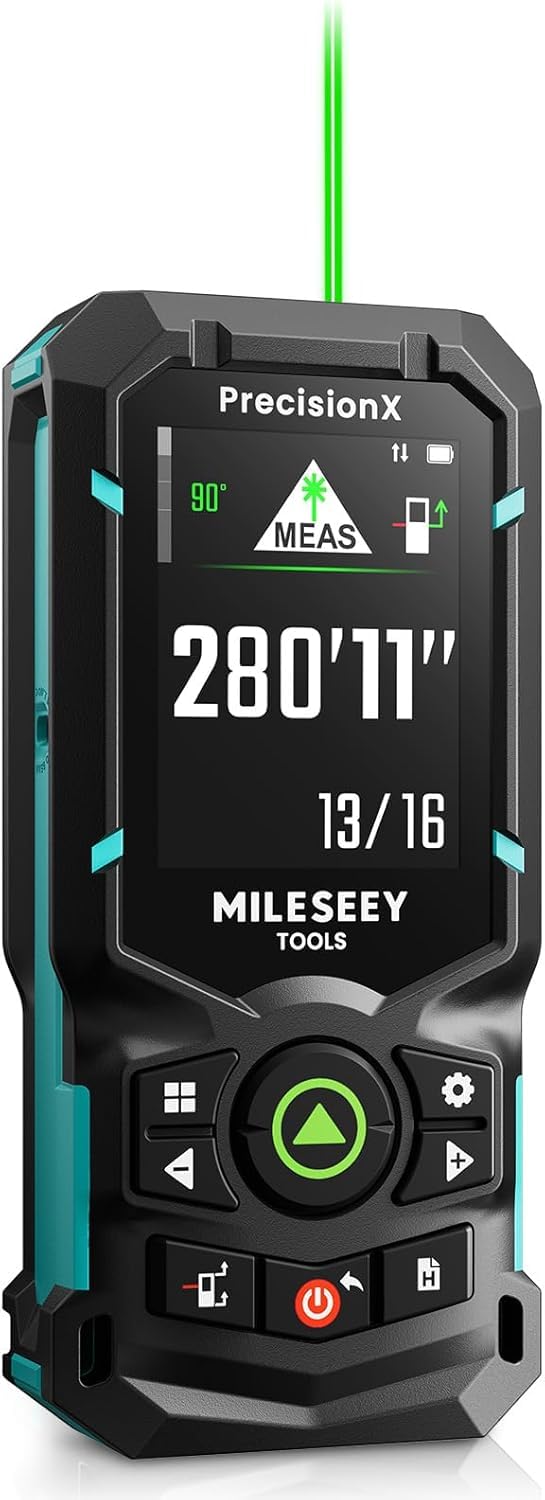
Image: The MiLESEEY S50 Professional Green Laser Distance Meter.
Кључне карактеристике
- 4x Brighter Green Laser: Provides superior visibility compared to standard red lasers, especially in outdoor conditions.
- High Precision & Speed: Utilizes MILESEEY's patented PowerBurst™ technology for stable measurements up to 120m with ±1.5mm accuracy, even in challenging conditions. Up to 8 measurements per second.
- 18 режима мерења: Includes P2P (Point-to-Point), area, volume, indirect measurements, continuous measurement, and more.
- Flexible References & Units: Easily switch between 4 reference points (front, rear, tripod, lateral laser) and 8 units (ft, 0'00"1/32, 0'00"1/16, in1/32, in1/16, in1/16, cm, m).
- 6.1 cm IPS Backlit Screen: High-resolution display with automatic black and white background switching for clear readings in various lighting conditions.
- Пуњиве NiMH батерије: Powered by 2xAA 1800mAh NiMH batteries, offering all-day use and USB-C charging.
- Интеграција паметних апликација: Streamline workflow with smart applications for visualizing measurements on floor plans, exporting data, creating reports, and unlimited cloud storage.
- Издржљив дизајн: Constructed from robust engineering plastic, IP54 dust and water-resistant.

Image: Enhanced visibility of the green laser beam.

Image: PowerBurst technology for consistent precision.

Image: The 6.1 cm IPS backlit screen in different lighting conditions.
Садржај пакета
The MiLESEEY S50 package includes:
- 1 x MiLESEEY S50 Laser Distance Meter
- КСНУМКС к Стораге Цасе
- 1 к Ланиард
- 2 x AA NiMH Rechargeable Batteries
- КСНУМКС к УСБ-Ц кабл за пуњење
- 1 к Упутство за употребу
- 1 к Водич за брзи почетак

Image: Contents of the MiLESEEY S50 box.
3. Подешавање
Инсталација и пуњење батерије
The MiLESEEY S50 uses 2xAA NiMH rechargeable batteries. Ensure batteries are correctly inserted according to polarity markings. For optimal performance, fully charge the batteries before first use.
- Отворите поклопац одељка за батерије.
- Insert the 2xAA NiMH batteries, observing the correct polarity.
- Добро затворите поклопац одељка за батерије.
- Connect the device to a power source using the provided USB-C cable for charging. The screen will indicate charging status.

Image: MiLESEEY S50 with batteries and USB-C charging cable.
Укључивање/искључивање
- Да бисте укључили, притисните Повер дугме.
- За искључивање притисните и држите тастер Повер дугме неколико секунди. Уређај ће се такође аутоматски искључити након периода неактивности ради уштеде батерије.
4. Упутство за употребу
Басиц Меасуремент
Да бисте извршили мерење једне удаљености:
- Усмерите ласер на циљану површину.
- Притисните тастер МЕАС button (green triangle). The measurement will be displayed on the screen.
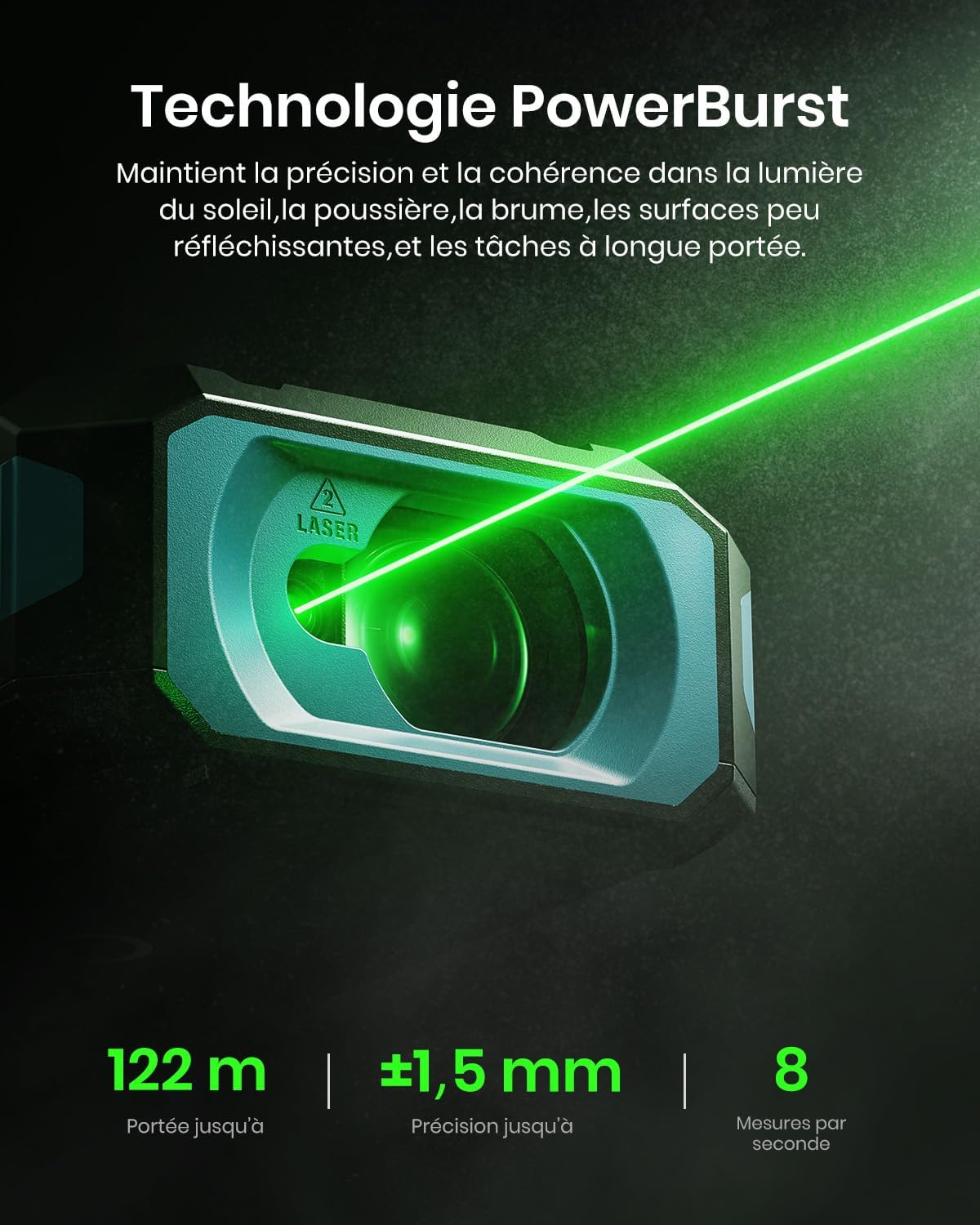
Image: Performing a basic distance measurement.
Changing Units and Reference Points
- Притисните тастер Јединица button to cycle through available measurement units (e.g., meters, feet, inches).
- Притисните тастер Референца button to change the measurement reference point (front, rear, tripod, lateral laser).
Избор режима мерења
The MiLESEEY S50 offers 18 different measurement modes. Press the Режим button to cycle through the available functions. The screen will display an icon representing the selected mode.

Image: Visual representation of the 18 measurement modes.
5. Напредне функције
P2P (Point-to-Point) Measurement
The P2P mode allows you to measure the distance between two points from a single location, which is particularly useful for inaccessible areas.
- Изаберите P2P режим мерења.
- Aim the laser at the first target point and take a measurement.
- Aim the laser at the second target point and take another measurement.
- The device will calculate and display the distance between the two points.

Image: Demonstrating P2P measurement functionality.
Интеграција паметних апликација
Connect your MiLESEEY S50 to the Smart Life app for enhanced functionality and data management.
- Преузмите апликацију „Smart Life“ из продавнице апликација на вашем уређају.
- Follow the in-app instructions to pair your S50 device via Bluetooth.
- Када се повежете, можете view measurements on floor plans, export data, create reports, and utilize unlimited cloud storage for your projects.

Image: Smart Life app integration with the MiLESEEY S50.
Lateral Laser Alignment
The red lateral laser alignment feature helps in precise alignment and layout tasks, providing visible markers up to 1 meter.

Image: Using the red lateral laser for alignment.
6. Одржавање
- Редовно чистите уређај меком крпомamp тканина. Немојте користити абразивна средства за чишћење или раствараче.
- Ensure the laser lens is clean and free from dust or debris for accurate measurements.
- Чувајте уређај у заштитној футроли када се не користи како бисте спречили оштећења.
- Ако се уређај неће користити дужи период, извадите батерије.
КСНУМКС. Решавање проблема
| Проблем | Могући узрок | Решење |
|---|---|---|
| Уређај се не укључује. | Low or depleted batteries; incorrectly inserted batteries. | Charge or replace batteries; check battery polarity. |
| Нетачна мерења. | Dirty laser lens; unstable measurement surface; extreme environmental conditions. | Clean the lens; ensure a stable measurement; avoid measuring in conditions outside specified operating range. |
| Ласерски зрак није видљив. | Јако амбијентално светло; ласер је искључен. | Use in lower light conditions or use the green laser for better visibility; ensure laser is activated. |
| Не могу да се повежем са апликацијом Smart Life. | Bluetooth is off; device not in pairing mode; app issues. | Ensure Bluetooth is enabled on your phone; restart both devices; check app permissions. |
8. Спецификације
| Феатуре | Детаљ |
|---|---|
| Бранд | Мајлси |
| Број модела | С50 |
| Меасуремент Ранге | До 120м |
| Прецизност мерења | ±1.5 мм |
| Laser Type (Main) | Class II Green Laser (500-530nm, <1mW) |
| Laser Type (Lateral) | Class II Red Laser (630-670nm, <1mW) |
| Дисплаи | 6.1 cm IPS Backlit Screen |
| Извор напајања | 2xAA NiMH 1800mAh Rechargeable Batteries |
| Порт за пуњење | УСБ-Ц |
| Материјал | Акрилонитрил бутадиен стирен, гума |
| Отпорност на воду | IP54 (отпоран на прашину и воду) |
| Тежина | 150 грама |
9. Гаранција и подршка
The MiLESEEY S50 Laser Distance Meter comes with a 24-месечна гаранција произвођача од дана куповине. Ова гаранција покрива недостатке у материјалу и изради при нормалној употреби.
For warranty claims, technical support, or any inquiries, please contact Mileseey customer service through the retailer where the product was purchased or visit the official Mileseey webсајт за контакт информације.
Молимо вас да сачувате доказ о куповини ради потврде гаранције.