
Увод
The TABWEE P10 is a versatile 10.1-inch digital calendar and photo frame designed to simplify family and professional scheduling. This device connects via Wi-Fi and synchronizes with various calendar applications, offering real-time updates for all family members. It also functions as a digital photo frame, displaying cherished memories. This manual provides detailed instructions for setup, operation, and maintenance of your TABWEE P10.

Image: The TABWEE P10 Digital Calendar displaying a weekly schedule, with text indicating its features for managing family life and syncing with various calendar apps.
Водич за подешавање
1. Распакивање и почетно укључивање
Carefully remove the TABWEE P10 from its packaging. Connect the power adapter to the device and plug it into a power outlet. The device will automatically power on.
2. Ви-Фи веза
- On the device screen, navigate to Подешавања.
- Изаберите Ви-Фи and choose your preferred network.
- Enter your Wi-Fi password and tap Повежите се.
3. Mobile App Installation and Synchronization
The TABWEE P10 supports synchronization with mobile applications (iOS and Android) for seamless management.
- Download the official TABWEE mobile application from your device's app store.
- Направите налог или се пријавите.
- Follow the on-screen instructions in the app to pair your TABWEE P10 device. This typically involves scanning a QR code displayed on the P10 screen.
- Once paired, you can link your existing calendar accounts (Google, Apple, iCloud, Outlook, Yahoo, Cozi, etc.) through the mobile app for two-way synchronization.
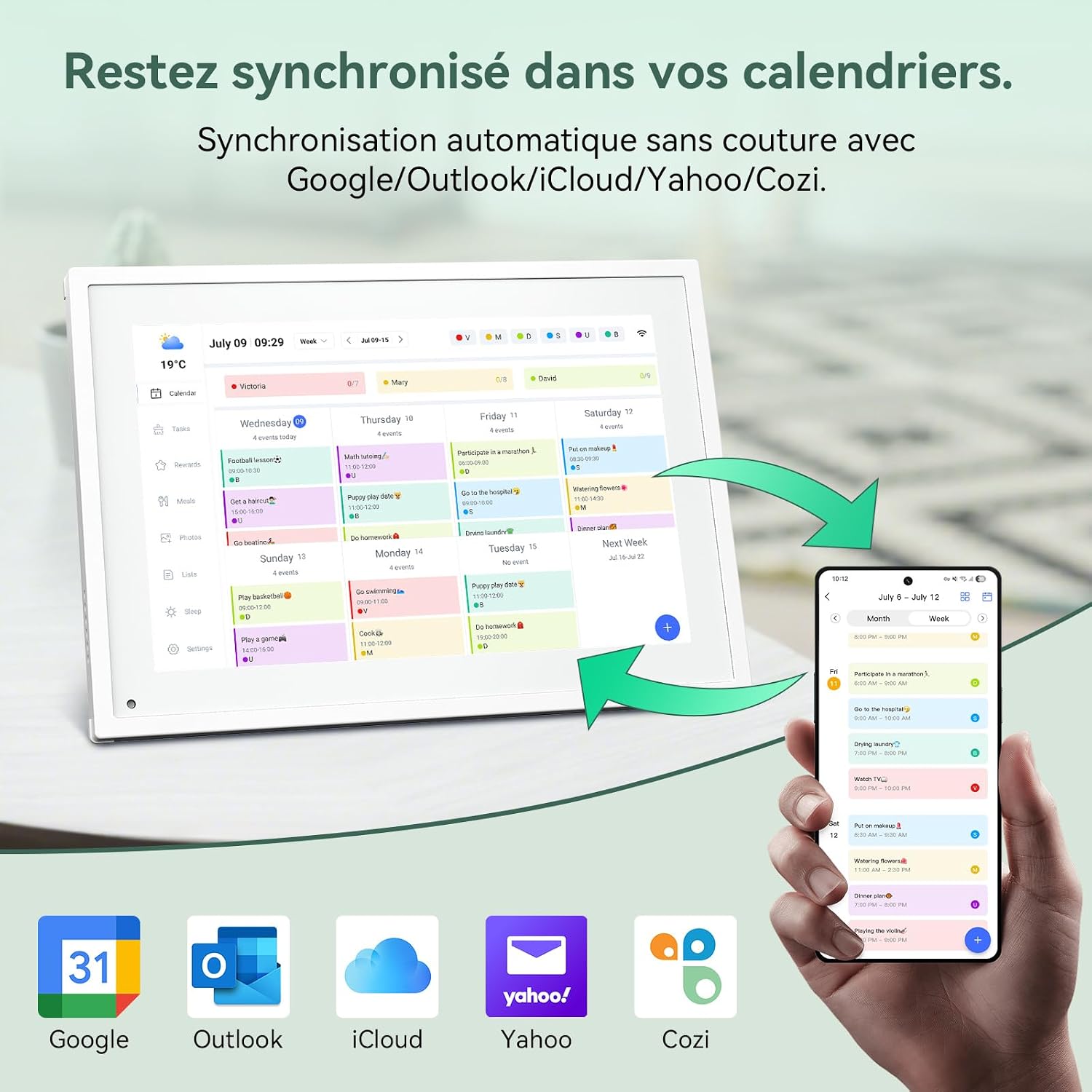
Image: The TABWEE P10 Digital Calendar displaying a weekly schedule, with a smartphone next to it showing the synchronized mobile app interface. Icons for Google, Outlook, iCloud, Yahoo, and Cozi are visible below, indicating compatibility.
Упутство за употребу
1. Calendar Management
- Viewing Schedules: The P10 displays schedules in various formats (daily, weekly, monthly). Tap on the screen to switch between views.
- Adding/Editing Events: Use the touchscreen directly or the mobile app to add new events, appointments, or reminders. Events can be color-coded for easy identification.
- Real-time Synchronization: All changes made on the device or through linked calendar apps will update in real-time across all platforms.
2. Digital Photo Frame Functionality
The P10 can display personal photos, transforming into a digital photo frame when not actively used for scheduling.
- Отпремање фотографија: Send photos from your mobile app to the P10.
- Режими приказа: The device supports both landscape and portrait orientations. You can configure slideshow settings, including transition effects and display duration.
- Режим спавања: The P10 features a sleep mode that allows the screen to turn off and wake up at set times, conserving energy.

Image: Two TABWEE P10 devices, one in landscape mode displaying a calendar, and another in portrait mode displaying a family photo, illustrating its dual functionality as a calendar and digital photo frame.
3. Task Management and Rewards System
Organize household chores and encourage good habits with the integrated task manager and rewards system.
- Creating Tasks: Parents can create tasks via the device or mobile app and assign them to family members.
- Earning Rewards: Children can earn stars upon completing tasks, which can then be redeemed for custom rewards set by parents.

Image: A young girl pointing at the TABWEE P10 screen, which displays a task manager interface with a rewards system showing stars earned for completed tasks.
4. Meal Planning
Plan daily meals and healthy recipes directly on the device.
- Customizable Recipes: Input and store healthy recipes.
- Meal Schedule: Plan breakfast, lunch, dinner, and snacks for the week, ensuring balanced nutrition and timely meals.
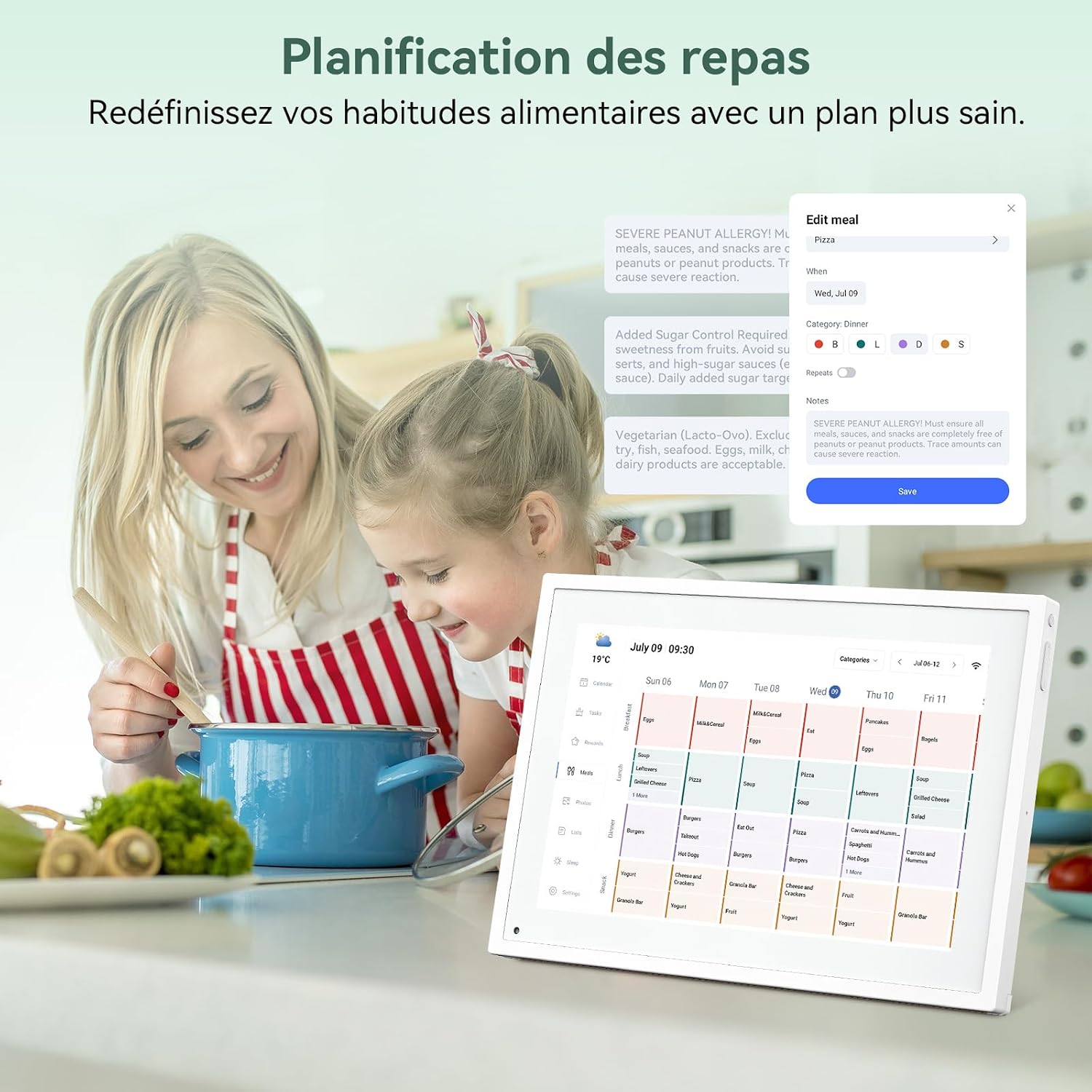
Image: A mother and child looking at the TABWEE P10 screen, which displays a meal planning interface, with food items and a cooking pot in the foreground.
Сценарији коришћења
The TABWEE P10 is designed for various environments to enhance organization and connectivity.
- For Families: Centralize family schedules, manage household tasks, and share moments.
- За децу: Utilize the rewards system to foster good habits and independence.
- For Seniors: Provides clear reminders for medication, appointments, and healthy meal plans.
- For Office Workers: Display meeting agendas, task deadlines, and project schedules with color-coded priorities.

Image: A collage showing the TABWEE P10 in different settings: a bedroom displaying a photo, a living room with a family, and an office desk displaying a calendar, highlighting its versatility.
Одржавање
- Чишћење: Use a soft, dry cloth to clean the screen and exterior. Avoid abrasive cleaners or sprays directly on the screen.
- Ажурирања софтвера: Ensure your device's software is up to date for optimal performance and new features. Check for updates via the Settings menu or the mobile app.
- Услови животне средине: Operate the device in a dry environment, away from direct sunlight and extreme temperatures.
Решавање проблема
Уобичајени проблеми и решења:
- Уређај се не укључује: Уверите се да је адаптер за напајање безбедно повезан и са уређајем и са исправном утичницом.
- Проблеми са Ви-Фи везом: Verify your Wi-Fi password. Try restarting your router and the TABWEE P10. Ensure the device is within range of your Wi-Fi network.
- Synchronization Problems: Check your internet connection. Ensure the mobile app is updated and correctly paired with the device. Re-link your calendar accounts if necessary.
- Екран не реагује: Покушајте да поново покренете уређај. Ако проблем и даље постоји, контактирајте корисничку подршку.
За додатну помоћ, погледајте одељак Гаранција и подршка.
Спецификације
| Феатуре | Спецификација |
|---|---|
| Број модела | П10 |
| Величина екрана | 10.1 инча |
| Бранд | TABWEE |
| Материјал | Еколошки прихватљиви материјали |
| Тип монтаже | Десктоп Моунт |
| Тежина артикла | 1.17 килограма |
| Повезивање | Ви-Фи |
| УПЦ | 652805713458 |
| ГТИН | 652805713458 |

Image: A technical diagram illustrating the dimensions (26.5cm x 18.5cm x 1.5cm) and key physical features of the TABWEE P10, including power on/off, volume buttons, light sensor, and support stand.
Гаранција и подршка
TABWEE ensures product quality through a comprehensive inspection system for every unit before it leaves the factory.
- гаранција: The TABWEE P10 calendar machine comes with a two-year warranty.
- техничка подршка: Lifetime technical support is provided for the TABWEE P10.
- Контакт: For any questions regarding usage or constructive suggestions for the product, please do not hesitate to contact us. Our engineers are continuously working to improve and optimize our products.

Image: The TABWEE brand logo with icons representing key company values and services, including a 2-year warranty and lifetime support, set against a clean background with office decor.