
Увод
This manual provides detailed instructions for the setup, operation, and maintenance of your SPYPOINT FORCE-PRO 30 Megapixel 4K Trail Camera. Designed for outdoor monitoring, this camera captures high-resolution photos and videos, making it ideal for wildlife observation and security. Please read this manual thoroughly to ensure proper use and optimal performance of your device.
Садржај пакета
Verify that all items listed below are present in your package. If any items are missing or damaged, please contact SPYPOINT customer support.
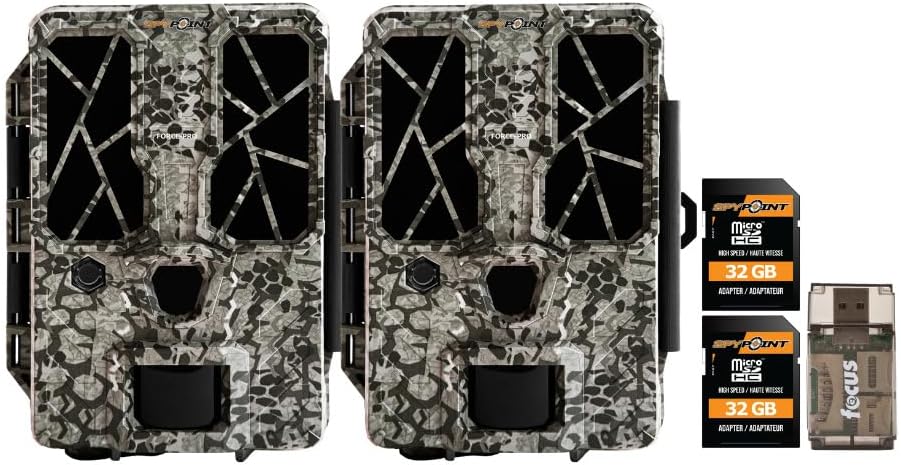
- 2 x SPYPOINT FORCE-PRO 30 Megapixel Trail Camera
- 2 x SPYPOINT MicroSD 32GB Ultra High Speed Class 10 Memory Card
- 1 x Focus All-In-One High Speed Card Reader

Производ је завршенview
The SPYPOINT FORCE-PRO is a robust trail camera designed for reliable performance in outdoor environments. It features advanced imaging capabilities and user-friendly controls.
Кључне карактеристике
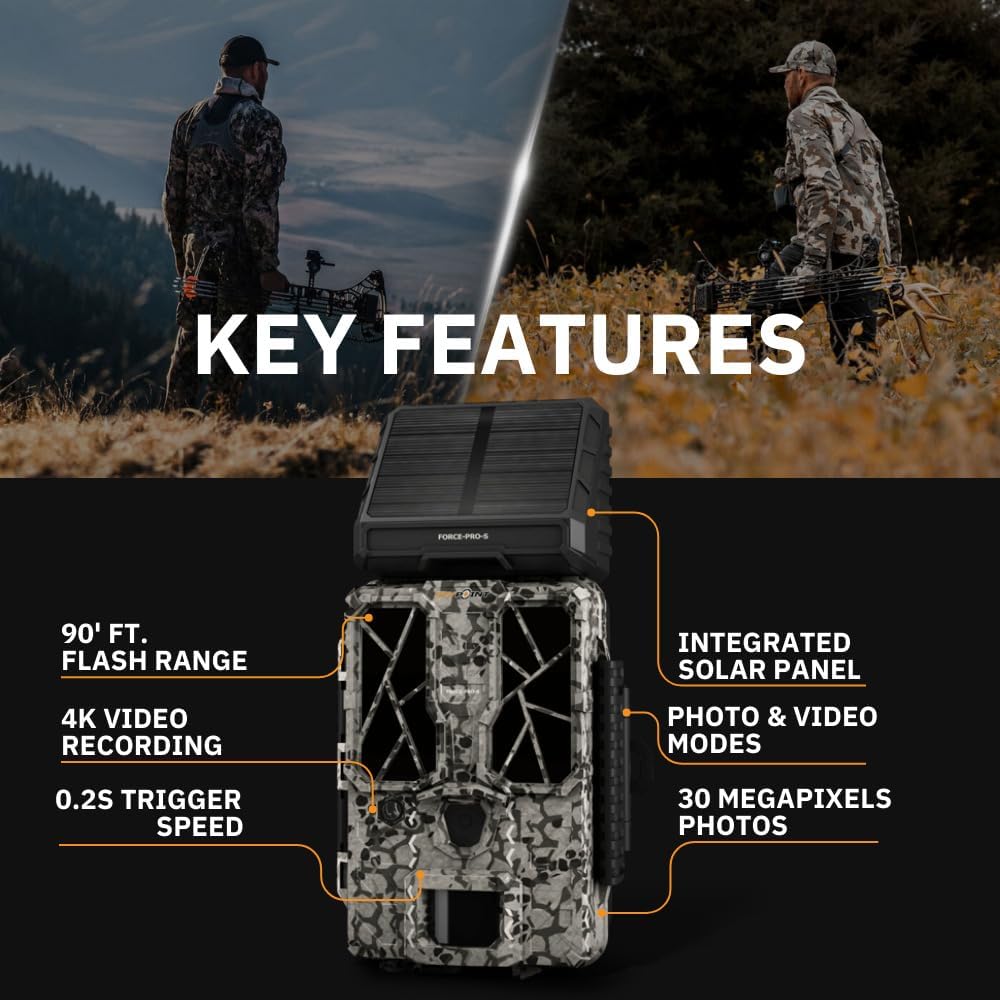
- висока резолуција: 30 Megapixel photos and 4K video recording with sound.
- Велика брзина окидача: Ultra-fast 0.2-second trigger speed to capture quick movements.
- Широки опсег детекције: 110-foot detection range.
- Powerful Flash: 90-foot flash range with 54 LEDs for clear night images.
- Интегрисани соларни панел: For extended battery life and reduced maintenance.
- Dual-SIM Cellular: Automatically connects to the best available network for reliable transmission (if cellular model).



Сетуп
1. Инсталација извора напајања
The FORCE-PRO camera is equipped with an integrated solar panel for charging its internal battery. For initial setup or extended use without sufficient sunlight, an external power source can be used.
- Унутрашња батерија: Ensure the camera's internal battery is charged. The integrated solar panel will charge it during daylight hours.
- Спољно напајање (опционо): If using an external 12V power source (not included), connect it to the camera's 12V jack.
2. Уметање MicroSD картице
A MicroSD card is required to store photos and videos. Two 32GB MicroSD cards are included in this bundle.
- Пронађите слот за MicroSD картицу на камери.
- Уметните MicroSD картицу са златним контактима окренутим ка задњој страни камере док не кликне на своје место.
- To remove, press the card gently until it springs out.
3. Почетно укључивање и основна конфигурација
- Turn the camera ON using the power switch.
- Follow the on-screen prompts (if available) or refer to the camera's menu for initial settings such as date, time, and language.
- Format the MicroSD card through the camera's menu for optimal performance.
4. Монтажа камере
The camera can be mounted using a strap, tripod, or other compatible mounting accessories. While specifications mention 'Tabletop Mount', for outdoor use, secure mounting is crucial.
- Choose a location that provides a clear view жељеног подручја праћења.
- Ensure the camera is securely fastened to prevent movement from wind or animals.
- Position the camera to avoid direct sunlight into the lens, which can cause overexposure.
Упутство за употребу
Режими камере
- Фото режим: Captures still images when triggered.
- Видео режим: Records video clips when triggered.
- Фото + видео режим: Captures a photo followed by a video clip.
Подешавање подешавања
Access the camera's menu using the built-in screen and navigation buttons to customize settings:
- Резолуција: Select desired photo (up to 30MP) and video (up to 4K) resolution. Higher resolutions consume more storage.
- Кашњење окидача: Set the delay between consecutive triggers.
- Осетљивост: Adjust the motion sensor sensitivity to suit the environment and avoid false triggers.
- Радно време: Define specific times the camera should be active.
- Датум/Време Стamp: Enable or disable the date and time overlay on images/videos.
Дата Ретриевал
- МицроСД картица: Remove the MicroSD card from the camera and insert it into the included Focus All-In-One High Speed Card Reader. Connect the card reader to a computer to access files.
- SPYPOINT App: For cellular models, use the SPYPOINT mobile application to view and manage captured media remotely. The app also allows for camera settings adjustments and firmware updates.
Одржавање
- Чишћење: Regularly clean the camera lens and housing with a soft, dry cloth. Avoid abrasive materials or harsh chemicals.
- Провера батерије: Monitor battery levels, especially during periods of low sunlight. The integrated solar panel helps maintain charge, but supplemental charging may be needed.
- Ажурирања фирмвера: Periodically check for and install firmware updates via the SPYPOINT app or webсајт како би се осигурале оптималне перформансе и приступ новим функцијама.
- Складиштење: Када се не користи, чувајте камеру на хладном и сувом месту, заштићено од директне сунчеве светлости.
Решавање проблема
- Camera Not Triggering: Check motion sensor sensitivity, ensure no obstructions, and verify battery level.
- Лош квалитет слике/видеа: Clean the lens, check resolution settings, and ensure proper lighting conditions.
- Проблеми са напајањем: Ensure the internal battery is charged or an external power source is properly connected. Check for any damage to power cables.
- Грешке МицроСД картице: Reformat the MicroSD card (backing up data first) or try a different card. Ensure the card is properly inserted.
- Connectivity Problems (Cellular Models): Verify cellular signal strength in the camera's location. Check your SPYPOINT app for data plan status.
Спецификације
| Феатуре | Спецификација |
|---|---|
| Модел | ФОРЦЕ-ПРО |
| Пхото Ресолутион | 30 мегапиксела |
| Видео Ресолутион | 4K |
| Брзина окидача | 0.2 секунди |
| Домет детекције | 110 стопа |
| Домет блица | 90 стопа |
| ЛЕД диоде | 54 |
| Извор напајања | Integrated Solar Panel, Corded Electric (external 12V option) |
| Повезивање | USB, Wired (for data transfer), Cellular (for remote management) |
| Материјал | Пластика |
| Отпорност на воду | Отпоран на воду |
| Фоцус Типе | Ауто Фоцус |
| УПЦ | 196271434986 |
Гаранција и подршка
For warranty information, technical support, or service inquiries, please refer to the official SPYPOINT webсајт или директно контактирајте њихову службу за кориснике. Сачувајте доказ о куповини за потребе гаранције.
СПИПОИНТ Webсајт: ввв.спипоинт.цом