
1. Увод
This manual provides comprehensive instructions for the Maxwest Gravity G64 Smartphone. It covers setup, operation, maintenance, and troubleshooting to help you maximize your device's capabilities. Please read this manual thoroughly before using your new smartphone.
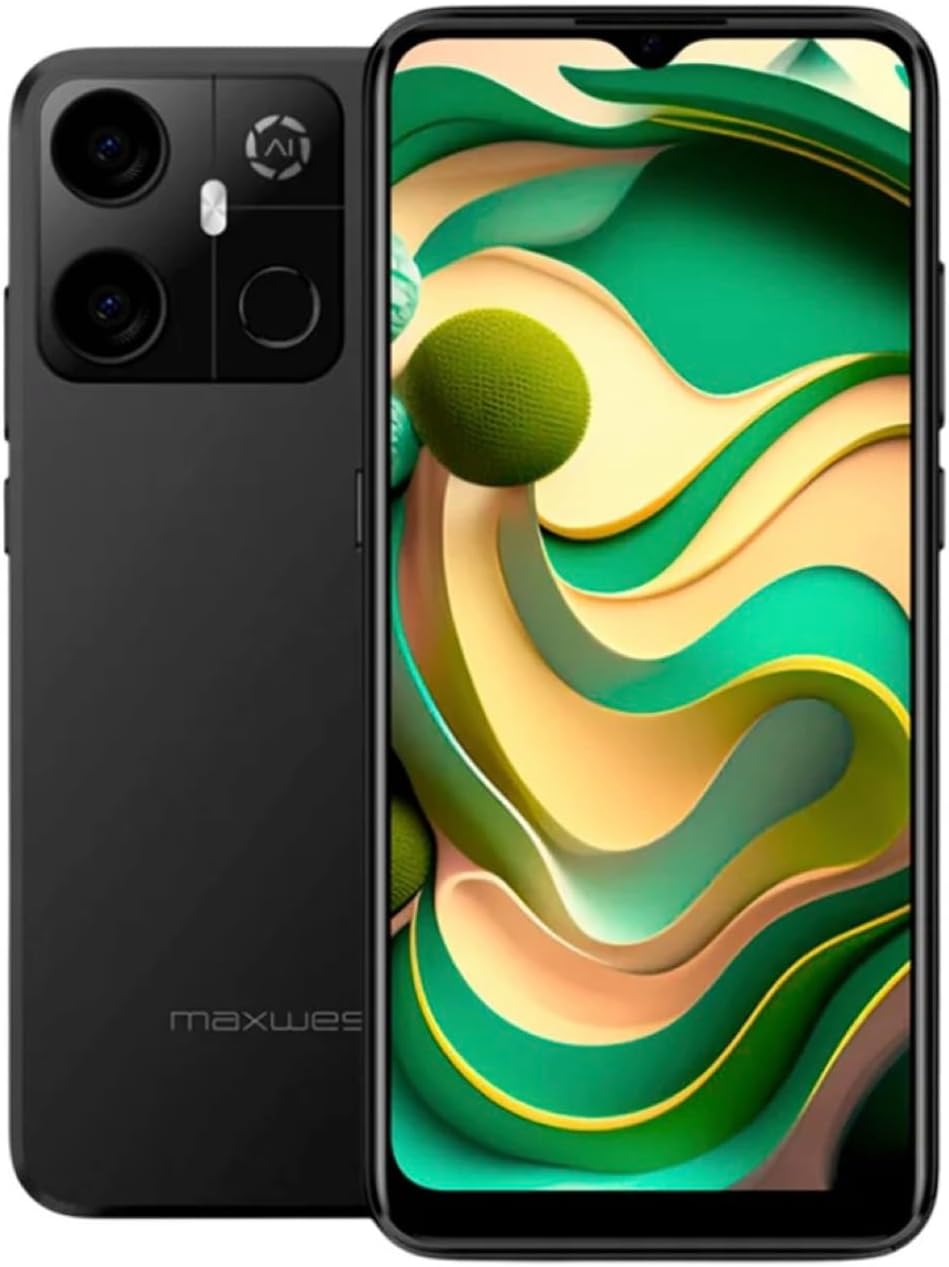
Image: Maxwest Gravity G64 Smartphone, front and back view. The front displays a vibrant screen, while the rear highlights the camera module and Maxwest branding.
2. Подешавање
2.1. Шта је у кутији
- Maxwest Gravity G64 Smartphone
- Повер Адаптер
- Battery (1 C battery, included)
2.2. Инсталација SIM картице и меморијске картице
Locate the SIM card tray on the side of your device. Use the provided SIM ejector tool to open the tray. Insert your Nano-SIM card(s) and/or microSD card into the designated slots. Ensure the cards are correctly oriented before reinserting the tray firmly into the phone.
2.3. Прво укључивање и пуњење
Press and hold the power button located on the side of the phone until the Maxwest logo appears. For first-time use, it is recommended to fully charge the device. Connect the USB Type-C cable to the phone's charging port and the power adapter to a wall outlet. The battery indicator will show charging status.
3. Операција
3.1. Основна навигација
The Gravity G64 features a responsive touchscreen. Swipe up, down, left, or right to navigate through menus and home screens. Tap icons to open applications. Use pinch-to-zoom gestures for images and web странице.
3.2. Карактеристике екрана
The 6.57-inch HD+ display with a 60Hz refresh rate provides clear visuals and smooth scrolling. Adjust brightness and display settings via the 'Settings' menu under 'Display'.
3.3. Употреба камере
Launch the Camera application to utilize the 16MP AI Camera system. Tap to focus, pinch to zoom, and use the on-screen shutter button to capture photos. Explore various modes like Portrait, Panorama, and Night mode for enhanced photography.
3.4. Сигурносне карактеристике
Your Gravity G64 offers dual security options: Fingerprint Sensor and Face Unlock. To set these up, navigate to 'Settings' > 'Security & privacy' > 'Device unlock'. Follow the on-screen instructions to register your fingerprint(s) and face data.
3.5. Повезивање
- 4G мобилни: Insert a compatible SIM card to access 4G networks. Manage mobile data settings in 'Settings' > 'Network & internet'.
- Ви-Фи: Connect to wireless networks via 'Settings' > 'Network & internet' > 'Wi-Fi'. Select your desired network and enter the password if required.
- Блуетоотх: Pair with Bluetooth devices (headphones, speakers) through 'Settings' > 'Connected devices' > 'Bluetooth'.
3.6. Оперативни систем
The device runs on Android 14, providing access to the latest features, security updates, and a vast ecosystem of applications available on the Google Play Store.
4. Одржавање
4.1. Брига о батерији
To prolong battery life, avoid extreme temperatures. Use only the provided power adapter and USB Type-C cable for charging. Avoid completely draining the battery frequently.
4.2. Ажурирања софтвера
Regularly check for software updates to ensure optimal performance and security. Go to 'Settings' > 'System' > 'System update' to check for and install available updates.
4.3. Чишћење уређаја
Користите меку крпу која не оставља влакна да бисте очистили екран и кућиште телефона. Избегавајте употребу јаких хемикалија или абразивних материјала који би могли оштетити уређај.
КСНУМКС. Решавање проблема
- Уређај се не укључује: Уверите се да је батерија напуњена. Прикључите пуњач и покушајте поново.
- Апликације се руше или замрзавају: Close and reopen the app. If the issue persists, restart the phone. Clear app cache or reinstall the app.
- Слаб мрежни сигнал: Check your SIM card installation. Move to an area with better coverage. Contact your carrier if issues persist.
- Fingerprint/Face Unlock not working: Ensure your fingers are clean and dry, or your face is clearly visible. Re-register your biometric data if necessary.
- Фацтори Ресет: As a last resort, you can perform a factory reset. Go to 'Settings' > 'System' > 'Reset options' > 'Erase all data (factory reset)'. Warning: This will erase all data on your phone. Back up important data first.
6. Спецификације
| Феатуре | Детаљ |
|---|---|
| Назив модела | Gravity G64 |
| Дисплаи | 6.57-inch HD+ (60Hz Refresh Rate) |
| Процесор | Octa-Core Engine |
| РАМ | 8ГБ |
| Интерна меморија | 64ГБ |
| Задња камера | 16MP AI Camera System |
| Оперативни систем | Андроид 14 |
| Капацитет батерије | 4000 мАх |
| Повезивање | 4G, Bluetooth, Wi-Fi, USB Type-C |
| Безбедност | Сензор отиска прста, откључавање лицем |
| Димензије | 6.43 к 3.31 к 0.35 инча |
| Тежина | 1.21 фунти |
7. Гаранција и подршка
7.1. Информације о гаранцији
For detailed warranty information, please refer to the warranty card included with your product or visit the official Maxwest webсајт. Сачувајте доказ о куповини за потребе гаранције.
7.2. Корисничка подршка
If you encounter any issues not covered in this manual, please contact Maxwest customer support. Contact details can typically be found on the Maxwest official webсајту или на паковању производа.