
FUNYET DuetBook N5095
FUNYET 14-inch Laptop N5095
Упутство за употребу
Model: DuetBook N5095
Увод
This manual provides essential information for setting up, operating, maintaining, and troubleshooting your FUNYET 14-inch Laptop N5095. Please read this guide thoroughly to ensure optimal performance and longevity of your device.

Слика: Фронт view of the FUNYET 14-inch Laptop N5095, highlighting its key specifications on the screen.
1. Почетно подешавање
1.1 Распакивање и прво укључивање
- Carefully remove the laptop and all accessories from the packaging. The box should contain the laptop, AC adapter, warranty card, and this instruction manual.
- Connect the AC adapter to the laptop's DC-in port and then to a power outlet.
- Отворите поклопац лаптопа. Лаптоп се може аутоматски укључити или ћете можда морати да притиснете дугме за напајање које се налази на тастатури.
1.2 Windows 11 Pro Configuration
Upon first boot, you will be guided through the Windows 11 Pro setup process. Follow the on-screen instructions to:
- Изаберите свој регион и распоред тастатуре.
- Повежите се на Ви-Фи мрежу.
- Пријавите се са својим Microsoft налогом или креирајте нови.
- Подесите ПИН за брзо пријављивање.
- Прилагодите подешавања приватности.

Image: The Windows 11 Pro operating system interface shown on the laptop screen.
2. Управљање лаптопом
2.1 Тастатура и тачпед
The laptop features a full-sized keyboard and a large, responsive touchpad for navigation. Refer to the image below for key layout.

Слика: Детаљна view тастатуре и тачпеда лаптопа.
2.2 Повезивање периферних уређаја
Ваш лаптоп је опремљен разним портовима за повезивање екстерних уређаја:
- УСБ 3.0 портови: Two ports for high-speed data transfer with USB devices.
- ХДМИ порт: Повежите се са екстерним екранима или пројекторима.
- Слушалице: За аудио излаз на слушалице или екстерне звучнике.
- Слот за ТФ картицу: For expanding storage with a TF (MicroSD) card.
- Улаз за једносмерну напајање: За повезивање АЦ адаптера за напајање.
Wireless connectivity includes Bluetooth and Wi-Fi (2.4G/5G) for connecting to networks and wireless accessories.
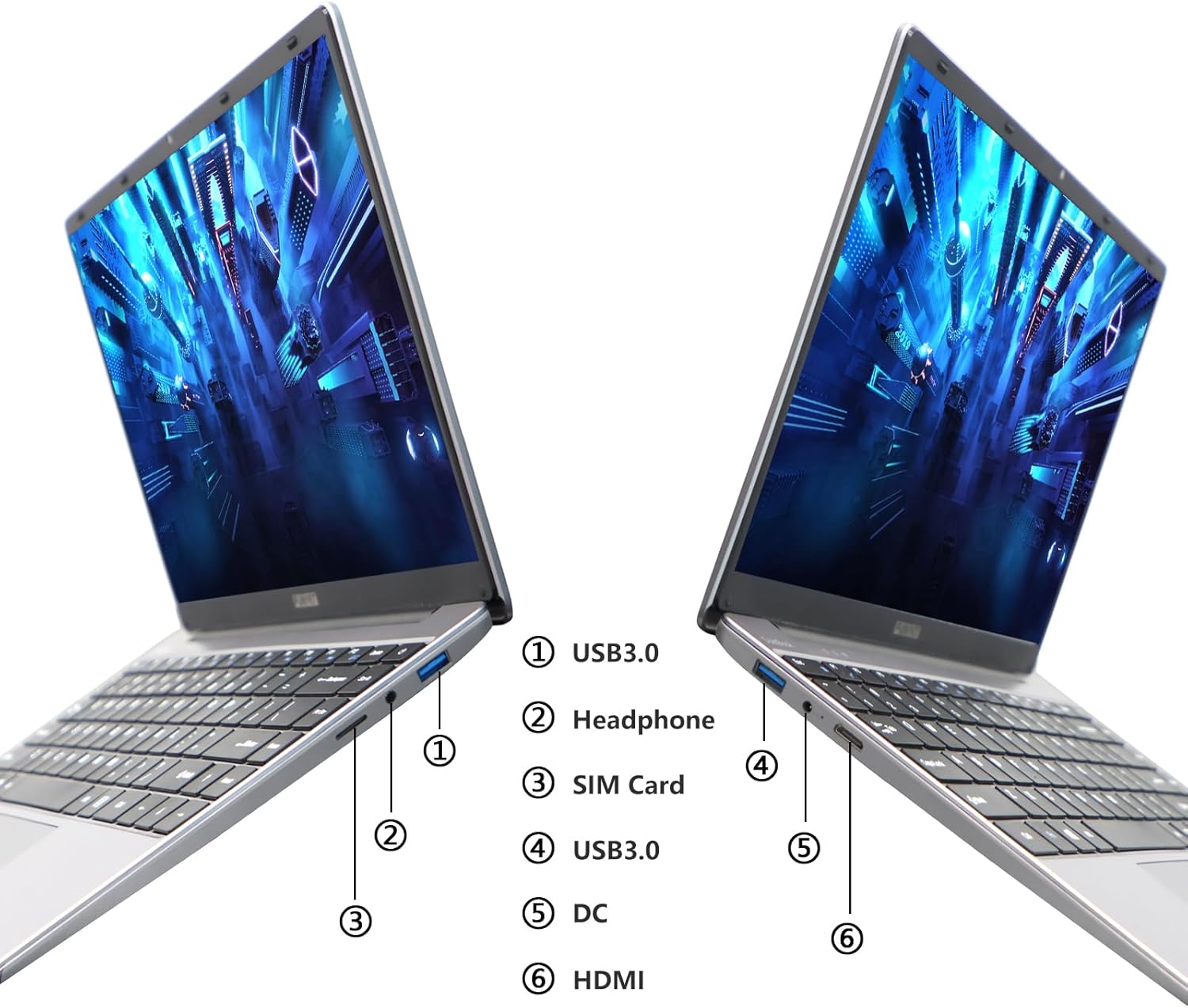
Image: Diagram illustrating the various ports on the sides of the laptop.
2.3 Карактеристике екрана
The 14.1-inch FHD IPS display offers a 1920x1080 resolution. The laptop supports a 180-degree opening angle, allowing for flexible viewинг позиције.

Image: The laptop's screen fully opened to a 180-degree flat position.
2.4 Управљање батеријом
The laptop is equipped with a 3800mAh (7.6V/5000mAh) battery. For optimal battery life, ensure the laptop is fully charged before first use. Unplug the AC adapter once the battery is fully charged to prevent overcharging. For extended storage, charge the battery to approximately 50% and store the device in a cool, dry place.

Image: Laptop screen showing a full battery charge indicator.
3. Одржавање
3.1 Општа нега
- Keep the laptop clean by wiping surfaces with a soft, dry cloth. Avoid liquid cleaners directly on the screen or keyboard.
- Ensure proper ventilation. Do not block the air vents to prevent overheating.
- Избегавајте излагање лаптопа екстремним температурама, директној сунчевој светлости или високој влажности.
- Handle the laptop with care to prevent physical damage.
3.2 Проширење складишног простора
The laptop's storage can be expanded using a TF (MicroSD) card. Insert the TF card into the designated slot until it clicks into place. To remove, gently push the card in until it springs out.
КСНУМКС. Решавање проблема
| Иссуе | Могући узрок | Решење |
|---|---|---|
| Лаптоп се не укључује. | Проблем са слабом батеријом или адаптером за напајање. | Ensure the AC adapter is securely connected and the power outlet is functional. Charge the laptop for at least 30 minutes before attempting to power on again. |
| Проблеми са Wi-Fi везом. | Incorrect Wi-Fi password, router issues, or Wi-Fi adapter disabled. | Verify the Wi-Fi password. Restart your router. Check Windows settings to ensure Wi-Fi is enabled. |
| Споре перформансе. | Превише апликација је покренуто, мало простора за складиштење или застарели драјвери. | Close unnecessary applications. Check available storage on the SSD. Update Windows and device drivers. |
| Екран је празан или трепери. | Проблем са управљачким програмом екрана, конфликт са спољним екраном или проблем са хардвером. | Restart the laptop. If connected to an external monitor, disconnect it. Update graphics drivers. |
If you encounter issues not listed here or if the suggested solutions do not resolve the problem, please contact FUNYET support.
5. Техничке спецификације
| Феатуре | Детаљ |
|---|---|
| Назив модела | DuetBook N5095 |
| Процесор | Intel 11th Gen Celeron N5095 (up to 2.9 GHz, 4 Cores, 4 Threads) |
| Графика | Intel UHD графика (интегрисана) |
| РАМ | 16ГБ ДДР4 |
| Складиштење | 512GB SSD (Expandable via TF card) |
| Дисплаи | 14.1-inch FHD IPS (1920 x 1080 pixels) |
| Оперативни систем | Виндовс 11 Про |
| Бежично повезивање | Ви-Фи (2.4Г/5Г), Блутут 4.2 |
| Портс | 2x USB 3.0, 1x HDMI, 1x Headphone Jack, 1x DC-in, 1x TF Card Slot |
| Батерија | 3800mAh (7.6V/5000mAh) Lithium Ion |
| Димензије (ДкШкВ) | 12.7 к 8.3 к 0.8 инча |
| Тежина | 3 фунти |

Image: Visual summary of key laptop features and specifications.
6. Гаранција и подршка
FUNYET provides comprehensive support for your laptop:
- гаранција: Гаранција 2 године од дана куповине.
- Повраћај/Замена: 6 months of free replacement or return service.
- Подршка на мрежи: 24/7 online support with instant responses.
- Телефонска подршка: Available every business day from 4 PM to 10 PM Pacific Time.
For assistance, please contact FUNYET support:
- Телефон: +1 800-986-9631
- Емаил: funyetstore@outlook.com
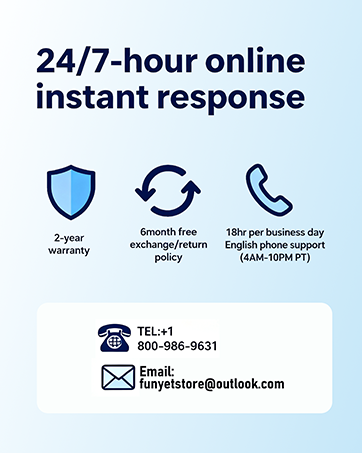
Image: FUNYET customer support and warranty details.
Ask a question about this manual
Ask about setup, troubleshooting, compatibility, parts, safety, or missing instructions. Manuals+ will review the question and use this page’s manual context to help answer it.