
Увод
Thank you for choosing the ILIFE V5s Plus Robot Vacuum and Mop. This device is designed to provide efficient cleaning for your home, combining both vacuuming and mopping functions. It features smart navigation, app control, and automatic self-charging for convenience. Please read this manual thoroughly before use to ensure proper operation and maintenance.
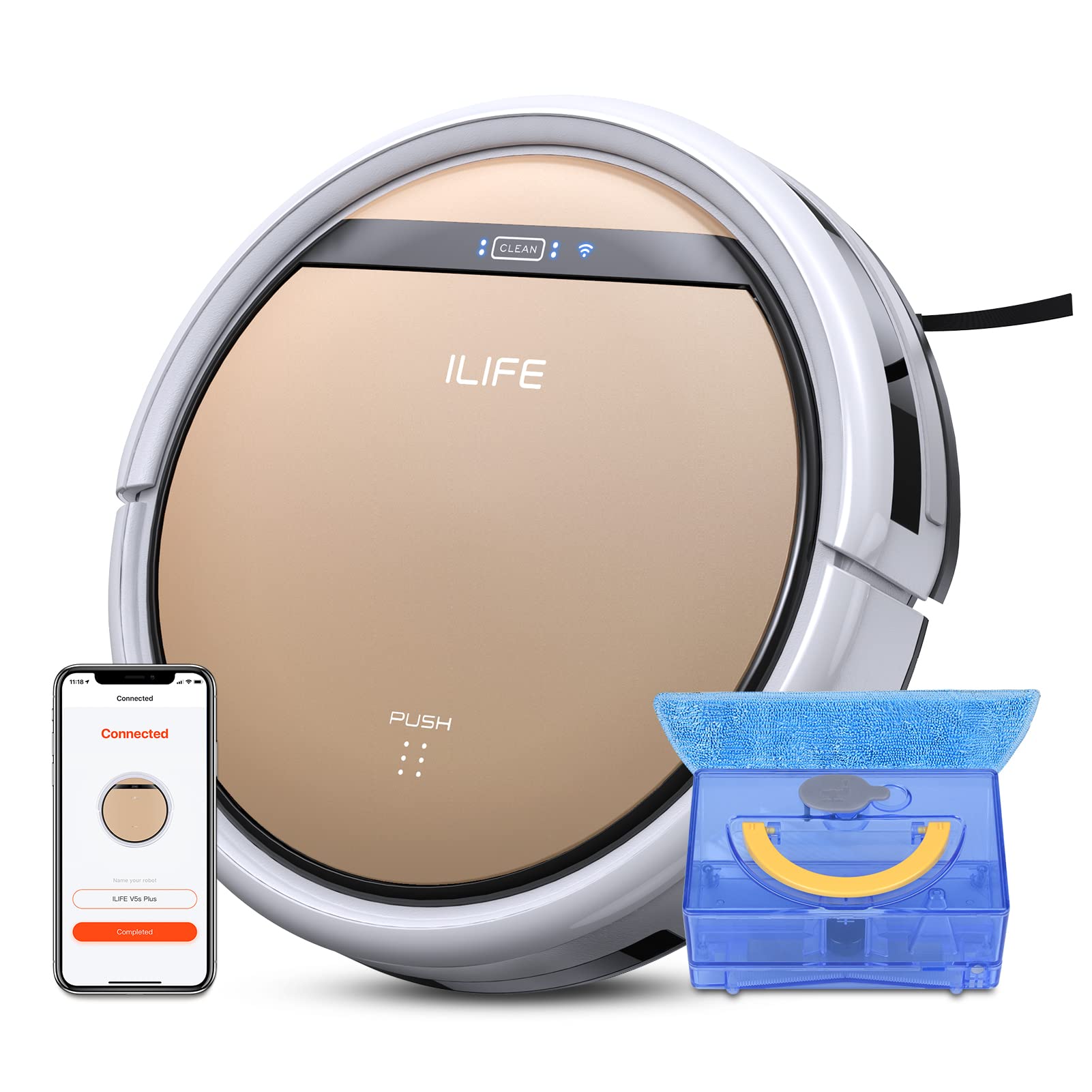
The ILIFE V5s Plus Robot Vacuum and Mop, ready for use.
Безбедносна упутства
Before operating the ILIFE V5s Plus, please observe the following safety precautions:
- Пажљиво прочитајте сва упутства пре употребе уређаја.
- Keep the robot and its accessories out of reach of children.
- Не користите робота у влажним срединама или близу воде.
- Ensure the charging dock is placed on a flat surface against a wall, with clear space around it.
- Уклоните све лабаве каблове, мале предмете или ломљиве предмете са путање чишћења како бисте спречили запетљавање или оштећење.
- Do not use the robot to pick up large debris, sharp objects, or liquids other than water for mopping.
- Only use the original power adapter and charging dock provided with the robot.
Шта је у кутији
Проверите да ли су све компоненте присутне у пакету:
- Главно тело (укључена батерија)
- Доцк за пуњење
- Даљински управљач (батерија није укључена)
- АЦ адаптер
- Алат за чишћење
- Моп крпа
- Резервоар за воду
- Упутство за употребу
- Филтер високих перформанси
- Додатне бочне четке
Сетуп
1. Почетно пуњење
Place the charging dock against a wall in an open area. Connect the AC adapter to the charging dock and plug it into a power outlet. Place the robot onto the charging dock, ensuring the charging pins align. The robot will begin charging automatically. Allow for a full charge before first use (approximately 3-5 hours).
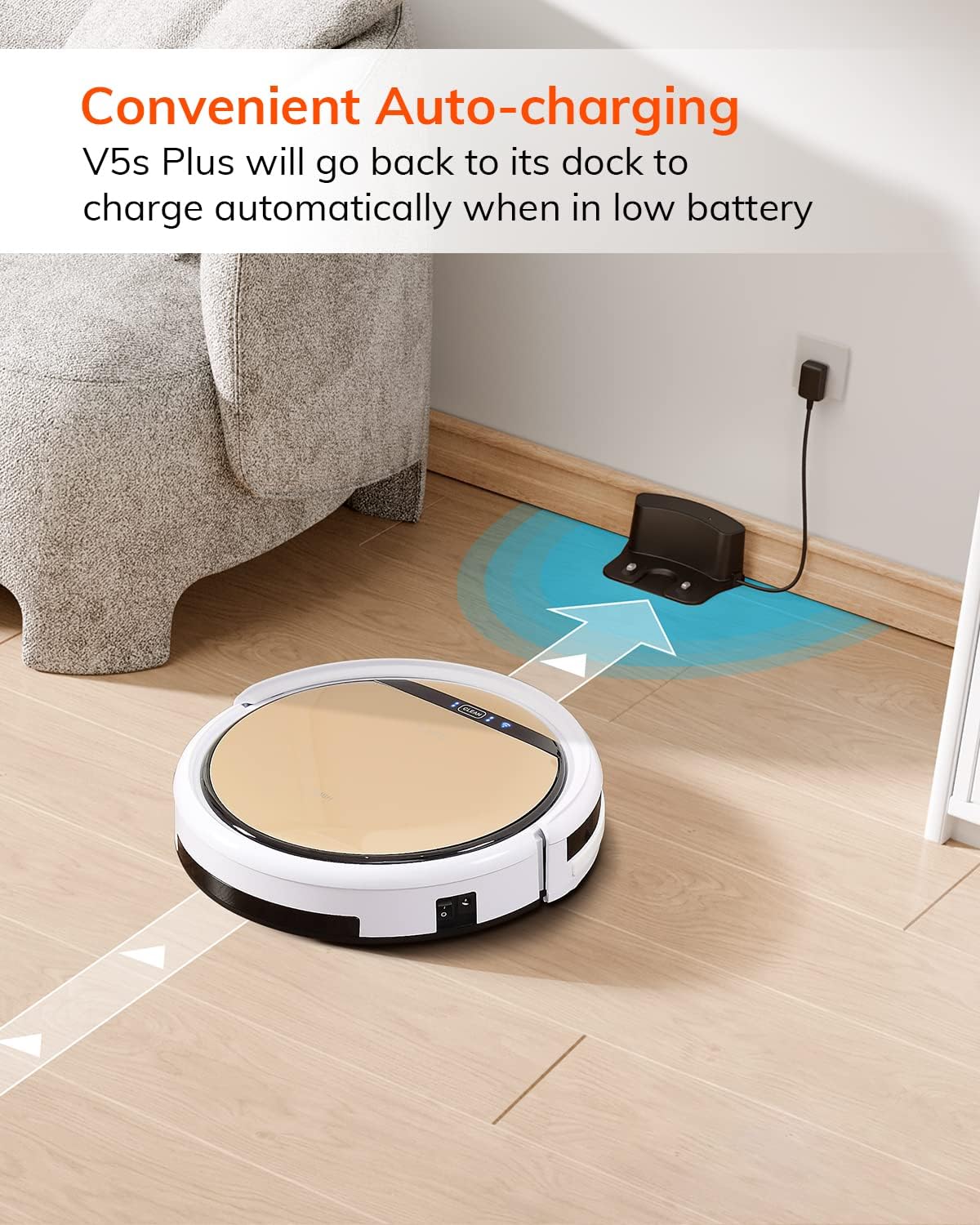
The robot automatically returns to its charging dock when the battery is low.
2. App Download and WiFi Connection
Download the 'ILIFEHOME' app from your smartphone's app store. Follow the in-app instructions to connect your robot to your home WiFi network. Ensure your WiFi is 2.4GHz, as the app does not support 5G WiFi.

Control the robot and schedule cleaning via the ILIFEHOME app.
3. Припрема простора за чишћење
Before each cleaning cycle, clear the floor of any obstacles such as cables, toys, or small rugs that could entangle the robot. For mopping, ensure the water tank is filled and the mop cloth is attached.
Упутство за употребу
1. Укључивање/искључивање
To power on the robot, press the 'CLEAN' button on the robot or use the remote control/app. To power off, press and hold the 'CLEAN' button until the indicator lights turn off, or use the app.
2. Режими чишћења
The ILIFE V5s Plus offers multiple cleaning modes:
- Аутоматски режим: The robot automatically cleans the area, adjusting its path as needed.
- Спот режим: Фокусира се на одређено прљаво подручје, чистећи у спиралном обрасцу.
- Едге Моде: Чисти дуж зидова и ивица намештаја.
- Максимални режим: Повећава усисну снагу за дубље чишћење.
- Scheduling Cleaning Mode: Set a cleaning schedule via the app for automated cleaning.

The robot utilizes various cleaning modes to suit different needs.
3. Усисавање и брисање подова
The V5s Plus functions as both a vacuum and a mop. For vacuuming, ensure the dustbin is installed. For mopping, replace the dustbin with the water tank and attach a clean mop cloth. The intelligent control water tank offers three-level water outlet: gentle, standard, and strong, which can be controlled by the App.

The ILIFE V5s Plus offers both vacuuming and mopping capabilities.
4. Управљање гласом
The ILIFE V5s Plus is compatible with Amazon Alexa and Google Assistant. Connect your robot to your smart home system to start or stop cleaning tasks using voice commands.

Control your robot with voice commands through Alexa or Google Assistant.
5. Automatic Charging
When the battery is low or a cleaning cycle is complete, the robot will automatically return to its charging dock. Ensure the charging dock is accessible and free from obstructions.

The robot automatically returns to its charging base when power is low.
Одржавање
Regular maintenance ensures optimal performance and extends the lifespan of your ILIFE V5s Plus.
1. Пражњење и чишћење канте за прашину
Open the top cover of the robot and remove the dustbin. Empty the dustbin into a trash receptacle. Clean the dustbin and filter with the provided cleaning tool or a soft brush. Rinse the dustbin with water if necessary, ensuring it is completely dry before reinstallation.
2. Filling and Cleaning the Water Tank
Remove the water tank from the robot. Open the water tank cap and fill it with clean water. Securely close the cap and reinsert the water tank into the robot. After mopping, empty any remaining water and rinse the tank. Allow it to air dry.

The water tank for the mopping function.
3. Бочне четке за чишћење
Regularly check the side brushes for tangled hair or debris. Remove any obstructions using the cleaning tool or scissors. Replace worn-out side brushes with new ones.
4. Сензори за чишћење
Wipe the anti-drop sensors and anti-collision sensors on the robot's underside and front bumper with a clean, dry cloth to ensure proper navigation.
Решавање проблема
If you encounter issues with your ILIFE V5s Plus, refer to the following common problems and solutions:
- Robot does not power on: Ensure the battery is charged. Check if the power switch on the side of the robot is turned on.
- Робот се не пуни: Verify the charging dock is powered and the robot is correctly aligned with the charging pins. Clean the charging contacts on both the robot and the dock.
- Робот се често заглављује: Clear the cleaning area of obstacles. Check for tangled hair in the side brushes or wheels.
- Лоше перформансе чишћења: Empty the dustbin and clean the filter. Clean the side brushes. Ensure the water tank is properly filled for mopping.
- Unable to connect to App:
- Make sure to select the correct Wi-Fi and login with the correct Wi-Fi password.
- The ILIFE Robot does not support 5G Wi-Fi. Make sure to use a 2.4G Wi-Fi connection.
- Make sure the Wi-Fi signal is covered and strong.
- Allow the ILIFEHOME APP to have access to your location services and wireless data.
Спецификације
| Феатуре | Детаљ |
|---|---|
| Бранд | ИЛИФЕ |
| Назив модела | В5с Плус |
| Препорука за површину | Хард Флоор |
| Снага усисавања | 2 кпа |
| Време употребе | До 110 минута |
| Капацитет резервоара за воду | 300мЛ |
| Капацитет прашине | 300мЛ |
| Dust Box Filter Type | High efficiency filter + nylon mesh |
| Режими чишћења | Auto/Spot/Edge/Max |
| Тип контроле | Remote Control/ App Control/ Alexa/ Google Assistant |
| Димензије производа | 30Д к 30В к 8.1Х центиметара |
| Тип батерије | Литхиум Ион |
| Волtage | 110 Волтс |
Гаранција
The ILIFE V5s Plus Robot Vacuum and Mop comes with a Двогодишња гаранција произвођачаМолимо вас да сачувате доказ о куповини за потребе гаранције. Гаранција покрива недостатке у материјалу и изради при нормалној употреби. Не покрива штету насталу услед злоупотребе, незгода, неовлашћених модификација или нормалног хабања.
Подршка
For further assistance, technical support, or warranty inquiries, please contact ILIFE customer service:
- Емаил: сервице_ус_ца@илиферобот.цом
Производ је завршенview Видео
Погледајте овај видео за општи прегледview of the ILIFE V5s Plus features and operation.
Званични производ је завршенview of the ILIFE V5s Plus Robot Vacuum and Mop.