
1. Увод
Thank you for choosing the Transformers GM04 Lightweight Wireless Gaming Mouse. This manual provides essential information for setting up, operating, and maintaining your new gaming mouse. Designed for precision and comfort, the GM04 features a high-precision PAW3311 sensor, triple connection modes (2.4G wireless, Bluetooth 5.3, and USB-C wired), 5 programmable buttons, and up to 100 hours of battery life. Its ergonomic design and lightweight construction ensure a comfortable and responsive experience for gaming, work, and study.
2. Шта је у кутији
- TF-GM04 Wireless Gaming Mouse x 1
- USB Wireless Dongle x 1
- УСБ-Ц кабл к 1
- Упутство за употребу к 1
3. Производ је готовview
Familiarize yourself with the key features and components of your Transformers GM04 gaming mouse.
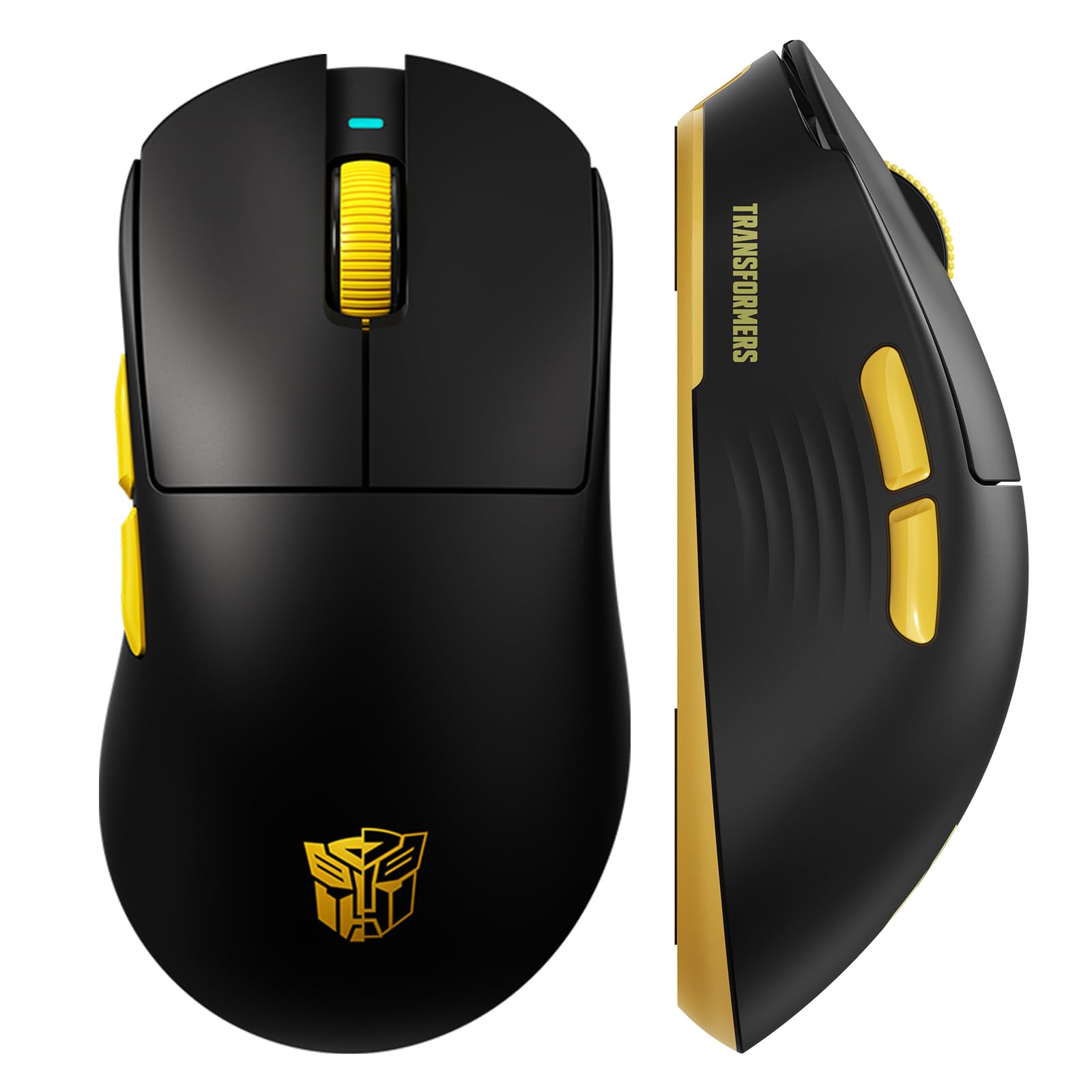
Слика 1: The Transformers GM04 Wireless Gaming Mouse, showcasing its sleek black and yellow design, along with icons highlighting its core features such as PixArt PAW3311 sensor, up to 12000 DPI, 1000Hz polling rate, 20 million clicks, Tri-Mode connectivity, custom macros, 63g lightweight design, and up to 100 hours of battery life. A USB wireless dongle is also visible next to the mouse.

Слика 2: A hand demonstrating the ergonomic design of the Transformers GM04 mouse. The image highlights how the mouse fits comfortably in the palm, promoting more comfort and less fatigue during extended use, thanks to its non-slip texture.

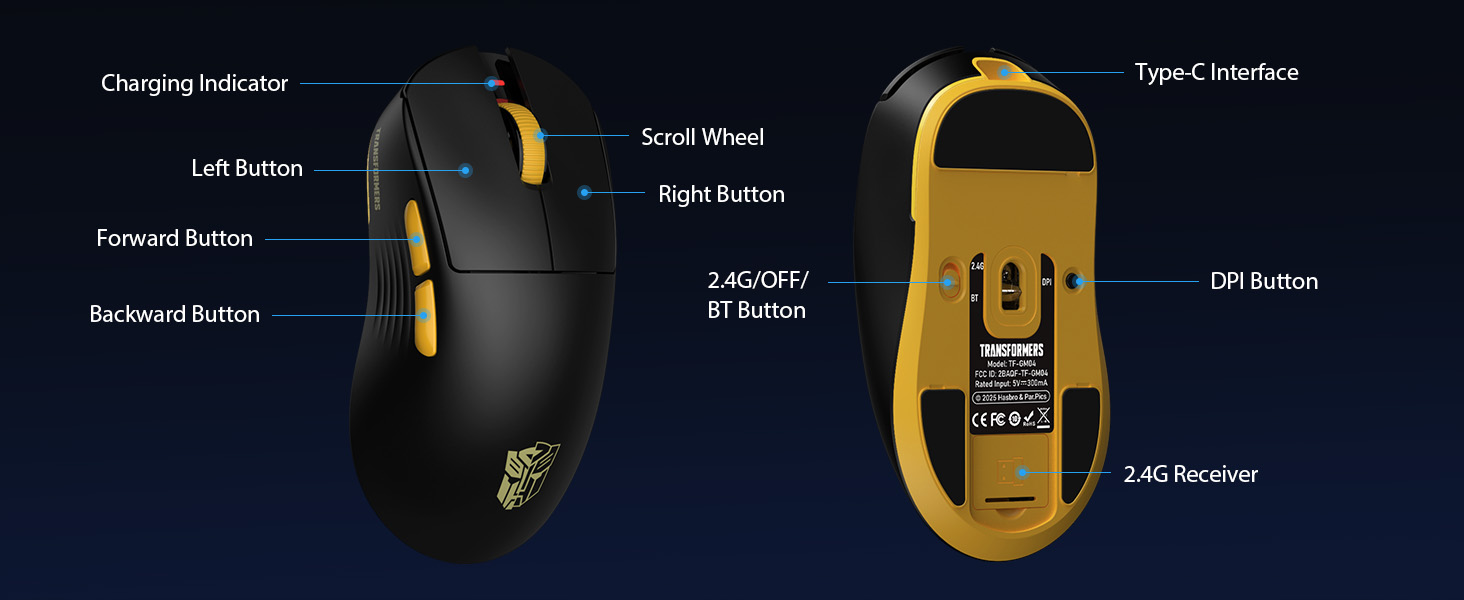
Слика 3: The underside of the Transformers GM04 mouse, detailing the 2.4G/OFF/BT switch for connection modes, the DPI button, and the storage compartment for the 2.4G wireless receiver. This view is crucial for understanding how to switch modes and adjust settings.

Слика 4: An illustration of the 6-level adjustable DPI settings for the Transformers GM04 mouse. It shows the DPI values (1200, 2400, 3200, 4800, 6400, 12000) and their corresponding LED indicator colors (Red, Green, Blue, Purple, Yellow, Cyan), which helps users identify the current DPI level.
Слика 5: Експлодирао view diagram of the Transformers GM04 mouse, highlighting the HUANO micro switches. This image emphasizes the precision-engineered mechanical switches designed for crisp feedback and a lifespan of over 20 million clicks, ideal for rapid gaming actions.
Видео 1: An official product video from Transformers Keyboard showcasing the GM04 Lightweight Wireless Gaming Mouse. This short video provides a dynamic overview of the mouse's design and features.
4. Подешавање
4.1. Пуњење миша
Before first use, it is recommended to fully charge your GM04 mouse. Connect the provided USB-C cable to the mouse's front port and the other end to a USB power source (e.g., computer USB port, USB wall adapter). The LED indicator will show charging status.
4.2. Повезивање миша
The GM04 mouse supports three connection modes: 2.4G Wireless, Bluetooth 5.3, and USB-C Wired. Use the switch on the bottom of the mouse to select your desired mode.
4.2.1. 2.4G бежични режим
- Remove the USB wireless dongle from its storage slot on the bottom of the mouse.
- Plug the USB wireless dongle into an available USB-A port on your computer.
- Померите прекидач за режим рада на дну миша у положај „2.4G“.
- Миш би требало аутоматски да се повеже са рачунаром.
4.2.2. Блуетоотх режим
- Померите прекидач за режим на дну миша у положај „BT“.
- На рачунару или уређају отворите подешавања за Bluetooth и потражите нове уређаје.
- Select "TF-GM04 BT" from the list of available devices to pair.
- The mouse should connect and be ready for use.
4.2.3. Жични режим USB-C
- Connect the provided USB-C cable to the mouse's front port and the other end to a USB-A port on your computer.
- Миш ће се аутоматски пребацити у жични режим и почети са пуњењем.
5. Оперативни
5.1. Подешавање DPI-ја
The GM04 mouse offers 6 default DPI settings. To cycle through these settings, press the Дугме ДПИ located on the bottom of the mouse. The LED indicator will change color to reflect the current DPI level:
- црвено: 1200 ДПИ
- зелено: 2400 ДПИ
- плава: 3200 ДПИ
- љубичаста: 4800 ДПИ
- Жута: 6400 ДПИ
- Цијан: 12000 ДПИ
5.2. Програмабилни тастери
The mouse features 5 programmable buttons. To customize these buttons with macro commands, shortcut keys, or other functions, you will need to use the dedicated driver software. This software is typically available for Windows systems under 2.4G wireless and wired modes. Bluetooth mode may not support full software customization.
5.3. Пребацивање режима повезивања
Easily switch between 2.4G Wireless, Bluetooth, and Wired modes using the dedicated switch on the bottom of the mouse. This allows for seamless transitions between multiple devices.
5.4. ЛЕД индикатори
- ДПИ индикатор: Changes color according to the current DPI setting (see 5.1).
- Индикатор пуњења: A green LED near the scroll wheel indicates charging. It turns off when fully charged.
6. Одржавање
6.1. Чишћење
To maintain optimal performance and appearance, regularly clean your mouse. Use a soft, dry cloth to wipe the surface. For stubborn dirt, a slightly damp Може се користити крпа, водећи рачуна да влага не уђе у унутрашње компоненте. Избегавајте јаке хемикалије или абразивне материјале.
6.2. Брига о батерији
The GM04 mouse is equipped with a 500mAh high-capacity battery. To prolong battery life:
- Избегавајте често потпуно пражњење батерије.
- Чувајте миш на хладном и сувом месту када га не користите дуже време.
- If using wired mode, the mouse will charge automatically.
КСНУМКС. Решавање проблема
7.1. Миш не реагује
- Проверите батерију: Ensure the mouse is charged. Connect it via USB-C cable.
- Проверите режим повезивања: Verify the switch on the bottom is set to the correct mode (2.4G, BT, or Wired).
- Re-pair (2.4G/Bluetooth): For 2.4G, try plugging the dongle into a different USB port. For Bluetooth, unpair and re-pair the device in your computer's settings.
- Try Wired Mode: Connect the mouse directly via USB-C cable to see if it functions.
7.2. DPI се не мења
- Ensure you are pressing the correct DPI button on the bottom of the mouse.
- Observe the LED indicator for color changes to confirm DPI cycles.
- If using custom software, ensure settings are applied correctly.
7.3. Lag or Disconnection in Wireless Mode
- Смањите сметње: Move the mouse closer to the receiver/device. Avoid obstacles or other wireless devices that may cause interference.
- Проверите батерију: Low battery can affect wireless performance.
- Ажурирајте драјвере: Ensure your computer's Bluetooth or USB drivers are up to date.
8. Спецификације
| Феатуре | Детаљ |
|---|---|
| Димензије производа | 4.68 к 2.52 к 0.1 инча |
| Тежина артикла | 2.22 унци (приближно 63 г) |
| Број модела ставке | ТФ-ГМ04 |
| Технологија повезивања | 2.4G бежично, Bluetooth 5.3, USB-C жично |
| Технологија детекције покрета | Оптички (PAW3311 сензор) |
| ДПИ подешавања | 1200/2400/3200/4800/6400/12000 (Adjustable) |
| Поллинг Рате | 1000Hz (латенција 1ms) |
| Брзина праћења | КСНУМКС ИПС |
| Убрзање | 35Г |
| Дугмад | 5 Програмабилна дугмад |
| Тип прекидача | HUANO Micro Switches (20 Million Clicks) |
| Капацитет батерије | 500мАх |
| Трајање батерије | До 100 сати (Блутут режим) |
| Компатибилност | Windows, Mac OS, and other systems |
9. Гаранција и подршка
9.1. Информације о гаранцији
The Transformers GM04 Lightweight Wireless Gaming Mouse comes with a standard manufacturer's warranty. Please refer to the packaging or the official Transformers website for detailed warranty terms and conditions. Keep your purchase receipt as proof of purchase for any warranty claims.
9.2. Корисничка подршка
For technical assistance, troubleshooting, or any questions regarding your Transformers GM04 mouse, please contact Transformers customer support. Contact details can typically be found on the product packaging or the official brand webсајту.