
Увод
The ETIKEZ PM290C is a compact and portable thermal sticker printer designed for various uses, including printing photos, notes, labels, and creative designs. This inkless printer connects wirelessly via Bluetooth to your iOS or Android device, utilizing the 'Labelnize' smart application for enhanced functionality. It prints exclusively in black and white.
Шта је укључено
Upon unboxing your ETIKEZ PM290C printer, please verify that all the following items are present:
- 1x ETIKEZ PM290C Sticker Printer
- 3x Rolls of 54mm × 3.5m White Adhesive Thermal Paper
- 1к упутство за употребу
- 1x Водич
- 1к УСБ Типе-Ц кабл

Image: Packaging contents of the ETIKEZ PM290C Mini Portable Thermal Sticker Printer.
Сетуп
1. Преузимање и инсталација апликације
The ETIKEZ PM290C printer operates via the 'Labelnize' application. Download the app from your device's app store:
- За иОС уређаје: Тражи "Labelnize" in the Apple App Store.
- За Андроид уређаје: Тражи "Labelnize" in the Google Play Store.

Image: Instructions for downloading the 'Labelnize' app.
2. Убацивање термалног папира
- Open the paper bin cover of the printer.
- Load a roll of thermal sticker paper into the paper bin. Ensure the paper feeds smoothly and the printing side is facing up.
- Чврсто затворите поклопац канте за папир.
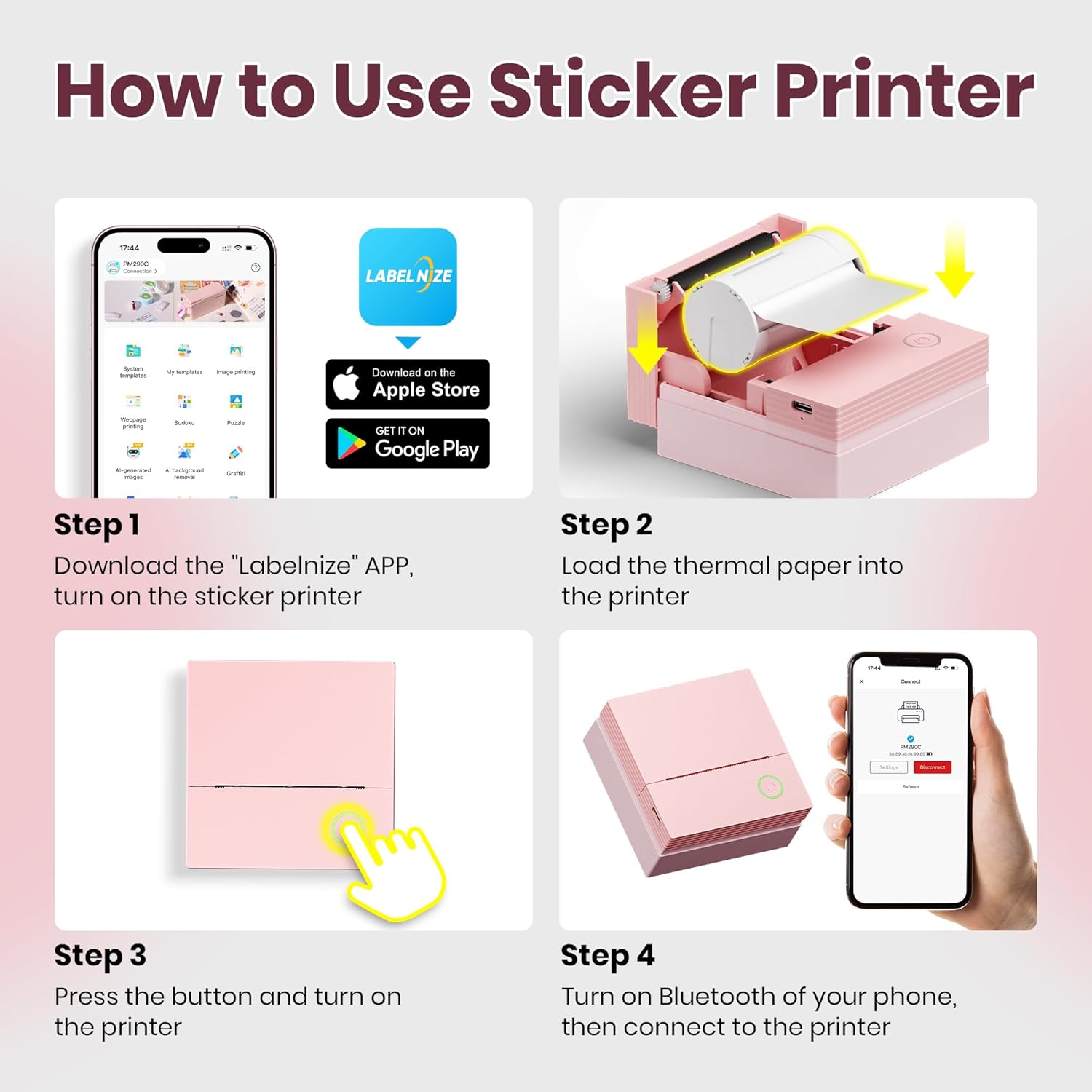
Image: Steps for loading thermal paper into the printer.
3. Блуетоотх веза
- Press and hold the power button on the printer until the white light flashes.
- Омогућите Блуетоотх на паметном телефону или таблету.
- Open the 'Labelnize' app. Within the app, select "PM290C" from the list of available devices to establish a connection. Напомена: Connect via Bluetooth within the Labelnize app, not directly through your phone's Bluetooth settings.
Video: Demonstrates the printer's setup, including paper loading and app connection (0:00-0:11).
Упутство за употребу
The ETIKEZ PM290C printer offers versatile printing options through the 'Labelnize' app.
Text and Template Printing
The app provides a variety of templates and fonts for printing notes, lists, and other text-based content. You can select pre-designed layouts or create your own.
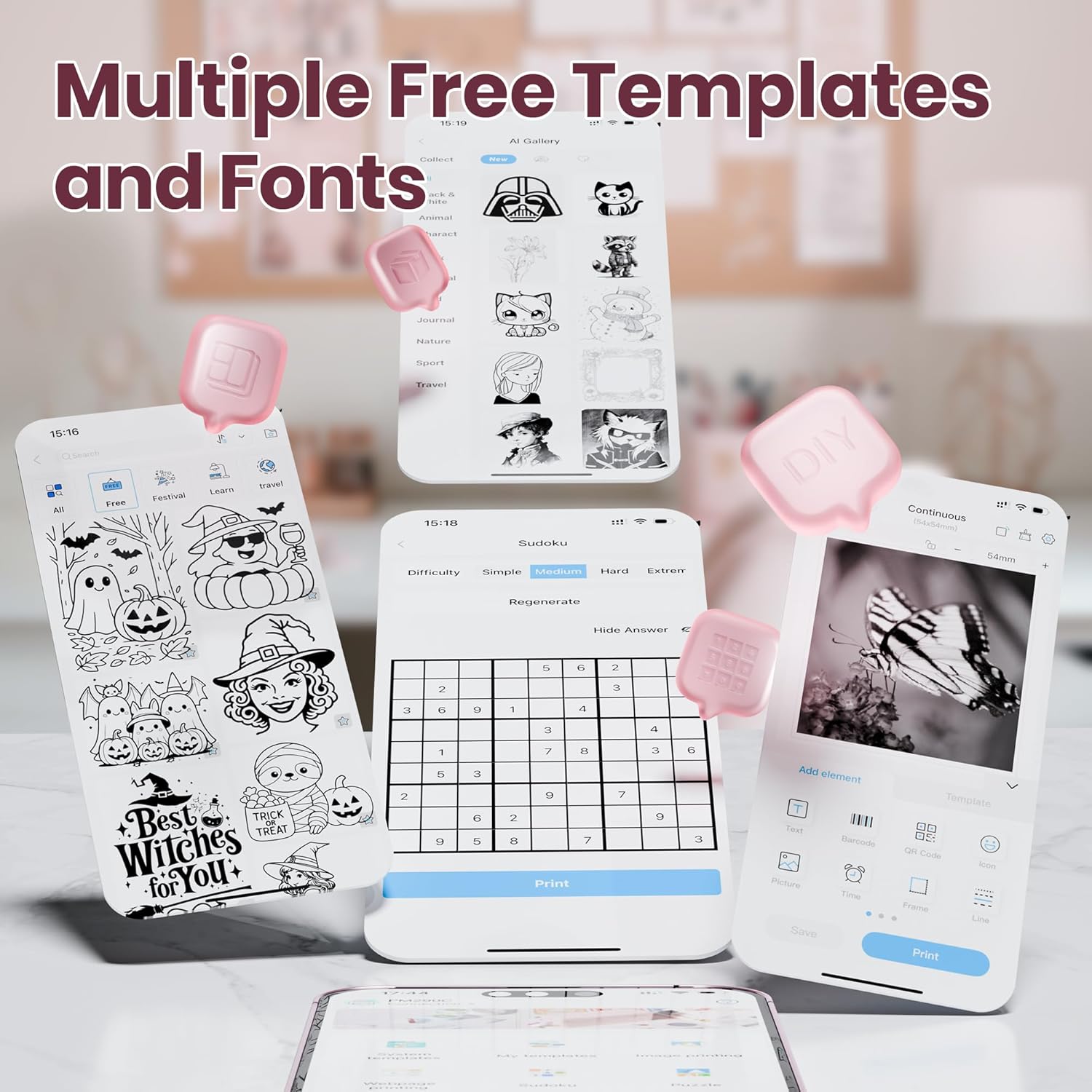
Image: Multiple free templates and fonts available in the Labelnize app.
ОЦР препознавање текста
Utilize the Optical Character Recognition (OCR) feature within the app to scan text from documents and print it directly. This is useful for digitizing notes or extracting information.
Video: Demonstrates OCR printing functionality (0:11-0:18).
Photo Editing and Printing
The app allows you to select photos from your device, apply layouts, and print them in monochrome. This is ideal for creating personalized stickers for journals or decorations.

Image: Printer in use for bullet journaling with printed photos.
Video: Shows photo editing and printing process (0:21-0:30).
AI Image Generation
The 'Labelnize' app integrates AI core functions, including AI Text-to-Image, One-Click Background Removal, and OCR Text Recognition. These features optimize printing workflows for enhanced efficiency and creativity.
Video: Demonstrates AI image generation and printing (0:48-0:54).
Вишенаменска употреба
The PM290C can be used for various applications:
- Белешке о студији: Print diagrams, definitions, or key information.
- Journals: Add personalized photos and stickers.
- Ознаке: Create labels for home organization, gift tags, или file categorization.
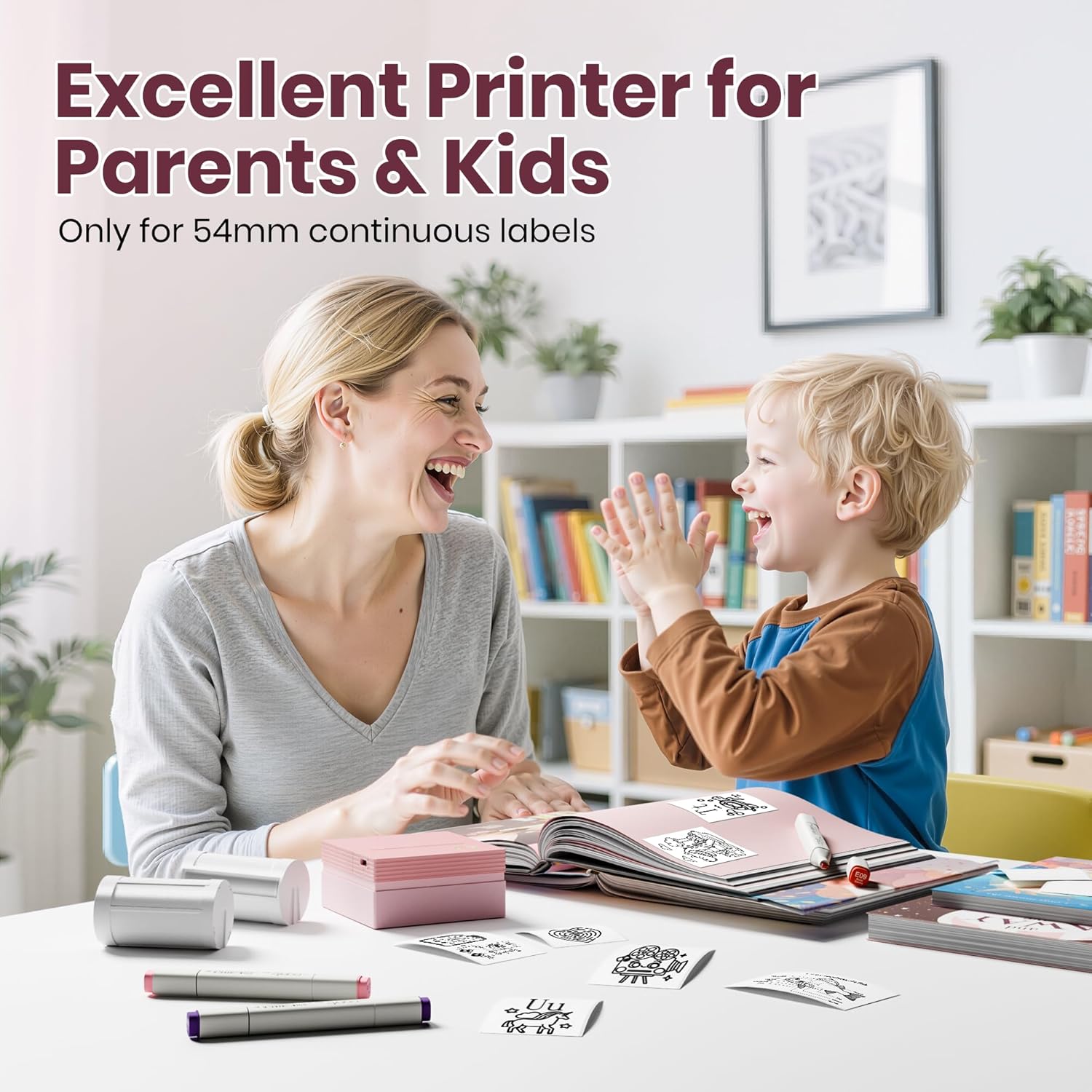
Image: Multipurpose applications of the ETIKEZ PM290C printer.
Video: Shows the printer being used for home organization labels (0:54-1:00).
Одржавање
Општа нега
- Keep the printer clean and free from dust. Use a soft, dry cloth for cleaning the exterior.
- Avoid exposing the printer to extreme temperatures or direct sunlight.
- Store the printer in a dry place when not in use.
Руковање папиром
- Always use thermal paper specifically designed for this printer.
- Ensure the paper roll is inserted correctly to prevent jams.
- If the red light remains on after inserting paper, gently pull out 1–2 cm of paper to ensure proper feeding.
Решавање проблема
Уобичајени проблеми и решења
- Printer not connecting via Bluetooth: Ensure Bluetooth is enabled on your device and connect through the 'Labelnize' app, not directly through your phone's settings.
- Red light stays on after inserting paper: Gently pull out 1–2 cm of paper from the printer. This often resolves minor paper feeding issues.
- No print output or faint prints: Check if the thermal paper is loaded correctly with the printing side facing up. Ensure the printer is charged. Adjust printing density in the app (maximum 3F) for improved quality.
- Printer not charging: Use the provided USB Type-C cable. Avoid fast-charging adapters, as they may not be compatible or could damage the device.
- Printer only prints in black and white: The ETIKEZ PM290C is a thermal printer and is designed to print only in black and white. It does not support color printing.
- Cannot connect to a computer: This printer is designed for mobile use and does not support direct connection to computers.
Спецификације
| Феатуре | Детаљ |
|---|---|
| Број модела | ПМ290Ц |
| Бранд | ETIKEZ |
| Технологија повезивања | Блуетоотх |
| Технологија штампе | Тхермал |
| Посебне карактеристике | Wireless Bluetooth Connectivity, AI Tools, OCR Functionality, Versatile Media Support |
| Боја | Пинк |
| Тип контролера | Андроид, иОС |
| Максимална величина медија | КСНУМКСмм к КСНУМКСм |
| Принт Медиа | Термални папир |
| Компатибилни уређаји | Smartphones, Tablets, iPad, iPhone |
| Боја мастила | Black (monochrome printing only) |
| Контролни метод | Апп |
| Резолуција | 600 к 600 дпи |
| Димензије производа | 10 к 9 к 9 цм |
| Тежина артикла | 299 г |
Гаранција и подршка
Your ETIKEZ PM290C Mini Portable Thermal Sticker Printer comes with a standard manufacturer's warranty. For detailed warranty information, product support, or technical assistance, please refer to the contact information provided on the product packaging or visit the official ETIKEZ webсајт. Молимо вас да сачувате доказ о куповини за потребе гаранције.